

Although mostly not a legal requirement in the UK, being able to print receipts helps:
- VAT-registered businesses to prove their purchases (they legally need receipts)
- to process refunds
- to accommodate customers who do not wish to give their email address or phone number to receive a digital receipt
SumUp is a good option for small businesses looking for cheap card machines. All of their terminals have printing options, most of them included in the package.
Let’s first look at the SumUp card machines that come with a printer, followed by the card reader (SumUp Solo Lite) that needs an external printer.
SumUp card machines that include a receipt printer
The easiest, cheapest and most compact way to print receipts is to buy SumUp Terminal or a SumUp Solo card reader in a receipt printer bundle, as detailed below.
Card machines with a printer:
| Terminal | Printer |
|---|---|
|
SumUp Terminal
|
Built into terminal With its software, it can even serve as a mini POS system. |
|
SumUp Solo + counter printer
|
Integrated in the charging dock Terminal detaches easily. Whole thing is relatively heavy and bulky. |
|
SumUp Solo + mobile printer
|
Integrated in the charging dock Terminal is securely locked in the cradle and more difficult to remove. Whole thing is lightweight and easy to handle. |
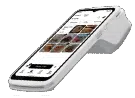
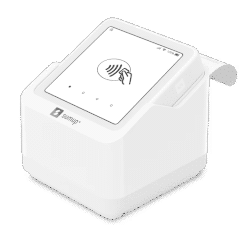
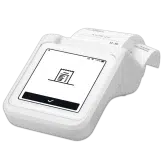
These all connect directly with 4G or WiFi, so they don’t need to connect with a cash register. You can even take them with you on the go, except for the version with a desktop printer, which is designed to be placed on a countertop.
Other features common to all SumUp printers:
- Receipt paper is thermal, i.e. prints are made with heat, not ink
- Paper rolls are 58 mm wide, which is a standard width
- Can customise receipts with your company name, address, email address, etc.
Note: Solo’s predecessor SumUp 3G only works with the SumUp 3G Printer. This used to be sold as a SumUp 3G and Printer bundle.
What about SumUp Solo Lite?
Solo Lite is an entry-level card reader requiring a Bluetooth-pairing with a SumUp app. Some merchants prefer this because it’s very cheap upfront, but if you know you need to print receipts, it’s actually cheaper to buy one of the above options.
If, however, you already own a receipt printer compatible with Solo Lite, you can save money with this setup. Others might find that an external, compatible printer has some specialised features lacking in SumUp’s own printers, in which case Solo Lite would be the only one accommodating this.
SumUp Terminal – printer built in, versatile on the go
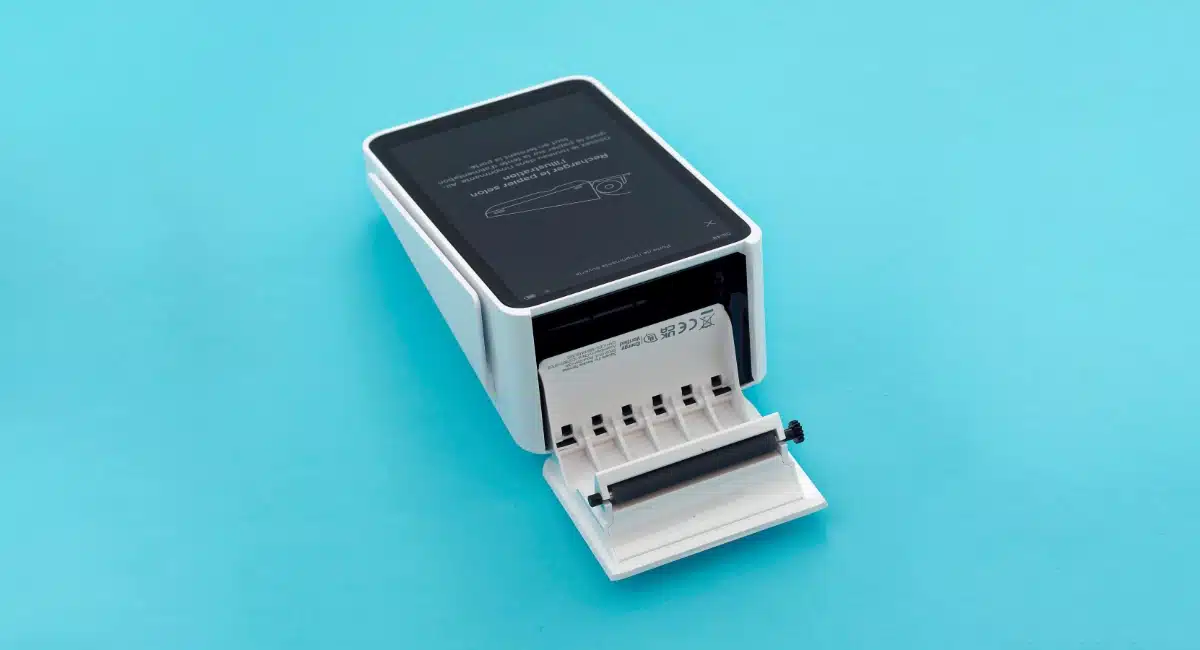
Choosing SumUp Terminal (£135 + VAT) is the least complicated choice, since the receipt printer is built in at the top. The card machine works independently through its WiFi or 4G, and its POS software makes it sufficient as a simple, mobile checkout.
Since the touchscreen covers all of the front side, receipts print from the bottom of the top end, similar to comparable models like PAX A920. We found this less convenient than Solo’s printers, where receipts print from a higher angle, but Terminal’s metal cutters make it easier to detach the receipts.
Emmanuel Charpentier, Mobile Transaction
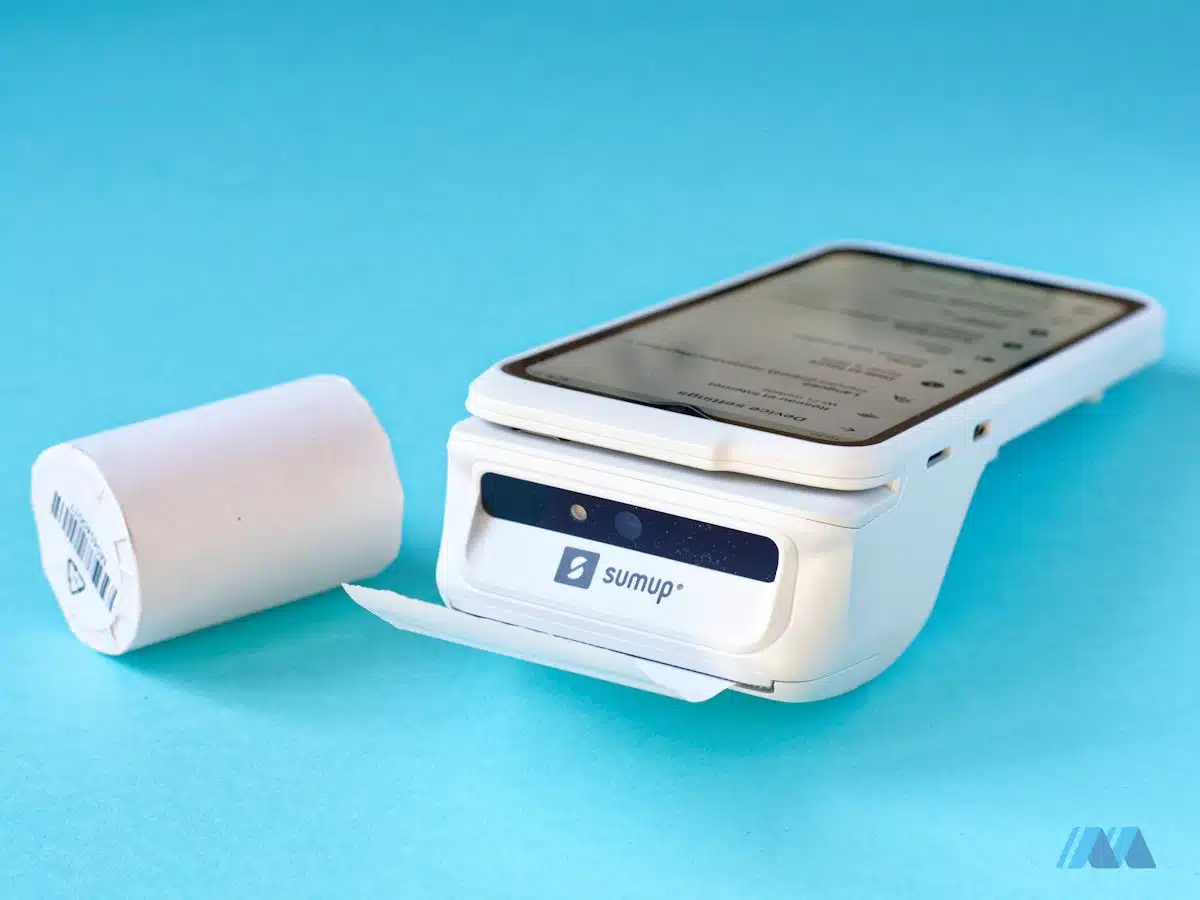
SumUp Terminal’s receipt roll sits tightly inside, making it easier to rip off the paper.
Though a bit narrow at 58mm, Terminal’s receipts are product-itemised unlike SumUp Solo that can only print transaction amounts.
We found that opening the hatch to change the roll was effortless, whereas we had a bit of trouble with the Solo model. Another welcome feature – especially if you’re handling the printer all day – is that the roll stays securely in place and doesn’t move around too much in its compartment.
You will have the option to enable or disable automatic receipt printing, which is a good thing to save paper.
SumUp Solo with a receipt printer – most common at tills
SumUp Solo can be purchased with two types of receipt printers:
- a tall, square countertop printer where the card reader sits on top
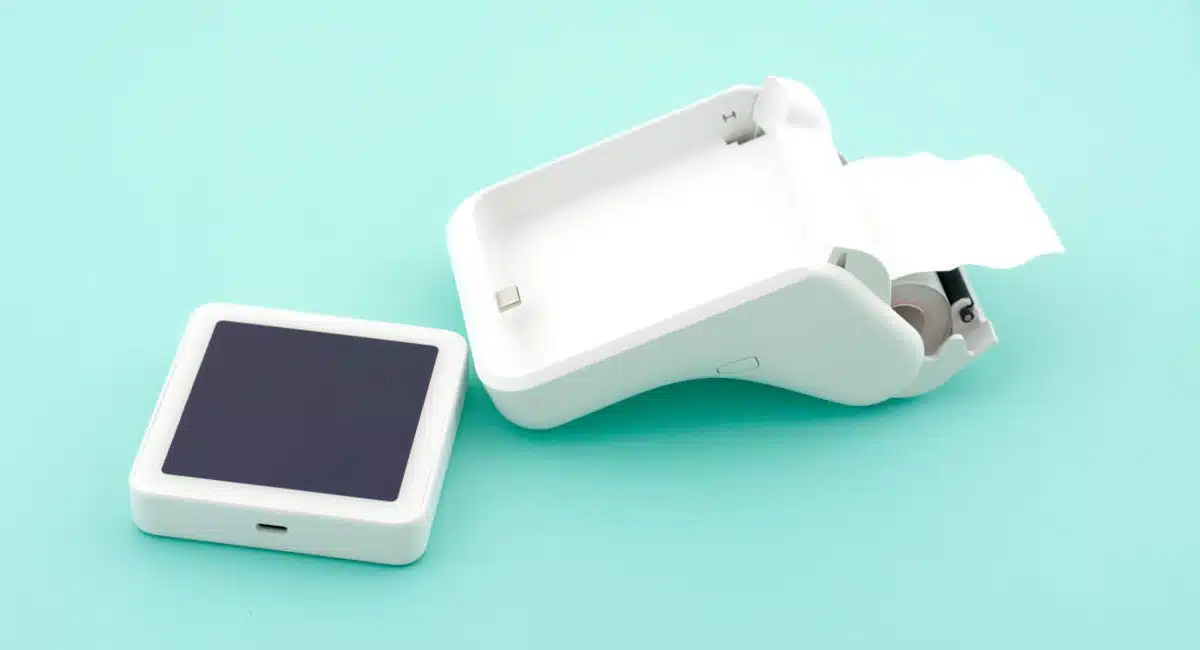
- a curved, ergonomically-shaped mobile printer where the card reader is securely attached inside
The best option for a fixed checkout is the counter printer. The somewhat bulky design makes it very stable on a desk, but also compact with the card reader attached on top.
Emmanuel Charpentier, Mobile Transaction
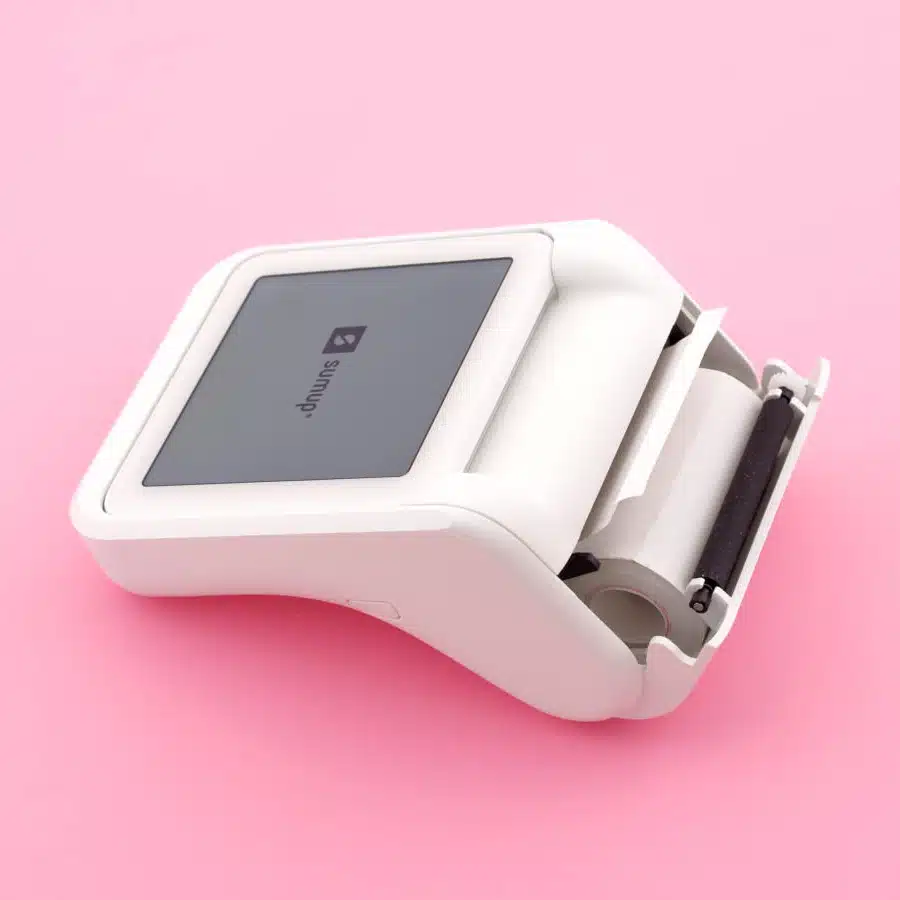
SumUp Solo in the mobile printer.
Both printers also act as a battery pack charging the card terminal. This is extremely useful on the go for the mobile printer, since we found the Solo card reader can otherwise run out of battery within a day.
Depending on your needs, you can separate the Solo terminal from either printer base.
We tested the version with the mobile printer, which we find beautiful and pleasant to hold. Receipts come out from the back at an upwards angle so it’s easy to grab them. The paper detaches quite easily thanks to a plastic edge, despite the absence of metal cutters.
To be honest, we had a little trouble detaching the terminal from the mobile printer on the first try. You first have to open the receipt roll cover, then tilt the section just above the top of the terminal backwards. This is actually a good thing in the end, as it allows the terminal to be firmly attached to the base.
Emmanuel Charpentier, Mobile Transaction
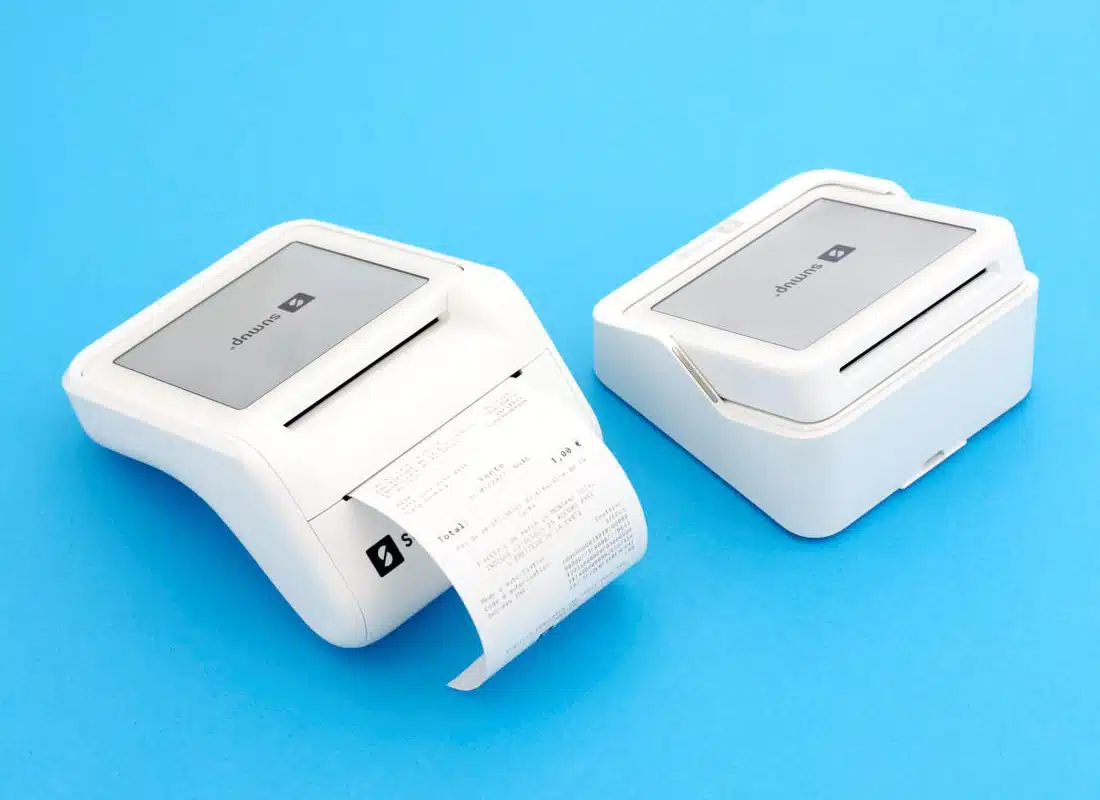
SumUp Solo can be purchased with a printer (left) or basic desktop stand (right).
What are the bundle options for Solo?
Each of the Solo card reader and printer sets costs £109 + VAT, but it’s possible to buy SumUp Solo with just a basic counter stand (shown on the right in the photo above) for just £71 + VAT.
If you’ve already bought the Solo card reader without a printer, you can purchase the counter printer separately for £59 + VAT or the mobile printer for £69 + VAT. Needless to say, it’s a better deal to buy Solo in a printer bundle from the start.
Solo is the cheapest card machine with a receipt printer currently available in the UK. It is even cheaper than buying SumUp Solo Lite with one of the printers below.
SumUp Solo Lite-compatible receipt printers
The last option is SumUp Solo Lite, the cheapest of the card readers (£25 + VAT). To accept cards, it uses Bluetooth to link with a WiFi- or 4G-enabled phone or tablet with the SumUp app installed. To print receipts, you need to link one of the below printers with this app.
Emmanuel Charpentier, Mobile Transaction
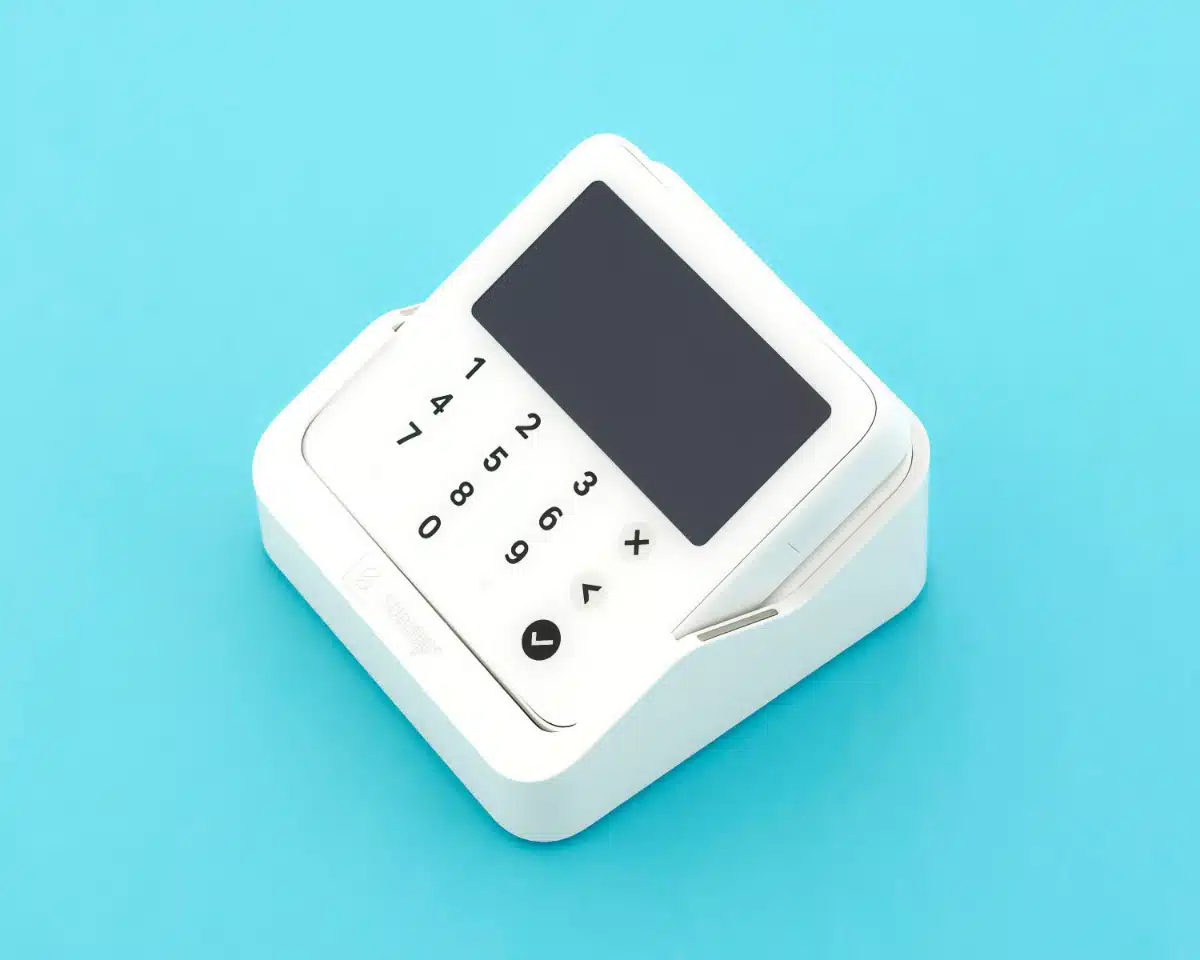
SumUp Solo Lite fits in a stand, but it needs one of the external printers below to print receipts.
Let’s now have a look at all the printers compatible with the app for SumUp Solo Lite:
Stationary receipt printers
- Epson TM-m30/Epson TM-m30ii/Epson TM-m30iii (Android and iOS app)
- Star Micronics mC-Print2 (iOS app)
- Star Micronics mC-Print3 (Android and iOS app)
- Star Micronics TSP100III/TSP143III (Android and iOS app)
- Star Micronics TSP650II (Android app)
- Star Micronics mPOP 10 (Android and iOS app)
Mobile receipt printers
- Star Micronics SM-L200 (Android and iOS app)
- Bixolon SPP-R210iK/BEGE (Android and iOS app)
- Bixolon SPP R220 iK/STD (iOS app)
- Bixolon SPP-R200lliK/BEGE (iOS app)
A few of the models only work with the SumUp Android app, while others only work with iPhone or iPad, or both iOS and Android.
The mobile printers connect with SumUp app via Bluetooth, so no wires are needed.
Let’s dig into the details of each model.
Epson TM-m30 – small, cubic and stationary
Cube-shaped and very compact, Epson TM-m30 (including TM-m30ii, TM-m30ii-NT and TM-m30iii) is a stylish choice for a fixed counter space.
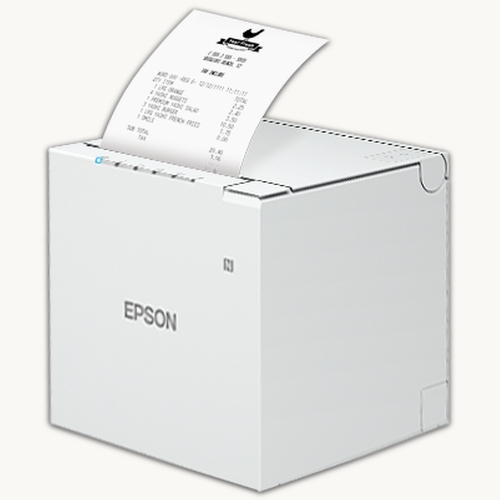
It measures 127 x 127 x 127 mm and benefits from a splash-proof, antibacterial surface.
This thermal receipt printer connects with both the Android and iOS SumUp App. It does come with different connection types to suit your till: Bluetooth, LAN, USB and Lightning
If you’re doing a lot of refunds or need signatures for other reasons, its decurling mechanism flattens the receipts so the paper is much easier to sign.
The printer comes in black or white. We think it looks really good in either colour, and the angular shape makes it very tasteful.
Typical price: £215-£300 incl. VAT
Star Micronics mC-Print2 – smallest stationary printer
Don’t be fooled by its small size (96 x 113 x 100 mm) – Star’s thermal, square-shaped mC-Print2 printer is more advanced than you think.
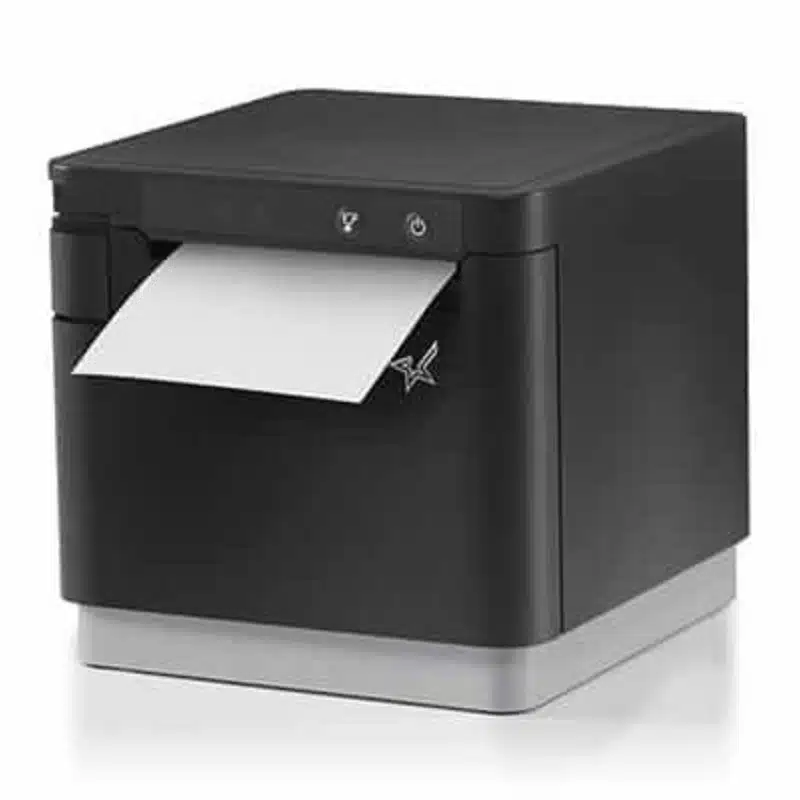
It prints barcodes and graphics as well as standard receipts, and also has a decurl function so receipts come out flat.
Unfortunately, this receipt printer only works with SumUp’s iPad or iPhone app, not the Android app. Despite this limitation, it has several connectivity options: Ethernet, USB, Lightning USB, Bluetooth and WiFi.
The mC-Print2 printer auto-cuts receipts, so there’s no need to tear them off manually. It’s similarly easy to change the paper roll, which is just dropped into an internal compartment.
The model comes in two colours, black and white, to suit your checkout.
Typical price: £225-£280 incl. VAT
Star Micronics mC-Print3 – fast and versatile printing
Bigger than the mcC-Print2 above, Star Micronics mC-Print3 measures 132 x 140 x 125 mm and works at a fixed location. It can be purchased with USB, Ethernet, Bluetooth or WiFi connections.
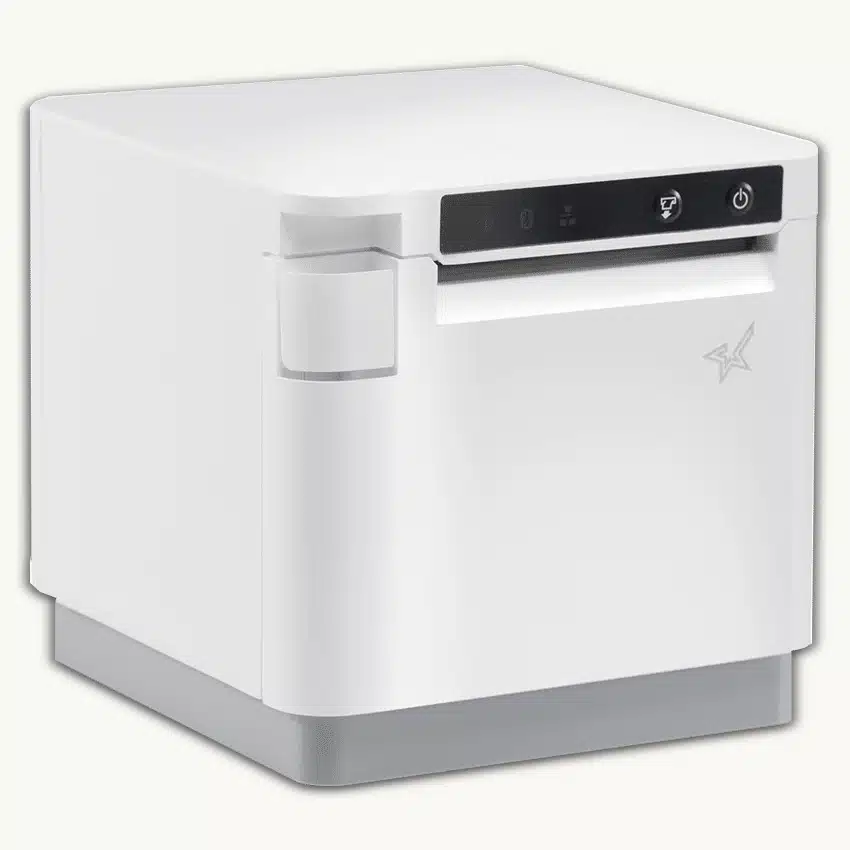
It prints fast at 250 mm per second on 80 mm-width, thermal paper. Because the paper is wider than the average receipt, you can use it for printing orders in restaurants too. Star Micronics mC-Print3 is splash-proof too and has paper near-end sensors to alert you of when to change the receipt roll.
What’s more, the receipt printer can be placed horizontally and vertically, depending on whether you want it on a wall, counter or elsewhere. It’s a stationary printer, so it needs to stay put in any case.
Please note the MCP31LB version of the mC-Print3 printer only works with iPhone or iPad, but the MCP31L works with both iOS and Android.
The printer is available in black and white.
Typical price: £240-£330 incl. VAT
Star Micronics TSP100III/TSP143III – classic design, many functions
The Star Micronics TSP100III series – also called TSP143III – is a classic model used by many businesses. It works both horizontally on a desk and vertically on a wall.
The newer generation TSP100IV was also listed as compatible with SumUp previously, but this has been removed. We suggest contacting SumUp if you want to use this, as it may still work in some cases.
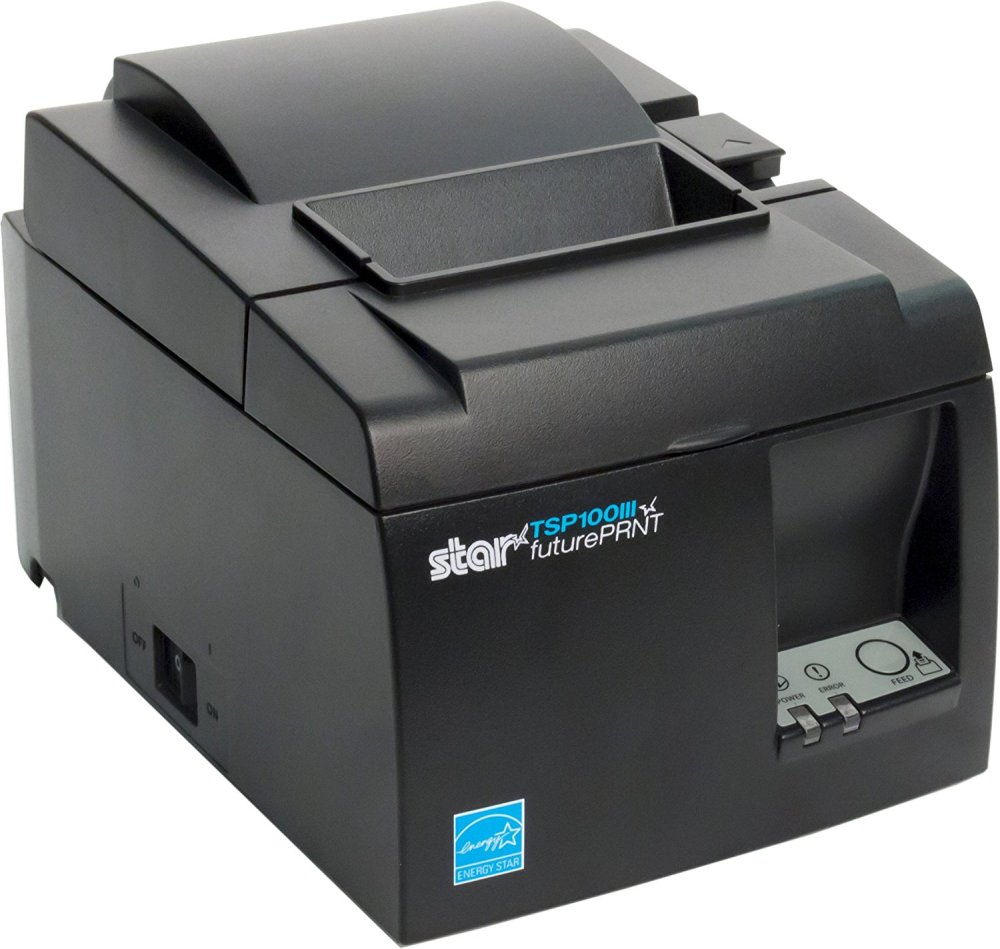
TSP143III’s 250 mm per second print speed on 80 mm- or 58 mm-width receipts makes it quite fast. The wide receipts make it ideal for order printing such as Uber Eats, while the narrower ones suit till receipts better.
The Star Micronics printer has something called futurePRNT Technology which allows merchants to customise receipts with logos and QR codes. This is of course limited to what SumUp permits through its software.
Whereas the TSP143IIIU model (iOS Lightning connection) only works with SumUp’s iOS app, the TSP143IIILAN (Ethernet connection) works with Android too. The other connectivity options are not officially compatible with SumUp at the moment.
The printers come in white and dark grey.
An older model, Star Micronics TSP650II, is also Android-compatible with SumUp, but this is discontinued.
Typical price: £230-£280 incl. VAT
Star Micronics mPOP – space-saving till drawer and printer
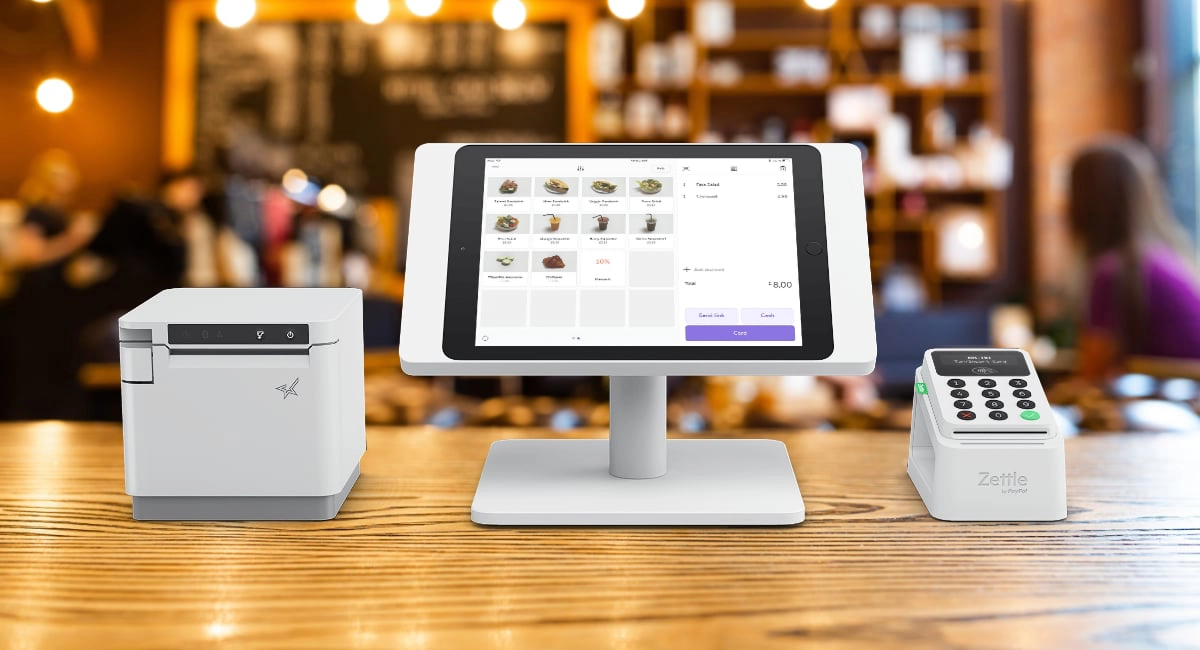
If space comes at a premium, you might want to invest in a Star Micronics mPOP 10 cash drawer-and-receipt printer. At only 10 cm tall and 30 cm wide, this single device fits well under a tablet screen with SumUp App on an Android or iOS register.
Photo: Emily Sorensen, Mobile Transaction
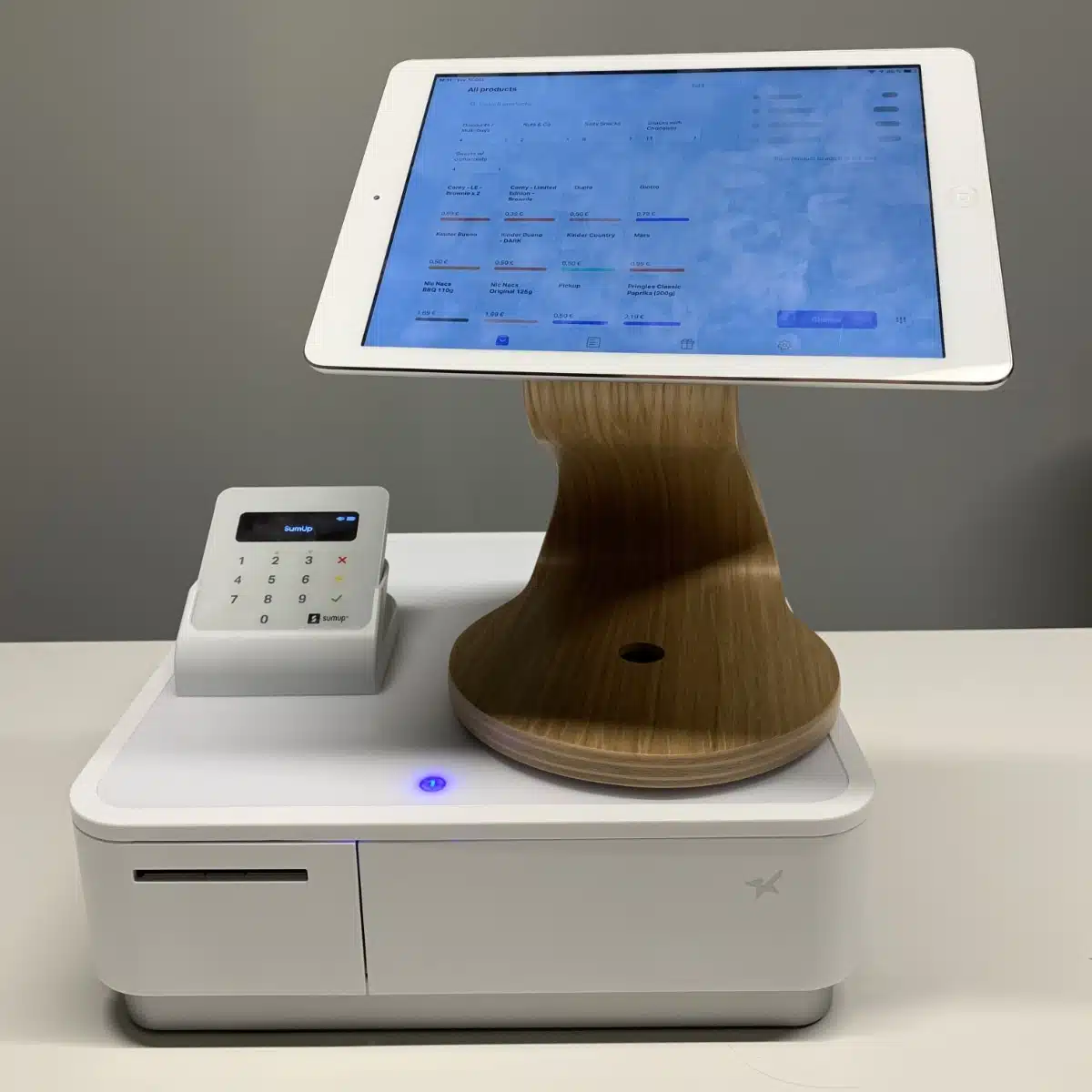
It looks good in white with SumUp’s white hardware, but can be purchased in black too.
In SumUp’s online shop, it costs £384 with VAT at the point of writing.
Typical price: £375-£400 incl. VAT
Bixolon SPP-R210i/BEGE – the most lightweight
The Bixolon SPP-R210i/BEGE model is mobile, lightweight and has a belt clip, making it ideal for printing receipts anywhere where the customer is – for instance, on the road or at the customer’s table in restaurants.
There’s a slightly different version that works with SumUp iOS, Bixolon SPP R220 iK/STD, but this is harder to find in shops.
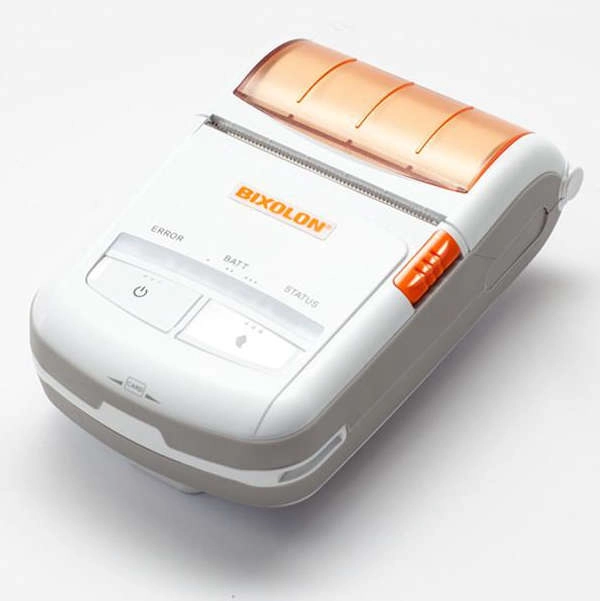
The receipt printer weighs 232 g and fits in the palm of a hand with its 79 x 116 x 36 mm dimensions. The printing speed is fast at 90 mm/sec.
The printer’s Easy Paper Loading mechanism makes it easy to install the standard 58 mm wide paper rolls it needs for the receipts.
Despite its small size, it can withstand splashes of water and a drop from a height of 1.2 m.
The printer can be used in a variety of environments, including outside in temperatures as cold as -15°C.
Although the printer can connect with other devices via WiFi, it connects with the SumUp app on your iPhone, iPad or Android device via Bluetooth.
Typical price: £300 incl. VAT
Bixolon SPP-R200II – rugged, good-value printer
The mobile Bixolon SPP-R200II printer is a bit older and larger than SPP-R210i (1 cm wider in width and height), but a little more robust.
Capable of withstanding a drop from a height of 1.5 m, it is suitable in any area where mobility and durable equipment are needed. This could, for example, apply to train or bus controllers, catering, logistics and busy food establishments.
The accompanying belt strap keeps the printer securely in place when you’re on the move.
It prints 90 mm per second on receipt paper that is 58 mm wide.
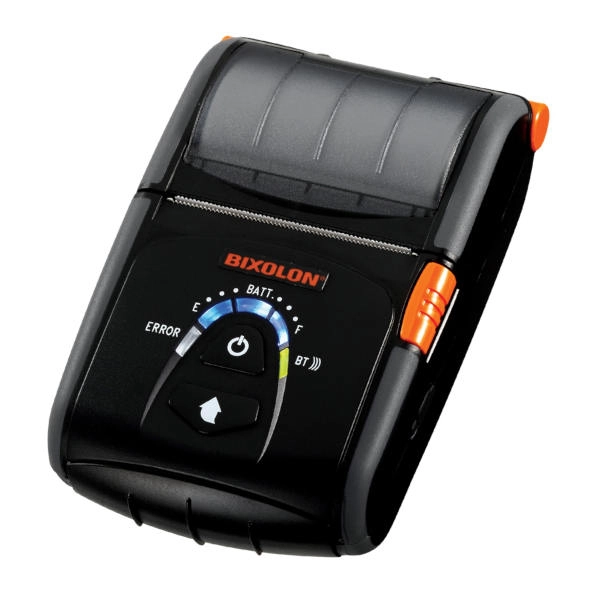
This printer can be harder to find in shops since it is an older model, but it is good value for those who need a rugged, portable solution. It only works with the iOS SumUp app, and it’s only the SPP-R200lliK/BEGE that does.
Typical price: £250 incl. VAT
Star Micronics SM-L200 – automatic connection to multiple devices
The mobile Star Micronics SM-L200 receipt printer is slower than the Bixolon SPP-R210, but nevertheless interesting for those using SumUp on multiple smartphones and tablets. Why? Because it automatically connects with all newer mobile devices without going through the traditional pairing process.
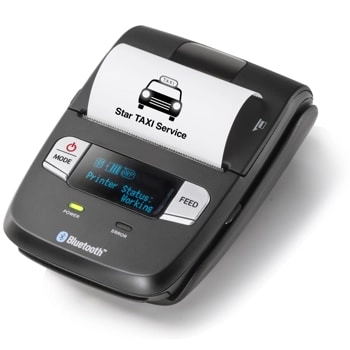
At 83 x 122 x 44 mm, the size is similar to Bixolon SPP-R210i, but the printing speed is lower at 35 mm/sec compared to Bixolon’s 90 mm/sec.
The printer can be placed on a desk, hung on a wall or worn attached to a belt. It is highly adaptable to all sorts of environments.
It is recharged through a USB cable or in a docking station you can get separately.
With taxis and other vehicle drivers in mind, Star has a charger that plugs into car cigarette lighter sockets.
In fact, the SM-L200 is the recommended receipt printer for London’s licensed cab drivers.
From a full charge, it can (impressively) do up to 13 hours of printing, calculated with a 5 minutes’ gap between each print.
A handy feature is the printer’s LCD screen that displays battery status and printing errors when they occur.
This printer works with both the iOS and Android SumUp app.
Typical price: £200-£225 incl. VAT
Cloud printing option through iOS or Android
In addition to the above printers, you can connect with any AirPrint-compatible printer through the SumUp iOS app and any Google Cloud Print-compatible printer through SumUp’s Android app.
We do not have an exhaustive list of all these printers, but according to SumUp, any printer with either of those cloud labels can work with SumUp Air. Just beware that some of these printers are not receipt printers, so it may take a bit of research to find a suitable cloud printer.
How to use the printers with SumUp Solo Lite
The receipt printers connect easily with your smartphone or tablet through SumUp App, either via Bluetooth, USB cable, Ethernet cable (LAN) or WiFi. The connection type depends on the printer model and till setup.
With Bluetooth, for example, you search for nearby printers – through app settings – to connect with wirelessly. When the printer appears, choose it from the list. You will need to activate Bluetooth and enter a PIN, except for the Star SM-L200 which connects automatically.
With an Android device, you need to also check that the iOS mode of the printer is deactivated before you can connect it.
You should then be ready to print invoices and receipts for your customers. If using a compatible cash drawer, it is only possible to connect this after you have a receipt printer connected.