
Have you tried finding an easy-to-understand list of what receipt printers work with Square? It’s tough. But we’ve done the legwork for you and compiled all the Square receipt printers available, along with how they work.
In short, there are only three Bluetooth printers (i.e. mobile printers) still manufactured and a lot more desktop receipt printers. We also list discontinued models, which you may be able to find secondhand or in a few online shops.
All except for the few kitchen printers use heat technology to print on thermal paper, so no ink is required. Prices vary, expect to pay around £200-£450 for a mobile printer and £130-£600 for a stationary model, including VAT.
Most of the printers on our list work with Square Register and Square Stand, and all of them will in some way work with Square Reader. For full clarity, we indicate in each printer section which of them work with which Square device.
Square Terminal prints receipts
The obvious first choice for receipt printing with Square is the company’s only card machine with a printer built in: Square Terminal.
It’s a freestanding, wireless card machine that works with a secured WiFi connection. The Square Point of Sale software is preinstalled on it, giving the option to print a receipt after transactions. It can also run the Square for Restaurants, Retail and Appointments software.
Photo: Emmanuel Charpentier, Mobile Transaction
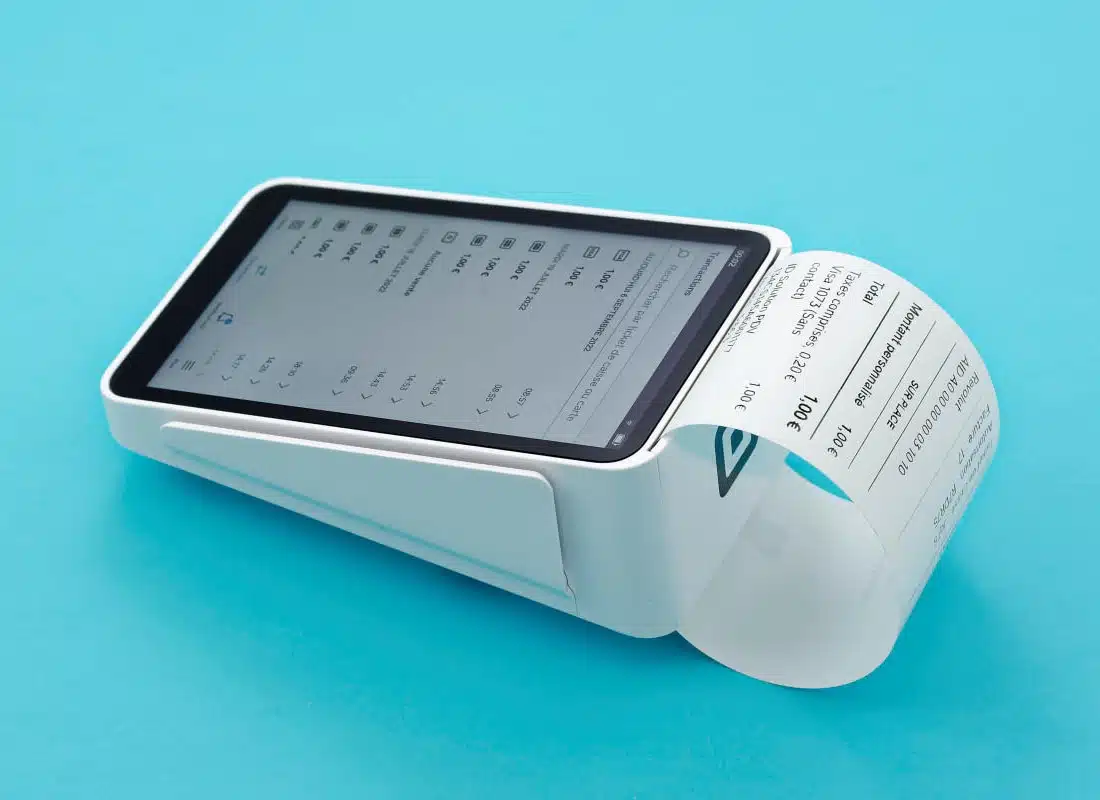
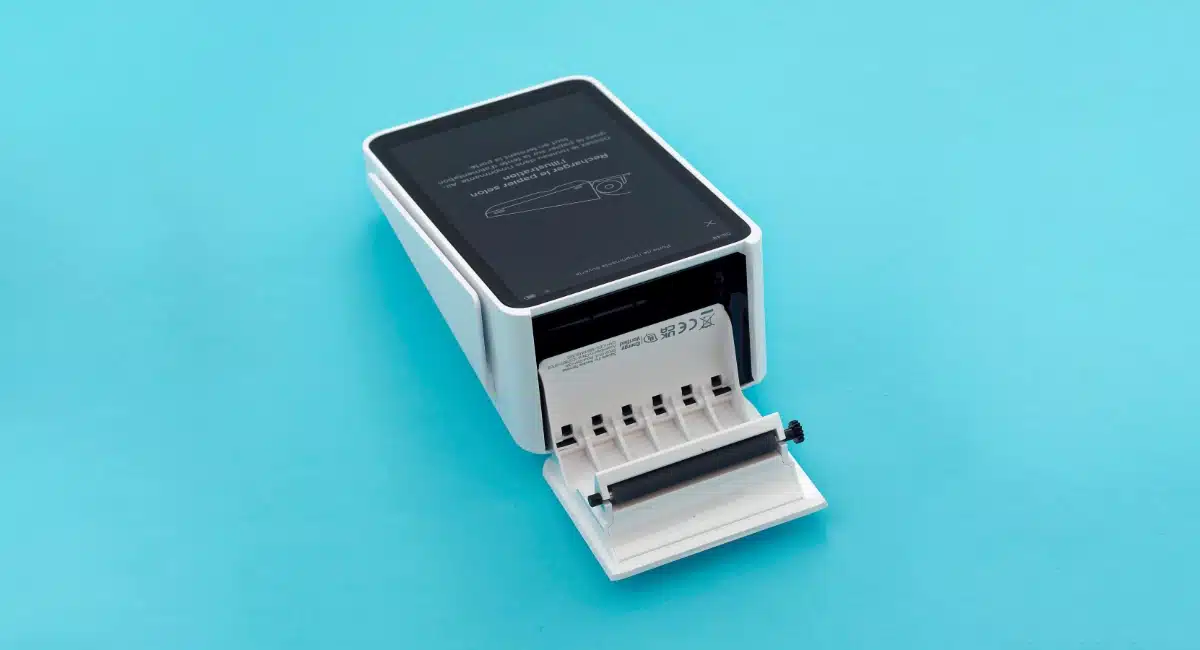
For a card machine, Square Terminal looks pretty smart, even when it prints.
We received our Square Terminal package (for testing) in a well-protected, hard box that included a receipt roll for the terminal. The receipt paper is a standard 57mm width and thermal-print, so no ink is needed.
I didn’t have any problems printing receipts. The card machine prints the receipt fast, and I could easily rip off each paper receipt from the built-in ‘teeth’ at the top end of Terminal. I also found it very easy to drop a new roll into the internal receipt roll compartment. You really don’t need training to learn how to use it.
If an external printer is better for your needs, Square Terminal is compatible with most of the printers in this article. This typically requires purchasing the Square Terminal Hub, which has an Ethernet port and USB ports to link it with POS accessories.
Photo: Emily Sorensen, Mobile Transaction
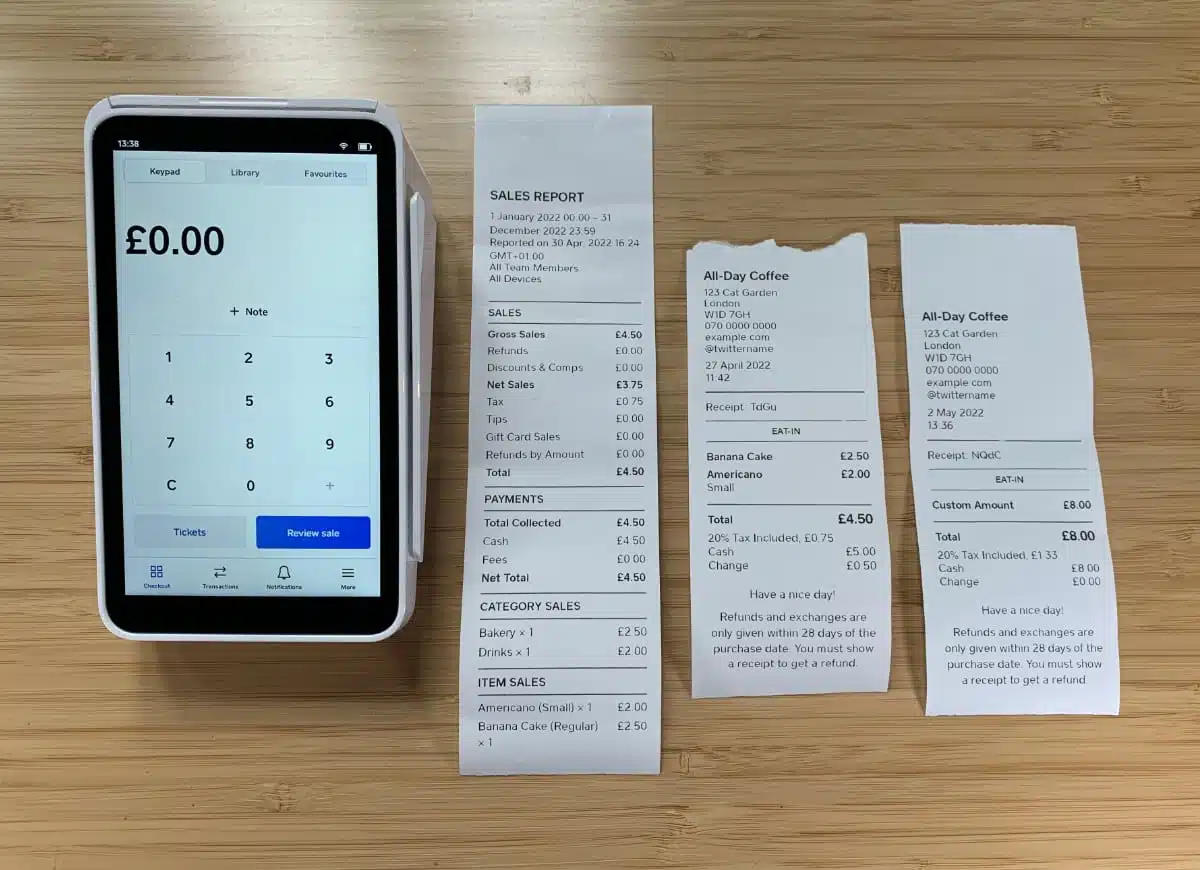
Square Terminal prints itemised receipts with your business details.
The new portable card machine Square Handheld doesn’t print receipts, so this would need a printer connected at the point of sale. You can’t connect a printer directly with Handheld via Hub for Terminal (yes, really) or link the printer to the localised WiFi or LAN network.
Mobile receipt printers
Star Micronics and Epson produce a few mobile printers that work with Square. Common to these printers is the portability, as they are small enough to be carried around easily.
The mobile printers all connect wirelessly, via Bluetooth, directly with your tablet or phone. After the initial pairing through a Square app, the mobile device remains wirelessly connected with the printer, ready to print after each transaction.
It’s not possible to connect a Bluetooth printer directly with Square Handheld or Terminal, nor do they connect directly with cash drawers or other hardware. They must pair with a Square POS app on an iPhone, iPad, Android device or Square Register (whichever is compatible).
We also noticed that although the manufacturer’s website states the two iOS printers can indeed connect with Android, Square’s own information says they won’t.
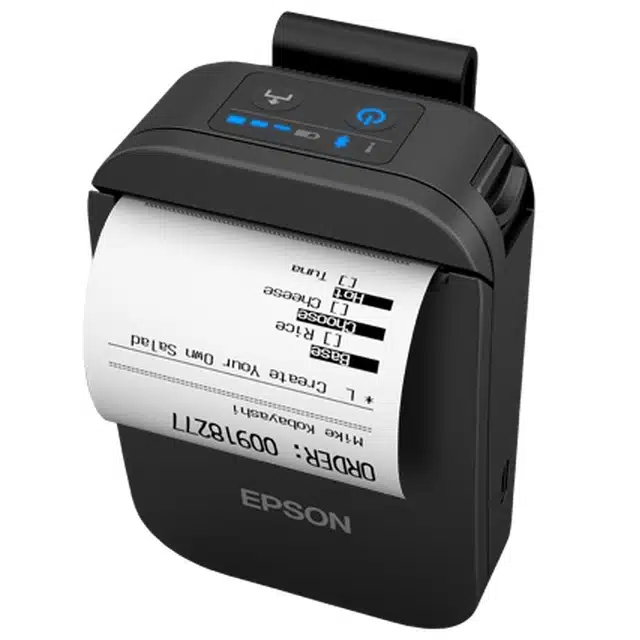
It also works with iPhone and iPad, as well as Square Register and Square Stand, so iOS users have a capable alternative to the Star models here too.
I like this model because it looks unassuming yet appealing when attached to your belt with its clip.
Compatible connections:
Bluetooth – Android or iOS with Square Reader, Square Stand, Square Register
X – Doesn’t work with Square Terminal, Handheld or Kiosk
Star Micronics SM-S230i – highest performance
This new-generation, compact model is the smallest, lightest and fastest of the Bluetooth receipt printers for Square. It measures 80 x 114 x 44 mm in size and weighs only 217 g with the battery.
Despite the tiny size, the battery life is also the longest of the mobile printers: up to 19 hours with 5-minute printing intervals. That’s partly because of the automatic sleep mode conserving the battery power.
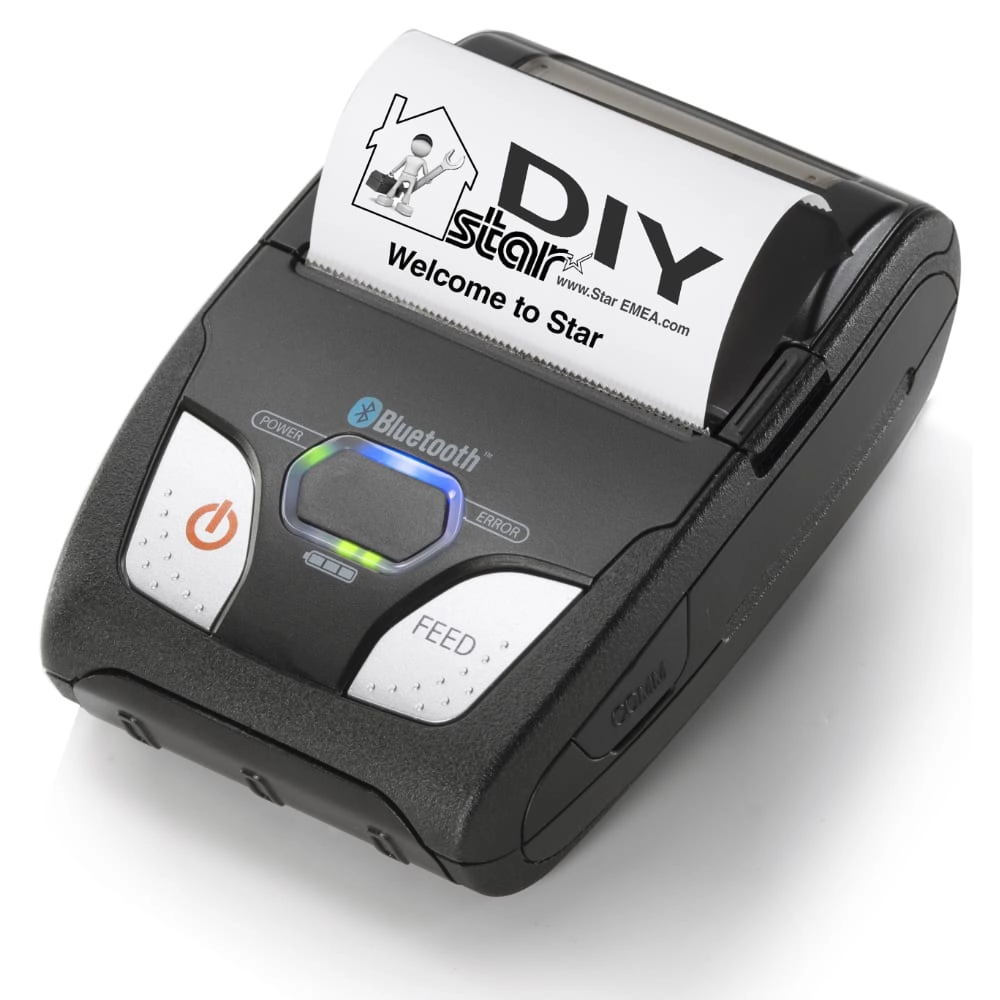
It prints at a high (203 dpi) resolution, 80 mm-per-second speed on 2-inch paper receipts.
The printer comes with a battery charger and pack, sample paper roll, belt clip and USB cable.
Compatible connections:
Bluetooth – iOS only (iPad, iPhone) with Square Reader, or Square Stand
X – Doesn’t work with Android, Square Terminal, Handheld, Kiosk or Register
Star Micronics SM-T300i – sturdy, dust-protected and splash-resistant
If you work in a harsh, active environment, this may be your best Bluetooth printer. At 422 g including battery, it is nearly twice as heavy as SM-S230i, but that’s because it’s built to be sturdy. As it is dust-protected and splash-resistant, it is perfect for demanding restaurants, busy retail environments with staff on the floor and other on-the-move situations.
It measures 120 x 130.5 x 58.4 mm – still small enough to be handy for carrying. The print speed is 75 mm a second in high resolution on 3-inch paper receipts.
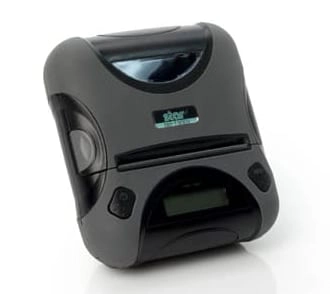
It can print for up to 11 hours with 5-minute intervals.
The pack comes with a battery, AC adapter, serial cable and sample roll.
Compatible connections:
Bluetooth – iPad or iPhone with Square Reader, Square Stand, Square Register
X – Doesn’t work with Android, Square Handheld, Terminal or Kiosk
Stationary receipt printers
The selection of stationary printers is where things get a bit complicated (and where Square’s own guides are confusing). With a mobile printer, Bluetooth is most convenient – no wires, no fiddling as you carry it around. Desktop receipt printers, on the other hand, have a wider choice of connection points including:
LAN by cable – Connects by Ethernet cable to your local router that connects with the Square app over WiFi.
Wireless LAN – Connects directly with your mobile device’s or POS terminal’s WiFi.
USB – Plugs into the POS terminal or mobile device running a Square app.
Bluetooth – Connects wirelessly with your mobile device over Bluetooth.
To add to the confusion, the USB connections can only work with iOS if you also use an iPad with the Square Stand which has a socket for this. The USB connections do not work with iPhone, but they work with Square Terminal, Handheld and Register, and Android devices.
Using Square on iPad? 5 best-looking, practical iPad stands for POS
Star Micronics TSP143III and TSP143IV – classic, all-round desktop model
Note: TSP143III has been superseded by the Star Micronics TSP143IV UE, which is now Square’s recommended countertop printer. The former remains compatible with Square, so it’s still worth considering if you find it at a lower price, but we’d recommend going straight to the IV if buying new.
From the Star Micronics TSP100 series, TSP143III and TSP143IV are bestselling countertop models. They come in dark grey or off-white and print fast – at 250 mm per second – on 80 mm wide paper receipts.
The printers have an auto-cutter and de-curl function, making it really easy to hand over perfectly flat receipts to customers straight away.
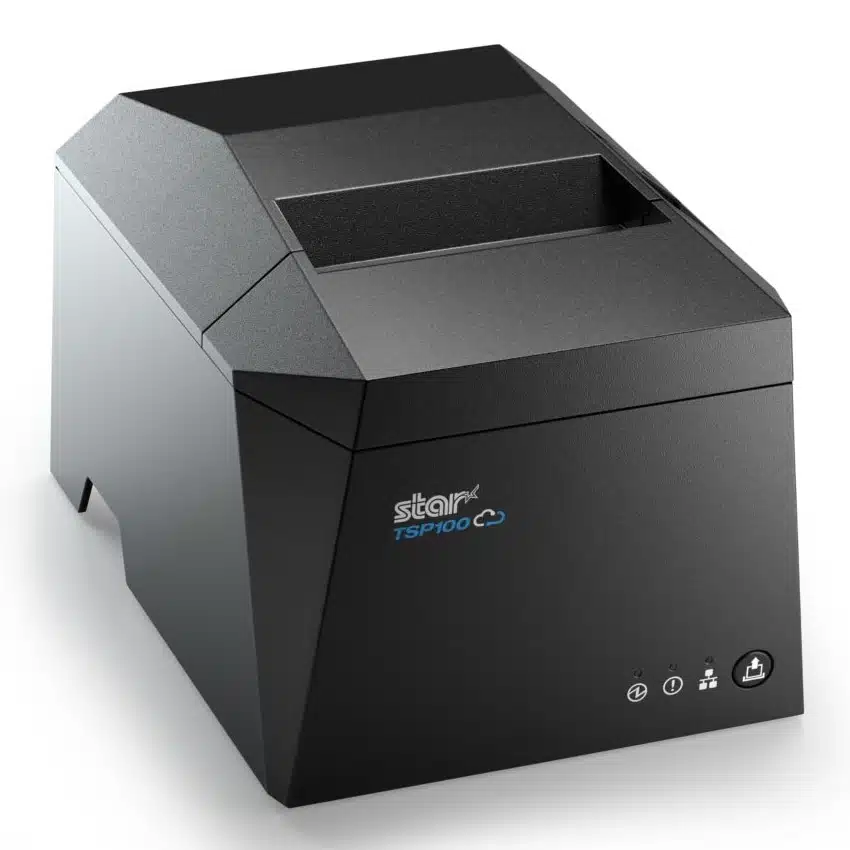
If you’re using iPad or iPhone, you can use the USB-Lightning cable both to connect the printer and mobile device and to recharge the mobile device through the printer.
Think carefully which connection type you want, as you have to pick the specific model code for that (listed below).
Apart from those, you can use TSP143, TSP143II (eco printer) and TSP143GT (two-tone monochrome printer), which are older models.
The pack comes with a wall mount bracket, 58 mm paper guide, cables and software.
Compatible connections:
USB – Android, iPad + Square Stand together, Square Terminal, Handheld and Register
LAN by cable – any setup except Square Kiosk
Wireless LAN – any setup except Kiosk and Android + Square Reader
Bluetooth – Square Stand and Register, iOS + Square Reader
X – USB doesn’t work with iOS + Square Reader, Bluetooth doesn’t work with Terminal, Handheld or Android + Reader, none work with Square Kiosk
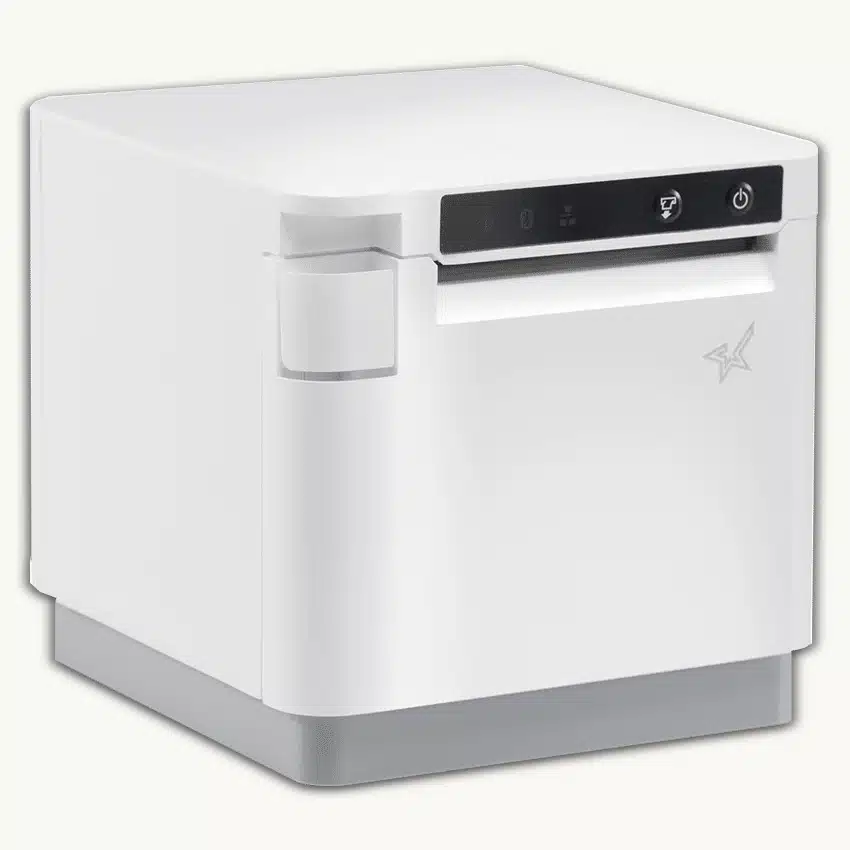
What’s more, it prints on 80 mm-width paper, making it possible to print detailed restaurant orders. It’s also splash-proof, can be placed horizontally or vertically, and comes in black or white for any kind of till arrangement.
We like that it’s got paper near-end sensors alerting you of when it’s time to change the paper roll.
The printer has USB, Ethernet and Bluetooth connections, enabling it to connect in some way at least with any Square setup except for Kiosk.
Compatible connections:
USB – Android with Square Reader, iPad + Square Stand together, Square Terminal, Handheld and Register
LAN by cable – all Square setups except Kiosk
Bluetooth – iOS with Square Reader, iPad + Square Stand, Square Register
X – Bluetooth doesn’t work with Android or Square Terminal/Handheld, none of them work with Kiosk
Star Micronics 654II – high-speed printer with swappable connections
The Star 654II receipt printer prints a receipt (300 mm) per second, which is 60 a minute. What makes this printer even more special is the interchangeable interfaces. If you chose, say, a Bluetooth version, you can swap just the connection interface to another instead of getting a whole new printer.
It comes in off-white or dark grey and can be positioned vertically or horizontally. Its guillotine auto-cutter and drop-in-and-print paper load make it quite efficient, but that applies to other Star countertop models too. With this one, though, you can add a splash-proof cover and kitchen buzzer if you work in food services.
You don’t necessarily have to choose the model name with “II” at the end, as the TSP654 LAN printer is also compatible with iPhone and iPad.
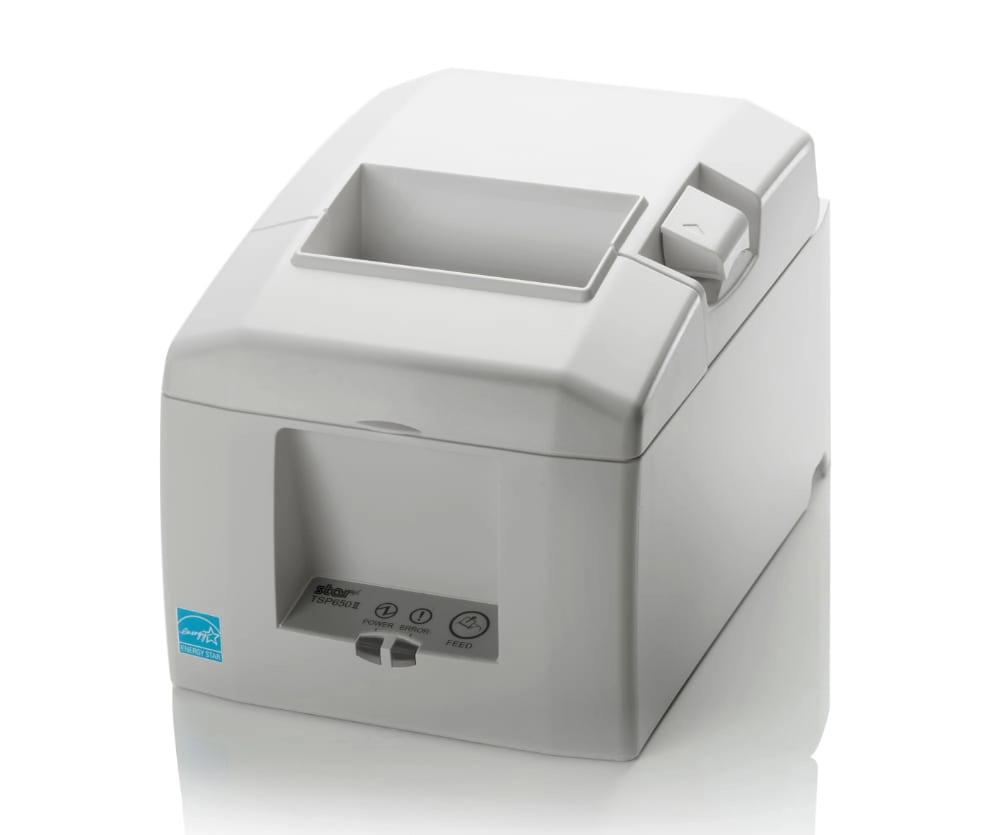
The pack comes with a vertical mount accessory, wall mount bracket, 58 mm paper guide, power switch cover, start-up paper roll and external power supply.
Compatible connections:
USB – Android, iPad + Square Stand together, Square Terminal, Handheld and Register
LAN by cable – any setup except Kiosk
Bluetooth – any iOS setup, Square Register
X – USB doesn’t work with iOS + Square Reader, none of them work with Kiosk
Star mPOP – cash drawer and receipt printer combo
If you accept cash and want to save money and countertop space, the Star mPOP cash-drawer-and-receipt-printer-in-one is a good choice. This model is compatible with iPad only, whether it is used with or without Square Stand. Retailers can choose to add a barcode scanner too, but this is optional.
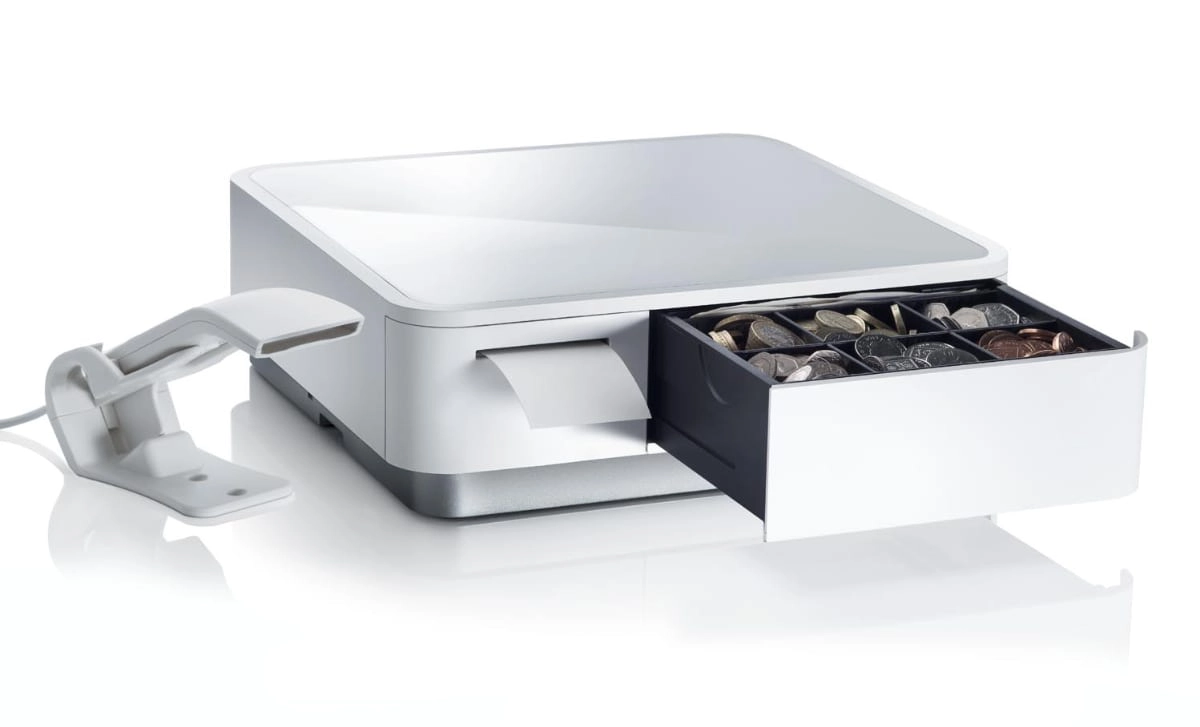
The receipt printer prints 100 mm per second on 2-inch paper. As with other countertop models, loading is an easy drop-in-and-print action, and it’s got an auto-cutting guillotine.
The cash drawer contains four bill slots and adjustable six or eight coin slots. There is a hidden space under the removable coin slots for any extra items to store in the till.
Compatible connections:
USB – Android with Square Reader, iPad + Square Stand, Square Terminal, Square Register
Bluetooth – any iOS setup, Square Register
X – USB doesn’t work with Square Kiosk or iOS + Square Reader, Bluetooth doesn’t work with Android, Square Terminal, Handheld or Kiosk
Considering email receipts? Pros and cons of digital versus paper receipts
Epson TM-m10 – smallest stationary printer, works with Kiosk
The Epson TM-m10 printer is the smallest desktop printer at only 102 x 102 x 102 mm, weighing just 0.9 kg. You can position it horizontally or vertically, making it versatile in whichever small space you need it in.
It comes in a choice of black or white, and prints 150 mm per second on 2-inch paper.
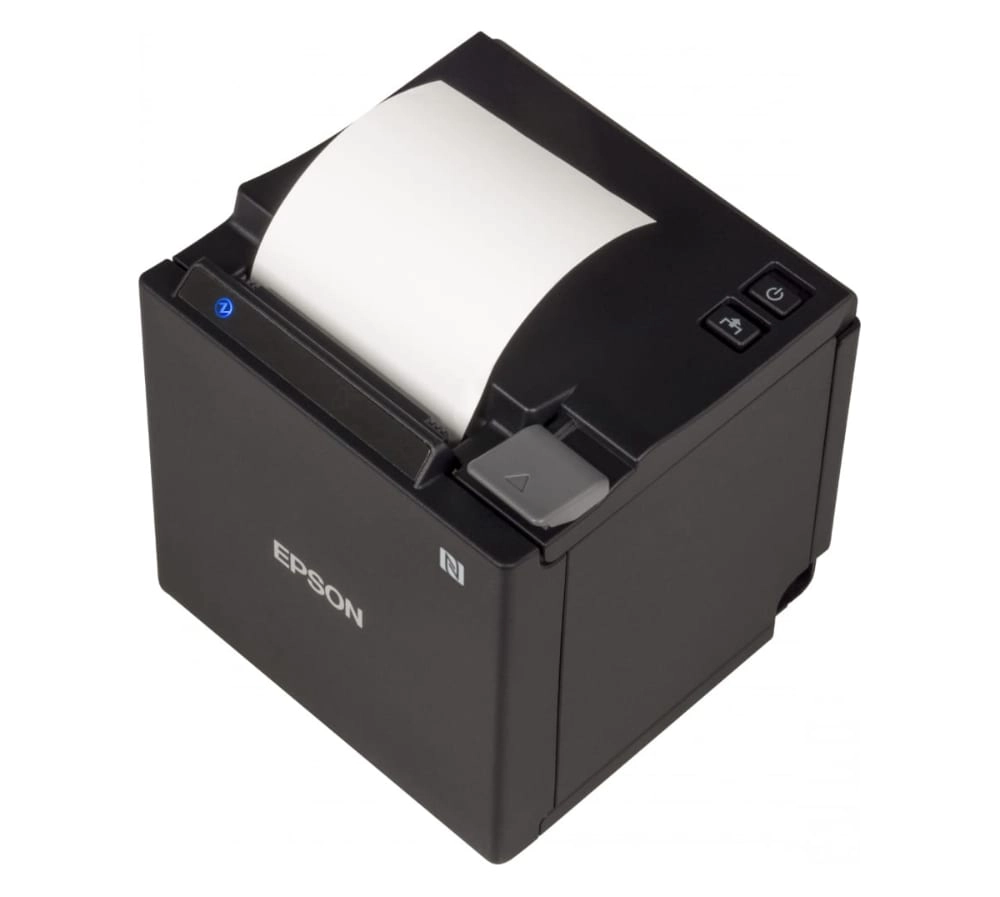
This printer is especially strong on mobile connectivity, as it uses NFC to connect with a compatible iPhone or iPad for easy pairing.
That said, you can use the USB version to connect with a Square Stand or Kiosk with iPad, or the LAN connection to connect with any iOS device.
The pack comes with a power cable and adaptor, cable fixation saddle, power switch cover and spare paper roll.
Compatible connections:
LAN by cable – good for all setups incl. Kiosk
USB – iPad + Square Stand together, Android + Square Reader, Square Terminal, Handheld, Register and Kiosk
Bluetooth – any iOS setup, Square Register
X – No USB for iOS + Square Reader, Bluetooth doesn’t work with Android or Square Terminal/Handheld
Epson TM-T82 – not readily available
You won’t easily find an Epson TM-T82 receipt printer in the UK. We only managed to find it mentioned or sold in other countries like India, Malaysia, the US and Australia. But Square is nonetheless compatible with the Epson TM-T82II, TM-T82III and TM-T82IIIL models through either USB or Ethernet cable.
The printer looks very similar to the Epson TM-T20II model above and has similar functions.
I’d only choose Epson TM-T82II because the USB model is one of the few point-of-sale printers that works with Square Kiosk.
Compatible connections:
LAN by cable – TM-T82II and TM-T82IIIL work with all Square setups except Kiosk
USB – iPad + Square Stand together, Android with Square Reader, Square Terminal, Handheld, Register and Kiosk
X – None of the USB models work with iOS + Square Reader, TM-T82III LAN doesn’t work with any iOS setup
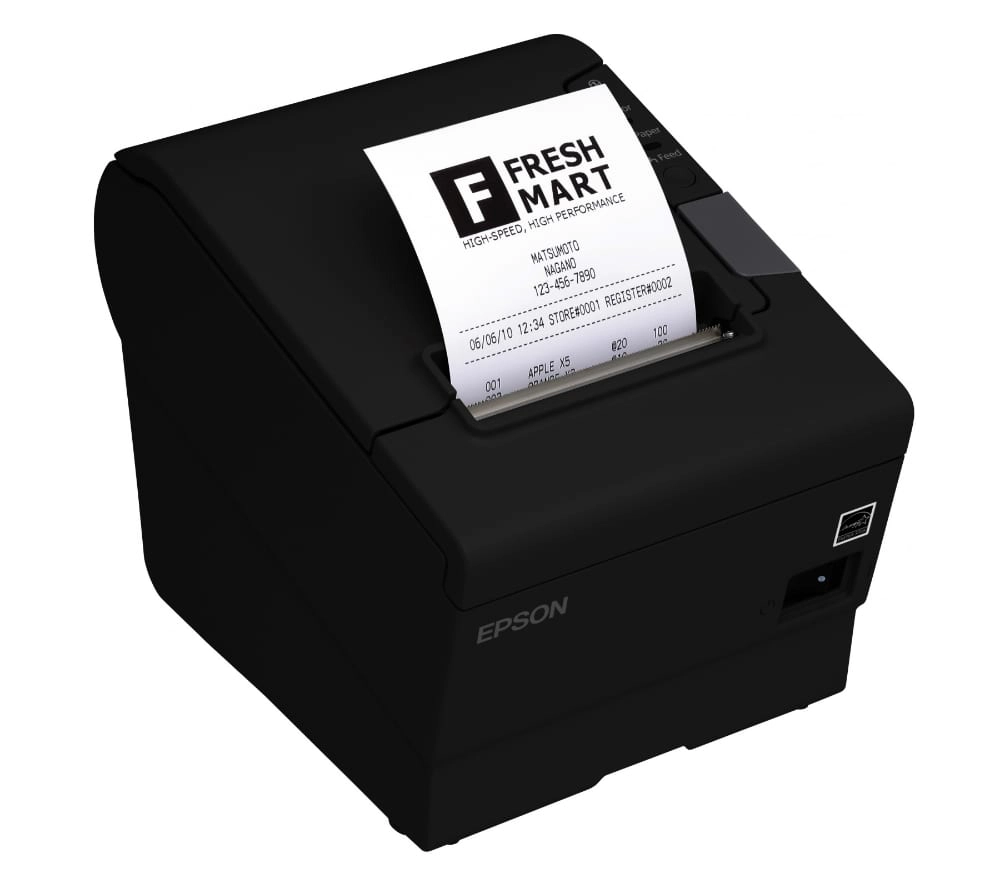
It’s the first Energy Star-qualified thermal-heat receipt printer ever to be made.
It prints 300 mm a second and is exceptionally reliable over a long period of time (to prove this, Epson offers a 4-year manufacturer’s warranty). A strong point is the multi-greyscale printing capabilities for more vivid graphic images and logos.
The pack includes a connector cover, power switch cover, 58-mm paper guide plate and spare roll of paper.
Compatible connections:
USB – iPad + Square Stand together, Android with Square Reader, Square Terminal, Square Register
Bluetooth – any iOS setup
LAN by cable – TM-T88V and TM-T88VI work with all setups, TM-T88V-i only works with iOS setups
X – USB models don’t work with iOS + Square Reader
Kitchen printers and labelling
If you’re working in a restaurant, you may also need a kitchen printer, which normally prints with ink on paper through impact rather than heat on thermal paper.
Square works with three impact printers for kitchens:
- Star Micronics SP742ML or ME/SP742MU: Ethernet LAN (any iOS, Android), USB (iPad + Square Stand, Android) – This is the one recommended by Square.
- Star Micronics SP712ML/SP712MU: Ethernet LAN (any iOS, Android), USB (iPad + Square Stand, Android)
- Epson TM-U220: Ethernet LAN (any iOS, Android)
Usually, thermal heat-based printers don’t work in hot environments like a kitchen because the writing tends to face on this paper. The following kitchen printers do, however, work with Square as well:
- Star Micronics MCP30 (mC-Print3 Series): Ethernet LAN (any setup incl. Square Kiosk), USB (any setup except iOS with Square Reader)
- Star Micronics MCP31 (mC-Print3 Series): Ethernet LAN (any setup incl. Square Kiosk), USB (any setup except iOS with Square Reader)
- Epson TM-m30 (I and II): USB (any setup except iOS with Square Reader)
Certain label printers connect with Square too, for instance Zebra ZD411, Star Micronics TSP654IISK and TSP143IV SK UE. These can print barcodes and sticky labels.