
In the last few years of reviewing payment products, I noticed a trend: self-ordering kiosks are now marketed at small businesses, not just supermarkets and fast food chains. Yet the kiosk providers are not very transparent about their packages.
With staff shortages a growing concern in Australian hospitality, it’s no wonder business owners turn to kiosks as a replacement. It helps that they speed up orders at busy times, reduce mistakes and boost sales by 10%-35% by encouraging upsells, leaving staff free to focus on meaningful contact.
What is a self-ordering kiosk?
A self-service or self-ordering kiosk is a touchscreen terminal for customers to complete food orders on without the help of a cashier.
Although we’re conflicted about the lack of human contact at the checkout, Red Rooster found that less frequent customers actually leaned more towards kiosk use, not less. So if you’re trying to appeal to new customers, this could lure them in.
Furthermore, a 2025 IDC survey of 1,000 Australians found that more than two-thirds prefer self-checkout when shopping alone, in a hurry or trying to avoid long queues. But not everyone finds kiosks easy – older patrons can feel overwhelmed by them and hesitant to order without help.
So how do you know which self-checkout is right for your café, quick-service or takeaway?
An intuitive interface is the norm (it has to be for customers to use it on their own!), but we see big differences in costs. Custom kiosk terminals are most durable, but expensive upfront. iPad solutions have lower start-up costs.
This guide breaks down some of the best self-ordering kiosks available in Australia, focusing on affordability and features that matter to small businesses.
Square Kiosk – cheapest upfront, needs iPad
After researching the options, we can confidently say Square Kiosk is the only really affordable kiosk for a small food venture in Australia.
This self-ordering kiosk only costs A$149 incl. GST. That’s because it doesn’t have a touchscreen – instead, you place an iPad inside it and run the Square Kiosk app for A$45 a month.
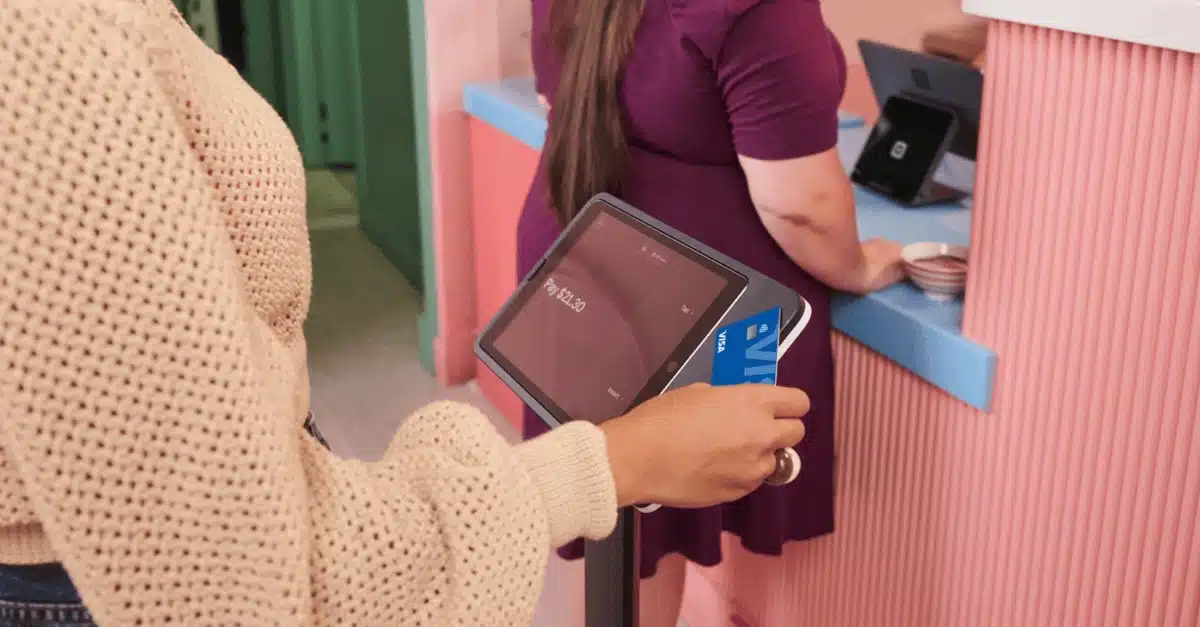
Square Kiosk fits syncs with the company’s many other user-friendly payment products.
The kiosk frame contains contactless and chip card readers that charge 1.6% per transaction. It doesn’t have a receipt printer, but sends email and text receipts.
“At the moment, Square Kiosk is the only self-service kiosk in Australia you can get started with for under A$1,000. We hope to see more competition soon, but the reality is that self-ordering stations are quite expensive in general.”
– Emily Sorensen, Mobile Transaction, Senior Editor
It’s straightforward to set up Square Kiosk with the wall mounts included. Only slightly bigger than the iPad, it fits into small spaces, but there’s also a floor stand if you prefer.
The kiosk connects with the Square for Restaurants POS system, a kitchen display system and kitchen printers, which we know work very well together. As with any Square products, the software and hardware are very easy to use, reliable and connect with free business tools such as team scheduling and gift cards.
Square Kiosk’s menu options and promotional features will definitely boost orders for a very reasonable price.
Advantages: Affordable solution upfront. Easy setup and software. Connects with other Square features.
Downsides: Requires iPad. No receipt printer. Only works with Square payments.
Abacus with Tyro – trusted solutions, large kiosk
Abacus is one of the leading POS systems in Australia for any size business, and its Self-Ordering Kiosk is no mean feat either. It works with Abacus’ POS and kitchen display system.
The kiosk is a large, tall touchscreen monitor with custom software, receipt printer and an EFTPOS machine attached. It can sit on a countertop, hang on the wall or stand directly on the floor.
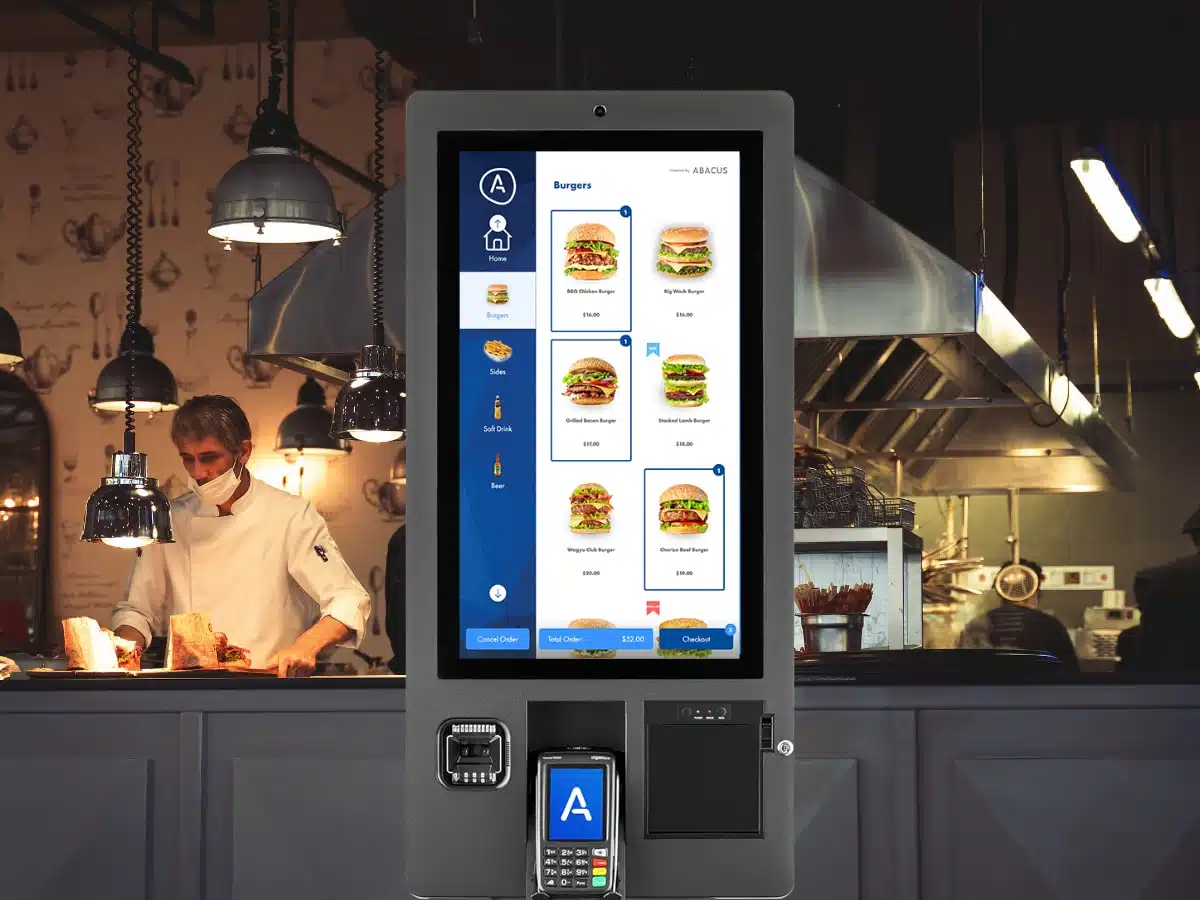
Abacus Self-Ordering Kiosk looks professional, but isn’t cheap.
It looks like the type of kiosk you see in takeaway chains, except this would be tailored with your branding and menu.
Unlike many others, this kiosk accepts cash with an additional cash machine or at the counter. It otherwise accepts cards and mobile wallets through your choice of a compatible card machine. One of the best integration partners with the Abacus kiosk is Tyro.
You can expect to pay a minimum of A$2,000-$3,000 upfront for the kiosk, though, plus a monthly fee disclosed at sign-up. This is a high price, but at least Abacus offers personal onboarding and help setting up the menu.
Advantages: All-in-one, large and tailored kiosk. Thorough onboarding and support if requested.
Downsides: High upfront cost. Pricing not transparent. Only syncs with Abacus POS system.
Intouch – choose your own software and EFTPOS
Intouch is an Australian hardware provider of self-checkout kiosks for institutions, stores, councils, canteens and other food-and-drink. 90% of their customers find their own niche software and buy the Australian-made kiosks from Intouch to complete the setup.
The self-order kiosk terminals are Windows-based, so the checkout software needs to be compatible with that. Clueless small businesses can ask Intouch for advice if they don’t know which software to use, but we don’t see a guarantee this will simplify things.
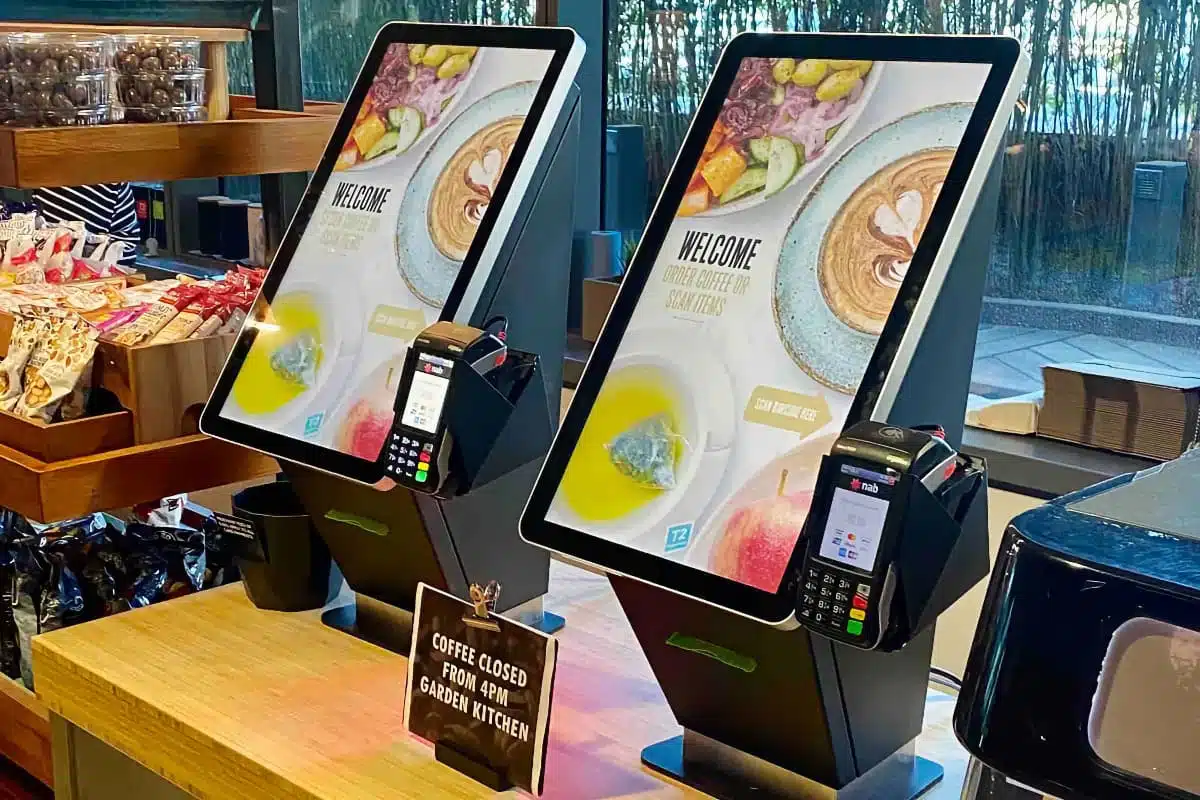
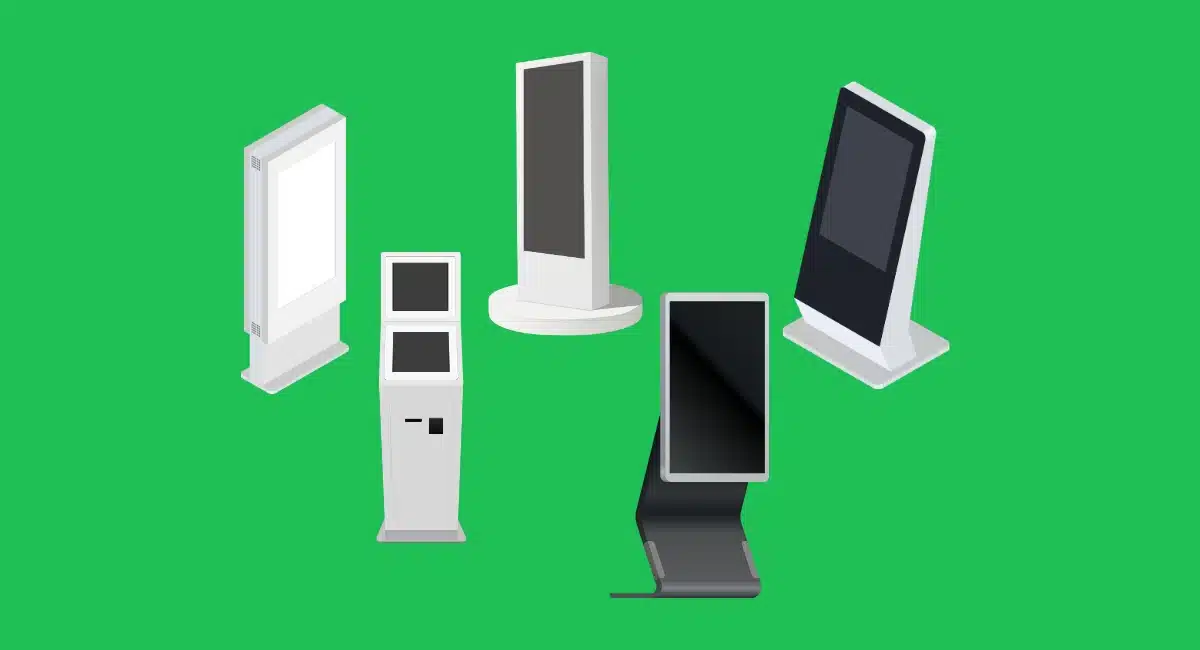
Intouch sells many different, Australian-made self-checkout kiosks for custom setups.
The upfront cost is a concern to us, as these are commercial-grade kiosks designed for the sort of custom software that only enterprises invest in. Hardwearing, sturdy and large, Intouch’s kiosks are serious assets for busy quick-service and staff-free venues, and that comes at a cost.
Like the kiosk software, the credit card processor is your choice, as long as the EFTPOS machine integrates with your chosen software.
Advantages: Durable, with modular features. Your choice of EFTPOS and kiosk software. Personal service. Choice of many models.
Downsides: Requires own software. High cost. Can be slow to get it all set up. Only Windows-compatible.
OrderMate – custom, but with limitations
OrderMate is another Australian POS company specifically serving the hospitality industry. Its selection of self-service kiosks are commercial-grade, complete checkout terminals with custom software for your restaurant.
When we researched the company, we noticed there weren’t many reviews or first-hand experiences of the service. Consequently, we assume it hasn’t yet taken off like Square or Abacus, so we can’t wholeheartedly recommend it unless you’re already using OrderMate POS and are happy with it.
From the company’s own promo materials, the self-order kiosks look like good quality, and real users say they are easy to navigate.
Still, the kiosks can’t integrate with that many external software tools to make it a scalable solution. It also favours its own card processing system, OOLIO, so users would need to be happy with their EFTPOS machines.
OrderMate’s pricing isn’t publicly listed, so businesses should request a quote directly from the company.
Advantages: Custom kiosks that fit around your needs. 24/7 emergency support. User-friendly software.
Downsides: Not transparent about costs – expect a high price. Few integrations. Might have to use OOLIO.
Impos – good for multi-location restaurants
We don’t normally recommend Impos for small restaurants because it’s expensive, but their self-service kiosks are some of the better ones in Australia.
Just prepare for an upfront price of over A$2,000 depending on the choice of kiosk hardware, and an ongoing subscription. You can potentially save money by using your own Android tablet or iPad (both compatible), but users still report high fees.
The main advantage is for existing customers: the kiosk syncs with the Impos point of sale system, which accommodates for multi-location businesses. Along with custom menus, branded screens and kitchen management, Impos gives you the software to coordinate orders across locations.
Advantages: Smooth integration with Impos software. Choice of kiosk styles. Multi-location management.
Downsides: Expensive. Poor customer service reported. Not transparent about pricing.
Kiosks that didn’t make our list
Other self-order stations are available in Australia, but just because a company advertises one, it doesn’t make it a good fit for small food businesses. We looked into the companies and found the following solutions lacking.
Sharva POS: Annual plans start from A$79.99 per month, plus the hardware cost. The self-service kiosk looks like an outdated tablet holder, and the website hasn’t been updated since 2019 (it seems). There are no reviews or signs of this Saudi Arabian business being active in Australia, so we don’t feel comfortable recommending it.
Idealpos: Part of the same company as OrderMate, these Windows-based kiosk terminals are expensive, with pricing only disclosed after a quote request. It requires your own software, so it’s not easy to get started with as a small business.
MiPOS: Prices start from A$2,500 + GST upfront, but the kiosk doesn’t have a monthly subscription. Unfortunately, MiPOS doesn’t appear to have a large user base. Although the kiosks are customisable, we prefer solutions with a proven track record of positive experiences.
SumUp Kiosk: European fintech SumUp sells its own kiosk in Australia, but it tends to be sold out. The company is still finding its feet in this part of the world, so we’re wary about recommending their Australian service.