
Contents
In brief
What is it?
Our opinion
In detail
Pricing
Payouts
Card terminals
POS features
Account and card
Reporting
Remote payments
Service and reviews
Alternatives
Getting started
Looking for the Australian Zeller review?
Photo: Emily Sorensen (ES), Mobile Transaction
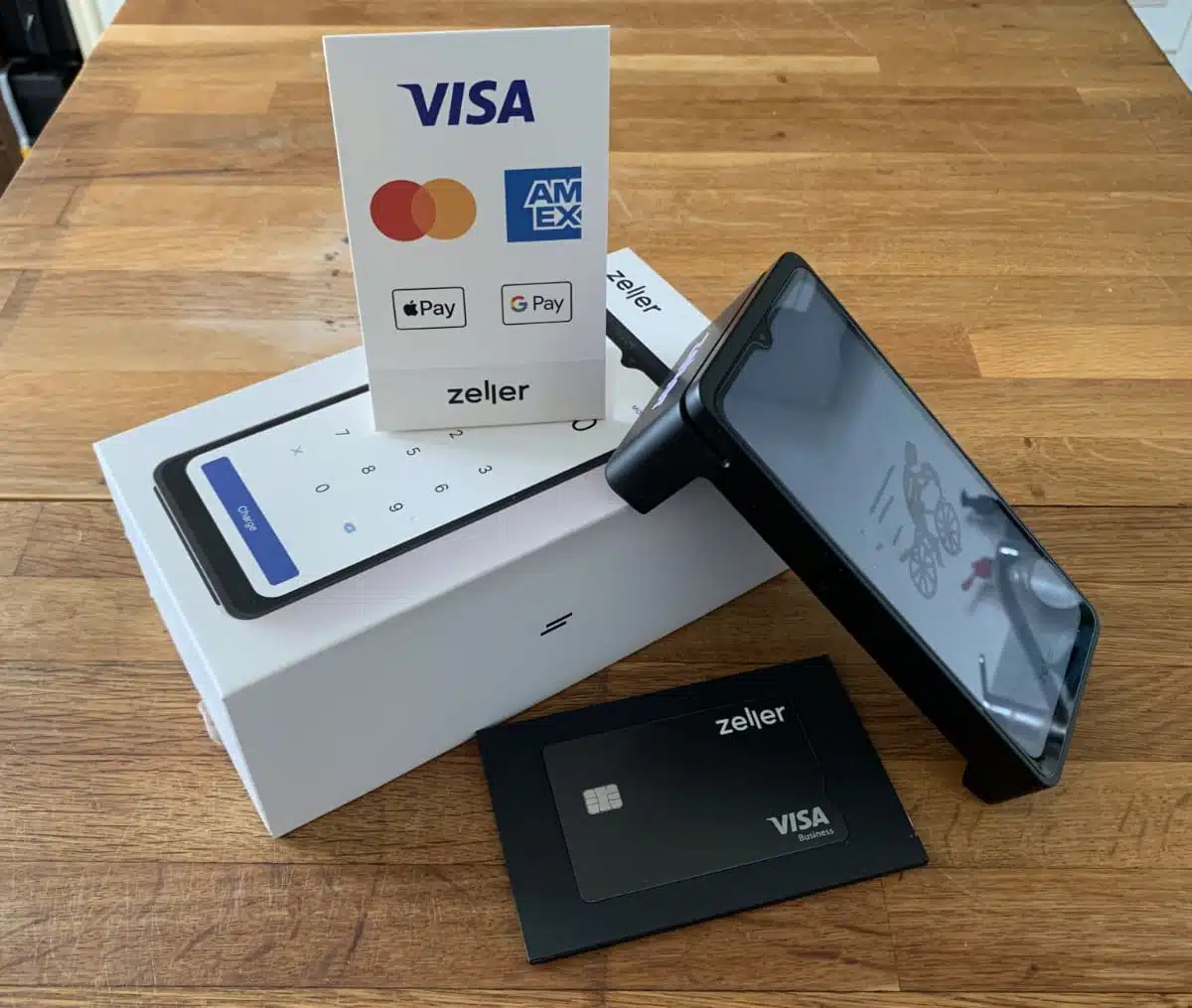
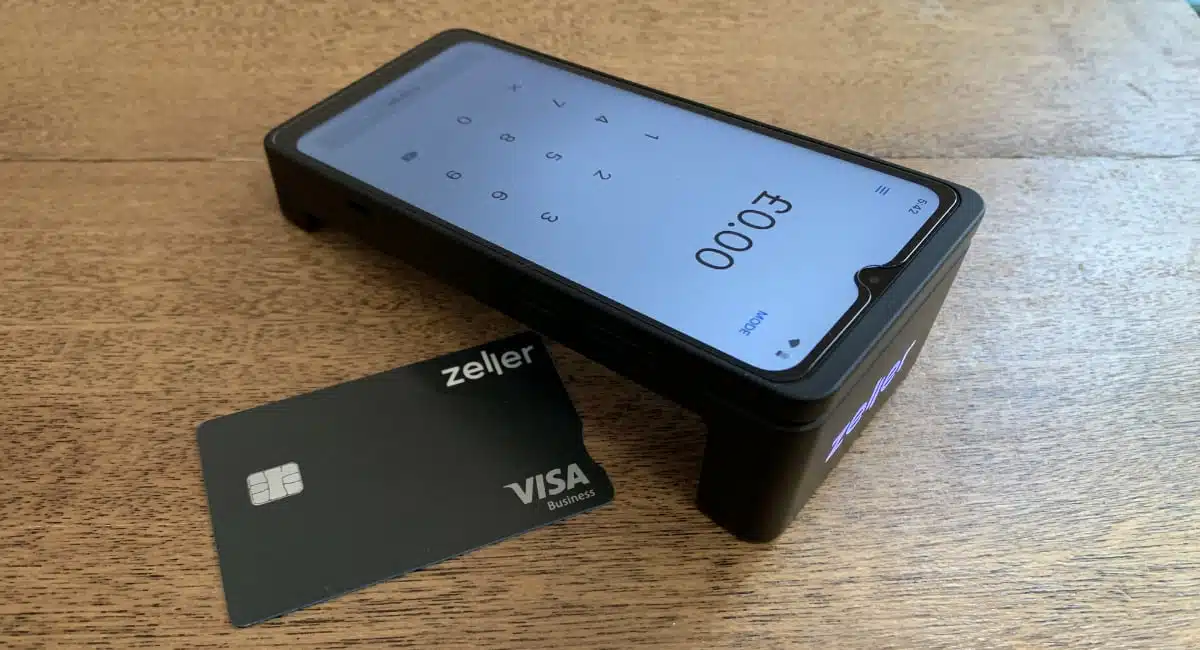
Zeller Terminals arrive in a sturdy box with card decals, a charger and a debit card.
Zeller’s main products are their portable and mobile card terminals that come boxed with a debit card linked with an online business account. They have no monthly fee or contract, just a purchase price and low pay-as-you-go rate for transactions.
Its other products include invoicing, expense management and simple POS software, with more to be added soon. Merchants can manage most things in the Zeller app or browser dashboard.
Accepted cards


The company was founded in 2021 in Australia where it has over 100,000 merchants. It recently launched in the UK in 2026, competing with the likes of Square and SumUp – and it’s already seeing traction.
Although new in the UK, Zeller has proven itself with a strong foothold in Australia thanks to its straightforward card machine packages that are easy to get started with.
Our opinion: solid, low-cost package that helps you manage funds too
When I started using Zeller Terminal, my first thought was it’s not as technically honed as Square. Zeller has fewer features, and the software is not as flawless.
But it didn’t take me long before I could see the benefits, particularly for the reliable payment flow, fast payouts and expense management. You don’t need a separate business account when you have the Zeller account, and the contacts section is versatile enough to use it for supplier and client management.
| Zeller criteria | Rating | Conclusion |
|---|---|---|
| Product | 4 | Good |
| Costs and fees | 4.4 | Good/Excellent |
| Transparency and sign-up | 4.4 | Good/Excellent |
| Value-added services | 3.8 | Good |
| Service and reviews | 4 | Good |
| Contract | 5 | Excellent |
| OVERALL SCORE | 4.2 | Good |
The main limitation is the lack of substantial POS features. The terminals come with a simple items library, but any stock management, custom analytics, close-of-till reports and order management require a POS integration – and available integrations are currently few.
Nevertheless, we expect more integrations and features to be added soon, as Zeller is brand new in this country. And for only 1.3% per transaction and midnightly payouts (free!), these fancy-looking card machines are really worth a try for a small business, sole trader or non-profit.
Zeller pricing
A huge advantage of Zeller is the simple, low pricing without any contract or monthly fee, which appeals to many merchants.
You only purchase your chosen card machine for £99–£149 + VAT, which includes a 12-month warranty and a SIM card (with data) for 4G connectivity.
You then only pay as you go for transactions. Zeller’s fixed fee of 1.3% per domestic consumer Visa and Mastercard transaction via chip or tap is the lowest in the UK without a monthly fee. All business/commercial, international and American Express cards incur a fee of 1.99% through chip or contactless.
Zeller fees overview:
| Zeller fees | |
|---|---|
| Zeller Terminal | Zeller Terminal 1x: £99 + VAT Zeller Terminal 2: £149 + VAT SIM card and shipping included |
| Monthly fee | None |
| Contract lock-in | None |
| Chip and tap transactions | UK consumer Visa & Mastercard: 1.3% All other cards: 1.99% |
| Online and keyed card transactions | UK consumer Visa & Mastercard: 1.5% All other cards: 2.49% |
| Monthly min. sales volume | None required |
| Payouts | Free |
| Refunds | Free |
| Chargebacks | Free |
| Business account and cards | Free |
Zeller’s domestic chip and tap fee (1.3%) is lower than Square’s domestic fee (1.75%) and SumUp’s fixed 1.69% for all card reader payments. So if you mostly accept domestic consumer cards, you can definitely save money with Zeller.
Even touristy restaurants or B2B businesses accepting many international cards can save with Zeller’s international rate (1.99%) compared with Square’s foreign card rate (3.25%).
Although Revolut has a lower rate for domestic cards (0.8% + £0.02), its business account has a monthly fee and the fixed 2p added to all card machine payments could make small transaction values expensive. Its international, commercial fee of 2.6% + £0.02 is definitely higher than Zeller’s 1.99%.
There are no fees for refunds, chargebacks, payouts, debit cards or the business account. No monthly minimum charge or transaction volume applies either, and cancelling the account costs nothing.
Businesses accepting over £75k per year in card payments can negotiate lower fees with Zeller.
Payouts: same day or next working day
Zeller terminals come with a business account and debit card, and that’s where you can receive transaction funds the same night, 7 days a week.
The cut-off for settlement is 11:59 pm. In other words, any transactions accepted that day by this time will settle in the Zeller Business Account just past midnight (by around 12:30am, which I can confirm happened for me) – within half an hour. This applies to weekdays, weekends and Bank Holidays.
If you prefer, transactions can instead settle in your bank account around midday the following working day, i.e. not on weekends or Bank Holidays. You’ll have to select this in payout settings, as the default settlement is to the Zeller account.
Terminal features
Zeller sells two card machines that come with the same simple POS software on their touchscreens:
- Terminal 1x: Portable and mobile card machine with a built-in receipt printer.
- Terminal 2: Portable and mobile card machine without a receipt printer.
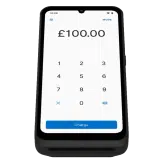
Zeller Terminal 1x (also called T1x) is the one to choose if you need to print receipts, as Terminal 2 (or T2) only sends digital receipts via email or text. On the other hand, Terminal 2 looks classier with unique ‘legs’ under both ends and a flat middle body making it lighter-weight.
Differences between Zeller Terminal 1 and 2:
| Zeller Terminal 1x | Zeller Terminal 2 | |
|---|---|---|
 |
 |
|
| Price | £99 + VAT | £149 + VAT |
| Device colour | Black, white | Black, graphite, white |
| Connectivity | WiFi, 4G | WiFi, 4G, Ethernet (via adaptor) |
| Software | POS app with product menu | POS app with product menu |
| Card types accepted | Chip, contactless | Chip, contactless |
| Prints receipts | Yes | No |
| Charging dock for counter | None available | Optional extra |
| Battery life | 1,000+ transactions | 1,300 transactions |
| Touchscreen size | 6.7″ | 6.5″ |
| Terminal size | 88.5 mm x 119.5 mm x 206.5 mm | 53 mm x 77 mm x 168 mm |
| Weight | 460g | 314g |
Although T2 is slightly more stylish, mainly due to the staple shape and lit-up Zeller logo on the front side, I am a bit surprised by the price difference.
In my opinion, both terminals are stylish even though T1x is bigger and heavier. T1x has a slightly bigger touchscreen and prints receipts which we know many businesses would like to do. Additionally, they use the same Zeller POS Lite software, which is a simple point of sale system on par with PayPal’s and SumUp’s POS apps.
They also both connect with WiFi and mobile networks, suiting any setup including countertops, table service and on the go.
Photo: ES, Mobile Transaction
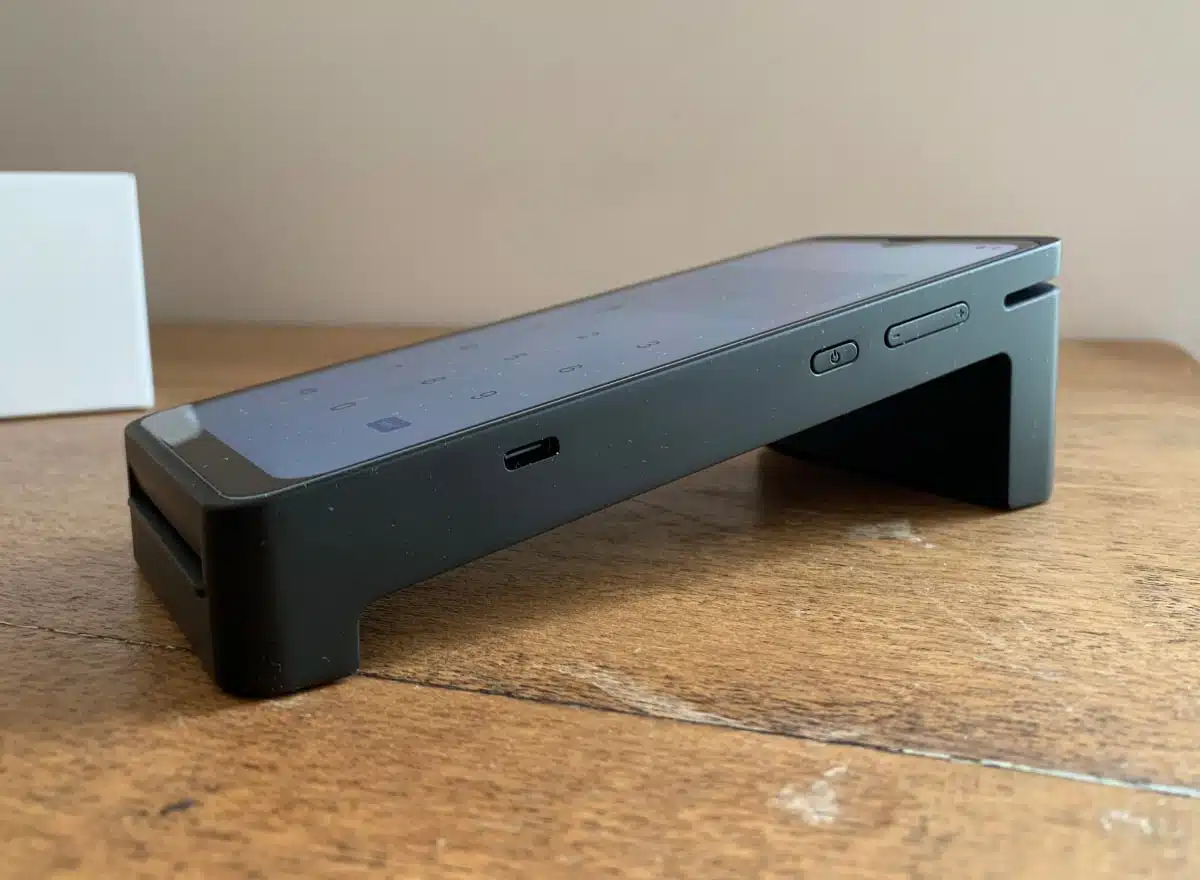
Zeller Terminal 2 has a flat main body with legs to stand on at either end.
Still, T2 has a better weight distribution for holding in the hand, whereas T1x has a heavier top where the receipt roll compartment weighs it down. I’ve dropped this sort of terminal model before, but it’s not bad when you hold it closer to the receipt end.
Photo: ES, Mobile Transaction
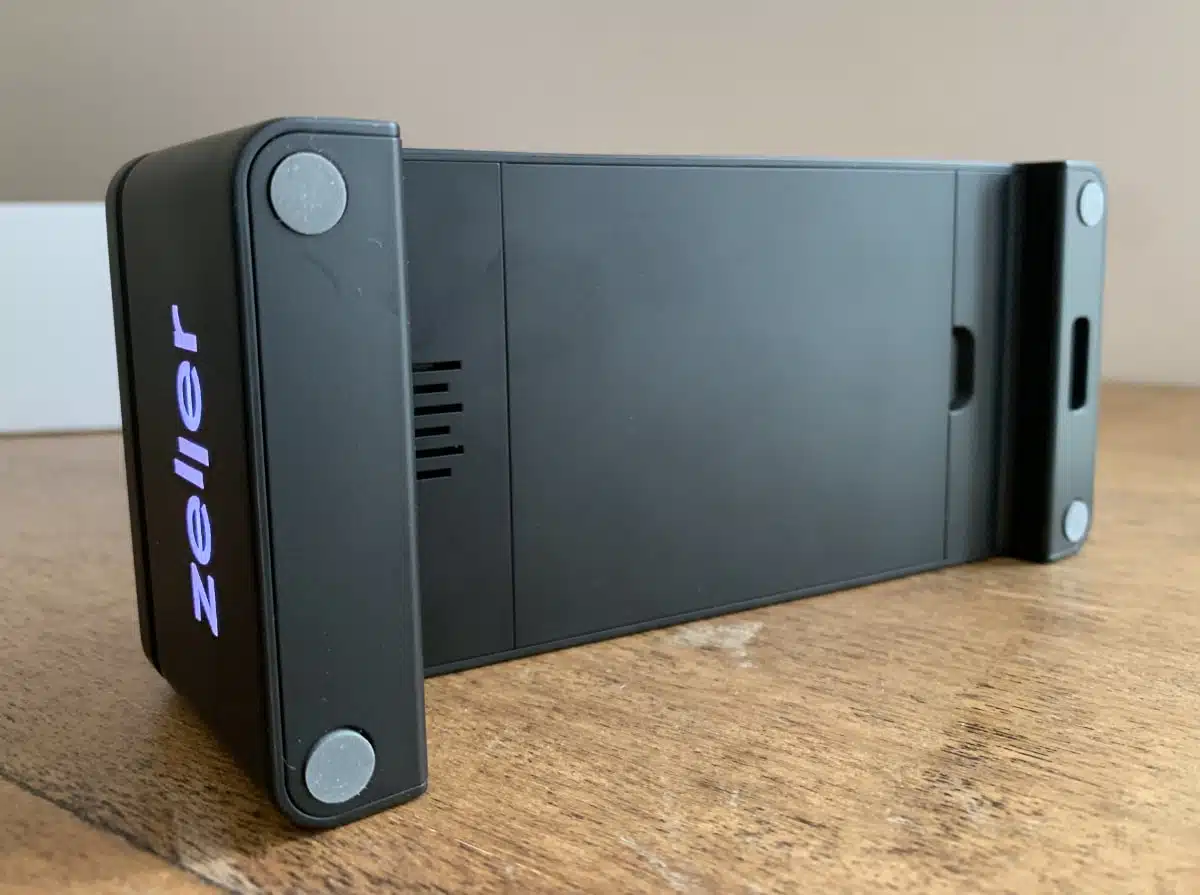
The rubber dots under Terminal 2 prevent slipping, but T2 cannot be screwed onto a desk.
T2 also sits quite securely on a desk with its rubber dots under its legs. Both T1x and T2 can be docked on a counter in an optional charging stand, but cannot be screwed to a surface as there’s no hole underneath for that.
What about spills and drops? Testing has shown that T1x is pretty rigid and handles the odd splash, and T2’s base handles occasional spills as evidenced by the thousands of pubs and bars it’s used in. None of them are waterproof, but very few card machines are.
Good battery life
And the battery? I was positively surprised that I could leave Terminal 2 on standby for several days with intermittent use before I had to recharge it. Some card readers, like SumUp Solo, would drain the battery quickly if not switched off completely. With active use, both terminals should last a whole working day.
Camera there, but not currently useful
The camera above T1x’s and T2’s displays is interesting, as it currently serves no purpose with the built-in POS Lite software. There are no QR codes or barcodes it accepts, but we hear it might be used for biometric terminal unlocking further down the line.
Similar to the obsolete cameras, their swipe card slots are mostly not needed since the UK has phased out magnetic stripe cards, but UnionPay requires it as a fallback if chip and PIN fails.
Photo: ES, Mobile Transaction
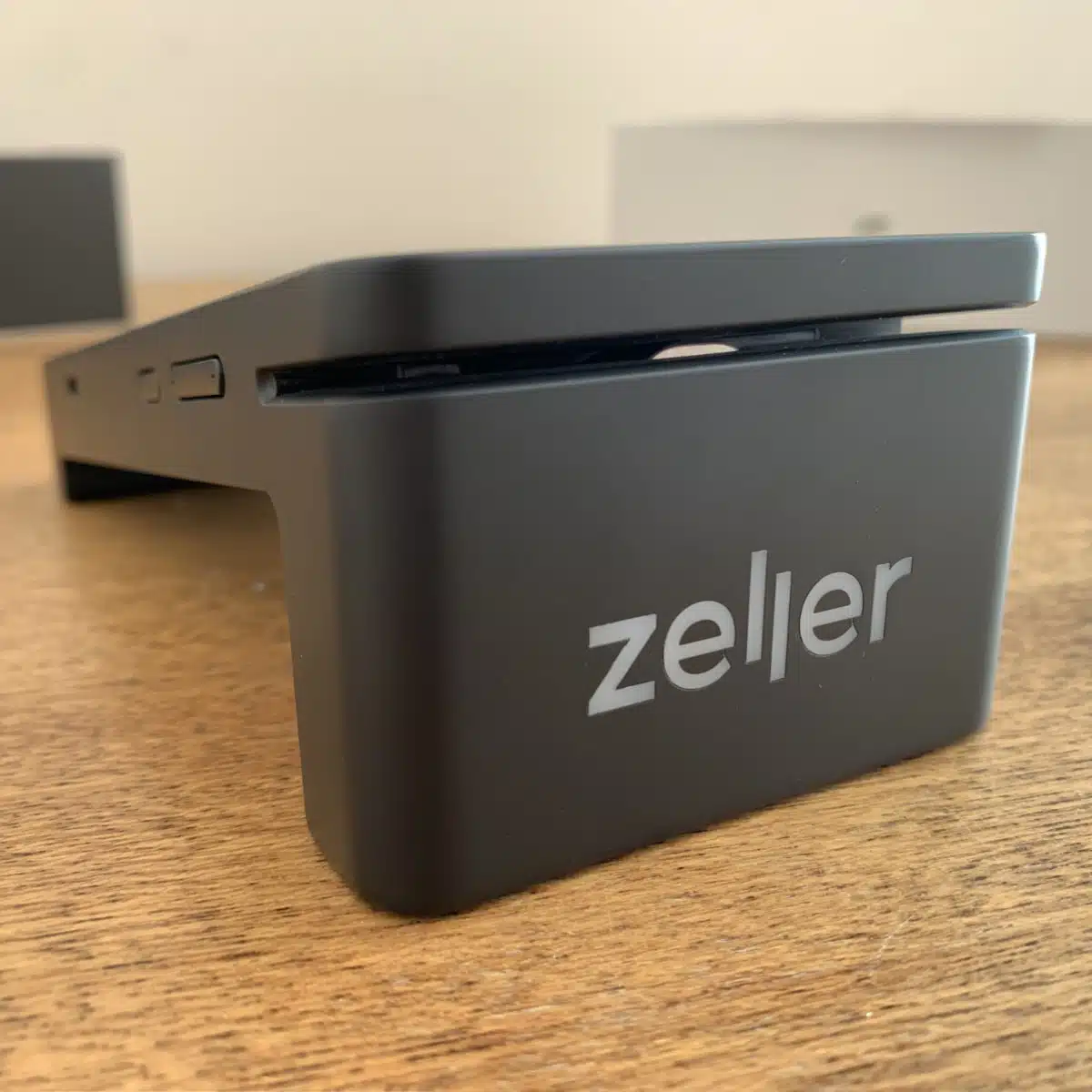
The swipe card slot is above the cool logo at the front.
Terminal settings
As for software settings, you can:
- adjust the screen brightness (low preserves the battery for longer)
- change the colour theme (white or black background)
- choose when sleep mode kicks in, where your own image can show on the display as a screensaver
- choose when the terminal hibernates, though the earliest you can set it to after inactivity is 30 minutes
I really like the screensaver, as this can be customised to show any image that would be useful for your till.
Photo: ES, Mobile Transaction
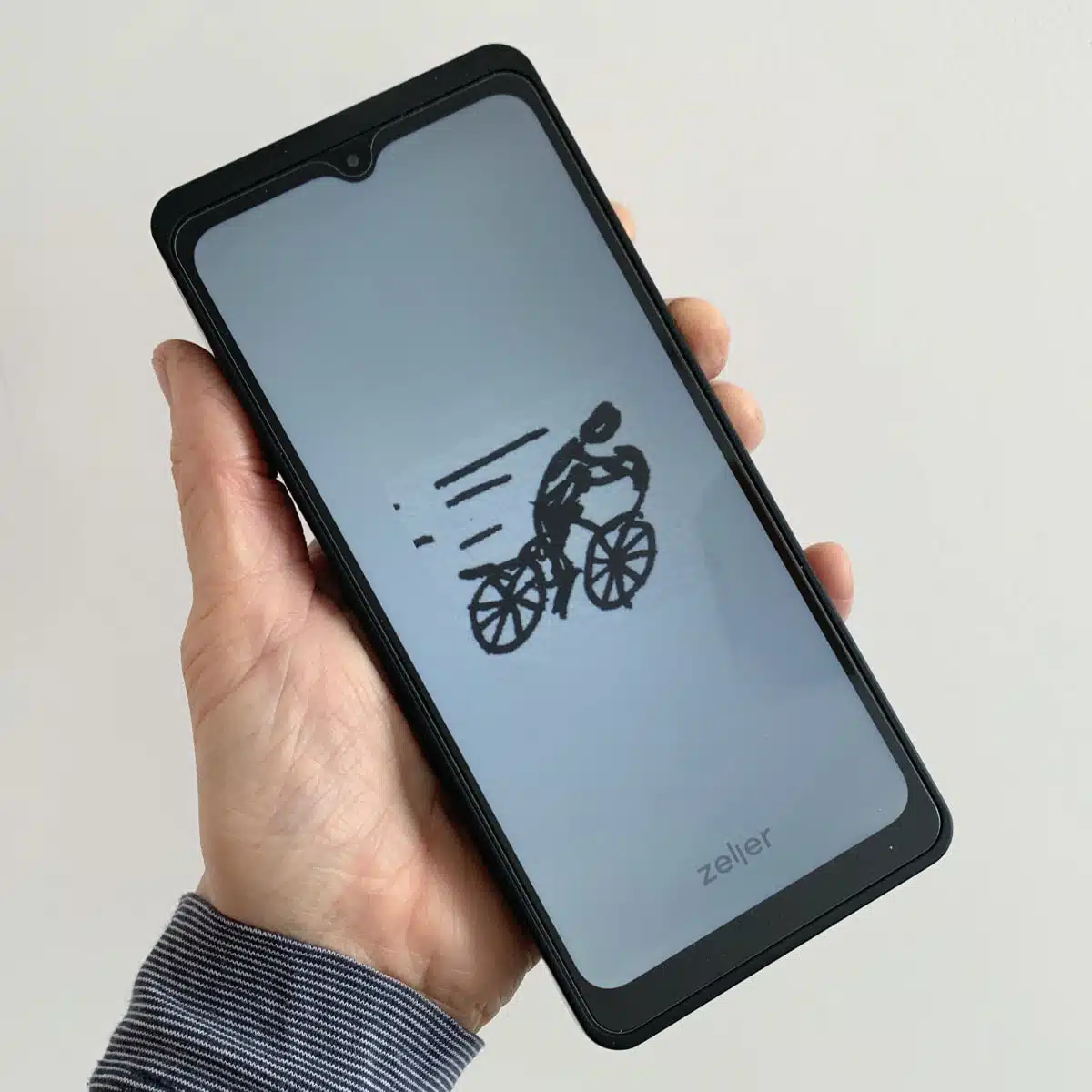
Your screensaver image displays on a matching background colour.
The terminals also have sections for sales reports, transactions, payouts, editing the product library and of course taking the payments.
Companies can manage terminal fleets and teams by defining locations (sites) and user permissions.
Overall experience of the terminal software
The software is generally easy to get to grips with without guidance. And whenever you update the items library from the Zeller app or dashboard, it instantly updates on the terminals without a refresh. Not all POS software is this synced up.
But I did notice some small negatives as well.
Navigation labels not always clear
The side menu is laid out logically, but some of the features could have better labels.
For example, to switch between the POS Lite items library and entering a custom amount for a transaction, you need to tap “Mode” in the top right corner where a menu lays out the options “Card”, “MOTO”, “POS Lite” and “POS” which are not clearly different even to an experienced card machine user.
A newbie looking to enter a manual amount might not consider they need to select “Card” instead of one of the POS options which one would assume might include manual amount entry alongside a product library (not the case).
Furthermore, the last “POS” option is for integrating with an external POS system, but that should be tucked away in settings (it is as well).
Tap sounds make the terminal seem slower than it is
The first time I used the T2, the sound was on for tapping the screen buttons, which is useful feedback for some people. But the tap sound had a slight lag after each touch, which made it feel like the terminal was a bit slow. When I turned off the sound, the software no longer felt slow, because I no longer heard the delayed tap sound.
Screen requires that you act quickly sometimes
Some functions on the terminal default rather quickly to either a new transaction or hide the menu before you’ve decided what to tap next. I know this is useful for busy environments, but not when testing the terminal at a slower pace.
Photo: ES, Mobile Transaction
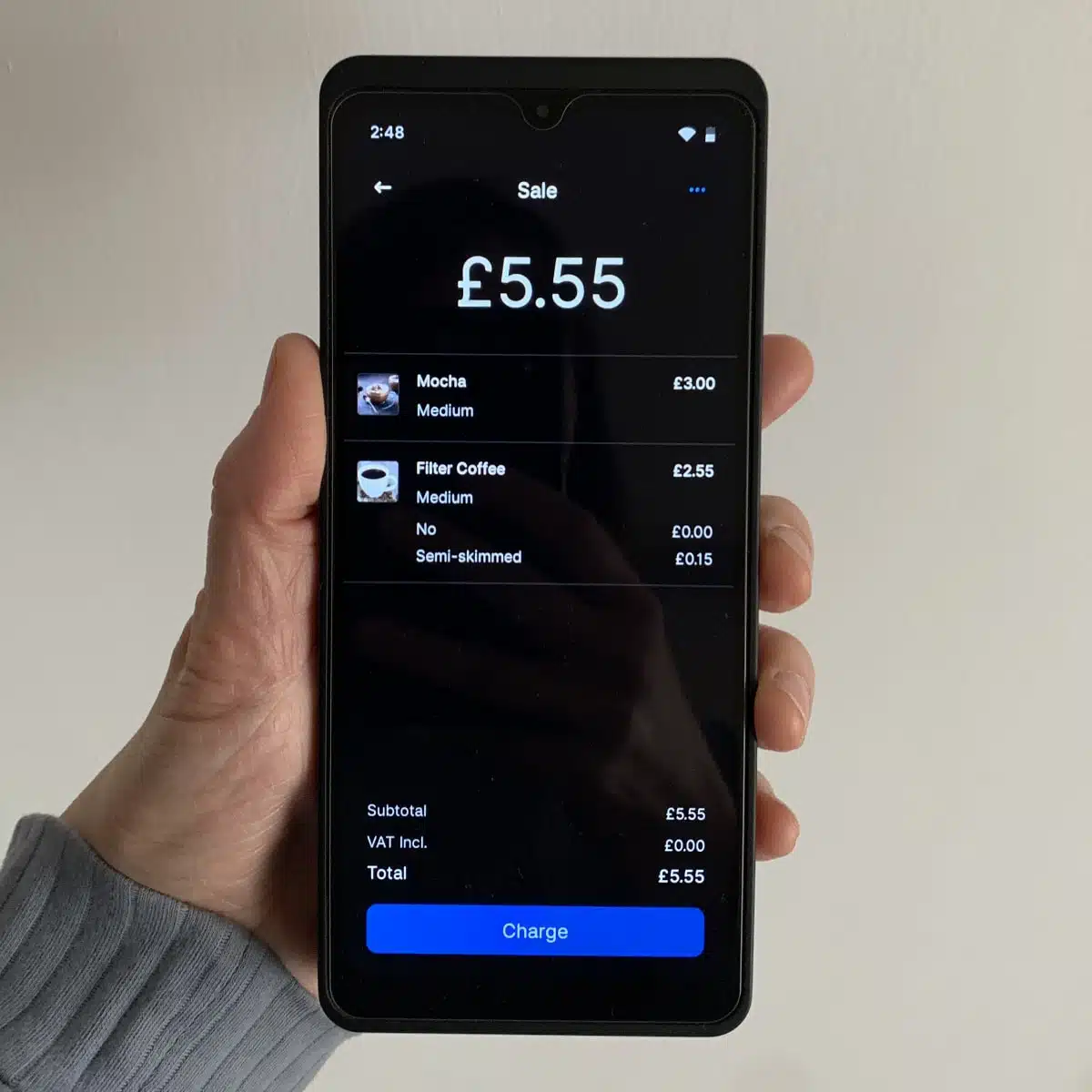
Bill summary on Terminal 2.
Photo: ES, Mobile Transaction
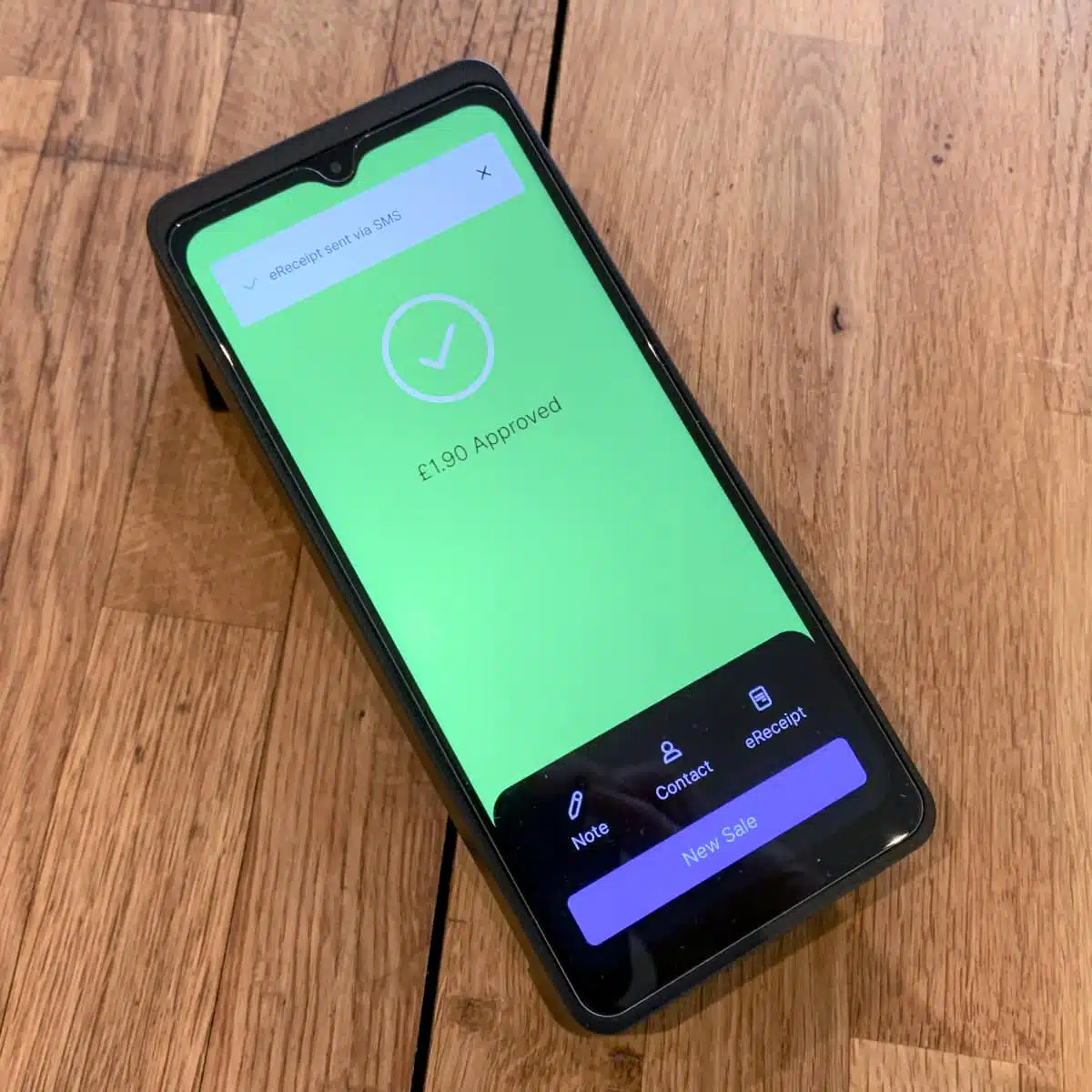
Attach a customer or note to sales.
Zeller POS features
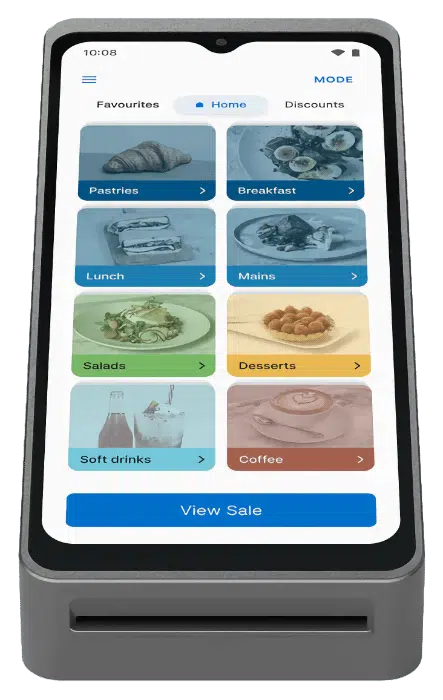
Both terminal models come with the simple POS software called Zeller POS Lite. It contains essential features for a small shop, café, garage, hairdressers or other merchant who doesn’t need inventory tracking or order management beyond the here-and-now sales.
POS Lite allows you to:
- Create a product library for easy POS entry and itemised receipts
- Generate SKUs and GTINs for items
- Add VAT, service charge and discounts to items or transactions
- Record cash sales
- Link the product library to invoices for faster invoice creation
Taking payments
The most essential feature is of course the payment acceptance.
With POS Lite, the default screen is the product library, laid out by you. Different terminals can display different product selections, catering to multiple locations. If you’ve added variants and modifiers to individual items, you’ll be prompted to select these before they’re added to the bill (if required – some modifiers can be optional).
Photo: ES, Mobile Transaction
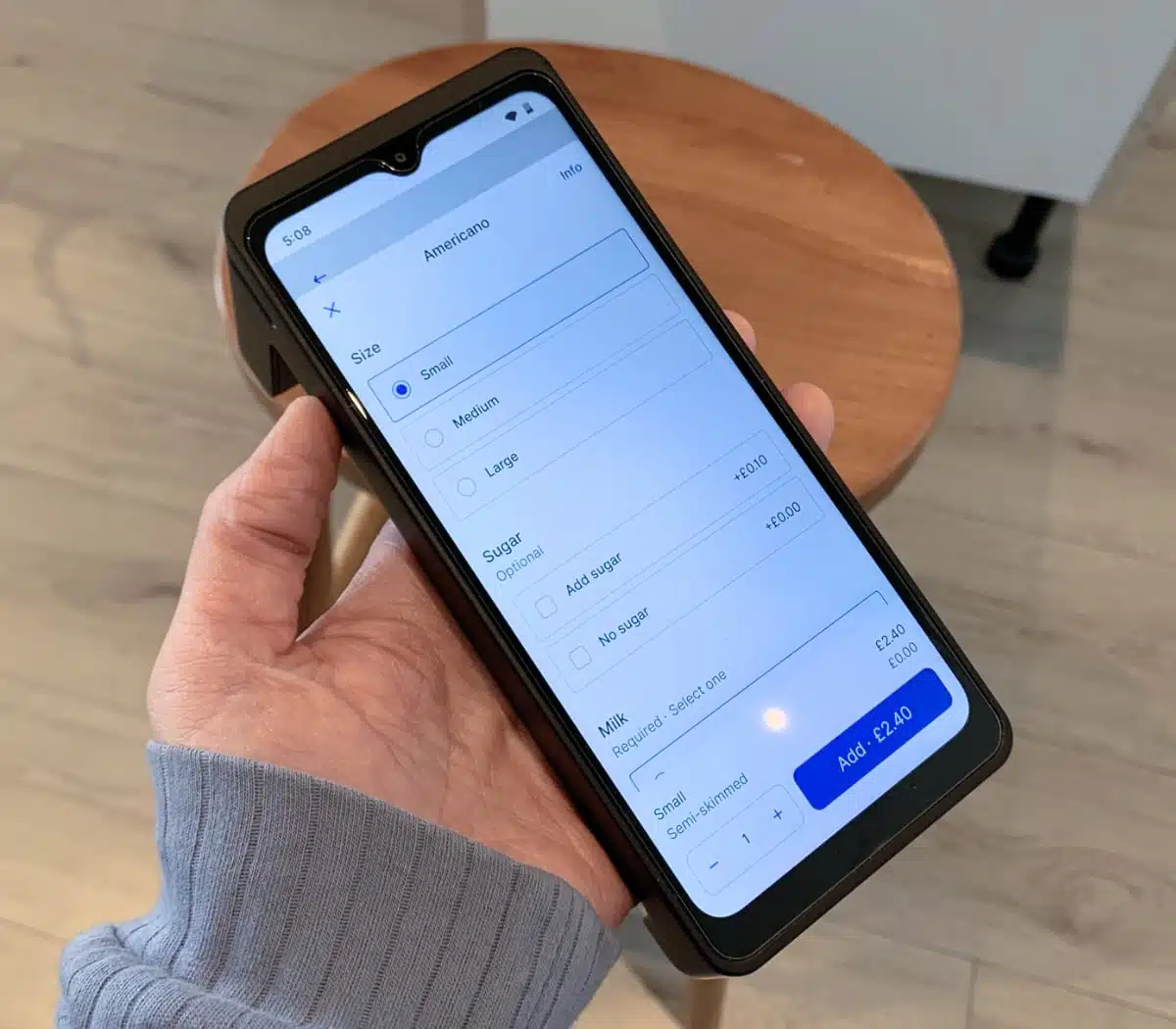
Each product can have optional and required variants/add-ons that determine the price.
When you’ve added the products to the bill, you tap to accept cash (if enabled) or card payments via tap or chip card. Cards only take seconds to process, followed by a “sale complete” message. With cash, you can keep the change for tips via a button.
Photo: ES, Mobile Transaction
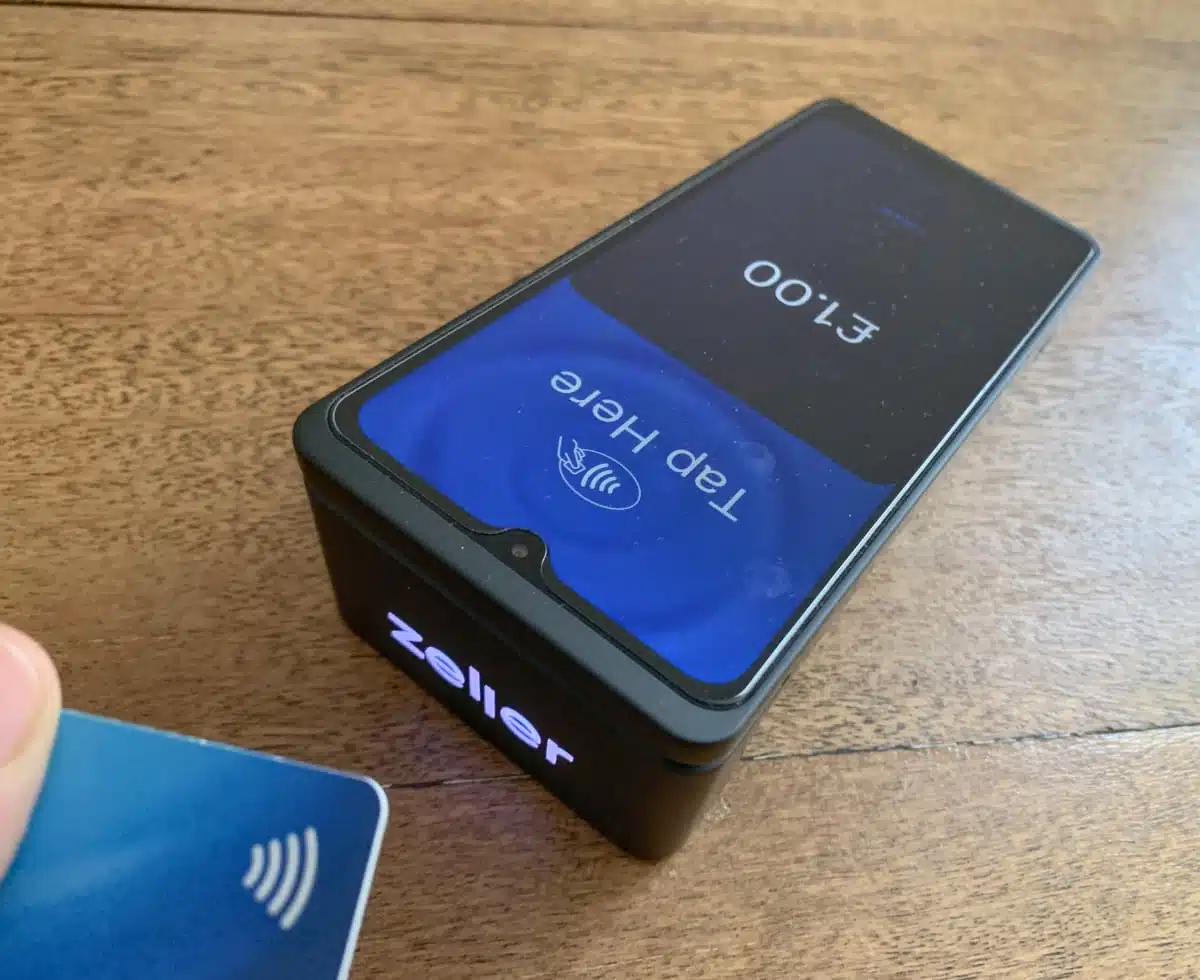
We didn’t have any issues accepting cards on the terminal.
After each transaction, receipts can be sent via email or SMS – or printed if using Terminal 1x.
All very smooth and normal! I didn’t have any problems with the payment flow. It’s very self-explanatory.
Product library
The items library lets you enter essential information like categories, variants, image labels and modifier groups. It’s enough to make it functional for a basic point of sale in a small café, corner shop, beauty salon and most professional trades.
A ‘Favourites’ tab lets you display just the items most important to your business, and ‘Shortcuts’ shows discount and service charge options.
Photo: ES, Mobile Transaction
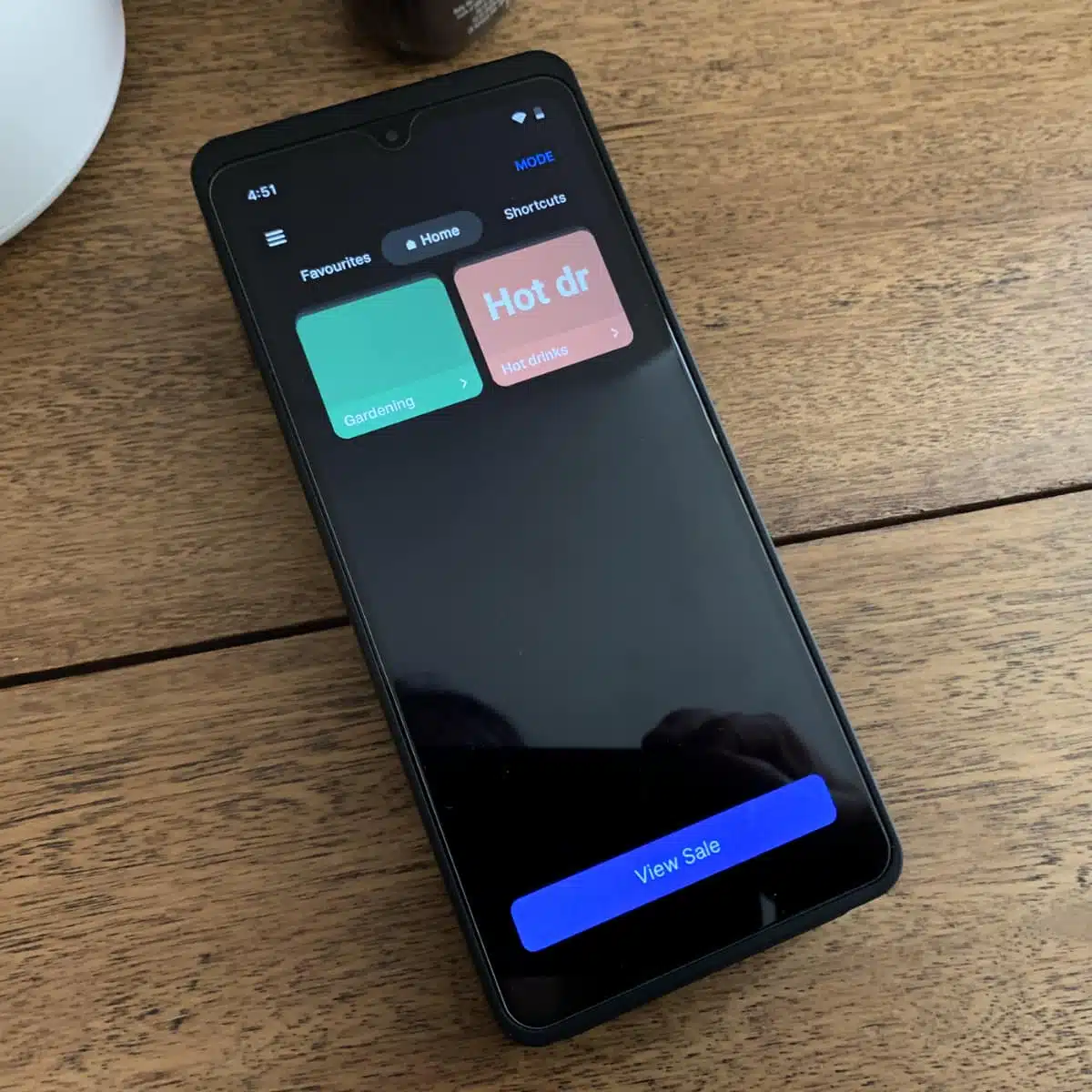
POS Lite menu has 3 tabs: Favourites, Home and Shortcuts.
Photo: ES, Mobile Transaction
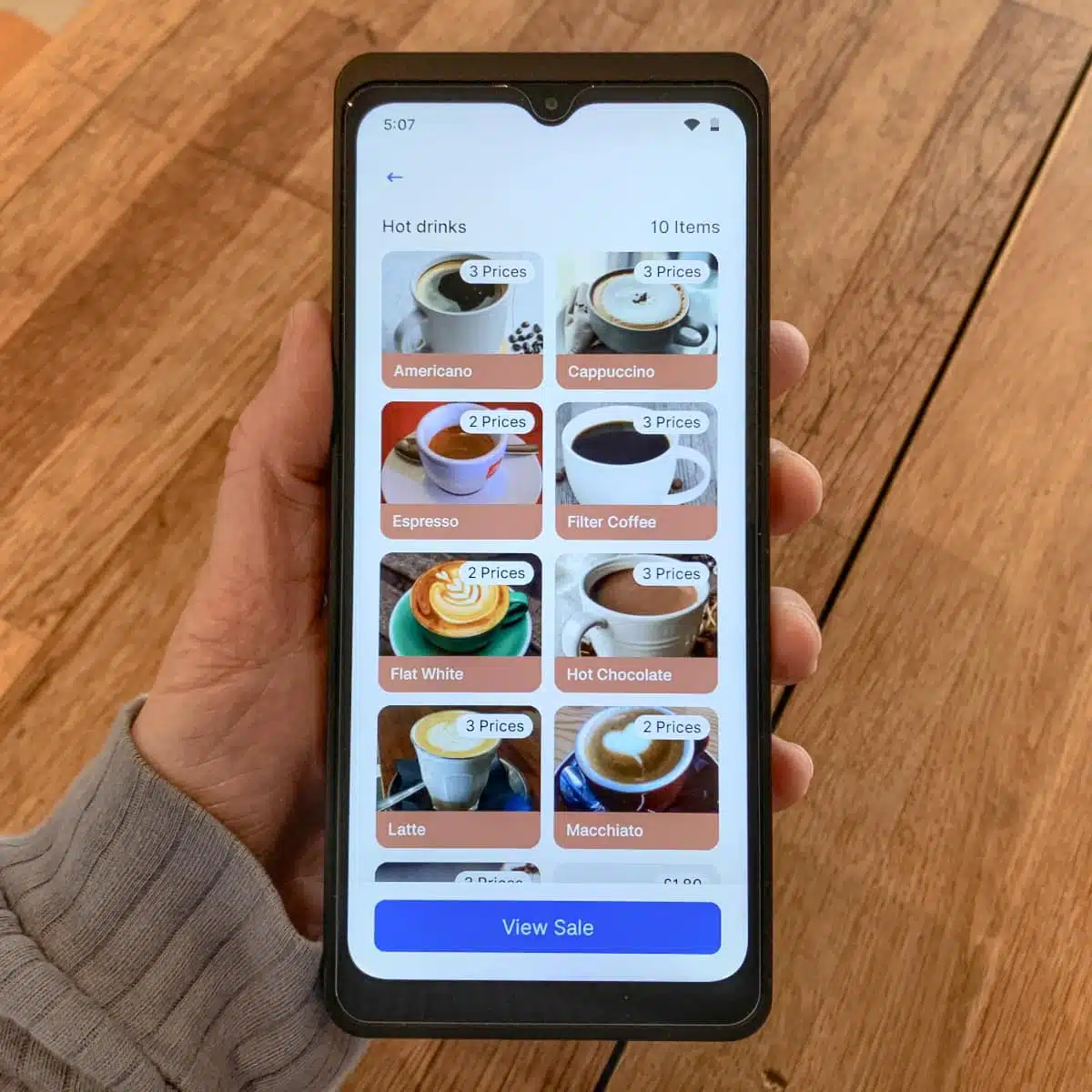
POS Lite menu with café items we added.
However, with Zeller’s lack of item counts and order management, these features are somewhat less useful than Square’s deeply integrated POS systems that allow stock tracking by location and kitchen communications.
You can’t mix custom amounts either with itemised products from the POS Lite section. Instead, you go to “Card” mode and process just one custom amount with a contactless or chip card, or “MOTO” if you want to enter the card details manually.
Splitting a bill also requires the custom amount mode.
Photo: ES, Mobile Transaction
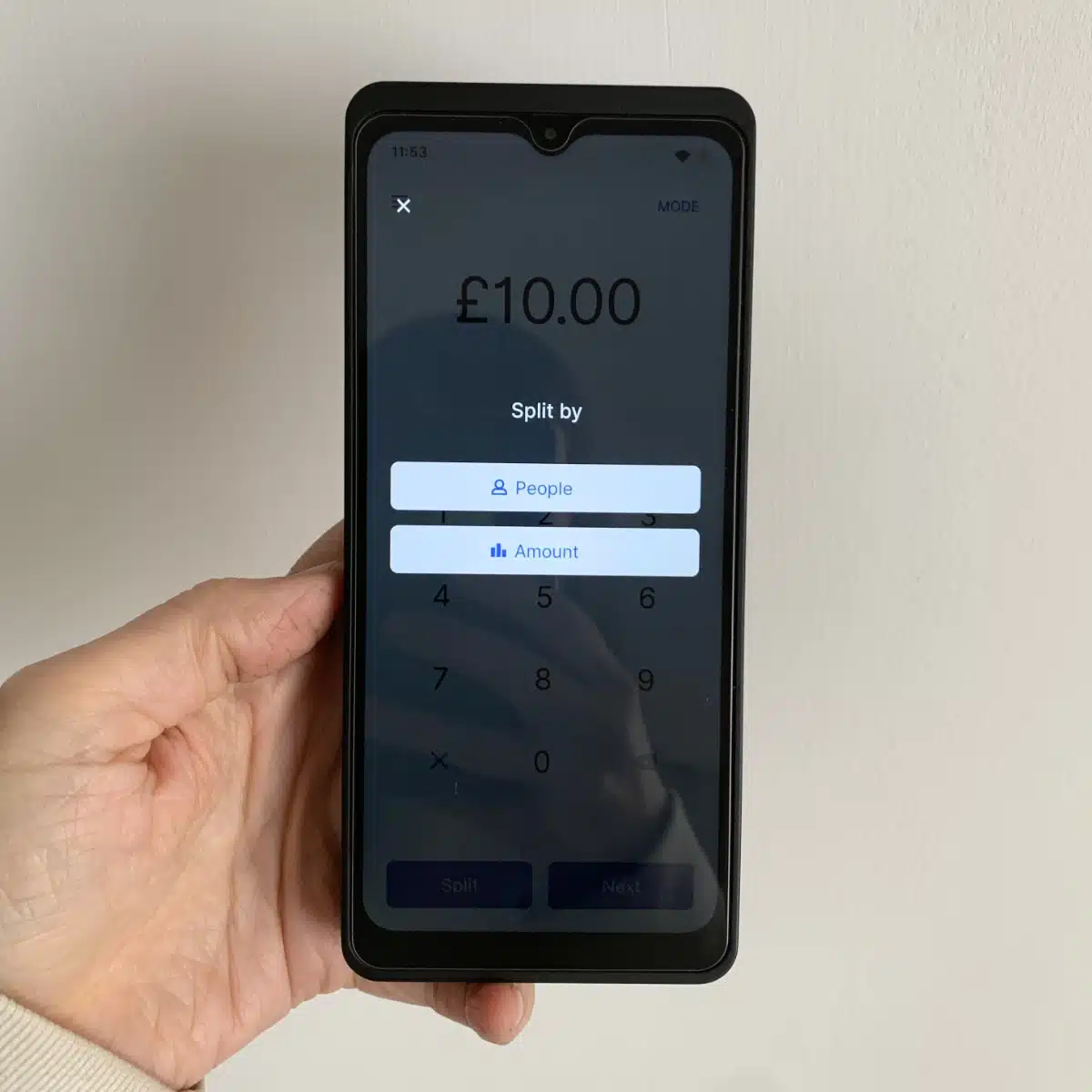
You can only split bills for custom card payment amounts.
Photo: ES, Mobile Transaction
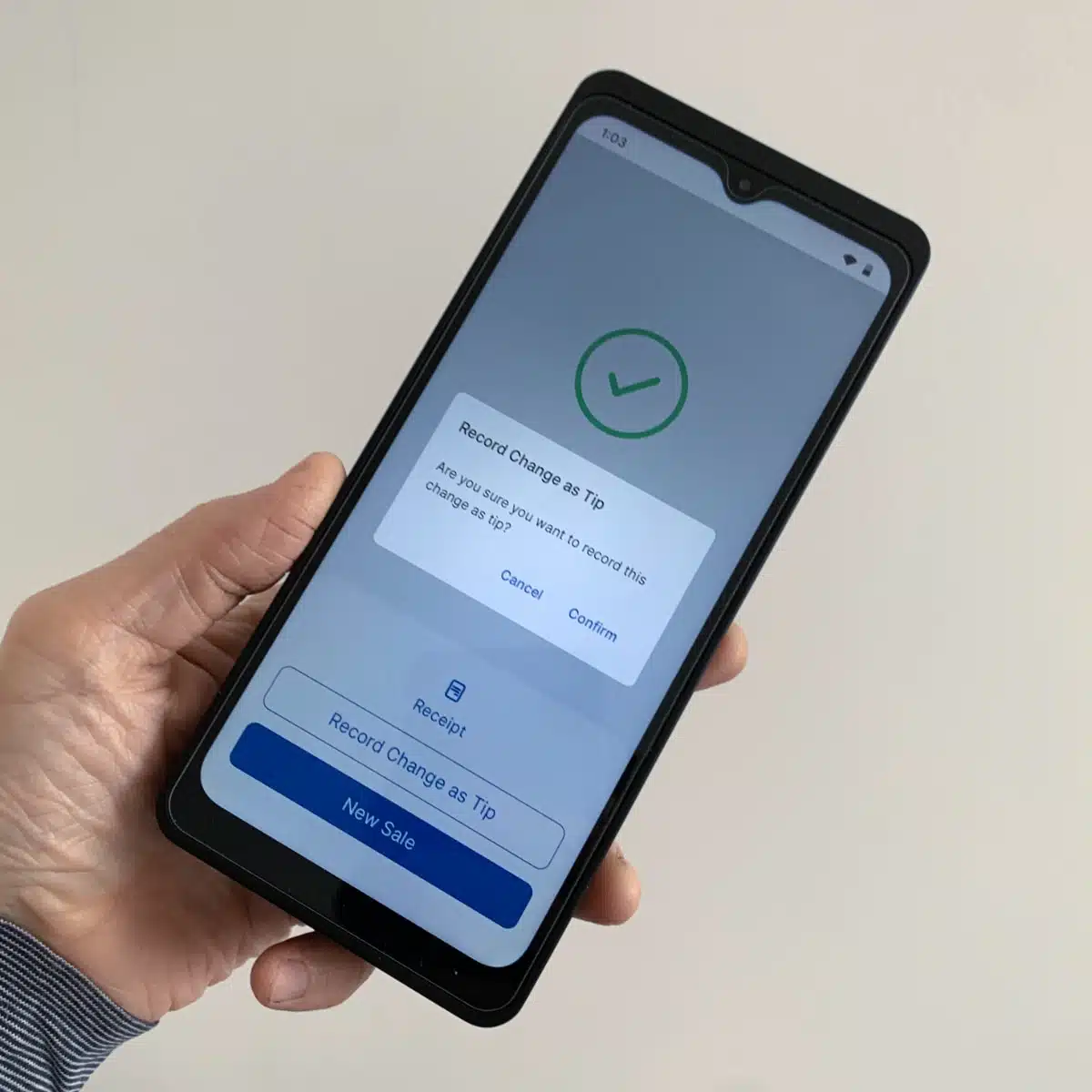
Keep the change as tips without messing up the reports.
POS integrations
Terminal 2, which doesn’t print receipts, can’t connect with an external receipt printer directly, limiting users to digital receipts via email or text. It can print receipts through an external, integrated POS system, though.
Additionally, the only way to integrate any Zeller Terminal with a cash drawer is via another POS system.
So far, Zeller terminals only integrate with the POS systems ZiiPOS, PushPOS, Oracle Simphony and Tevalis Pay at Table – the last three designed for hospitality. Independent retail shops that need inventory management can ask Zeller directly if their preferred EPOS can link up.
See also: Best card machines for the UK – tested
Zeller business account and cards
When you sign up with Zeller, you automatically get an online business account, accessible in the Zeller app and browser Dashboard. It’s not a bank account, but has an account number and sort code so it can stand in as one.
The account collects funds from transactions midnightly every day of the year and allows you to spend them with the Zeller Visa Business debit card (included with any terminal).
Zeller’s Business Debit Visa card cannot withdraw cash at ATMs, but you can add it to Apple/Google Pay and use it online and in store, pay invoices and transfer money to other accounts. Business owners can also add additional accounts and cards like expense cards for staff.
These virtual or physical expense cards help manage staff spending by allocating specific budget limits. None of these features cost extra like the subscriptions of Revolut Business accounts.
Reports, analytics and contacts
Merchants have good access to sales reports, settlement and transaction information, which can be viewed on the terminals, in a desktop browser and the Zeller app. But rather than keeping all reports in one section, you’ll have to view the (very basic) product analytics in a separate section under Items.
Sales can be filtered into specific time periods, location, transaction type and a few more criteria, but there aren’t many customisation options and they can’t be printed as a close-of-day report. I also noticed not all data can be exported to a file.
And the transaction reference on bank statements? Customers might be suspicious if it just said “Zeller”, so merchants are able to include their business name at the end of ZLR=xx (where “xx” is the editable name). That’s good, but not an unusual feature.
One thing I really like is the Contact Directory where you can add details of businesses and individuals, whether they’re customers or suppliers. These can be linked to transactions, invoices and payment cards so you can track both their and your business’ spending in one place.
The Zeller account doesn’t connect with HMRC for Making Tax Digital, but integrates with Xero that handles this.
Online and over-the-phone payments
Online payments isn’t the main focus of Zeller – it’s a platform centring merchants who buy a card machine.
Nevertheless, Zeller allows you to:
- Accept over-the-phone payments via a browser or the card machines.
- Send payment links from a browser.
- Send and manage invoices from the app or browser, payable via a link.
When I first followed the steps to create and send an invoice, it allowed me to do it without my business address or customer address. These are required in the UK to make it legally binding, so I was surprised they weren’t required steps. On the other hand, some merchants might prefer less information (at their own peril!).
Image: Mobile Transaction
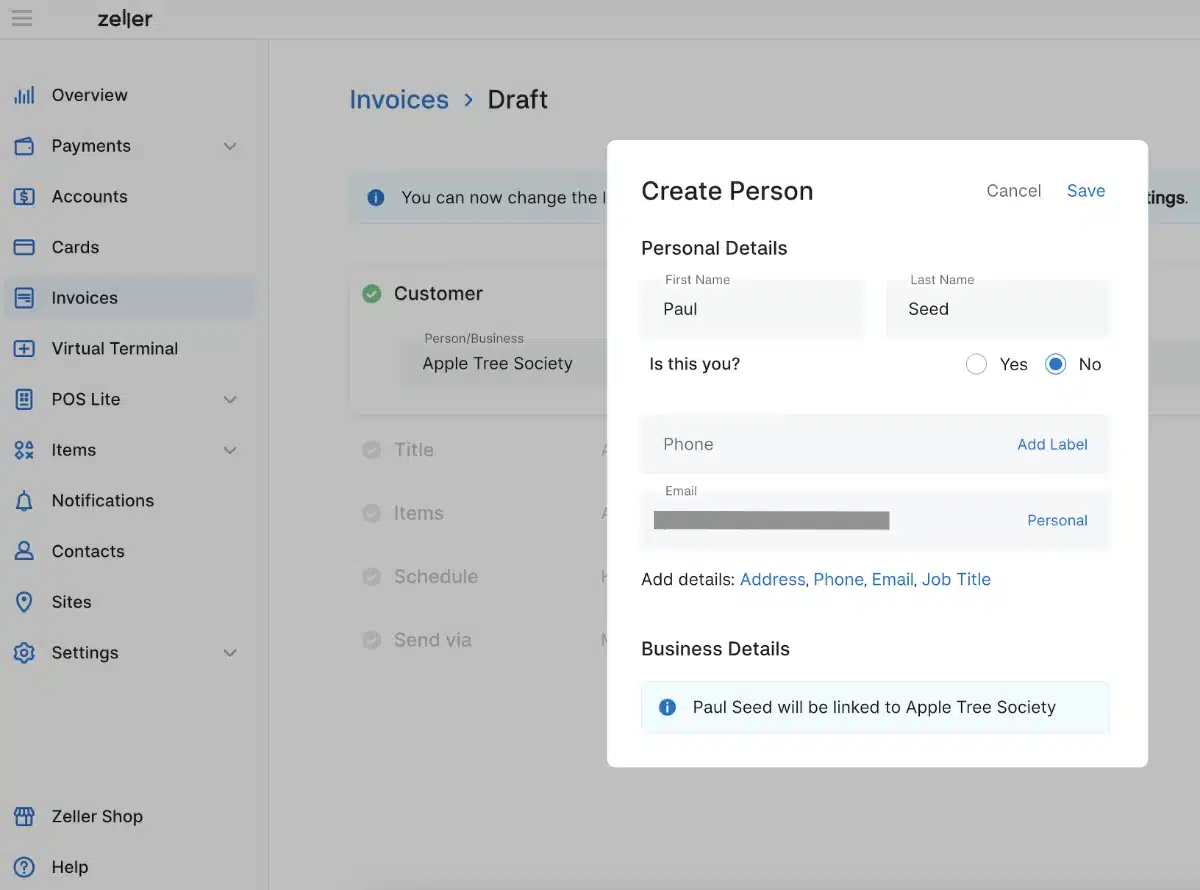
Adding a recipient address is not required on Zeller invoices, but you should to make it binding.
The online checkout customers click on to from a payment link or invoice only allows you to enter card details manually. It would’ve been easier if Apple Pay or Google Pay was an option to make it less fiddly to pay on a phone. Generally, it’s a very basic-looking page, but it does the job.
The platform doesn’t integrate with ecommerce, but it’s possible to link online ordering through a POS integration, not Zeller directly.
Image: Mobile Transaction
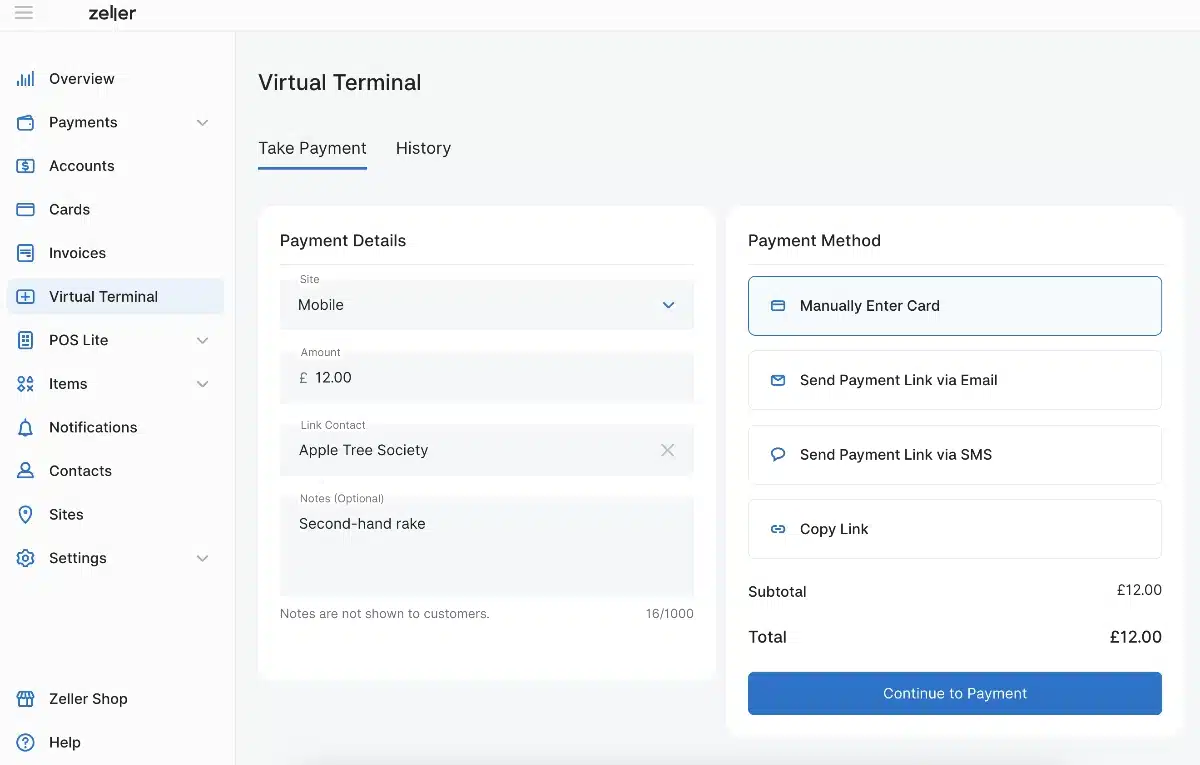
The virtual terminal is both for accepting keyed payments remotely and sending payment links.
Service and reviews
Despite the lack of a monthly fee, Zeller offers 24/7 support to all merchants via telephone, email and text message.
To compare, Square only offers weekday support during daytime hours (except certain products that include 24/7 support) and SumUp offers support every day of the week to everyone, but only daytime and early evening hours.
There is also a help section online with step-by-step guides and answers to most questions. I personally found enough information there, but it didn’t cover all my questions. When I reached out to support via email, I got a helpful reply within an hour, which is fast compared with competing pay-as-you-go platforms I’ve tried.
Customer reviews in the UK are still limited due to being a new entry, but Australian reviews are largely very positive about this “solid solution”, its value for money and convenient business account.
Zeller compared with alternatives
It was bold of Zeller to launch in the UK among the strong foothold of comparable services like Square, SumUp and Revolut Business. But the demand for a pay-as-you-go service with affordable card machines is high, so there’s room for it.
Like Zeller, the central product of SumUp and Square is also card machines you buy upfront, with a complementary account for fast transfers. Square’s account doesn’t have expense management features – it’s just a ‘Square Card’ for instant payouts to spend. SumUp Business Account has more features, but charges a monthly fee for extra expense cards and sub-accounts (they’re free with Zeller).
You can’t avoid a monthly fee with the Revolut Business account, and I can’t vouch for the quality of customer service which I’ve found slow and unhelpful. PayPal POS has some nice card readers, but high transaction fees and an even worse customer service for their online business account.
Square, SumUp, Revolut and PayPal are all easy to use and designed for merchants who are comfortable setting it up themselves. They don’t offer personalised onboarding like Worldpay and Takepayments.
Although Zeller can tailor fees for businesses accepting over £75,000 annually, the card machines are still not as adaptable as Worldpay’s that integrate with many POS systems and ecommerce solutions.
Getting started: easy to do online
It’s an easy process to sign up online in 10-15 minutes. You click to sign up on the Zeller website and submit basic business details about our company, charity or sole trader status. You then download and open the Zeller app to verify your photo ID by scanning it with a phone.
After submitting everything, I got a message saying someone will review my application and email me within 48 hours, but I could log into my new account straight away to use it. All easy peasy for me, but some businesses might need to submit more information if it’s potentially trading in a risky or restricted category.
You can order a Zeller Terminal through the company’s online shop, or Amazon if you prefer. Zeller will usually ship it within a working day, after which it may take a few days to arrive by post.
The first time you log into your browser dashboard, you’re taken through helpful pointers about what the different sections do. The app and terminal also have helpful introduction slides. The layouts of these are intuitive enough for you to figure out how things work without looking for help.