
Overview
In brief
What is it?
Our opinion
In detail
Card machines
Pricing
Fast payouts
Merchant portal
Online payments
Service and reviews
Alternatives
Getting started
What is PayNuts?
Launched in February 2023, PayNuts offers multiple different EFTPOS machines and online payments for small and medium businesses in Australia. The company used to operate as More Payments (now discontinued), but rebranded as PayNuts.
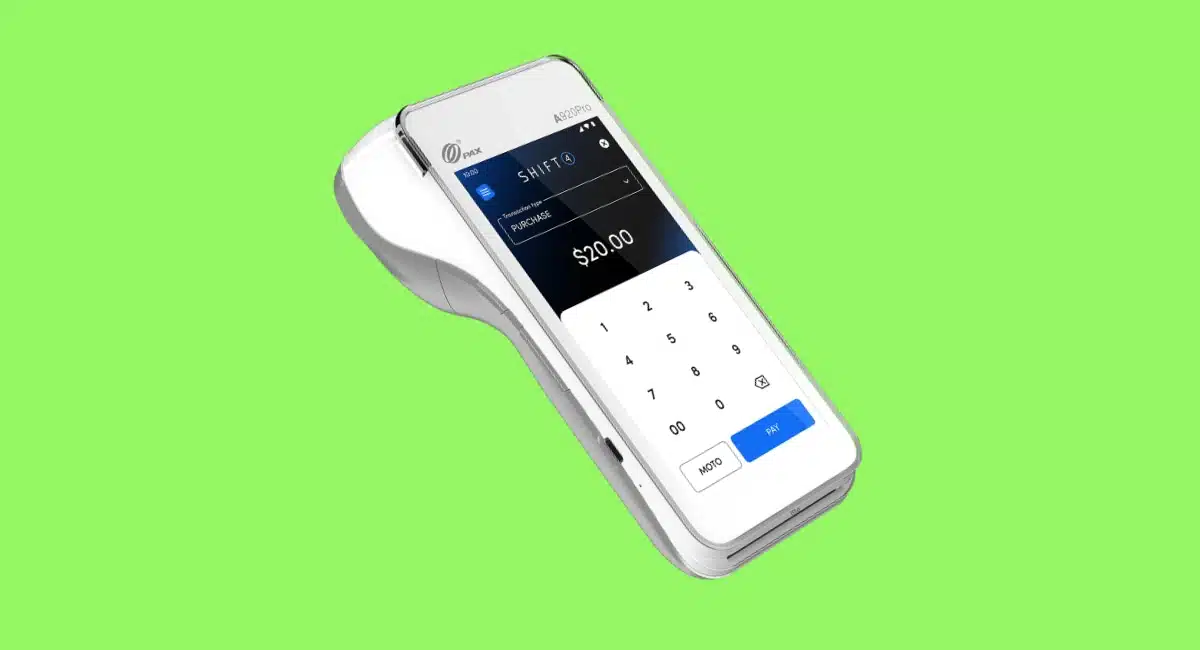
It handles card payment processing and payouts to your bank account. The range of accepted payment schemes is quite good compared with, say, Shift4.
Accepted cards


As a merchant service provider, PayNuts aims to be the antidote to bureaucratic EFTPOS providers requiring lock-in and lengthy application processes. Instead, users get an easy application process to rent the latest EFTPOS machines on a low-cost plan with very affordable rates for a small business.
The company recently launched more products, like its own POS system and an exclusive deal for business-grade broadband that keeps payments stable.
Our opinion: one of the best alternatives to a bank
Compared with other EFTPOS solutions in Australia, PayNuts shows pretty good potential with some of the simplest pricing in Australia. Having scrapped the “no cost” plan before surcharging is banned, it’s taken up the challenge to evolve their offering instead.
We really like the EFTPOS machine selection, flexibility of contracts and very accessible 24/7 support.
| PayNuts criteria | Rating | Conclusion |
|---|---|---|
| Product | 4.4 | Good/Excellent |
| Costs and fees | 4.1 | Good |
| Transparency and sign-up | 3.8 | Good |
| Value-added services | 3.9 | Good |
| Service and reviews | 4.2 | Good |
| Contract | 4.9 | Excellent |
| OVERALL SCORE | 4.2 | Good |
The quality of the EFTPOS machines is ace, and you won’t struggle to find a POS system that integrates with them. The PAX terminals are high-performing and future-proofed with functions like barcode scanning and clear HD touchscreen displays.
“We’ve had a very positive experience of the service and motivations of PayNuts in our dealings with them. Importantly, they’ve chosen good-quality EFTPOS machines and fair pricing we can get behind.”
– Emily Sorensen, Senior Editor, Mobile Transaction
Although great that online payment payments are available, the online resources could do with more detailed how-to guides.
Still, the platform is fast improving with its own newly-launched POS system linked to the EFTPOS machines. PayNuts’ plan is to add more products and integrations, catering to more businesses than the restaurants, beauty salons, grocery stores, mechanics’ workshops, etc. who already love the service.
The fully digitised onboarding process, attention to merchants and lack of bureaucracy are positive signs that PayNuts prioritises businesses.
EFTPOS machines for all scenarios
PayNuts offers four EFTPOS machines:
- PAX A910S – mobile and portable terminal for anywhere
- PAX A920Pro – highest-performing, large screen
- PAX A77 – mobile and pocketable, no receipt printer
- PAX A80 – fixed or portable for indoors, push-buttons
They all connect to the internet via WiFi, Bluetooth (within reach of a router) or 4G through a complimentary SIM card with unlimited data. They also have crisp-clear HD touchscreens and powerful battery lives.
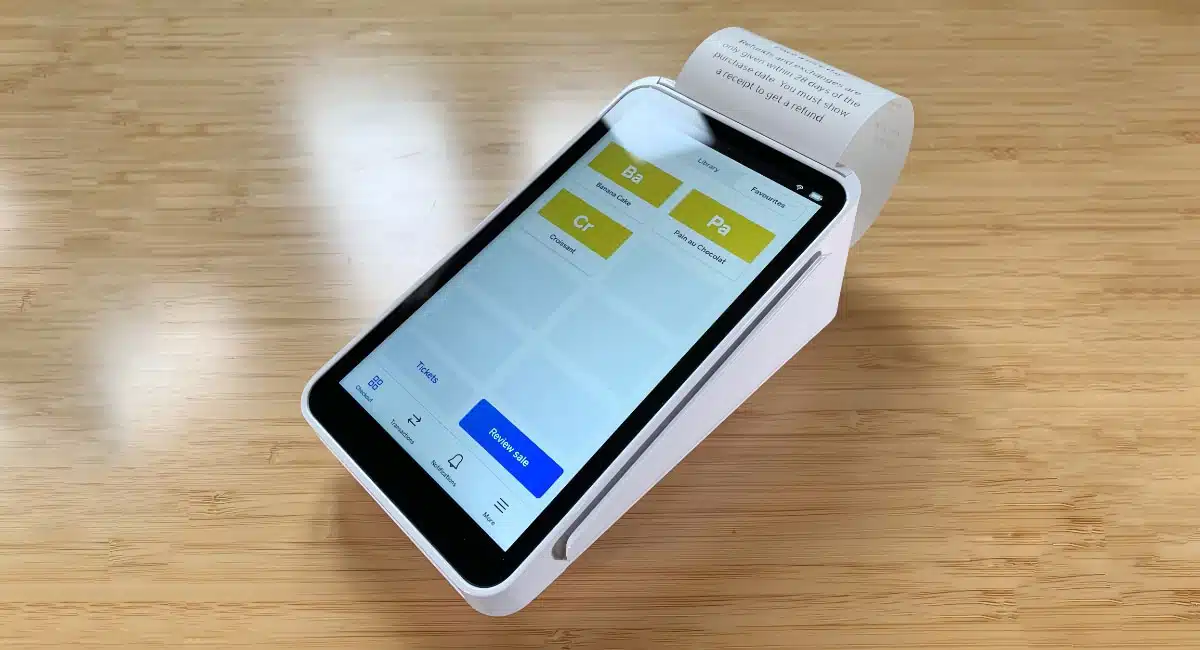
The terminals are Android-based and have an app where you enter a transaction amount before giving it to the payer for a contactless, swipe or chip card payment. They are very user-friendly with the capacity to accept tips, send digital receipts (or print if available), and display sales or settlement totals.
More complex POS features require an integration with a full-fledged POS system.
PAX A910S and A920Pro – most versatile mobile terminals
The two most popular EFTPOS machines, PAX A910S (PayNuts Pulse) and A920Pro (PayNuts Prime), look very similar but the differences could sway some merchants to choose the latter.
First off, they’re suitable for fixed countertops, table service and on the go wherever 4G is available. They share the same powerful quad-core 1.4GHz processor, so processing performance is essentially identical. They also print receipts and have a similarly curvy, oblong body with a large touchscreen.
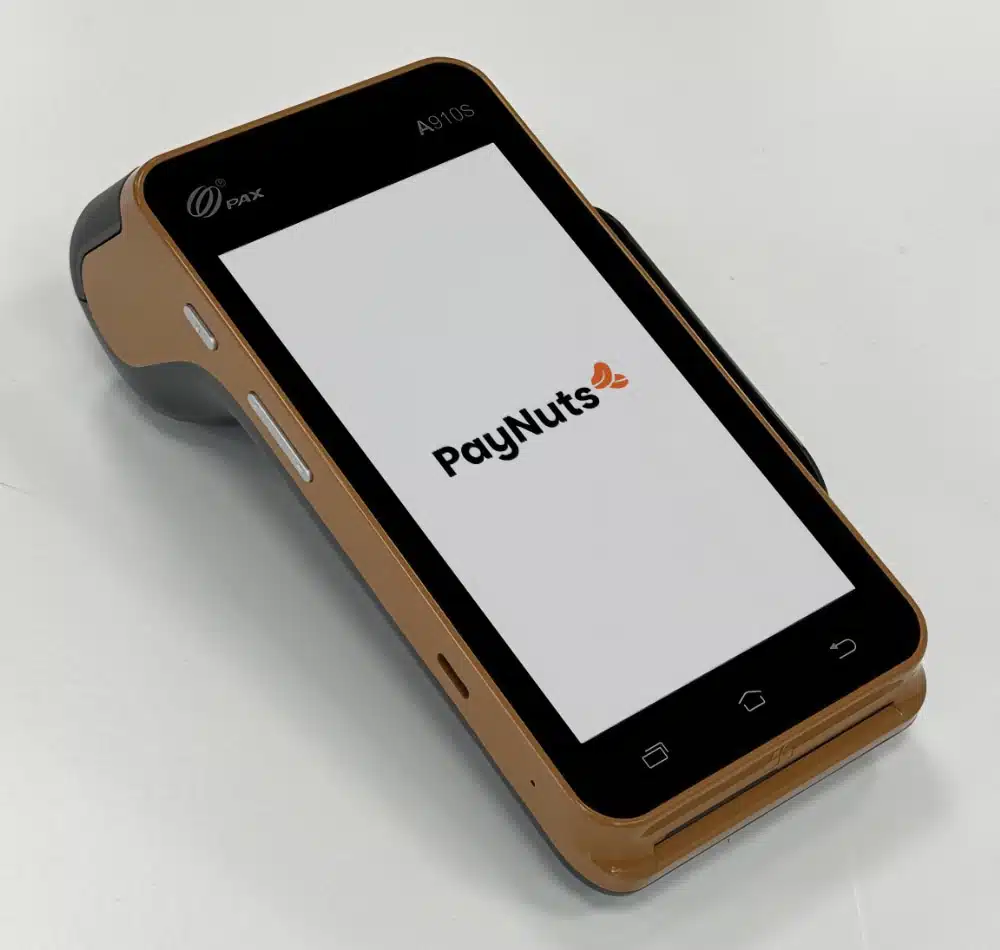
PayNuts’ budget-friendly yet flexible terminal, PAX A910S.
But A920Pro is objectively better in these key areas:
- It’s slightly smaller and lighter than A910S, but has a larger 5.5″ HD screen compared with A910S’s 5″ HD screen.
- With its bigger battery, it lasts longer, giving it a meaningful edge for all-day, high-volume use.
- Has a built-in, ‘professional’ infrared barcode scanner for retailers, not just a rear camera like in A910S.
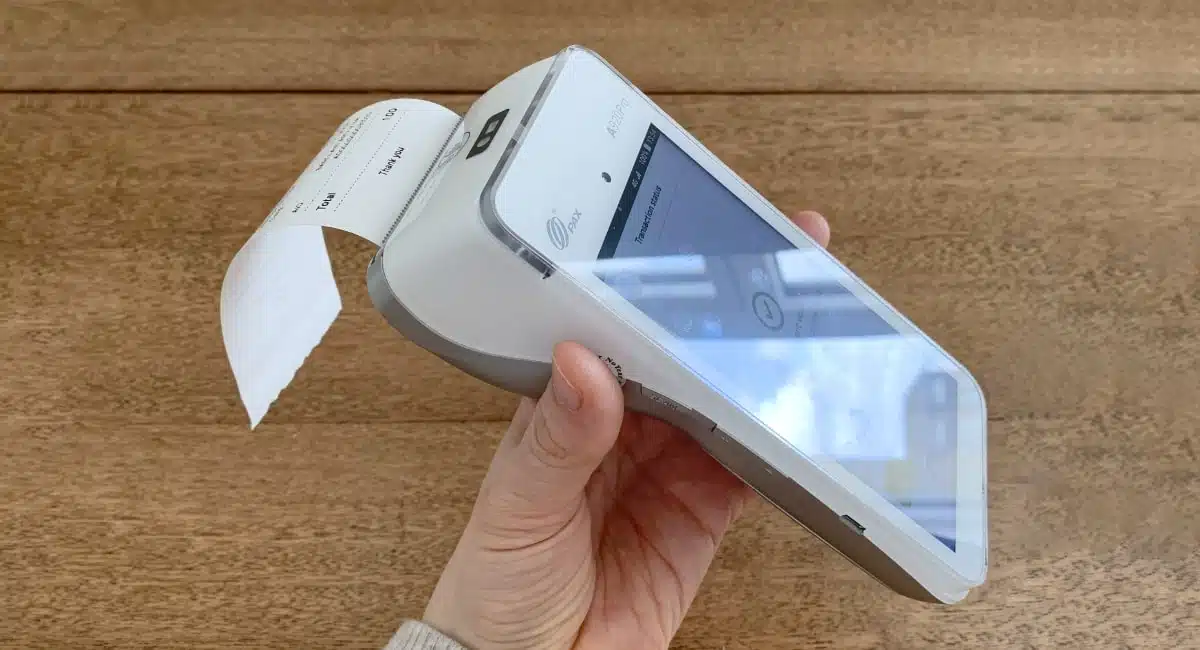
Photo: Mobile Transaction
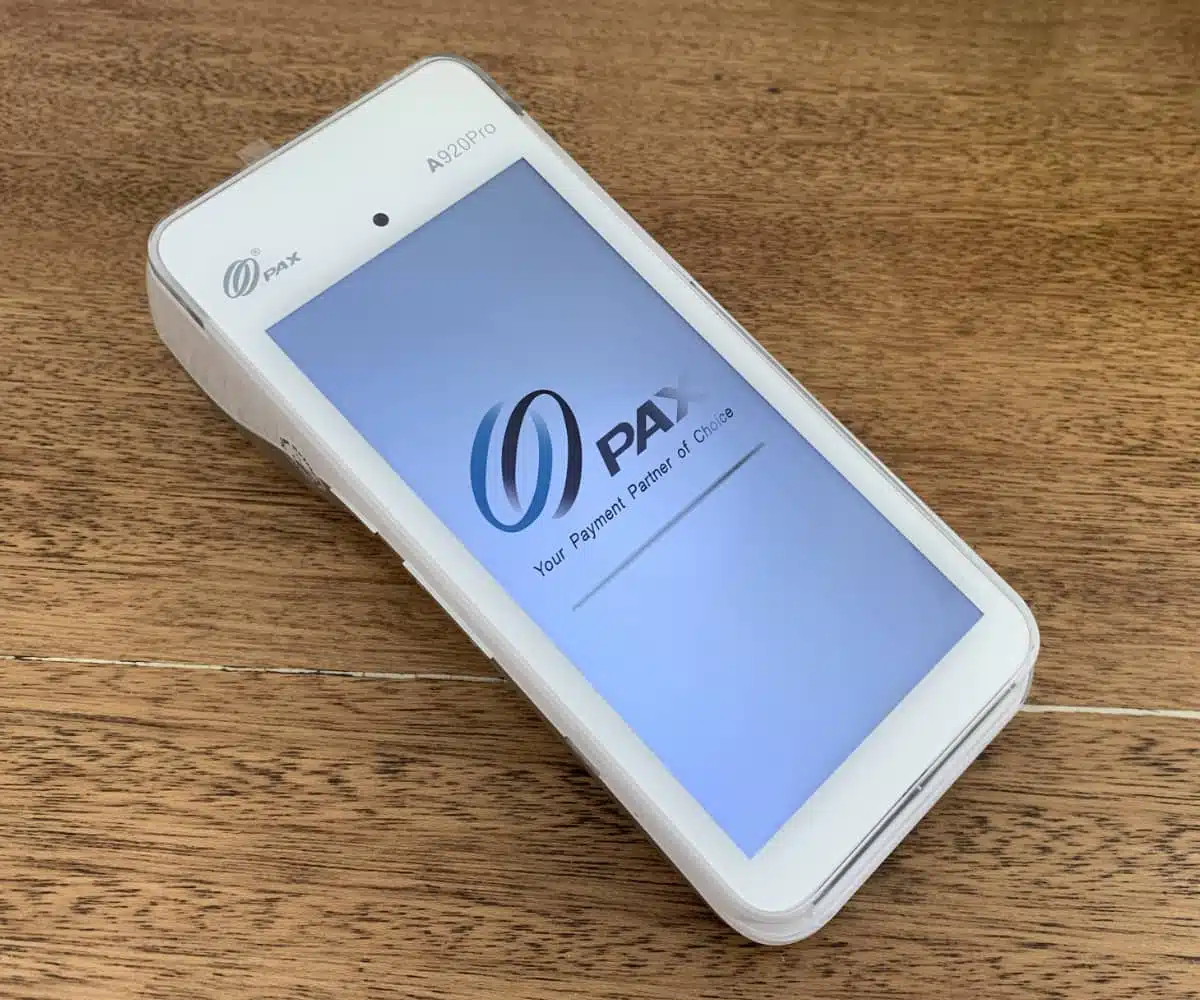
We tested the pictured PAX A920Pro and did not have any issues with it. Payments processed quickly.
On the other hand, A910S is more budget-friendly and still a really decent EFTPOS machine. You get the same processor and payment functionality for less money, with only modest trade-offs in battery and portability.
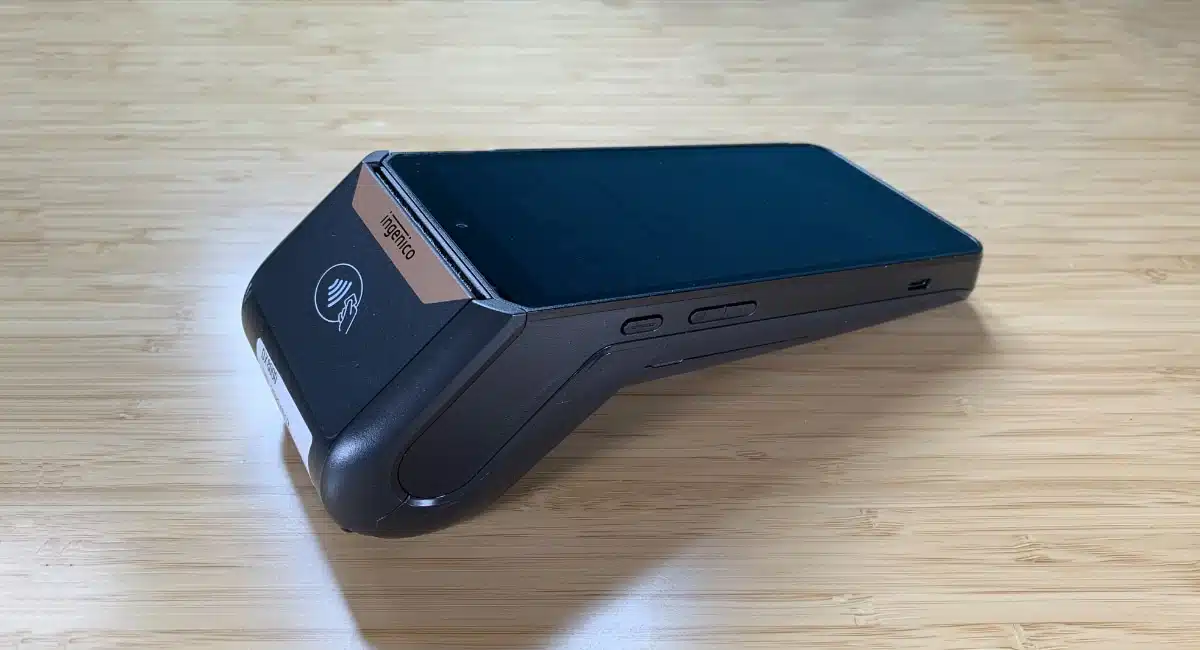
And some businesses might prefer the unique mocha-coloured A910S (a white one is available too) that PayNuts offers. It looks pretty in darker surroundings and fashionable shops. It might also be preferred for its permanent Android button menu under the touchscreen display.
“A910S is for merchants who wants a reliable, very modern card machine without paying too much for it. If you’re willing to pay a bit more for a longer-lasting battery, go for A920Pro.”
– Emily Sorensen, Senior Editor, Mobile Transaction
But a retail shop with hundreds or thousands of products might need A920Pro’s quick barcode scanner, provided it connects with a compatible POS system.
PAX A77 – flat for the pocket, but no printer
The main advantage of PAX A77 (PayNuts Pocket) is its compact size, which makes it very portable. The trade-off? It has no internal receipt printer, like the other PayNuts terminals have.
At only 17mm thick and weighing 270g, it slips right into a waiter’s pocket, though it is longer and a bit bigger than the average smartphone. Its 5.5″ colour touchscreen is the same size as PAX A920Pro’s.
Like Square Handheld, it comes with a built-in barcode scanner and rear camera, reducing checkout time compared with manual entry of items.

PAX A77 is small and without a printer.
PAX A80 – for counters, table service and gloved hands
Amongst the rise of touchscreen EFTPOS machines, some merchants still prefer push-button terminals. They’re more accessible to some users, reliable to type on and work better in environments where staff have to wear gloves.
So the PayNuts PayPad terminal – a PAX A80 model – is an indispensable option. Its push-button keypad is pretty standard, but above is a colour HD touchscreen display to enhance the customer experience. You might think it’s a countertop-only device, but it’s wireless and ideal for table-side payments too.
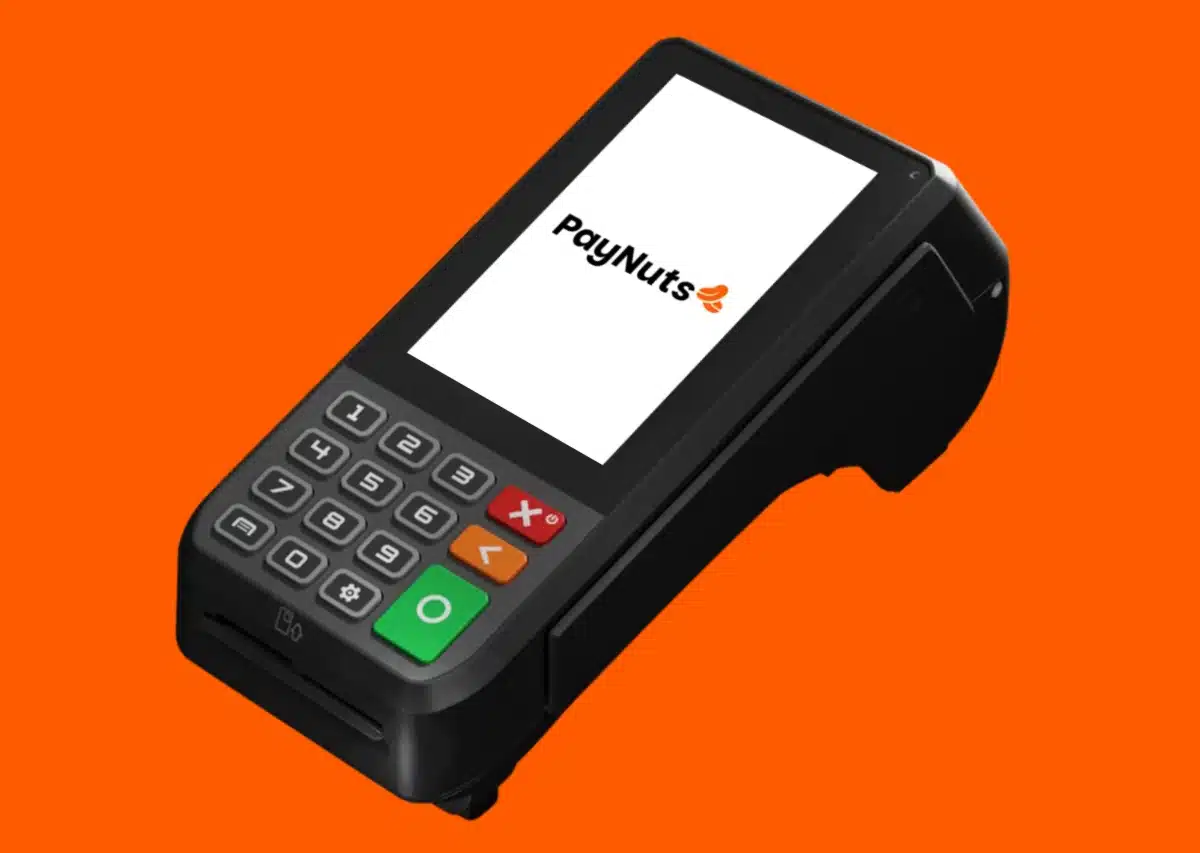
Far from being outdated, the push-buttons of PAX A80 make it much easier for some users to type correctly.
Overall, I think the PayNuts team has chosen a strong brand (PAX) and selection of EFTPOS machines. We’ve had good testing and real-life experiences taking and making payments in shops on these terminals, and they’re as reliable as they come.
POS systems: integrated third-party or PayNuts’ own registers
All the above terminals integrate with over 1000 different point of sale (POS) and business software systems for retail, hospitality, hotels and most other merchant sectors. This makes PayNuts quite adaptable and ready for when your business grows in complexity.
But you might prefer PayNuts’ own two tablet registers:
- iMin Falcon 2 (PayNuts Flexi) – simple, detachable tablet that sticks magnetically to a small countertop stand
- iMin Swan 2 (PayNuts Counter) – bigger, fixed tablet register with a rear, detachable tablet turned towards the customer
Whereas Flexi is great for table-side ordering (as you can carry the screen and accept contactless payments on the display), Counter is designed for fixed checkouts with a connected receipt printer, cash drawer and scanner (optional add-ons).
However, these registers can only be used with PayNuts’ own POS software, not third parties like Abacus, OrderMate and middleware like Linkly. PayNuts controls the payments and POS together, which gives it a tighter integration and simpler support structure, but the trade-off is functionality.
Since it’s a new product, PayNuts’ POS system is a bit feature-light and not as polished as established POS like Lightspeed or Epos Now. It’s designed to be good enough for small businesses (like a café or boutique retailer) already using PayNuts for EFTPOS and want a simple all-in-one setup – not to compete with dedicated POS platforms.
Pricing
PayNuts tries to keep EFTPOS fees and subscriptions as simple as possible. Regardless of the chosen package, there are no fees for setting up and no contractual commitment. You can cancel any time without a termination charge and even change to a different package if the current one doesn’t suit.
| General PayNuts EFTPOS fees | |
|---|---|
| Setup fee | None |
| Contract | Cancellable any time |
| Payouts | Next-day: Free Same-day: Free |
| SIM card for terminal | Free, unlimited data included |
| Chargebacks | Free if resolved in your favour |
| New receipt rolls | Free through PayNuts |
| Add-ons | Extra fees for bookkeeping and nbn products |
| Exit fee | None |
Additionally, receipt rolls and a SIM card are free for all EFTPOS merchants. Chargebacks are only free if the merchants resolves the disputed transaction successfully.
Apart from that, there’s a choice between two EFTPOS plans with different charges: Low Fee EFTPOS and Interchange++. There used to be a Pay Nothing plan with surcharging, but this has been removed due to the upcoming surcharge ban.
Low Fee EFTPOS plan
The Low Fee plan doesn’t charge anything for terminal rental, just a fixed “low fee” for all Visa and Mastercard transactions ranging from 0.7%-1.5%.
| PayNuts Low Fee EFTPOS fees | |
|---|---|
| Monthly cost | None (free EFTPOS rental) |
| Transaction fees | Custom fixed rate depending on revenue, business and card accepted (within 0.7%-1.5% range) |
This fee is based on your type of business and revenue. For example, supermarkets and petrol stations are on the lower end of the range, for example 0.8%, whereas a small independent shop might pay 1.5%. Amex costs more to process, as do other international, premium credit cards.
Interchange++ plan
For fairer, potentially lower costs overall (particularly for high-volume businesses), you can opt for the Interchange++ plan. It charges a monthly fee to rent your choice of EFTPOS machine(s) and varied transaction fees based on your business type and exact type of card accepted.
| PayNuts Interchange++ fees | |
|---|---|
| Monthly cost | Terminal rental from $29/mo |
| Transaction fees | Fees are dependent on business and card type and include: interchange fee + card scheme fee + PayNuts margin |
Although Interchange++ costs are less predictable, as you can’t predict the card types accepted, it tends to have lower transaction fees on average compared with the Low Cost plan. This is especially true as Least-Cost Routing is enabled on the EFTPOS machines.
You also get a full breakdown of the fees, enabling you to see what Visa, banks and PayNuts actually charge individually. This is more transparent than a fixed fee based on estimated costs you can’t see.
If you’re unsure whether this is better for your margins, PayNuts is happy to help you determine the most favourable plan. The pricing is outlined in writing during onboarding so there are no surprises down the line.
Alternatively, you can use PayNuts as a short-term rental solution through the Event EFTPOS package. Costs for that are also tailored to your situation.
Payouts: fast transfers to your bank account
Free of charge, PayNuts settles funds the next business day directly in your connected bank account. There’s no PayNuts business account with a debit card similar to Zeller’s or Tyro’s. Merchants just connect their existing business bank account with PayNuts.
Same-day deposits in your bank account are available free of charge (yes, really – we asked). When this is switched on, transactions processed by 9pm settle in your bank account by 11.30pm – 2.5 hours later – 7 days a week.
To compare, Square charges 1.5% for instant transfers to a bank account, a significant fee that’s added to those transactions.
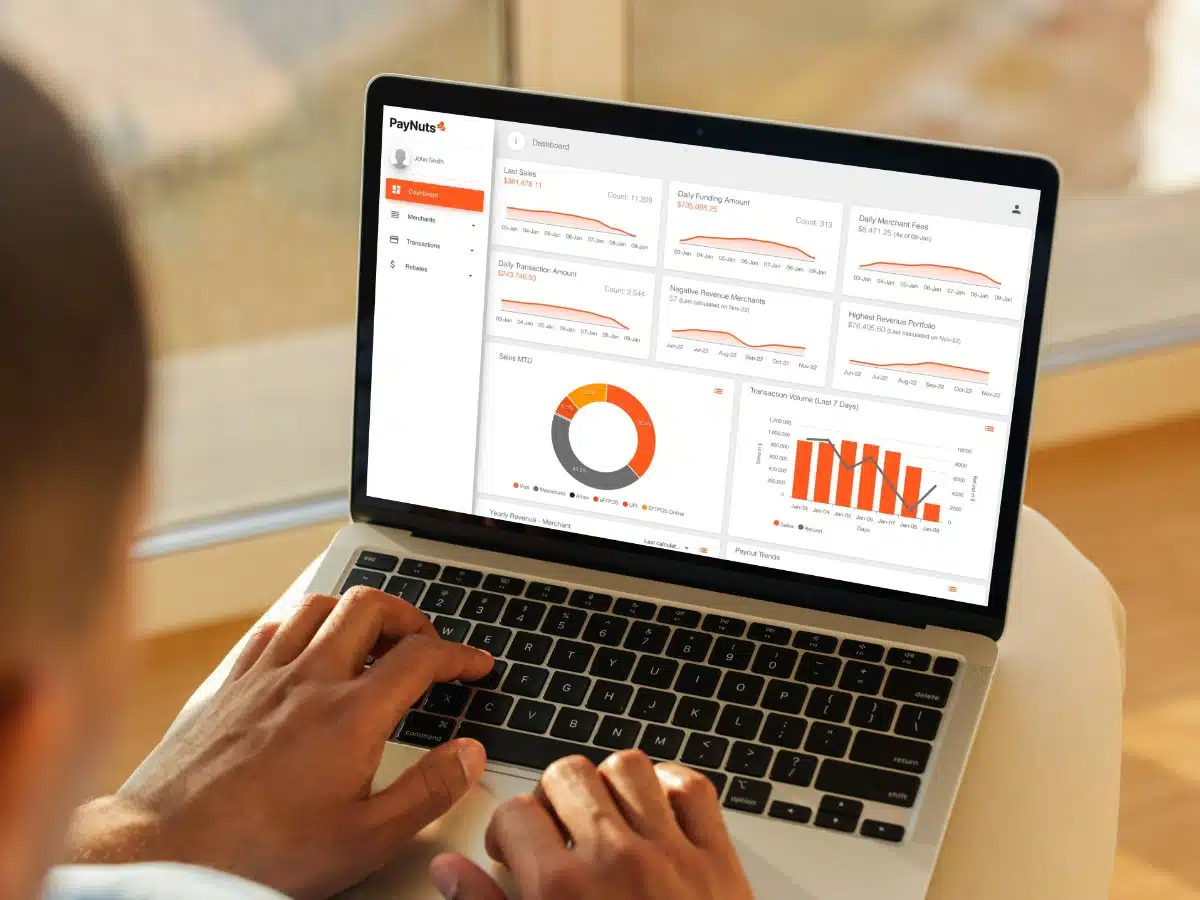
You can view a summary of figures on the Merchant Portal’s dashboard page.
On the dashboard (home screen), daily, weekly and monthly sales, fees, deposits and more key figures are illustrated in graphs for a quick overview. You can generate and export detailed reports for transactions, funding deposits and more from sub-sections of the portal.
You can export the sales data to feed it into your preferred accounting system or consult Melbourne-based More Bookkeeping (a PayNuts partner) about your accounting setup. Specific accounting systems integrate with PayNuts directly, such as Xero and MYOB
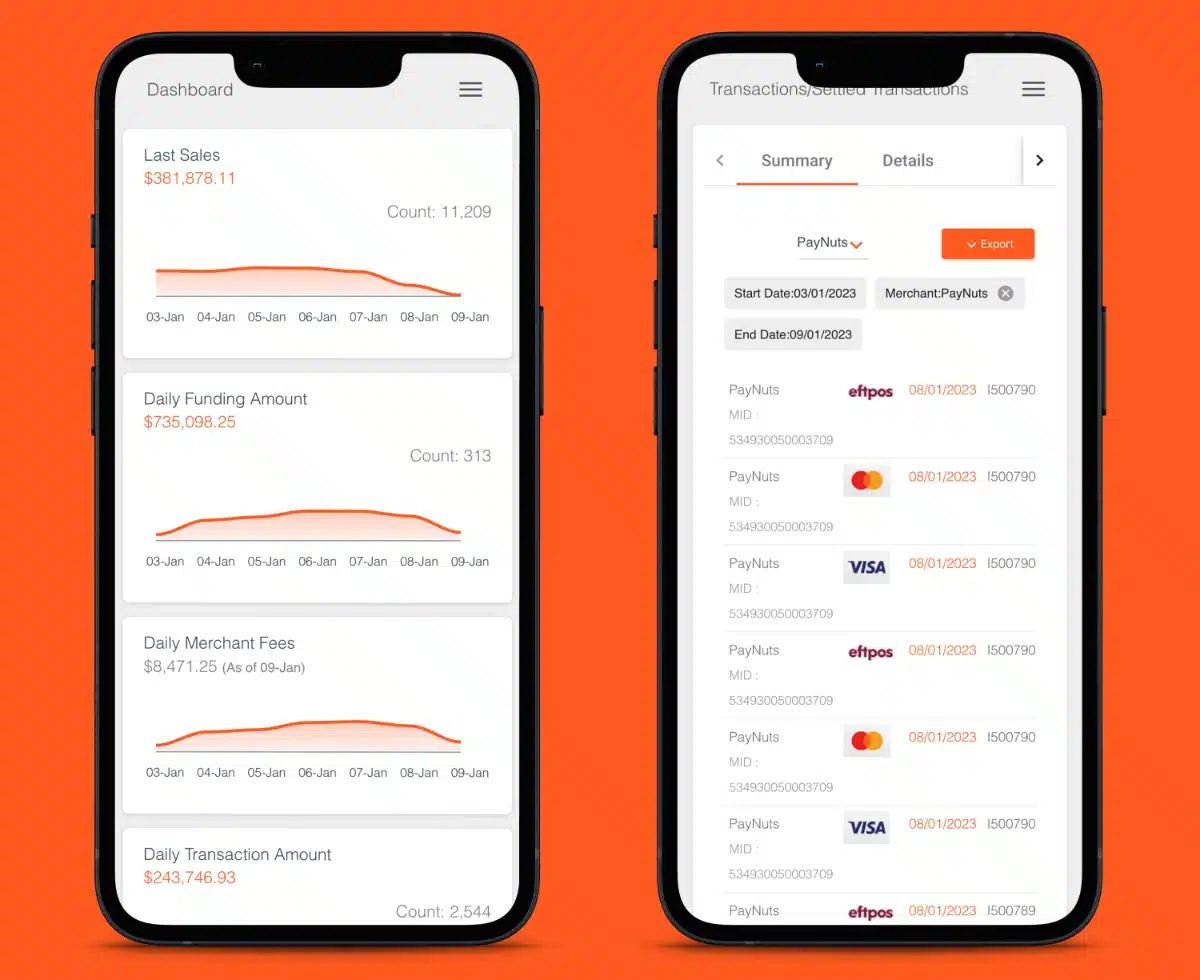
Detailed information about deposits is viewable in the PayNuts app.
Online payments
PayNuts doesn’t just offer EFTPOS packages, it offers online payments with no monthly fee. You can get:
- Hosted online payment gateway (checkout) for your website
- Payment links to send via email or SMS
- Virtual terminal for merchant-entered, remote transactions
All of these features just cost a transaction fee of 1.6% + A$0.25 for most cards, a lower rate than Zeller’s and Square’s. The next-business-day payouts are also much faster than Stripe’s.
PayNuts accepts a wide selection on payment methods online, including:
- Cards: eftpos, Visa, Mastercard, Amex, UnionPay
- Digital wallets: Apple Pay, Google Pay, Alipay, WeChat Pay
- Buy now, pay later: Afterpay, ZipPay
The payment gateway integrates out-of-box (via a plugin) with online stores built in WordPress, WooCommerce, OpenCart, Adobe Commerce or PrestaShop. It’s possible to integrate with other website platforms or mobile apps, but you may need a developer to program it with the given APIs.
Those who just need a way to accept cards over the phone or via mail order can just use the virtual terminal. This is a web page where merchants can manually enter the card details of the customer and complete the transaction remotely.
Photo: PayNuts
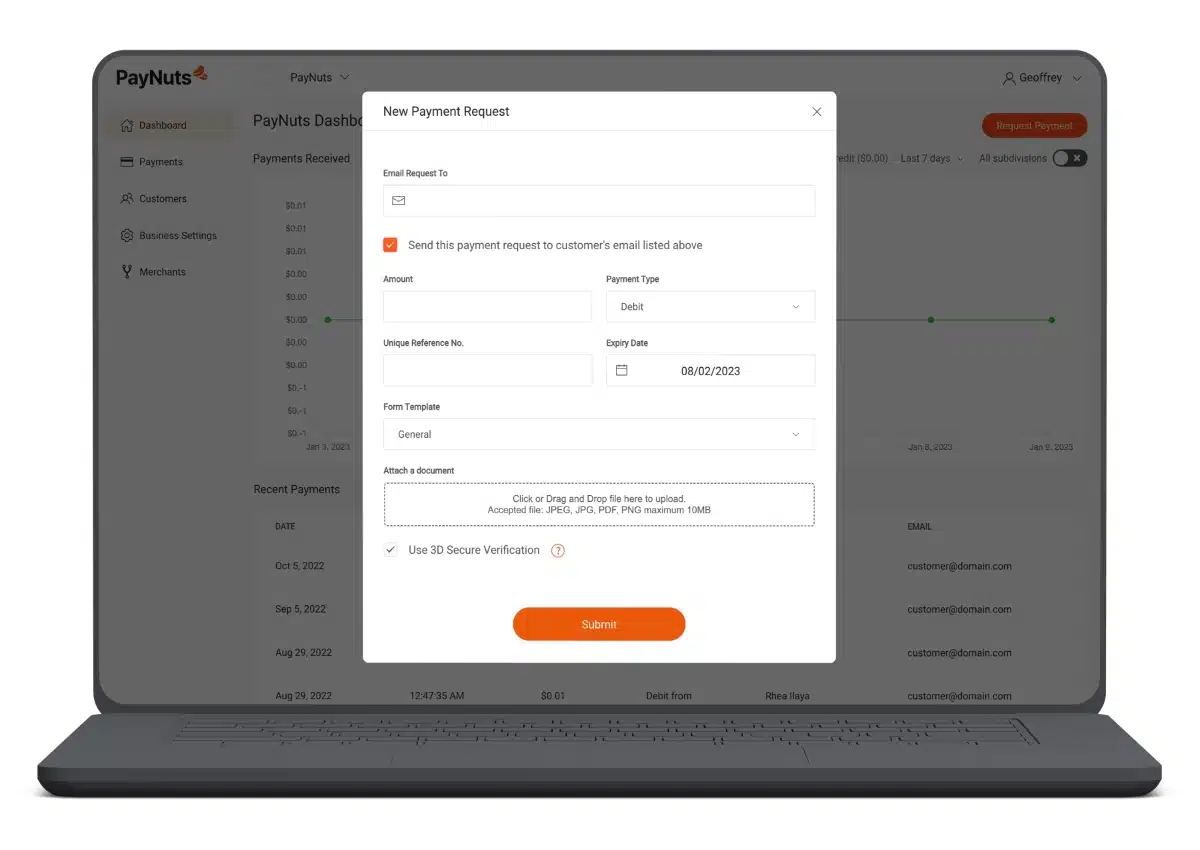
You can send payment requests online from the Merchant Portal.
Payment links are an easy way to request payments remotely. After clicking the link, the customer will see your branded checkout page with the amount to pay, including the surcharge if your business opts for this. Both the merchant and customer receive a confirmation following each successful payment.
Customer support and reviews
All PayNuts merchants can access 24/7 customer support via email, telephone and messaging chat, which is more accessible than competing players in Australia. An online help section superficially answers some questions, but there’s no substantial step-by-step guides. I think the real help comes from contacting support.
Since PayNuts is a relatively new platform, there’s not a huge amount of user reviews. Most of them are Google reviews, and they’re consistently positive about the service and products.
Our experience is that PayNuts genuinely invests in the quality of its service and products, and many small businesses prefer it above the competitors. Our dealings with them have always revealed their honest nature, so I do believe merchants get the best possible deal when approaching PayNuts.
PayNuts compared with alternatives
The competitors most similar to PayNuts are Shift4 (formerly Smartpay) and Tyro.
Shift4 still offers a “no-fee” plan with surcharging, which used to compete with a similar surcharging plan from PayNuts. This will become completely irrelevant from late 2026 when surcharging will be banned.
We rate PayNuts higher, because Shift4 requires a monthly minimum charge of $100 whereas PayNuts doesn’t. Tyro has a track record of a slow service and hidden fees, unlike PayNuts’ few fees and better support.
Additionally, PayNuts offers same-day funding into any bank account, not a proprietary, online account like Tyro’s and Zeller’s.
If you’re looking for no monthly fees and no complexity, the best PayNuts alternatives are Zeller and Square. Merchants buy their card machines upfront and pay only a fixed fee for transactions as needed. They also have more extra features like online payments, invoicing and multiple different POS systems (in Square’s case).
The major banks in Australia have become better in the last few years when it comes to their EFTPOS offering, several with same-day funding like PayNuts. But then you usually only get the fast transfers with their own business account.
CommBank, Westpac and NAB no longer have long contracts or complex pricing, and their EFTPOS machines have been updated. But they are still bureaucratic banks that take longer to onboard and help businesses than PayNuts.
Getting started
To sign up, you complete a short online form with details about yourself, the business and products you’re interested in. This gets sent to the onboarding team who will phone you with a tailored quote and/or email a digital application that takes a few minutes to complete online.
You do have to submit digital copies of a few required documents, including:
- Passport or driver’s licence
- Proof of bank account
- Proof of trading address
A bank account at any Australian bank, matching the name of your business, is a strict requirement.
We know from our own communications with PayNuts that it’s a friendly team that prioritises efficient onboarding instead of bureaucratic, paper-based applications still seen in the industry. This is evident in its speed of account approval, which is less than 24 hours for 80% of applicants.
After account approval, it usually takes 5-7 business days to receive the new EFTPOS machine by post. So overall, you can get up and running in just over a week (but it can take 2 weeks).