
PayPal was a trailblazer in online payments, and Square was one of the first to sell mobile card readers. They are still top-of-the-line solutions for many small businesses and independent merchants, but for different reasons.
Some of their services are alike: namely online payment solutions. They both have many different tools for accepting payments remotely for any type of product. But only PayPal has a business account which even caters to different currencies.
On the other hand, only Square sells EFTPOS terminals and point of sale (POS) systems for face-to-face payments. A PayPal Here card reader was previously available in Australia, then discontinued years ago without a replacement.
So how else do the products, services and fees of Square and PayPal compare?
Overview of PayPal and Square products:
| Product |  |
 |
|---|---|---|
| Payment links | Yes | Yes |
| QR code payments | Yes | Yes |
| Invoicing | Yes | Yes |
| Virtual terminal | Yes | Yes |
| Online payment gateway | Yes | Yes |
| Recurring payments | Yes | Yes |
| Accept buy now, pay later | Yes, Afterpay | Yes, PayPal Pay in 4 |
| Card machines | Yes, choice of 3 | None |
| Point of sale apps | Yes, choice of 4 | None |
| Business account | None | Yes, online account |
| Business loans | Yes | Yes |
More charges with PayPal than Square
Firstly, it’s free to create an account with PayPal and Square, and there is no contract lock-in with either of them. The main costs are for the EFTPOS equipment (in Square’s case), some of the software products, transactions and particular bank transfers.
Online transactions
Let’s start with online payments. Square’s fee for keyed transactions (virtual terminal, payment links, invoice payments, etc.) is only 2.2% compared with PayPal’s standard fee of 2.9% + $0.30.
And that’s not the whole story. If you need money in your bank account, accept foreign cards, refund payments regularly or get more chargebacks than the average merchant, PayPal is significantly pricier.
Square and PayPal fees compared:
|
|
|
|---|---|---|
| Commitment | No contract lock-in, no termination fee | No contract lock-in, no termination fee |
| Fixed monthly fees | None | None |
| EFTPOS terminals | $65–$349 incl. GST | n/a |
| Chip and contactless fee | 1.6% (all cards) | n/a |
| Keyed and online transaction fee | 2.2% | 2.9% + $0.30, or variable |
| Extra fee for foreign cards | None | 1% |
| Currency conversion fee | None | 3%-4% above base conversion rate |
| Transfers to bank account | 1-2 business days: Free Instant: 1.5% fee |
1% of transfer total |
| Refund fee | Transaction fee is retained | Transaction fee is retained |
| Chargebacks | Free | $15 each |
Payouts, transfers and currency conversion
PayPal transfers payments directly to your online PayPal account. From here, you can manually withdraw the balance to your connected bank account for a 1% fee of the transfer total (min. A$0.25, max. A$10).
Square doesn’t charge for payouts to your linked bank account when receiving transfers within 1-2 business days. There is, however, a 1.5% fee for instant transfers to a bank account, which many merchants like to make use of.
What’s more, PayPal adds a 3%-4% currency conversion fee if the customer pays with a foreign currency and you then withdraw that money to a bank account in AUD. There is also a 1% charge for accepting a non-Australian card. Square doesn’t charge for foreign cards or currency conversion (the customer’s bank processes any such fees).
EFTPOS fees
Only Square offers card machines and point of sale products.
The EFTPOS machines range in price from $65 for Square Reader to $349 for Square Handheld, including GST.
The transaction fee for chip and contactless payments is a fixed rate of 1.6% through any of them. Custom rates are available with a high enough sales volume.
Other fees
For refunds, PayPal and Square keep the fees applied during the original transaction.
Chargebacks do not incur a fee with Square, but the disputed payment amount would be on hold until the case is resolved. PayPal also holds the disputed payment amount until the case is resolved, charging $15 on top of that.
Online and remote payments: similar options
The companies offer a similar range of online and remote payment methods. Here’s how they compare:
Email invoices
Both offer easy invoicing from an app, and recipients can easily pay via card online from their email invoice.
With Square, there’s actually a dedicated invoice app where merchants can send, track and manage different kinds of invoices, estimates and projects. The most advanced features require a subscription, though.
PayPal’s invoicing features are free, but with fewer complex features than Square’s paid subscription.
Virtual terminal
A virtual terminal for over-the-phone payments comes free with Square, whereas PayPal charges a monthly fee for this.
They’re used in a browser, with features to cover most remote payment scenarios. Square also accepts keyed transactions from their mobile apps.
Payment links
Both have a range of different payment link options including QR code payments, pay buttons to embed on a website, and donation links.
Recurring payments
Square lets you set up subscriptions for customers, as long as the customer agrees to be charged on a recurring basis.
PayPal’s subscription payments cost extra – a monthly fee for the merchant on top of the transaction fees.
Online payment gateway
Both have options to set up an online checkout on a compatible ecommerce website, but only Square offers an online store builder too.
We think PayPal offers more for websites, though. Its Buyer Protection reassures customers, and PayPal’s online checkout integrates with most online stores.
With all of these options, PayPal is the only one to accept different currencies upfront. With Square, only AUD can be shown on any online checkout screen.
Accepted cards and Buy Now Pay Later
Square accepts more cards: eftpos, JCB and Samsung Pay. That’s on top of Visa, Mastercard, American Express, Apple Pay and Google Pay which PayPal also accepts.
An additional benefit are the Buy Now Pay Later options, which make it more likely customers will make the purchase. Square accepts Afterpay, which many online consumers will be familiar with. PayPal has its own version: PayPal Pay in 4.
Both schemes allow customers pay 4 interest-free instalments, while the merchant gets paid the full amount upfront. Square accepts this in person and online, but charges more: 6% + A$0.30 + GST per transaction compared with PayPal’s usual fees from 2.9% + A$0.30. On the other hand, PayPal only accepts it through its online payment gateway.
Fast transfers – but in an online or bank account?
Unless you use PayPal for everything, Square is arguably more convenient for transfers.
PayPal transfers payments (minus fees) directly to your PayPal account, which is an online e-money account. Then you can manually “withdraw” the balance to a connected bank account, which can take about two hours to clear and costs a 1% transfer fee per withdrawal.
Square doesn’t have an e-money account. Instead, transactions clear automatically in your bank account within 1-2 business days at no cost. With Instant Transfers activated for an added 1.5% fee, you can receive them straight away in your bank account.
If it’s easier for you – for bookkeeping perhaps – the payout settings can be changed to manual transfers. Square would then hold the money until you manually transfer it to your bank account.
EFTPOS terminals: only Square competes here
In Australia, Square sells three EFTPOS terminals:
- Square Reader – works with an app on iPhone, iPad or Android device
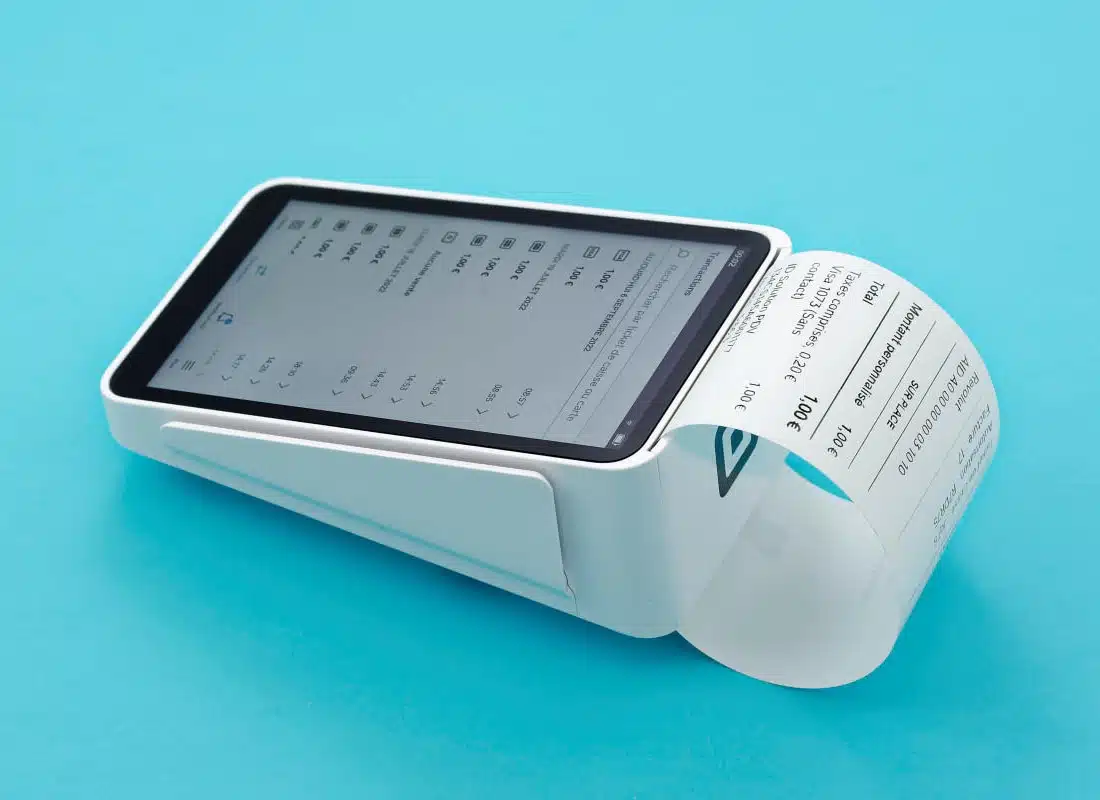
- Square Terminal – portable, independent WiFi terminal with receipt printer
- Square Handheld – portable, independent WiFi terminal with barcode scanner
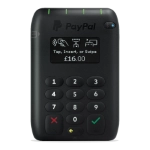
PayPal used to sell an EFTPOS reader in Australia, the PayPal Here Card Reader. It worked with an app downloaded on a compatible iPhone, iPad or Android phone or tablet, similar to Square Reader. But PayPal no longer offers any card machines in Australia.
How the app-based card readers previously compared:
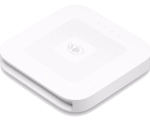
Square Reader is quite small at 56 g and 66 x 66 x 10 mm. With no PIN pad, this isn’t really a surprise.
To accept a contactless tap or chip card, you enter an amount or add products to the bill in any Square POS app. The app communicates with the card reader over Bluetooth, which then becomes ready to accept the card or mobile wallet.
A virtual PIN pad appears on the mobile device screen if a PIN code is required. So the customer might need to type on your phone or tablet, not just use the card reader.
Photo: Mobile Transaction
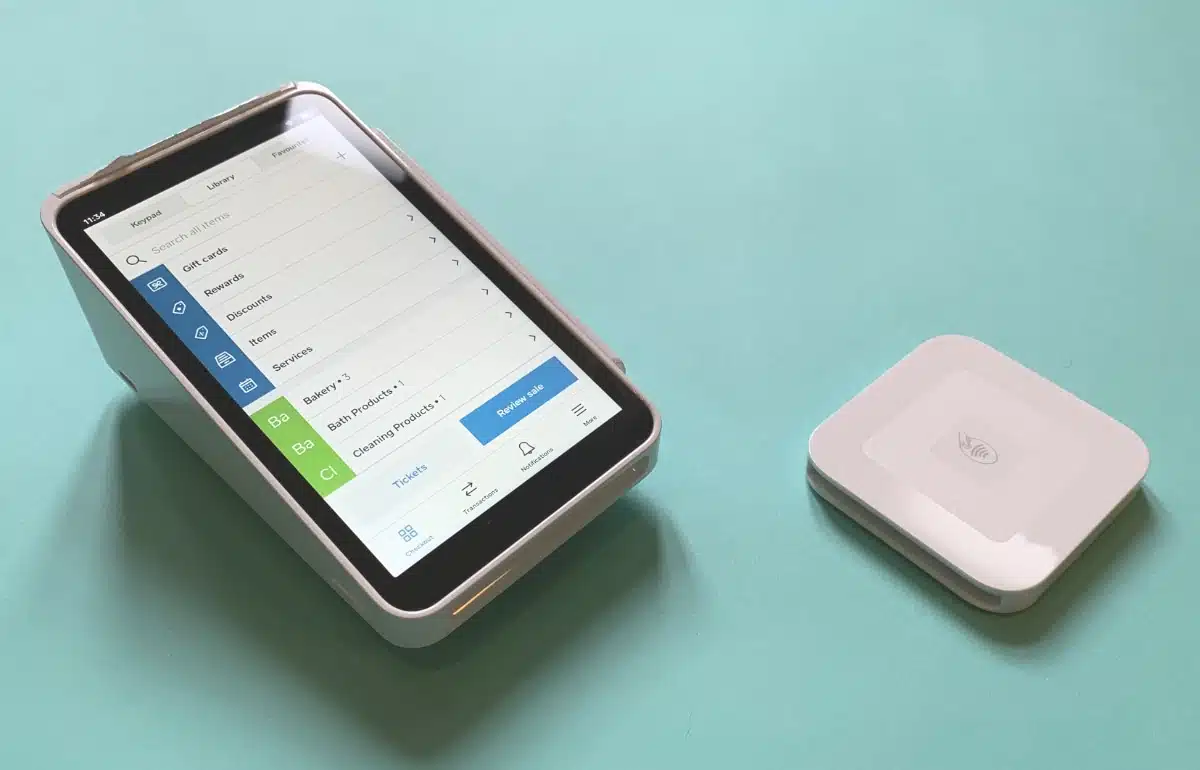
Square Terminal and Reader are popular EFTPOS terminals by Square Australia.
Square Handheld and Terminal are more expensive, since they work independently. They also have large touchscreens with POS software installed. The biggest difference between them? Square Terminal prints receipts, whereas Handheld doesn’t – but it scans barcodes instead.
Since they do not work with 4G, only secured WiFi connections, they are better suited for fixed premises and table service.
Will PayPal release a new card reader to compete with Square?
Zettle Reader (below photo) was expected to be launched in Australia under the Zettle by PayPal brand, but that has not happened. Since we heard this, the card machines PayPal Reader and PayPal Terminal have replaced this in Europe.
We cannot say for sure when or if PayPal will ever launch a card reader in Australia.
Square’s POS features and add-ons are better
If you’re selling in person, Square definitely has the edge with its selection of free and paid point of sale (POS) software and hardware. PayPal Australia has nothing of that sort any more.
The free Square Point of Sale app is the go-to app for general use in a small business. In it, you can manage a product library (complete with photos), send email invoices, show sales reports and allow for multiple user accounts. It works reliably when we’ve tested it many times and can be used with Square Reader.
Photo: Mobile Transaction
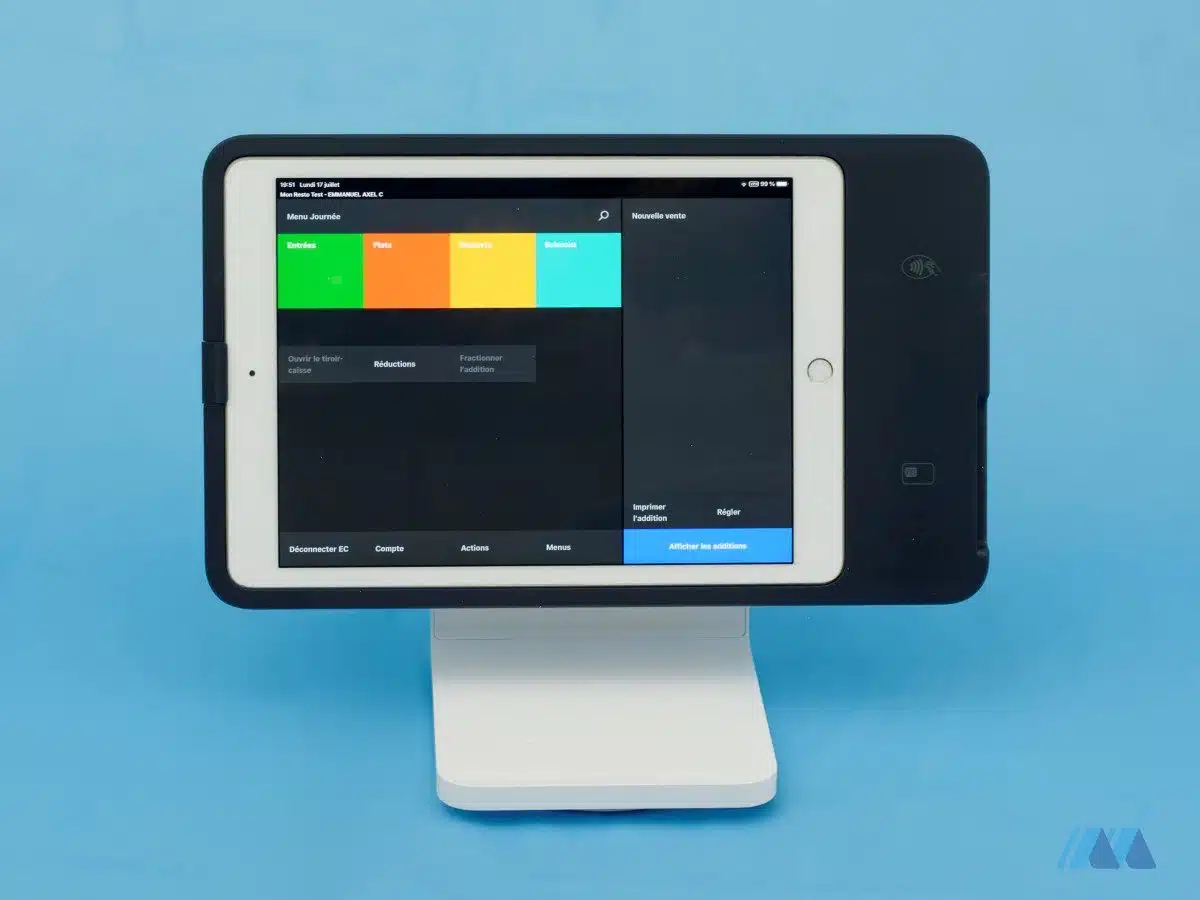
Square Stand for iPad accepts contactless and chip cards without a separate card reader.
Food-and-drink businesses can upgrade to Square’s POS apps for restaurants, retail or appointments (with a booking system) for free or a monthly cost.
Other add-on features are available such as Square Appointments, Online Store, Team Management, Loyalty and a separate Invoices app. Square also integrates with many different platforms too, e.g. accounting and booking systems.
With all of these additional features, Square proves to be highly customisable and can adapt to your ever-changing business needs. Especially as you can add a cash drawer, receipt printer and other hardware to form an easy-to-use checkout.
Credit: App Store
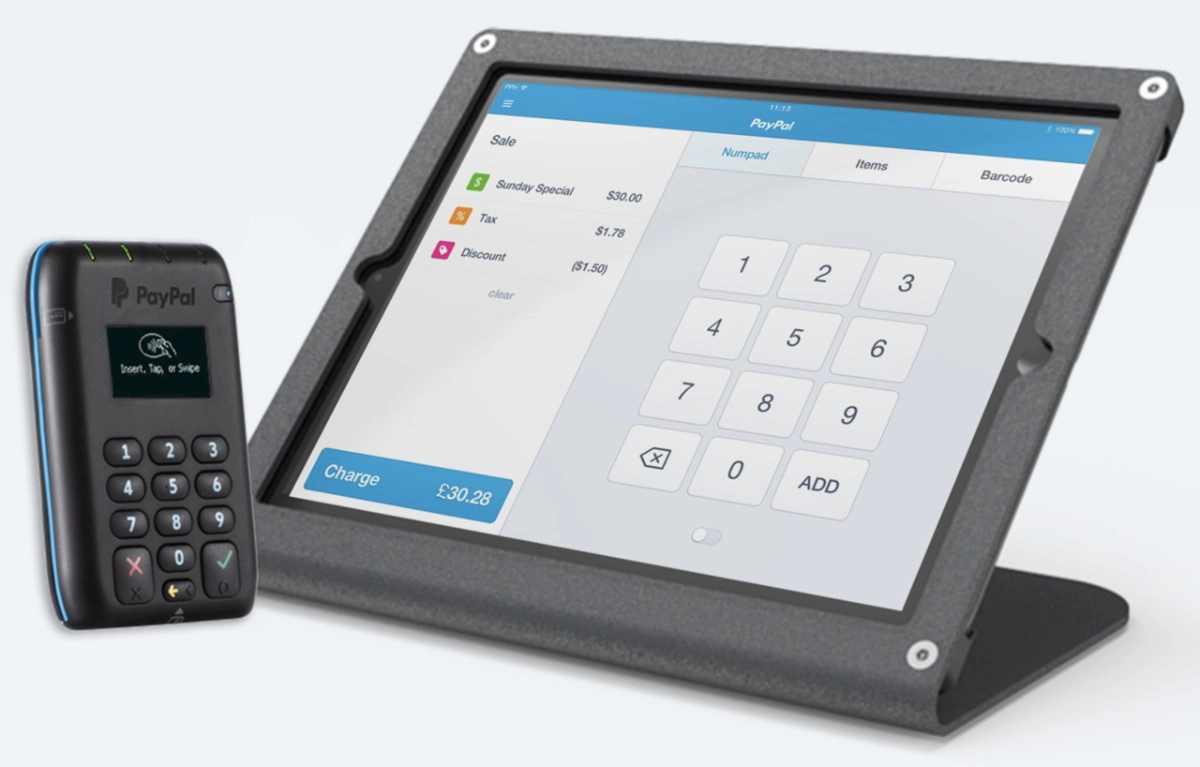
The PayPal Here app had important checkout features like Square, but it wasn’t as good or comprehensive.
PayPal is only really for ecommerce since it discontinued PayPal Here. It integrates with many website platforms and accounting, but so does Square.
Business loans are available
A shortage of cash need not be a problem whichever platform you’re on.
Whether it’s PayPal Working Capital or Square Loans, merchants can apply for a cash infusion typically between $100-$250k. The amount is based on your sales history with the chosen platform.
You repay the loan automatically through a fixed percentage of sales through Square or PayPal. There’s no interest – the cost is a fixed price added to the repayment total. It’s therefore quite stress-free and flexible, as you pay back more on some days and nothing on days with no sales.
PayPal has more complaints in Australia
A look at PayPal’s customer reviews is not for the faint-hearted. Many users have reported funds being held without good reason, frozen accounts and downright poor support responses to issues.
A lot of this can be attributed to PayPal’s very strict security protocols. These are great for reassuring customers, but can make life difficult for some merchants. This is mainly a risk if you perform what PayPal considers a suspicious-looking transaction, or if your business falls under a “high risk” category.
Square also has some complaints about account verification issues. These can occur if the business is deemed high-risk and Square fails to see this during registration, but then spots it later.
Our verdict: different strengths
Many have found it easier to go with Square with its many features for brick-and-mortar retailers, cafés, freelancers and online shops. All this with few fees to worry about and no monthly cost.
PayPal mainly caters to online businesses and tradies who send invoices, but its features are easily more expensive. On the other hand, its online payments are appealing to customers who recognise and trust the brand.
Although PayPal has been around for longer, Square is an expert on what face-to-face merchants want in a card reader service. It’s what they do best.
PayPal tends to have more obstacles compared with Square’s transparent fees and direct transfers to a bank account, but we can’t deny its selling tools are convenient.