
- Pros: Choice of affordable plans. Online ordering features. User-friendly and simple interface. Low card rates. Next-day payouts.
- Cons: 12-month contract. “Pro” has no Android app. So-so support. Fonts sometimes hard to read.
- Best for: Small food-and-drink or retail shops looking for a low-cost, reliable POS system with all features on the same platform.
Contents
In brief
What is it?
Our opinion
In detail
Pricing
Setting up
POS features
Card machines
Hardware
Online ordering
Integrations
Service and reviews
Mobile Transaction’s editor has personally tested and researched SumUp’s point of sale apps for an accurate experience. Screenshots and opinions are our own.
What is SumUp Point of Sale?
SumUp Point of Sale (POS) is the range of POS software plans offered by SumUp.
“Free POS” is the very simple checkout app most card reader users start with. Upgrading to “POS Plus” unlocks additional features in this same app – enough to run a small café or independent shop.
“POS Pro” is an entirely different app with the most features and access to optional modules. Unlike POS Plus, it has enhanced hospitality features, advanced stock management and analytics, promotions and integrations with niche business software.
POS Pro is in fact a rebranded version of the old Goodtill system, which was acquired by SumUp in 2020.
Image: Mobile Transaction
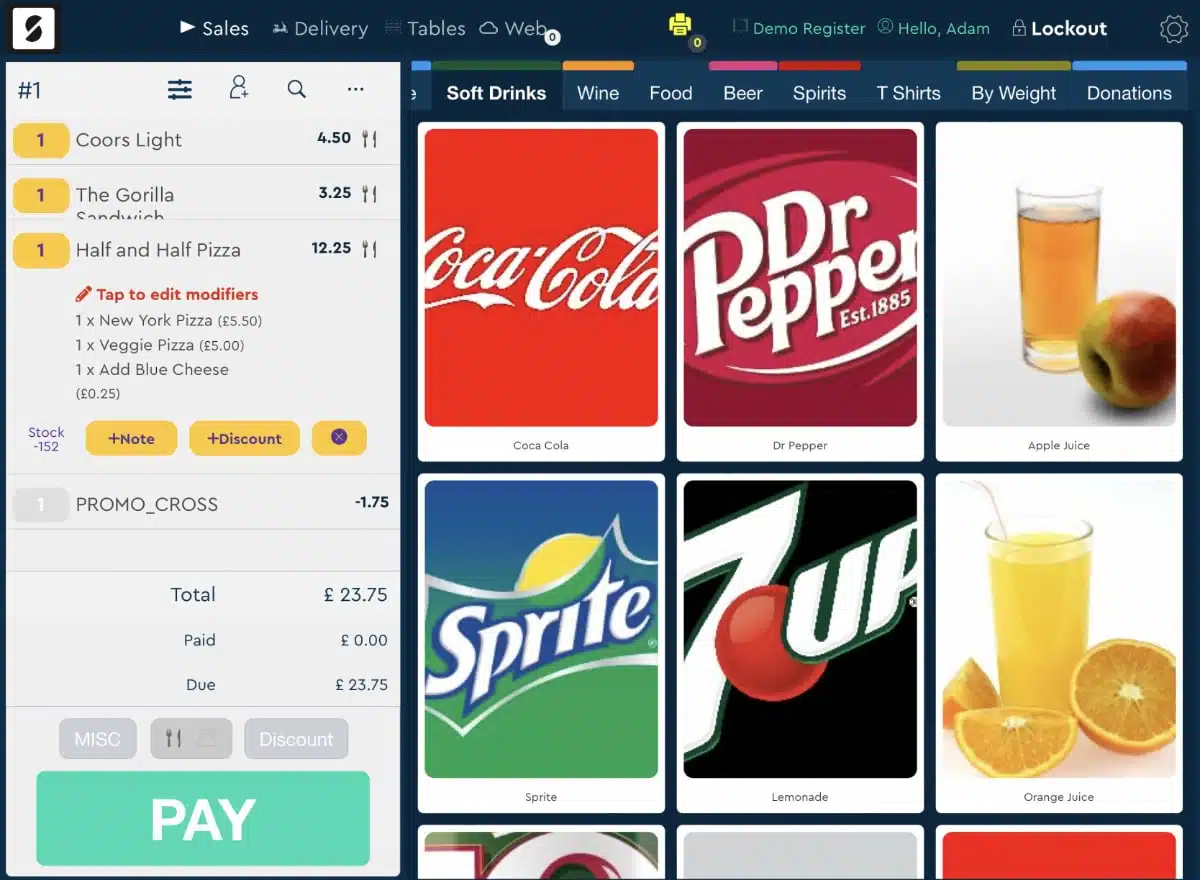
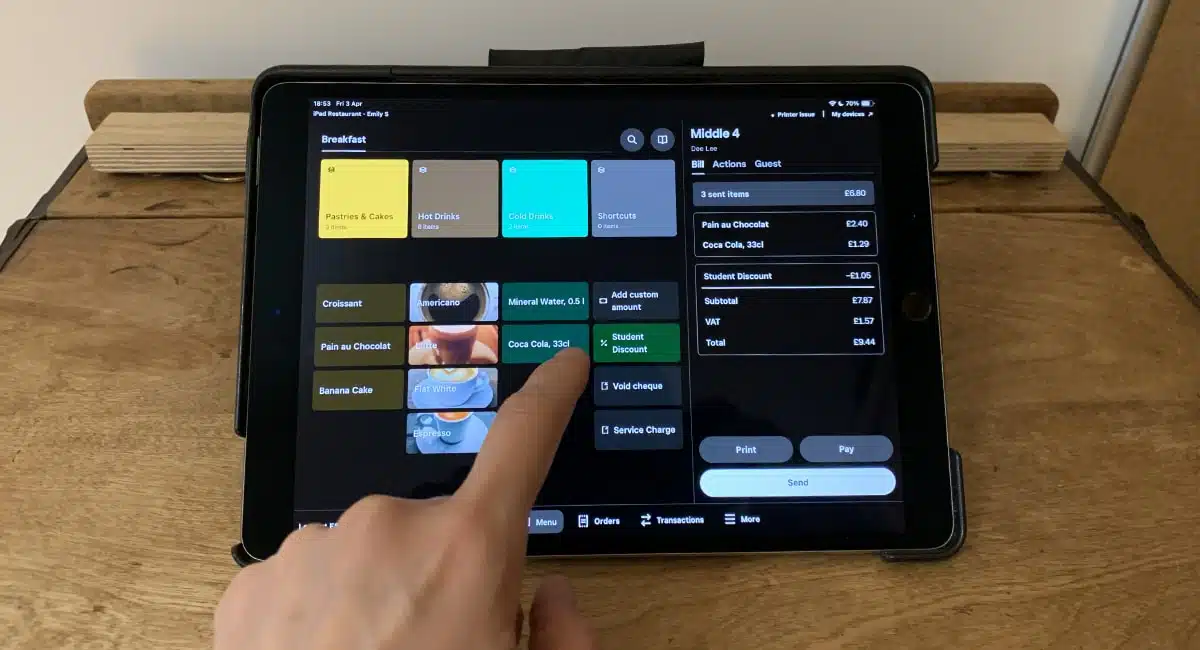
Example of a till layout in the SumUp POS Pro app on iPad.
Merchants can also get a hardware bundle for a good price (though the cheapest, POS Lite, is just for POS Plus), low and personalised card rates, a business account, online selling features and access to a back office account from any browser.
The Free and Plus POS apps only work with SumUp card readers, but Pro also works with PayPal and Dojo card terminals.
Our opinion: improving, still not perfect
SumUp’s POS subscriptions have been greatly refined in the last two years.
I used to find the free app too limited for merchants expecting to expand in the near future, as there simply weren’t any upgrade options or integrations originally.
Now with POS Plus, you get a really polished app that especially (not exclusively) small food and drink operations could lean on for a low monthly cost.
The app designs and support options for Plus and Pro are definitely different, but you should base your choice on which features are essential in your business. Choosing Plus limits you to a closed platform of SumUp’s own simple features, whereas Pro is more adaptable with its add-ons and integrations.
“A year’s POS commitment is a prohibitor for some, but SumUp is still competitive considering the 1.25% (or lower) rate for all cards. Not even Dojo can offer this, particularly with their monthly minimum charge.”
– Emily Sorensen, Senior Editor, Mobile Transaction
POS Pro isn’t quite as comprehensive or fine-tuned as Lightspeed or Epos Now, but it’s edging closer to that.
The Pro app is efficient when you’re used to it, but it’s not entirely intuitive to set up from the backend. Certain features you’d expect to be there are not, and a lack of comprehensive resources about the settings can be frustrating in the beginning.
Plus, on the other hand, is more intuitive and mimics Square’s free POS apps with its user-friendly and quite versatile point of sale features. It is especially suited for small coffee shops with its simple floor plan and open orders, similar to Revolut POS but without the latter’s service charge options.
Bottom line: POS Plus is great value for single-location cafés and shops, while POS Pro’s more scalable features suit small but growing retail shops and food-and-drinks operations.
| Criteria | Verdict |
|---|---|
| Product | Good |
| Cost and fees | Good / Excellent |
| Value-added services | Good |
| Contract | Good |
| Sign-up and transparency | Good |
| Customer service | Good |
| FINAL RATING | [4.1/5] |
Pricing: different price levels, very competitive rates
There’s a SumUp POS plan for all budgets, and the amount of features is directly proportional to what you pay.
The free POS app is a simple starting point without lock-in, but the register interface is limited. SumUp POS Plus is good value at £19 monthly, which includes a basic table plan, barcode scanning, cash management and other extras not in the free POS app.
After an initial 30-day trial, however, Plus does lock you into a 12-month contract unless the trial is cancelled before the first charge.
SumUp POS Pro for iPad costs £49 monthly for the core app, and it requires a year’s subscription followed by a 90-day notice period. This means you’ll continue to be charged for 3 months after your notice. This is at odds with other monthly-charged POS systems allowing you to cancel the same month.
It’s possible to get the first month free, but then you must subsequently subscribe to SumUp POS Pro, so it’s not exactly a commitment-free trial. To know if the product is right for you, you can get a demo from SumUp first.
SumUp POS pricing:
| Free POS | POS Plus | POS Pro | |
|---|---|---|---|
| Monthly fee* | Free | £19 | £49 |
| Contract | None | 12 months | 12 months 90 days’ exit notice |
| Add-ons | Business Account + Card, Expenses, Loyalty, Order & Pay, Online Store, Bookings, Gift Cards: Free Invoices: £0-£7/mo Kitchen Display System: £9/mo per device |
Advanced Stock, Loyalty or Promotions, Business Intelligence, Hospitality Module: £19/mo each Kitchen Display System: £9/mo per device |
|
| Card rates | Standard: 1.69% (all cards) Payments Plus (£19/mo): 0.99%-1.99% |
Personalised, low rates | |
| Online ordering rates through SumUp | Standard: 2.5% (all cards) Payments Plus (£19/mo): 0.99%-1.99% |
Table orders, drop-offs: 1.7% +12p Collect, delivery orders: 2.7% + 12p £1k of transactions free |
|
*Price per register, excluding VAT.
SumUp POS Pro also has add-ons like Advanced Stock and Promotions for £19 monthly per terminal (software only). A kitchen display system is available through both Plus and Pro for £9 per display.
POS Pro users get quite a good fixed card machine rate that depends on the business, usually between 0.99%-1.25%, compared with the fixed 1.69% for Free and Plus users.
The latter can, however, subscribe to Payments Plus (£19/month) to pay 0.99% for domestic consumer cards and 1.99% for all other cards – both in store and online.
The other permitted card processors (Dojo or PayPal – on POS Pro only) have different transaction fees.
Online orders through POS Pro cost 1.7%-2.7% + 12p per transaction. The first £1,000 accepted online does not incur fees.
Getting started: generally painless
It’s easy to sign up for a free SumUp account in 5-15 minutes. Just click through to an online form on the website and submit answers about yourself and your business. Following the sign-up, you can download the free POS app to use straight away or subscribe to a Plus trial straight away through the app.
POS Pro requires completing a contact form to request a call back from a sales rep. This allows you to book a demo or get a tailored quote for your business. Signing up will get you a 30-day trial, which you need to cancel if you don’t want to lock into a 12-month contract afterwards.
You won’t be able to test the POS app properly until products, settings and setup information are added in your account.
POS Pro users are encouraged to contact the onboarding staff to help with setup and learn about the software. Otherwise, there’s an automated support chat in Backoffice and “Support Knowledge Base” with a somewhat confusing layout and incomplete selection of guides.
I tried finding answers to different queries through POS Pro without luck and got in touch with support through its messaging chat. In all cases, I was referred to an email address since the support staff didn’t know the answer. This could be an issue when you just want to get started quickly, especially as there are few explainers in the Backoffice interface.
My experience with POS Plus has been better, as help guides are better designed and the support options streamlined for any device.
POS features – Plus vs Pro
SumUp’s paid POS systems, Plus and Pro, are two distinctly different apps.
Perhaps you prefer the interface of one over the other, but it’s important to consider the feature differences determining whether Plus (the cheaper option) has enough to facilitate your operations, or if you need the more scalable Pro.
Both Plus and Pro have POS features for hospitality and retail, but we think Plus makes better sense for a café with its simple table plan and order management. Retail shops will want to look at Pro’s more extensive inventory management and restaurants at Pro’s broader order and menu options.
Checkout options
The interface where you start a new order or transaction is what we call a checkout.
Plus and Pro more or less have the same features on this page, but the layout of buttons, fonts and colours differ.
Image: Mobile Transaction
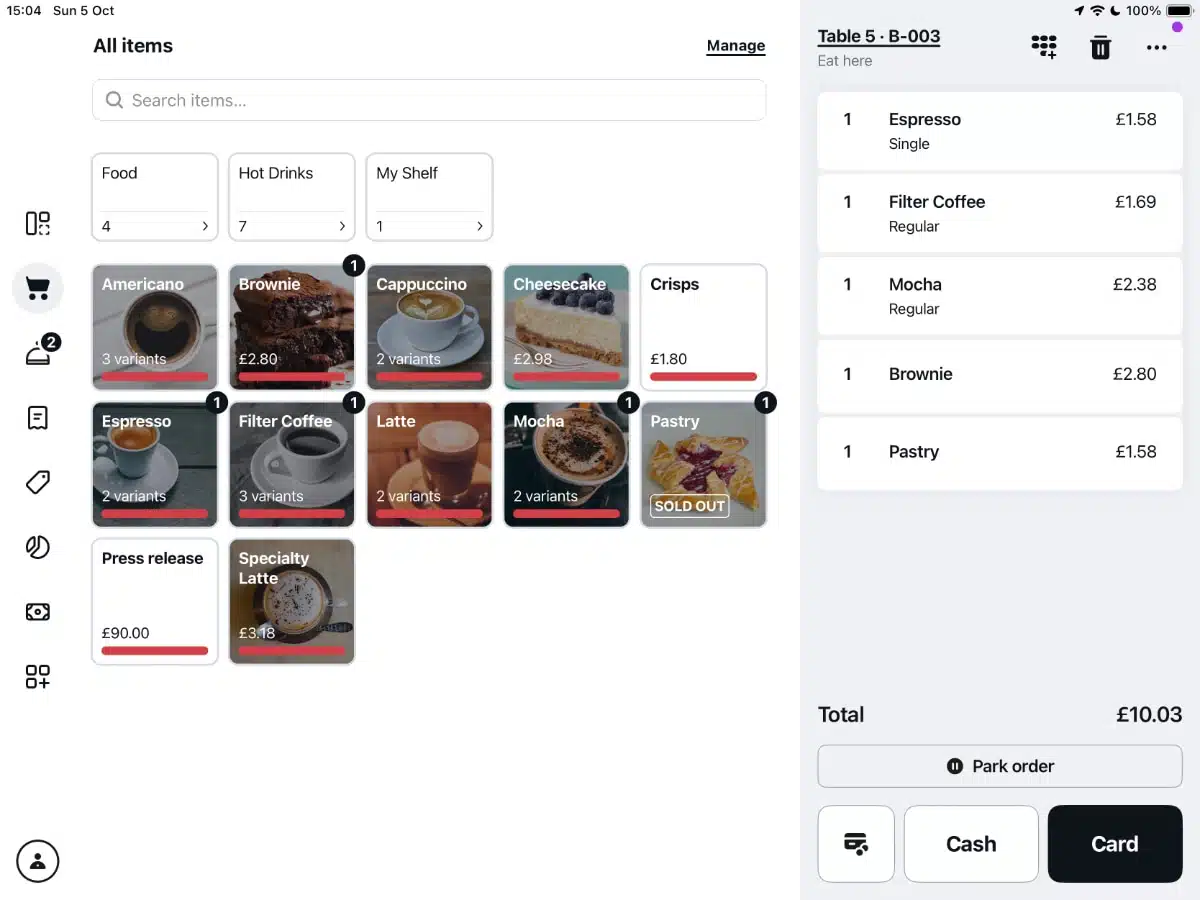
SumUp POS Plus checkout screen with products in the app.
The checkout screens show your products, categories (in separate tabs) and the current, itemised bill on the left (Pro) or right (Plus).
Image: Mobile Transaction
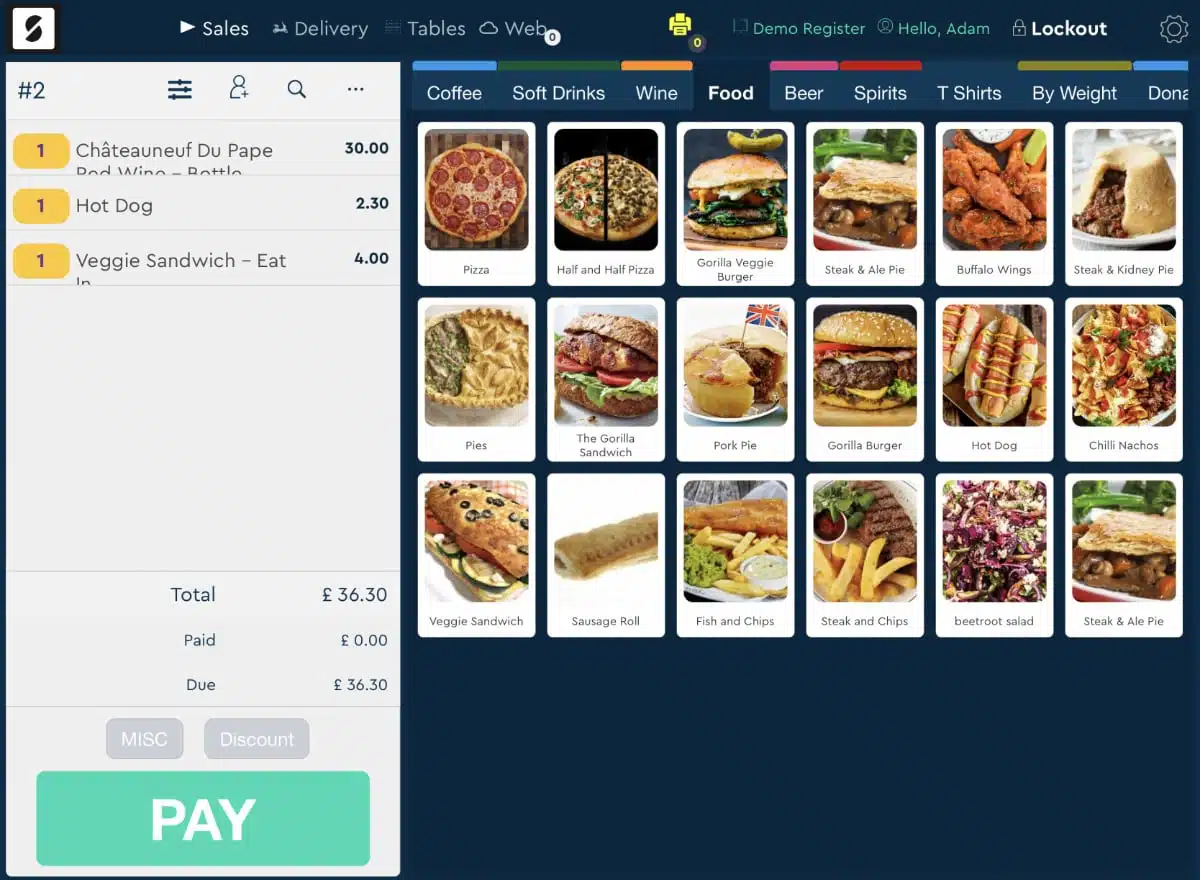
The SumUp POS product menus can be visually tailored with images, varying icon sizes, etc.
Customisability
Products on the checkout screen can be ordered they way you like it and grouped into category sections accessed via tabs.
However, only Pro allows you to customise the size and design of the product buttons. That being said, you can edit the product layout directly in the Plus app, whereas Pro requires the backend dashboard to change design elements.
Image: Mobile Transaction
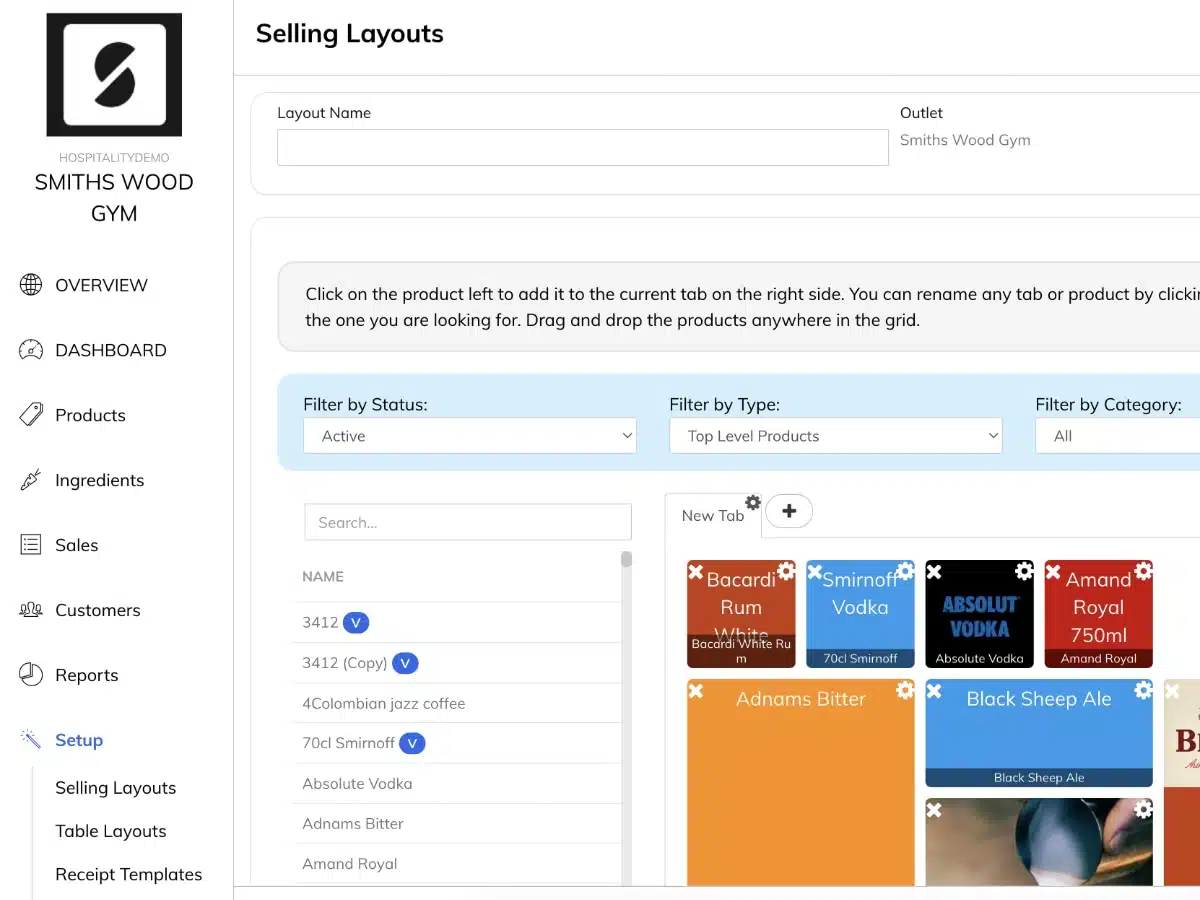
Editing the frontend till layout in Pro’s dashboard is relatively easy.
Versatile checkout options in any case
Both Plus and Pro include the following general features at checkout.
You can add £ or % discounts, customer details and whether the order is for eat-in or takeaway (if selling food). Orders can be saved, parked or voided. If an item is not already in the library, it is easily added at checkout with a custom description and VAT.
If you need to take cash out of the till, you can register the reason for it (e.g. mark as petty cash or adjustment entry). In a similar vein, you can add cash to the till drawer with a reason registered.
A side menu lets you access cash movements, saved sales and previous transactions. You can refund from here either through scanning the barcode of the receipt or searching through past sales and select the item to refund.
Payment methods
Both apps allow you to accept cash and card payments.
With Plus, the payment methods include keyed card entry and payment links via SumUp, not just card reader payments.
Image: Mobile Transaction
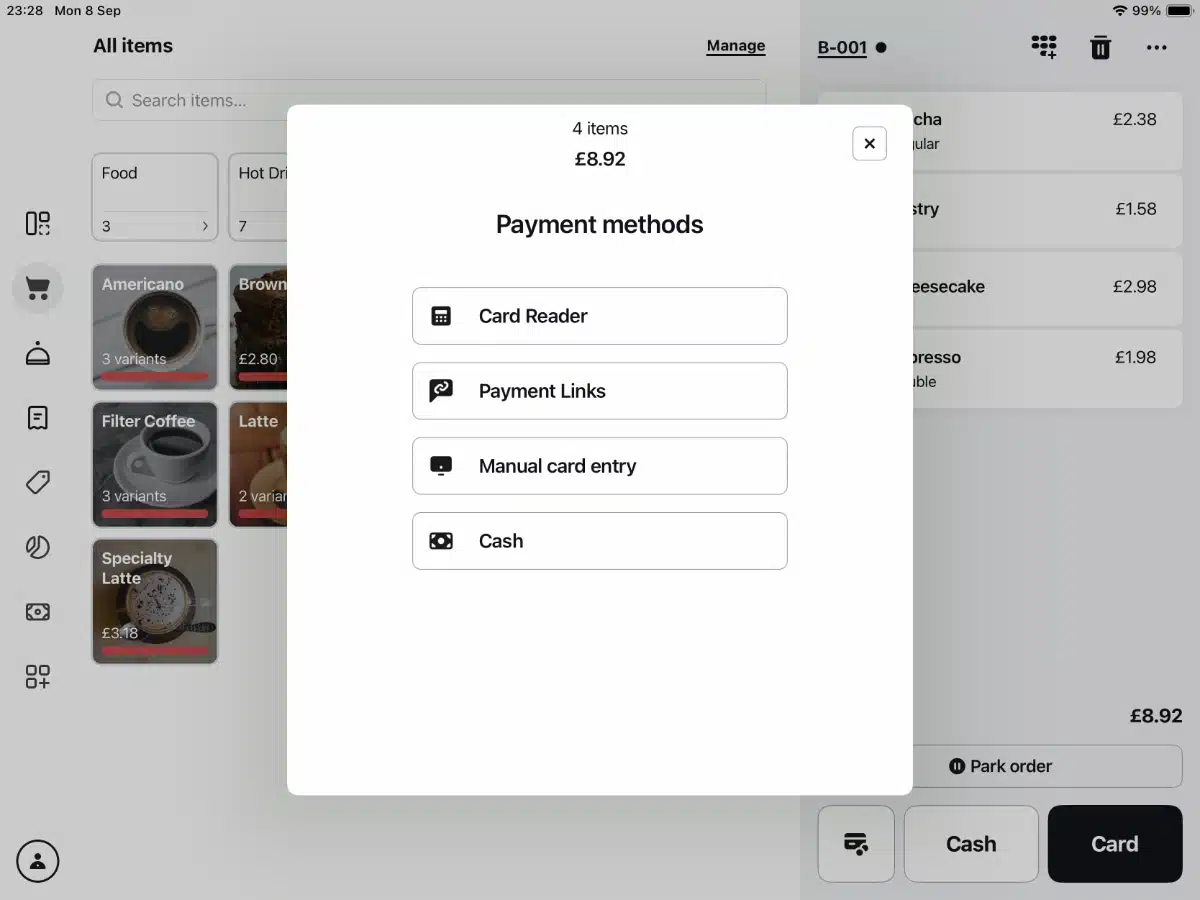
Payment methods in the SumUp POS Plus app.
Pro also gives you an option to accept payment over the phone, but you’ll need to handle this through your chosen payment processor because the app only lets you register it as ‘Phone’. The same applies to tapping Pro’s other payment methods ‘Other’, ‘Gift Card/Voucher’ or ‘Account’ – there is no screen for entering a reference number, so you’ll need a system for tracking these yourself.
Image: Mobile Transaction
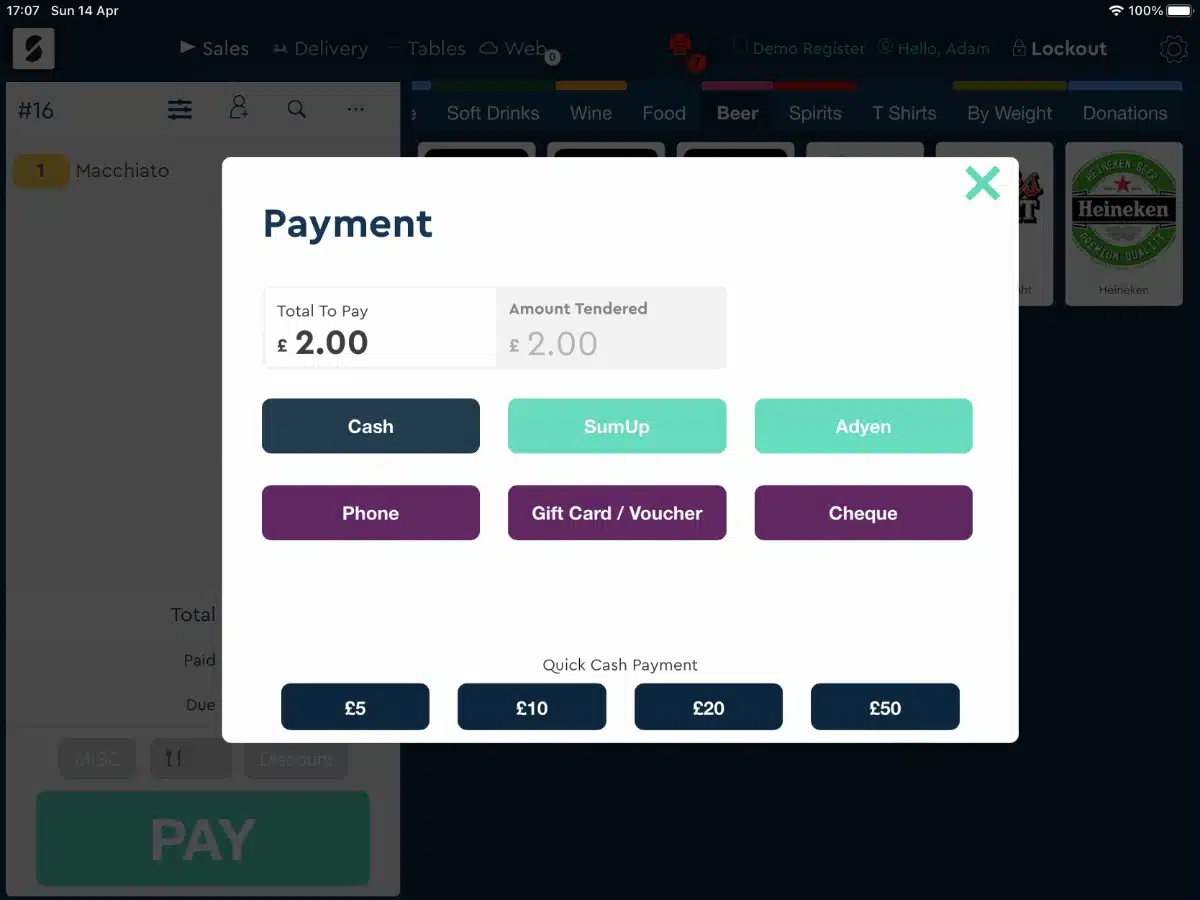
Payment methods in the SumUp POS Pro app.
The POS Pro app can connect with a compatible card machine for a smooth checkout. If integrated with SumUp payments, Pro will work with a SumUp card reader and allow you to send a payment link for the transaction.
Need to split bills? Only POS Pro can handle that.
Receipts
Either till app lets you send an email receipt after each sale or print a sales receipt through a connected printer.
We’ve seen reports from users that the Pro app automatically prints a receipt every time, even when you tap that it’s not needed, so you can’t actually save on receipt paper until this bug is fixed.
Inventory library
Although Plus has a product library with categories, variants and stock levels, Pro’s inventory management can handle more complex stock systems.
Both POS systems have basic product management capabilities like stock levels, barcode scanning, bulk product import and a detailed items library. Apart from categories and variants, each product can also contain attributes (added layer of variants), modifiers, SKUs, custom VAT rates and an image in either app.
Image: Mobile Transaction
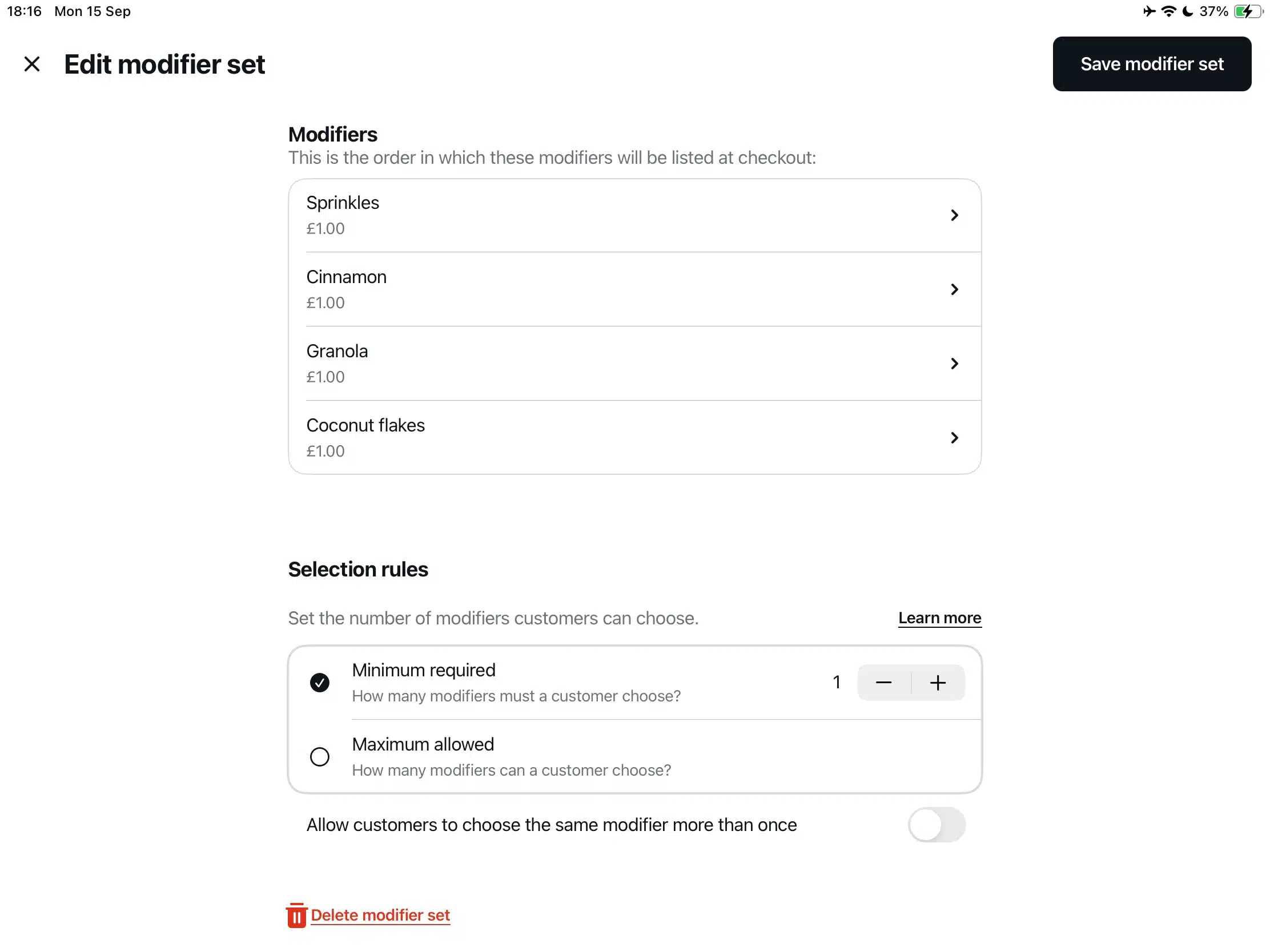
POS Plus has got useful product settings like modifier sets with min. and max. selection rules.
In Pro’s case, products are added to the till interface through the drag-and-drop ‘Selling Layouts’ in the browser dashboard. Here, you can also manage suppliers and product tags. If products are low in stock, the merchant can receive a notification to signal when to order more of it.
Image: Mobile Transaction
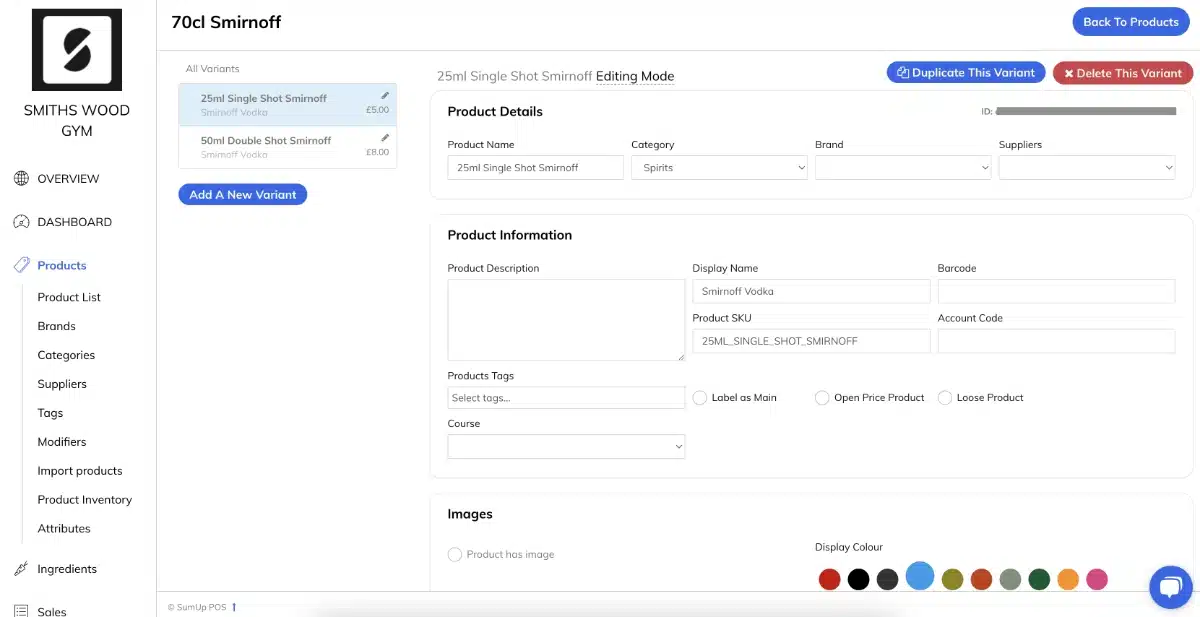
The product settings are more extensive in POS Pro, but requires editing in a browser, not the app.
If you subscribe to the Advanced Stock add-on for POS Pro only, you get more advanced features like:
- Multi-site support
- Integrated and automated purchase orders
- Delivery scheduling
- Stock variance reports
- Wastage reporting
- Stock auditing
These features are simply not available for POS Plus users.
Customers and loyalty
Both apps have a customer list detailing their contact details and purchase history, but Plus doesn’t let you attach orders to a customer in the POS app – only edit the order name. Pro can attach orders to customers.
If you already have a spreadsheet of people, this can be uploaded to the Pro and Plus systems to save time.
Separate loyalty programmes align with the customer directory in Plus and Pro, depending on which POS system you have. In both cases, customers have to download an app to accumulate points or store credit. Pro’s more advanced loyalty features cost £19 monthly whereas Plus’ loyalty system is free.
Hospitality features
The core POS subscriptions of Pro and Plus contain food-and-drink features, but these are more limited on Plus.
Like the similar Revolut POS app, SumUp POS Plus has a very basic table plan to mimic your floor. It doesn’t show the order number, customer name etc. on the tables, just how long the order has been open for.
Image: Mobile Transaction
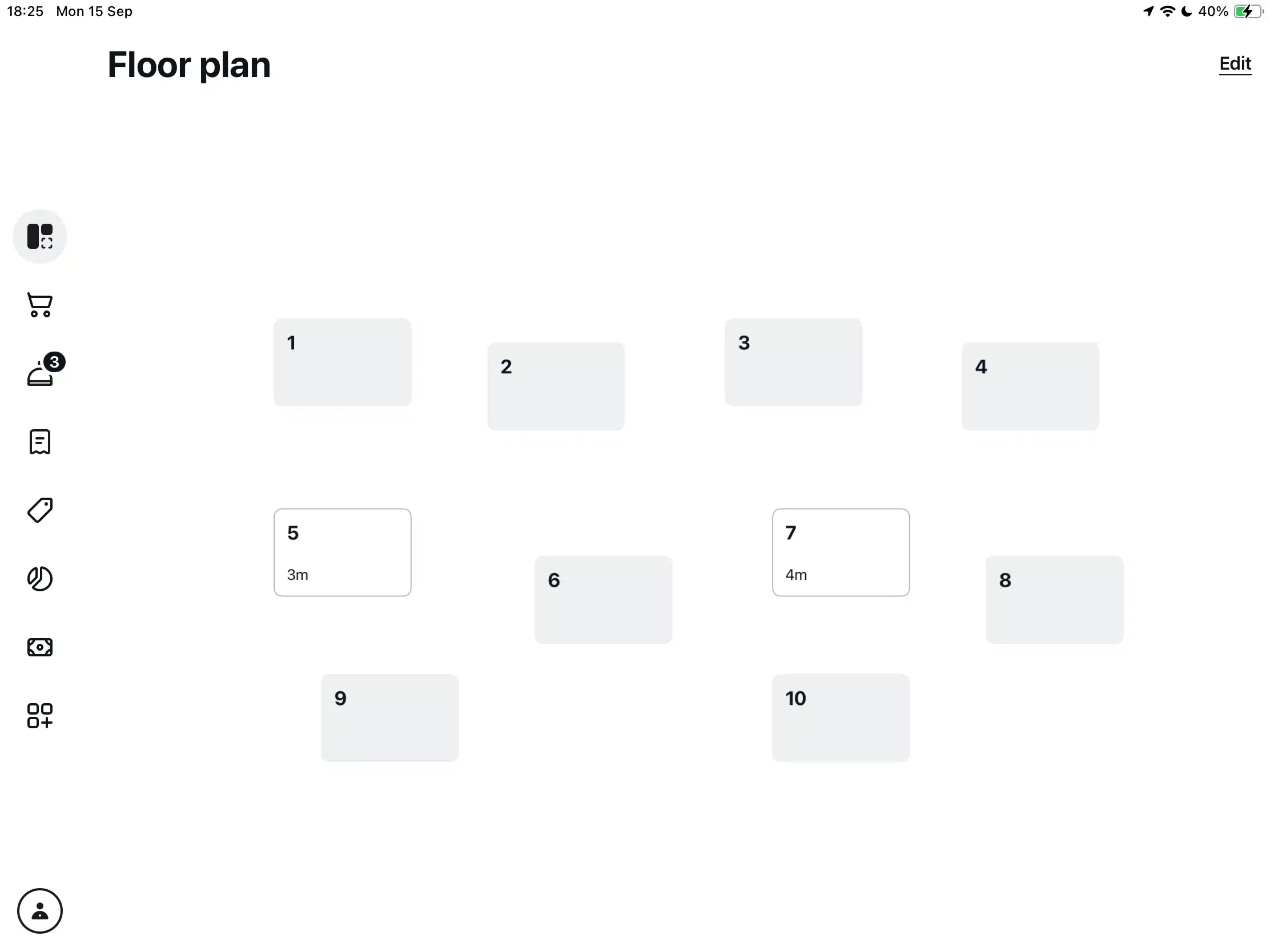
POS Plus’ floor plan gives an overview of open orders, but not many details.
Still, Plus does have a section in the app where you can reopen and edit orders, but it’s on a separate screen from the floor plan.
Pro’s Advanced Hospitality add-on module covers ingredient-tracking, allergens, course and menu management with recipes, table plans, customer tabs and split bills. There’s more on this add-in than Plus can ever manage, so it’s worth testing to see if it will cover your needs in a food-and-drink business.
Image: Mobile Transaction
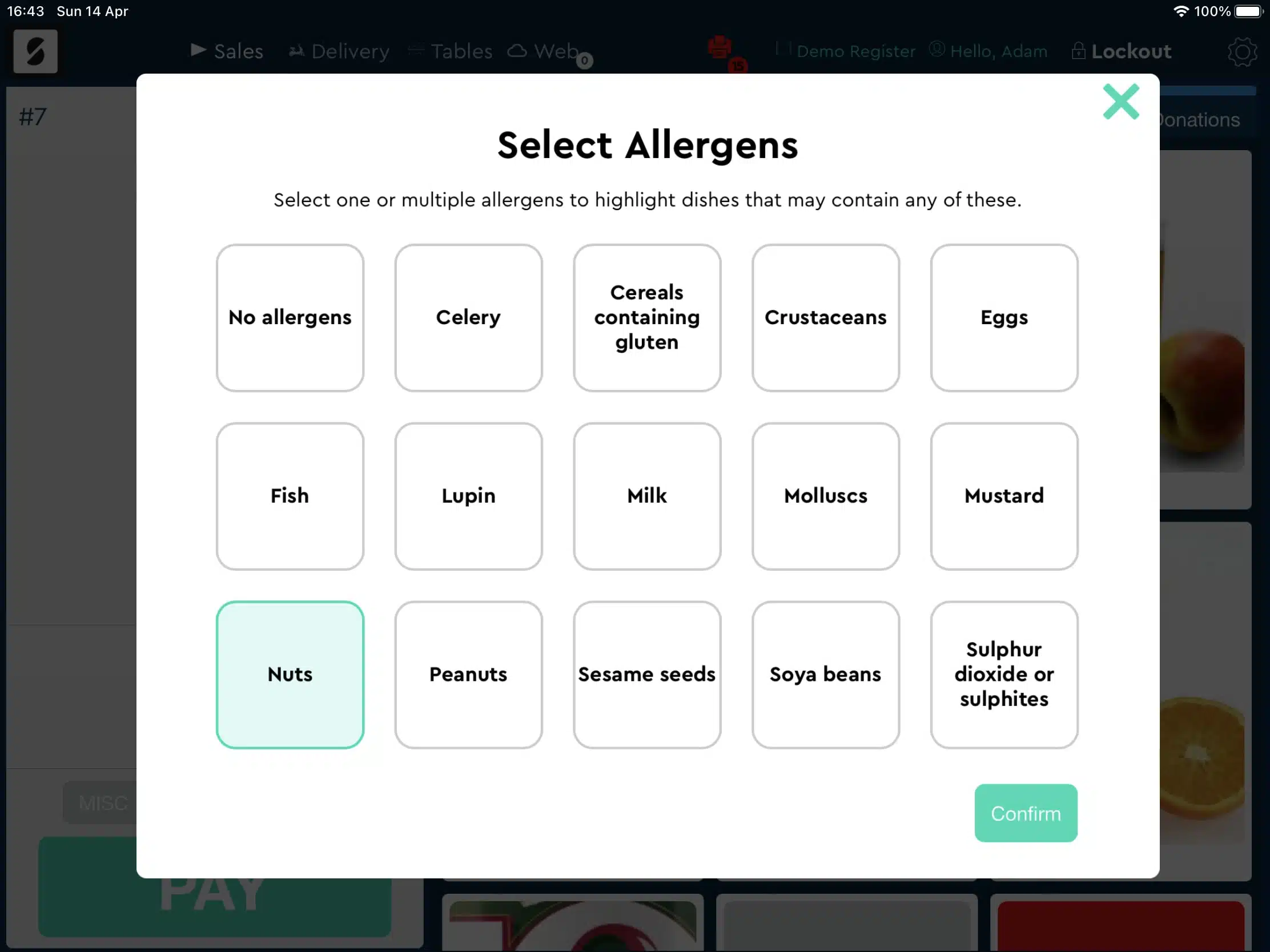
If an allergen is selected, Pro’s food menu will show an exclamation mark for dishes containing it.
Pro and Plus both connect with a kitchen display system (KDS) for £9 monthly per KDS screen.
Employee management
Both systems have good user account settings.
On Plus and Pro, you can add employees with custom permissions, a passcode (for till logins) and roles. When users then log in and out of the till, you can track these work hours through the back office.
On Pro, it’s possible to add more than one admin with access to all settings and import staff from a spreadsheet.
Offline mode
A major difference: SumUp POS Plus doesn’t work offline, but POS Pro does.
This makes the Pro app very reliable, although card payments and certain features do require an online connection.
But even when online, you have to refresh the Pro app manually to view changes submitted in the backend Dashboard. This is not very intuitive for frontend staff who have no idea when their manager has made changes in the backend.
In the Plus app, changes from the backend automatically update in the app – at least when we tested it.
Reporting
Plus’ and Pro’s core reports used to only cover basics like sales monitoring and transaction searches, but SumUp has added analytics like:
- Revenue reports
- Best-selling items
- Tips totals
- Promo reports (Pro only)
Image: Mobile Transaction
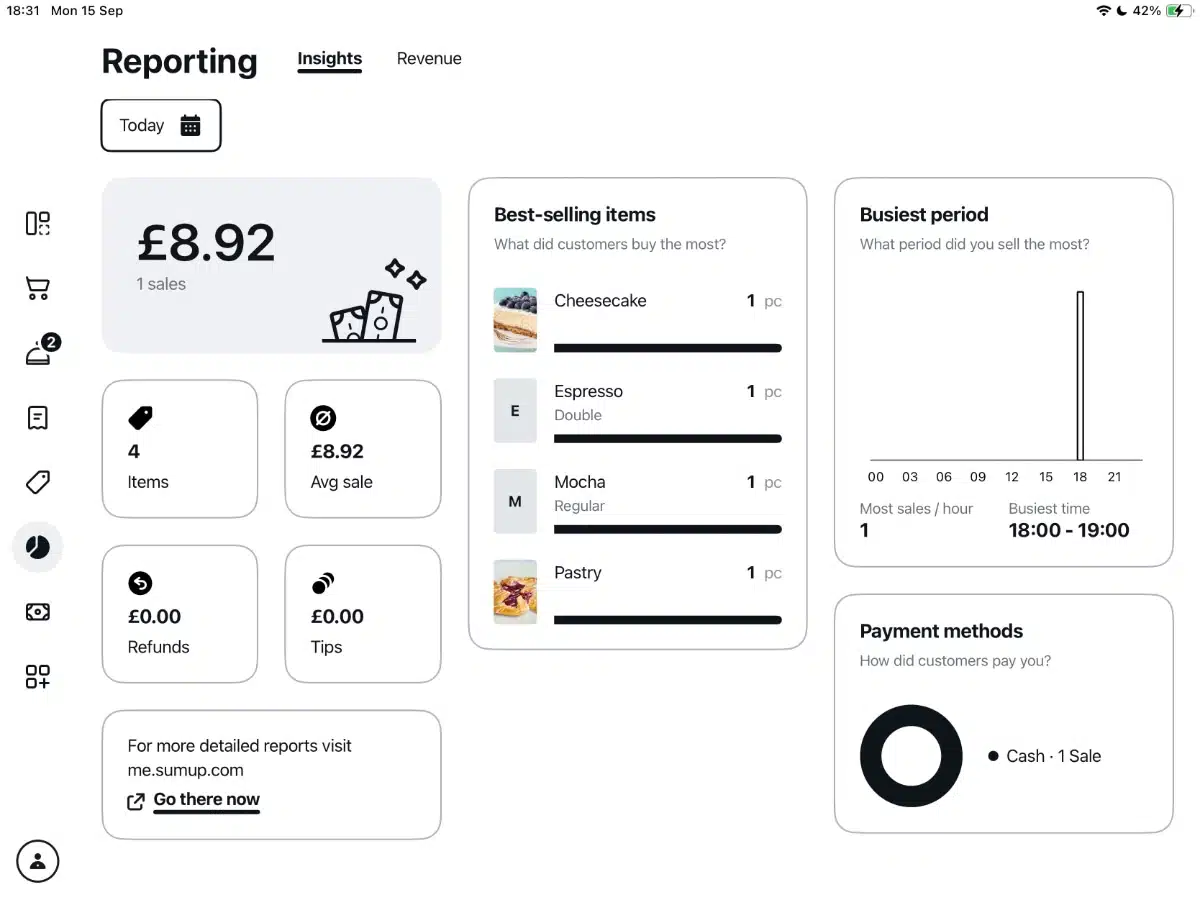
SumUp POS Plus sales analytics are simplified in a useful overview.
The POS apps also monitor the cash flow so you can cash up at the end of the day. When closing the register, there’s a complete summary of all the day’s main details around cash, sales categories, payment methods and till movements.
Image: Mobile Transaction
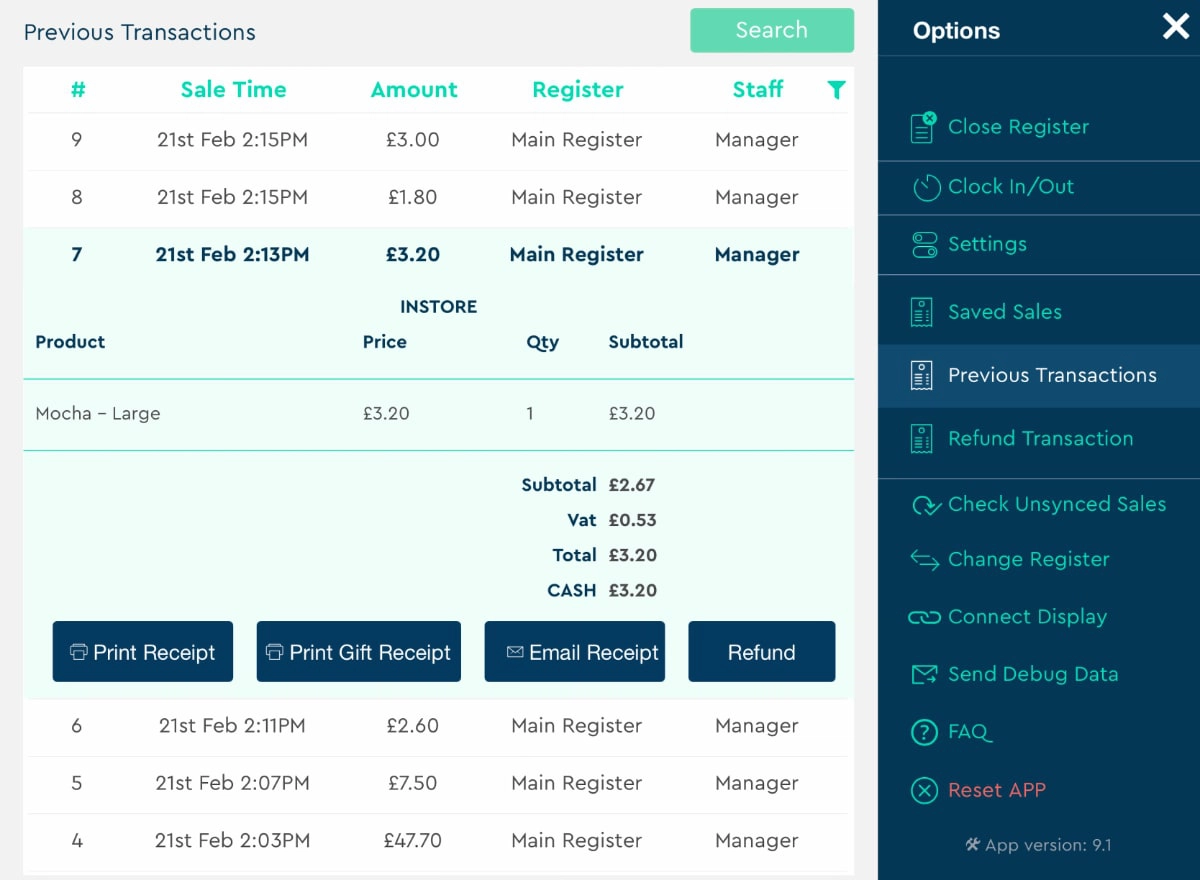
View transactions and refund items through the Pro app’s ‘Options’ side menu.
We noticed the daily sales so far (X report) in POS Pro have to be printed, though – they cannot just be viewed on the app screen. This is a peculiarity since not everyone wants to use a printer just for a quick glance.
Only Pro can accommodate for multiple store locations – Plus just shows reports for single locations.
Card machines and payments
Your card machine arrangement depends on your chosen POS software:
- POS Plus only works with SumUp’s card machines.
- POS Pro works with Dojo (Paymentsense) and PayPal card machines as well as SumUp’s card machines.
Dojo requires a contract and multiple variable costs, whereas PayPal has a fixed transaction rate of 1.75% and no lock-in.
SumUp POS Pro used to also integrate with Barclaycard, Retail Merchant Services, Square and Worldpay, but has confirmed with us that only PayPal and Dojo integrate now.
Regardless of the POS setup, merchants can benefit from attractive SumUp rates with the right agreement.
- POS Plus users can subscribe to Payments Plus (£19/month), lowering the domestic consumer card rate to 0.99% while other cards cost 1.99%. These rates apply to online payments too, where fees are typically much higher.
- POS Pro users can negotiate low, fixed rates and usually pay between 0.99%-1.25% depending on the business sales volume and package. This is a lot lower than Lightspeed’s and Epos Now’s own payment processing fees.
But choosing SumUp for card processing has another major plus: next-day payouts in the SumUp Business Account, including weekends.
POS hardware
What about till hardware? Again, this depends on the software:
- POS Plus works on any modern Android tablet or iPad. For the cheapest setup, we recommend the SumUp Lite bundle which is a compact, stylish Android register that comes with a Solo card reader for the counter. The software is pre-installed so it’s super-quick to start using straight away.
- POS Pro works on iPad only. SumUp will usually offer a bundle with an iPad, tablet holder, receipt printer, cash drawer and SumUp Solo terminal during registration.
Both systems can connect with a cash drawer, barcode scanners and receipt printers, but only Pro connects with kitchen printers.
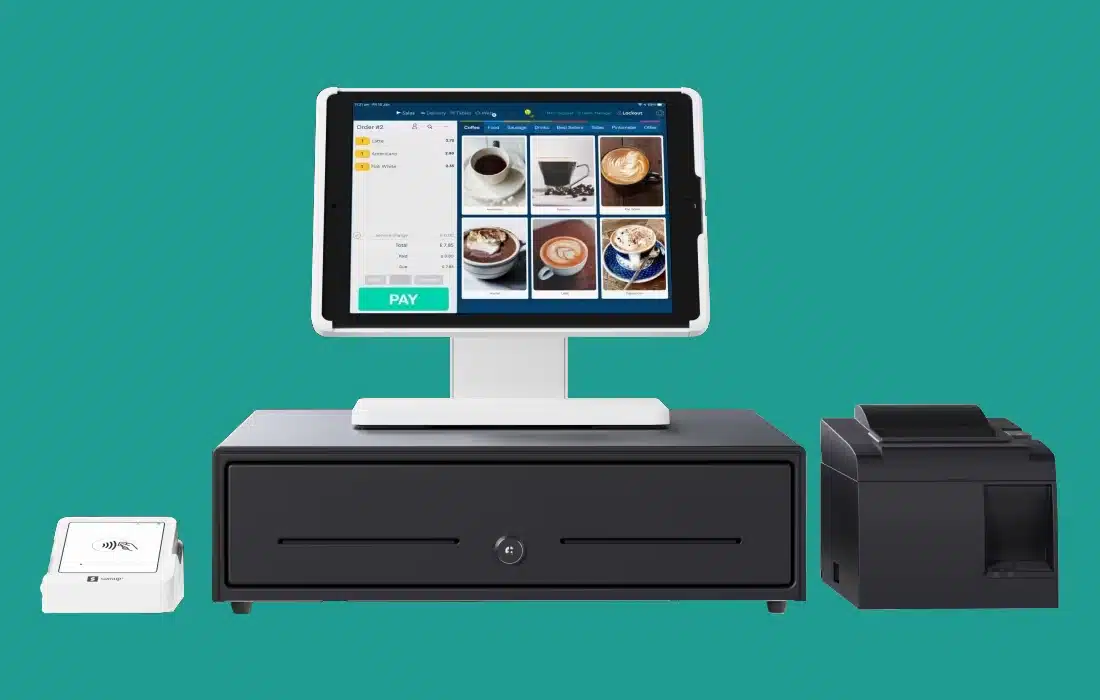
Example of a SumUp Point of Sale Pro hardware bundle.
Online ordering included
SumUp Free or Plus points of sales include a free online store page; a very simple web page with your products where customers can order online for pickup or delivery. It’s ideal for when you need a page to share on social media, your website or Google Business Profile, but it does have very limited features.
All POS Pro users get additional SumUp Ordering features (also known as ‘Goodeats’). This is another free web page through which you can accept click-and-collect, delivery or drop-offs remotely.
Online transactions through this system are processed by Stripe, so you’ll need to sign up and connect with Stripe. You decide on a URL, style choices, ordering options and other details displayed on the web page.
Image: Mobile Transaction
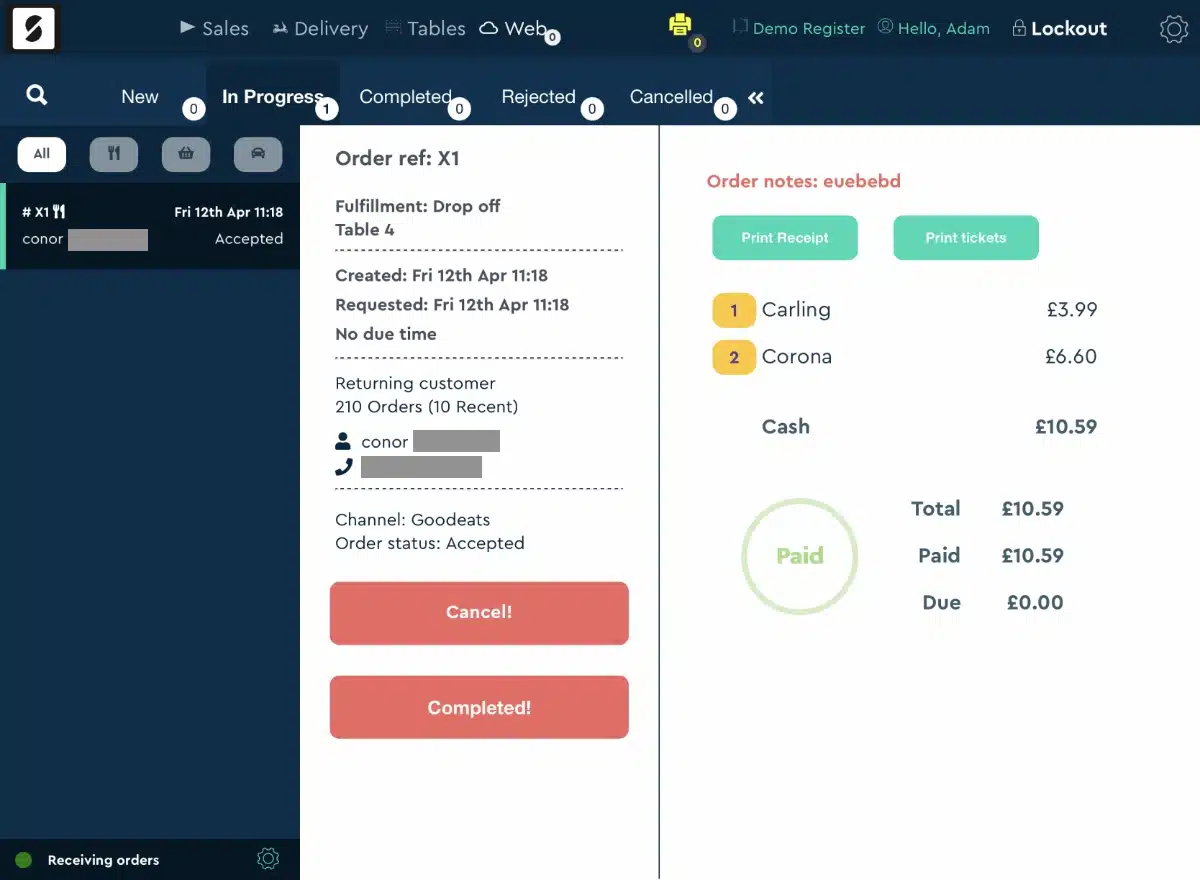
Example of a Goodeats customer order to drop off at a table.
The Goodeats system offers QR codes to print and display on your tables or in your windows. Pro also integrates with the Uber Eats, Deliveroo and Stuart takeaway and delivery services.
Want a self-service station? Quick-service businesses can order a large touchscreen SumUp Kiosk to set up for customers to order away from the counter. This is a bit expensive, but worth it for some takeaway restaurants.
Integrations
SumUp connects with external software platforms for additional functions, but you get more options with POS Pro.
POS Plus only connects with accounting software QuickBooks, Xero and Sage so you don’t have to manually feed sales data into your chosen bookkeeping system.
For other software integrations, go for POS Pro which syncs with the following:
- Shopify and WooCommerce for ecommerce
- QuickBooks, Xero, FreeAgent and Pebble for accounting
- Restaurants would benefit from the integrations with Kitchen CUT, ResDiary, Fourth and MarketMan
- MailChimp for email marketing
- Yoyo for customer loyalty tools
- Employee tools can be expanded through Tanda or Planday
If this does not cover everything for you, you can use APIs and webhooks for your own software arrangement through Pro.
Customer service, reviews and experiences
SumUp’s customer service has been a mixed bag when it comes to the POS products, but much has improved in the past year.
The support hours depend on which plan you’re on:
- Free POS: 8am-7pm on working days, 7am-5pm on weekends and Bank Holidays
- POS Plus: Priority support 24/7
- POS Pro: “Dedicated support” 8am-8pm on working days, 8am-7pm on weekends and Bank Holidays
Users can contact SumUp via chat, email and telephone, but only Plus subscribers get 24/7 priority support. We find it curious that Pro subscribers have fewer hours’ customer service than the cheaper Plus, but this is a consequence of them being different software systems.
The lack of personal support for emergencies past 8pm on weekdays or 7pm on weekends could be an issue for bars, pubs and restaurants that operate late.
Since Goodtill’s rebrand to SumUp POS Pro, we’ve noticed an increase of negative reviews from customers. There’s been a lack of communication from SumUp, slow onboarding causing issues for new businesses, and problems unsubscribing – at least 1-2 years ago.
Our experience of the service
Our own experience of POS Pro has not been that easy either, considering a lack of step-by-step guides about specific settings. The resource section could still be better, but if you leave a comment in the chat, a support person may actually write a section on your query if it’s not already there (that’s what happened to us within a day of asking about product attributes).
“I’ve sometimes been a bit frustrated with SumUp POS Pro, since I never got prompt replies to queries when testing it in 2024. No one responded on the website chat after trying several days, and other contact methods were slow or lacking too. During previous testing in 2022, customer support was more responsive.”
– Emily Sorensen, Senior Editor, Mobile Transaction
While testing the PSO Pro app, we also noticed bugs and shortcomings. If you do too, there’s a feature request section in Dashboard, but SumUp only allocates resources to fixing the highest-rated requests. Even then, some bugs take months to address.
POS Plus, on the other hand, doesn’t have the same learning curve or obstacles, as it’s just a more advanced version of the free POS app that’s been carefully honed for a decade.