
For a small business, choosing the wrong EFTPOS machine can be costly, particularly when margins are tight and it’s unclear where you stand in a couple of years.
You don’t want to tie yourself to a longer-than-necessary contract, and transaction fees and monthly costs (if any) should be fair for your sales volume.
Traditionally, an EFTPOS terminal was obtained from banks, but modern card reader providers now provide simplified pricing, pay-as-you-go fees and no commitment.
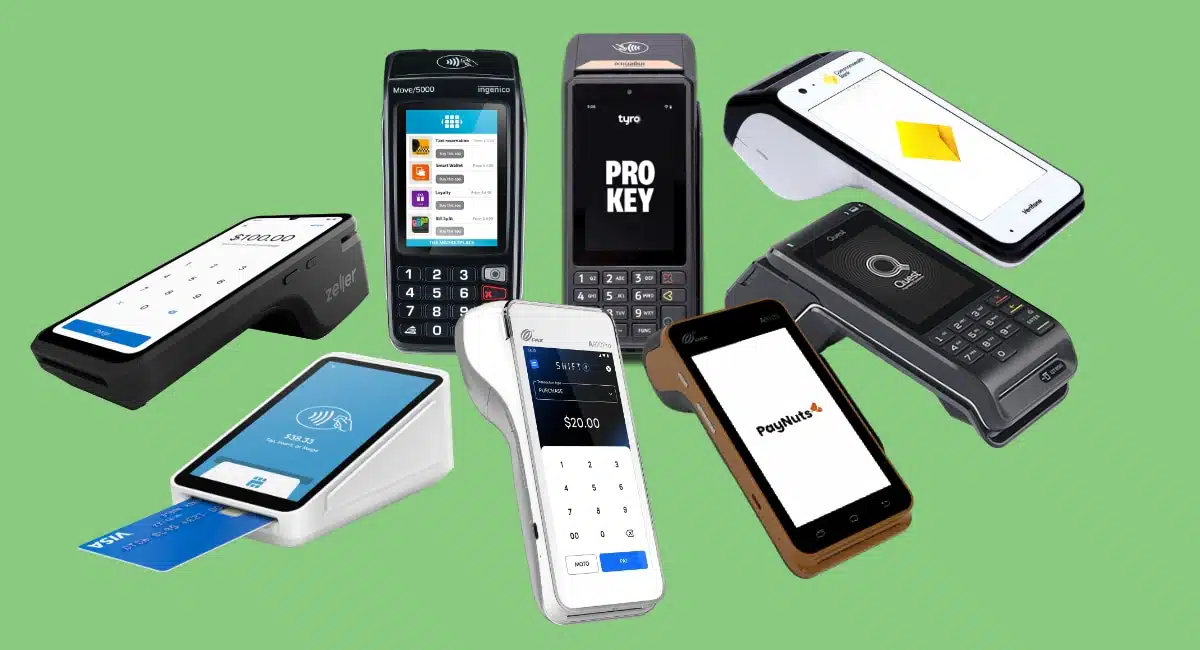
Let’s compare the best EFTPOS machines that currently lead among small businesses in Australia.
Contents
EFTPOS machines:
Compare EFTPOS machines in Australia:
| Company | EFTPOS machine |
Costs | Key facts | Sign-up |
|---|---|---|---|---|
| Square Reader $65 (purchase) Independent terminals $329–$349 (purchase) Option to pay over 3-12 months |
No monthly fee No lock-in Transaction fee 1.6% |
Industry-leading all-rounder with POS, online payments and instant payouts |
Short online form, quick acceptance: |
|
| Zeller Terminal $99–$99 (purchase) |
No monthly fee No lock-in Transaction fee 1.4% |
Lowest fixed fee, surcharging, online account and card | Short online form, quick acceptance: |
|
| PAX models $0 or $29/mo (rental) |
No setup fee No lock-in Transaction fees 0.7%-1.5% |
Fixed low-fee plan or transparent, variable rates | Tailored quote, online registration: |
|
| Ingenico or Verifone models $24.75- $27.50/mo (rental) |
No setup fee No lock-in Transaction fees 1.2%-3% |
Overall best among the Big 4 banks | Online registration, possible quote: |
|
| Verifone and Ingenico models $29.50/mo (rental) |
No setup fee No lock-in Transaction fee 1.1% or custom |
Mobile smart terminal with a few apps | Online registration, possible quote: |
|
| Tyro Pro $19- $29/mo (rental) |
No setup fee No lock-in 1.4% or custom transaction fees |
Updated EFTPOS packages, links with most POS systems | Tailored quote, slow onboarding: |
|
| PAX A920Pro $0-$34.95 + GST/mo (rental) |
Monthly contract No setup fee Min. fees of $100 + GST/mo Custom rates |
Surcharging plan, fast onboarding, with limitations | Tailored quote: |
|
| Ingenico or Quest model $25/mo (rental) |
Monthly contract No setup fee Transaction fees from 1.15% |
Fees competitive, ease of use lacking | Online registration, possible quote: |
| Company | EFTPOS machine |
Costs | Sign-up | Key facts |
|---|---|---|---|---|
| Square Reader $65 (purchase) Independent terminals $329–$349 (purchase) Option to pay over 3-12 months |
No monthly fee No lock-in Transaction fee 1.6% |
Short online form, quick acceptance: |
Industry-leading all-rounder with POS, online payments and instant payouts | |
| Zeller Terminal $99–$99 (purchase) |
No monthly fee No lock-in Transaction fee 1.4% |
Short online form, quick acceptance: |
Lowest fixed fee, surcharging, online account and card | |
| PAX models $0 or $29/mo (rental) |
No setup fee No lock-in Transaction fees 0.7%-1.5% |
Tailored quote, online registration: |
Fixed low-fee plan or transparent, variable rates | |
| Ingenico or Verifone models $24.75- $27.50/mo (rental) |
No setup fee No lock-in Transaction fees 1.2%-3% |
Online registration, possible quote: |
Overall best among the Big 4 banks | |
| Verifone and Ingenico models $29.50/mo (rental) |
No setup fee No lock-in Transaction fee 1.1% or custom |
Online registration, possible quote: |
Mobile smart terminal with a few apps | |
| Tyro Pro $19- $29/mo (rental) |
No setup fee No lock-in 1.4% or custom transaction fees |
Tailored quote, slow onboarding: |
Updated EFTPOS packages, links with most POS systems | |
| PAX A920Pro $0-$34.95 + GST/mo (rental) |
Monthly contract No setup fee Min. fees of $100 + GST/mo Custom rates |
Tailored quote: |
Surcharging plan, fast onboarding, with limitations | |
| Ingenico or Quest model $25/mo (rental) |
Monthly contract No setup fee Transaction fees from 1.15% |
Online registration, possible quote: |
Fees competitive, ease of use lacking |
Our card machine ratings
We test and research the products we write about for an honest rating.
The most important rating criterion is the product: does it work well as a card machine? Is it easy to accept chip and tap cards? Does it have a long battery life, accept many types of cards and have useful features like surcharging?
How the EFTPOS machines compare on our criteria:
| Card machine | Product | Fees | Extras | Contract | Sign-up | Service |
|---|---|---|---|---|---|---|
| Square | 4.3 | 4 | 4.7 | 5 | 4.8 | 3.6 |
| Zeller | 4.6 | 4.4 | 4 | 5 | 4.3 | 4 |
| PayNuts | 4.4 | 4.1 | 3.8 | 4.9 | 3.8 | 4.2 |
| Westpac | 4.1 | 3.7 | 3.8 | 3.9 | 3.7 | 2.7 |
| CommBank | 4 | 3.8 | 3.8 | 3.8 | 3.6 | 3.2 |
| Tyro | 4 | 3.9 | 3.8 | 3.9 | 3.2 | 2.7 |
| Shift4 | 4.2 | 3.7 | 2.7 | 3.8 | 3 | 4 |
| NAB | 3.7 | 3.9 | 3.6 | 3.7 | 3.8 | 3 |
Summary of our findings:
Best product: Zeller has the most popular EFTPOS terminal with its free business account and debit card for small businesses. PayNuts’ quality terminals come second and Square third with their user-friendly, reliable designs.
Best fees: With a low fixed rate and no monthly fees, Zeller is the most affordable EFTPOS package. Square’s many free tools, simple fees and instant payouts take second place. PayNuts has the fairest tailored rates.
Best extras: Square has the most accessible, widest range of free business software that includes online payment methods, ecommerce, invoicing, POS apps and detailed reports.
Best contract: Zeller and Square are the only contract-free EFTPOS providers where you don’t need to cancel and can keep the terminals. PayNuts’ lack of lock-in comes third, but their terminals need to be returned.
Best sign-up and transparency: Square has the simplest, fastest sign-up on their website, with no need to speak to anyone. Zeller is relatively easy to register with, but requires more information, and verification can take a bit longer.
Best service: PayNuts’ customer service gives us the best impression with their genuinely helpful approach and 24/7 support. Zeller gets good reviews from users and offers fast terminal replacement.
Fees and costs
There is no such thing as a free EFTPOS machine, even on a “zero cost” plan. Either you rent a machine or purchase one upfront to avoid a monthly fee.
All the providers below offer surcharging to cover merchant fees. But since this will likely be banned from October 2026, you should still choose a solution with the best possible fees for your business.
EFTPOS fees compared:
| Terminal | Transaction fees | Purchase price | Monthly fee |
|---|---|---|---|
| Square | 1.6% | $65–$349 See offers |
None |
| Zeller | 1.4% See pricing |
$99–$99 | None |
| PayNuts | 0.7%-1.5% Fees negotiable |
n/a | $0* or $29 |
| Westpac | 1.2%-3% | n/a | $24.75-$27.50 |
| CommBank | 1.1% | n/a | $29.50 |
| Tyro | 1.4% | n/a | $19 or $29 |
| Shift4 | Custom | n/a | $0* or $34.95 + GST |
| NAB | 1.15% | n/a | $25 |
*Lack of monthly fee only available with a minimum sales volume reached.
Those with a lower sales volume typically pay a fixed rate for card payments to simplify things As you can see in the table above, this rate varies between the providers.
Square’s EFTPOS rate is the highest, but it has more selling tools than any alternative. Square is also the only provider to offer instant transfers (for an extra fee).
Businesses can get customised fees for all of these EFTPOS machines, but only if they accept a certain sales volume. The minimum threshold for custom rates varies between the products, but is typically $20k+ monthly.
For lower-volume businesses, PayNuts is the provider with the best personalised fees.
Pros:
Cons:
Square was the first company in the world to release a card reader for mobile phones.
Since its arrival in Australia, the local banks and other payment providers looked old-fashioned in comparison. Why? Because Square champions affordable EFTPOS for small business without contractual lock-in, hidden fees or complicated terms.
A free point of sale system also makes selling goods and services fun.
Square pricing:
| Square Reader | Square Terminal | |
|---|---|---|
 |
 |
|
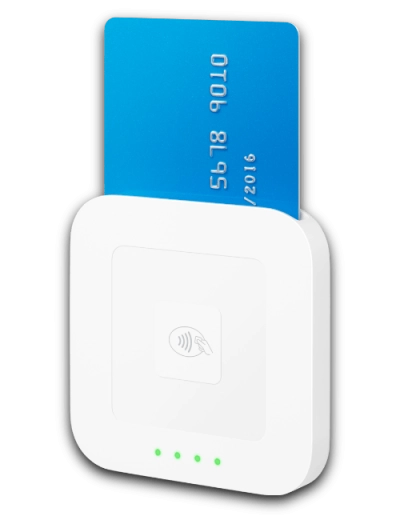
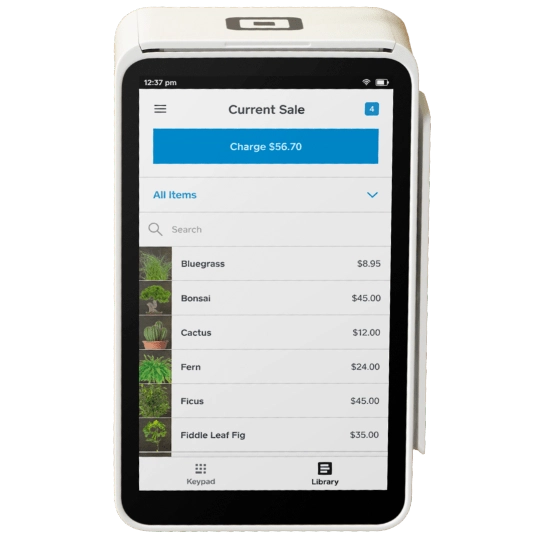
| EFTPOS machine | Card reader connected to free phone/tablet app | Standalone, portable touchscreen terminal (WiFi-only + offline mode) |
| Price (purchase) | $65 incl. GST or 3 x $22/mo instalments |
$329 incl. GST or 12 x $28/mo instalments |
| Transaction fee | 1.6% (all cards) | |
| Contract | No lock-in, no monthly fee | |
| Payouts (free) | Next day (incl. weekends) | |
| Instant transfers | 1.5% fee applies | |
You simply buy the card reader and pay only a fixed rate of 1.6% for all card transactions incl. with foreign, premium and eftpos cards. Afterpay acceptance is conveniently built in, which normally boosts sales for retailers and services where customers lack funds upfront.
There are no monthly or annual fees to worry about. You can even pay for the terminals in small, interest-free instalments over 3, 6 or 12 months, helping you to afford the hardware now instead of delaying when you start to sell.
You own the hardware for good – no returns required – unless opting for Square’s short-term rental geared towards events.
“In my tests, Square has always processed payments promptly and impressed me with their constant new features and crisp, but user-friendly, apps that have been honed for years.”
– Emily Sorensen, Senior Editor, Mobile Transaction
Square Reader ($65 incl. GST) works together with a free Point of Sale (POS) app on your phone or tablet connected with 4G or WiFi. It’s the smallest card reader we’ve tested, and the Square app is regularly updated to optimise the user experience and avoid bugs.
Photo: Mobile Transaction
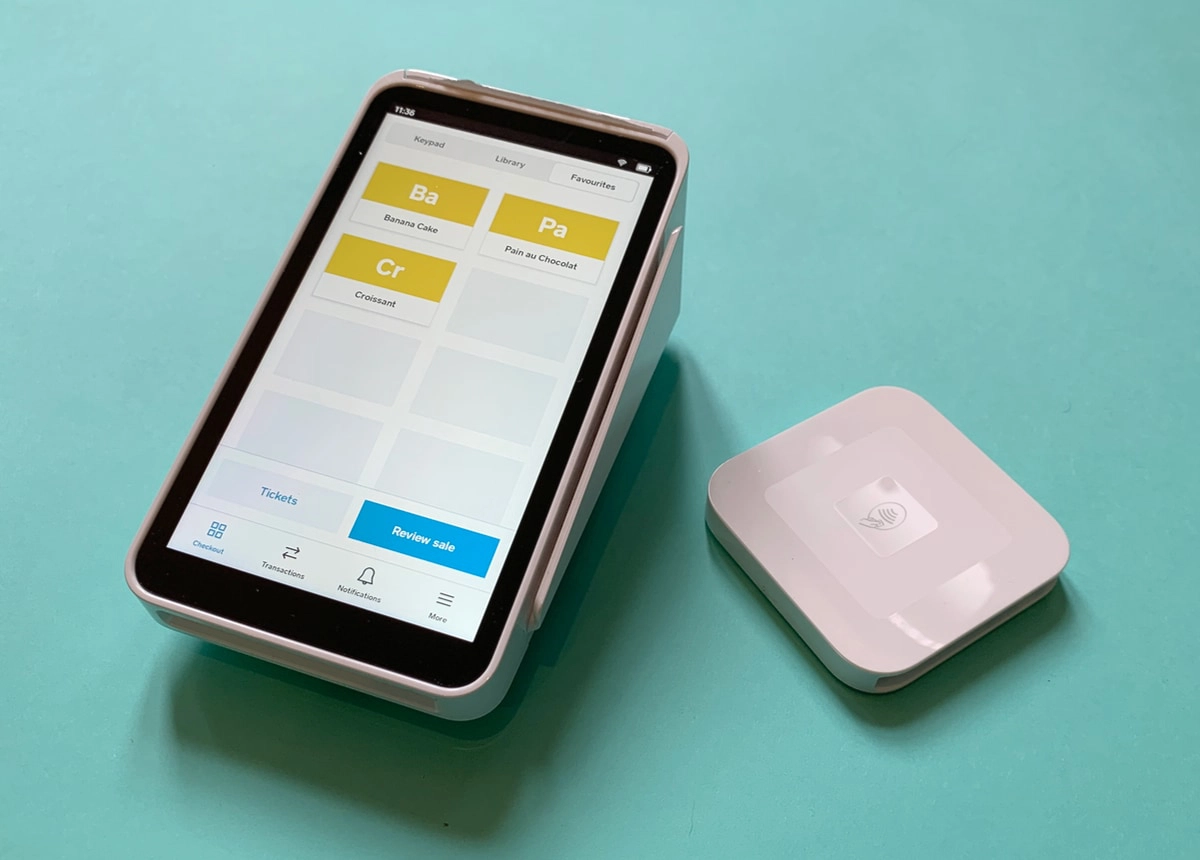
Square Terminal and Reader are well-designed EFTPOS terminals.
The app has a wealth of features for most face-to-face merchants, e.g. product library, tipping, GST, staff accounts and a customer library. On top of this, you get invoicing, a virtual terminal for over-the-phone payments and ecommerce tools like an online store – all with an online transaction rate of 2.2%.
Alternatively, you can subscribe to Square’s specialised POS systems for retail (e.g. independent shops, pop-up stalls), hospitality (restaurants, cafés, bars) and appointments scheduling (great for dentists, gyms, therapists, hairdressers, garages).
The more expensive, portable card machine Square Terminal ($329 incl. GST) and Square Handheld ($349 incl. GST) only work through a secured WiFi connection, not 4G for mobile use. However, they don’t need a connected mobile device and have a touchscreen display with Square’s POS software. If WiFi fails, offline mode will kick in so you can still accept card payments smoothly – as long as the terminal reconnects with WiFi within 24 hours to finish processing.
Accepted cards



Merchants can surcharge on the EFTPOS machines (until the October 2026 ban) to avoid the Square rate, which admittedly isn’t the lowest in this comparison.
The free payouts reach your bank account the next day, even on weekends, but qualifying merchants can get funds instantly for an added 1.5% fee. Square is the only one offering instant payouts to a bank account from EFTPOS machines in Australia.
Pros:
Cons:
Zeller has already become a top contender in the Australian payment space since its launch in 2021 – and it keeps getting better.
Initially, only Zeller Terminal 1 impressed with a simple transaction interface, but the company’s newer Zeller Terminal 2 has attractive POS software.
No setup and monthly fees apply; you just purchase a card machine for as little as $99 (incl. GST and a 12-month warranty) to keep indefinitely. Zeller has pulled their terminals out of the Officeworks network and now focuses on keeping the price low from its own website.
There’s no contract lock-in, only a pay-as-you-go transaction fee of 1.4% for chip and contactless card payments.
The optional surcharge function lets you avoid the transaction cost, but you can only do this until it’s banned soon. Unlike some of the big banks, Zeller does not add a commission on surcharges.
Zeller pricing:
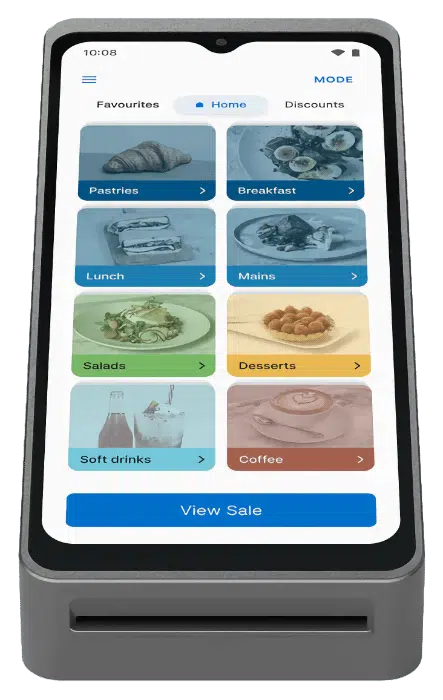
| Zeller Terminal 1x | Zeller Terminal 2 | |
|---|---|---|
 |
 |
|
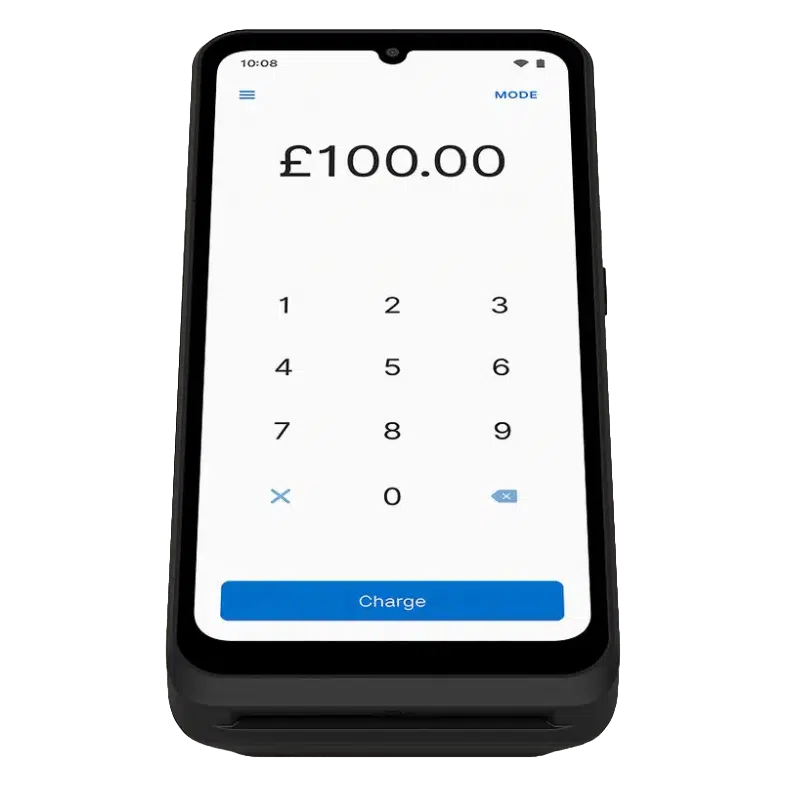
| EFTPOS machine | Standalone touchscreen terminal with printer (WiFi, 4G with SIM) |
Standalone touchscreen terminal with POS software (WiFi, 4G with SIM) |
| Price (purchase) | $99 incl. GST | $99 incl. GST |
| Transaction fee | 1.4% | |
| Zeller SIM Card (optional) | $15/mo | |
| Contract | No lock-in, no monthly fee | |
| Payouts | Same day in Zeller Account, next business day in bank account | |
Zeller includes a free transaction account where funds arrive the same night, which we verified during testing. This is linked with a business Debit Mastercard (in the package), so you can spend the money the next morning. The card links with Apple Pay, and corporate cards for employees are available.
Alternatively, a business bank account from any Australian bank can receive transactions the next business day.
Transactions and payouts are shown in a web portal and app that also accepts tap-to-phone transactions and sends invoices. I really like the potential of the contacts directory, which is not just for customers, but also suppliers and anyone you’re in business with. It’s all designed to work together so you can manage expenses and all aspects of the business in the same account.
Photo: Mobile Transaction
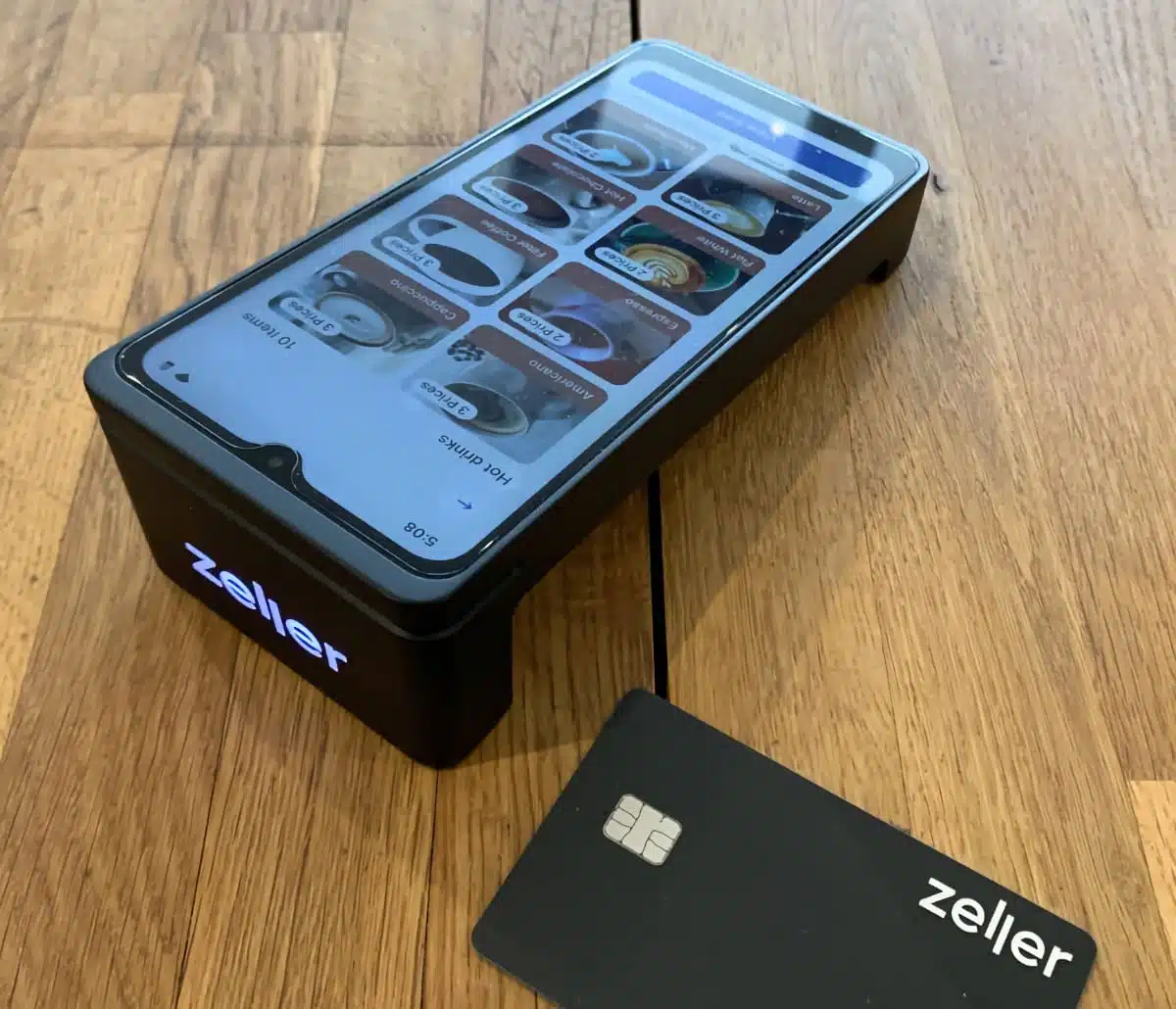
A Zeller EFTPOS terminal comes with an online business account with a linked Mastercard.
Zeller Terminal 1x (newly launched upgraded version) has a receipt printer and large touchscreen showing a simple checkout for entering a transaction amount, adding a tip and accepting cards. Customers can enter their PIN on the screen.
Terminal 2 has actual POS software like a product library to make it more versatile, but no receipt printer.
“I was impressed with Zeller Terminal 2’s unique beauty, like the lit-up logo on its front end and flat middle body. The software layout could be more intuitive in a couple of places, but it was overall user-friendly, payments worked smoothly and the battery doesn’t run dry from being on standby for a few days.”
– Emily Sorensen, Senior Editor, Mobile Transaction
Both have day-long battery lives and WiFi connectivity, but a SIM card should be purchased if you need 4G.
Accepted cards
They integrate with leading POS systems, accounting, ecommerce and Buy Now Pay Later solutions.
One of the latest functions is Pay at Table, available free of charge for H&L point of sale users, to help restaurants turn tables faster with fewer errors. More features are continually added, such as split bills.
On my Terminal 2, I loved how I could upload any picture file and it would display as a screensaver with a matching background colour. This could be a promo graphic or business logo – not a feature you see with Square.
Last but not least, Zeller generous support is available to phone every day of the week between 9 AM and 1 AM (AET).
Overall, Zeller has evolved into a complete solution for many businesses looking for EFTPOS, a business account, spend management, POS, invoicing and integrations with accounting.
Pros:
Cons:
Previously More Payments, PayNuts offers a range of payment solutions for small businesses, mainly EFTPOS terminals without contractual commitment.
There are no fees for setting up, shipping, contract termination (it is cancellable any time), refunds or payouts. Other fees depend on your chosen plan which is either Low Fee EFTPOS or Interchange++.
PayNuts pricing:
| PayNuts | |
|---|---|
 |
|
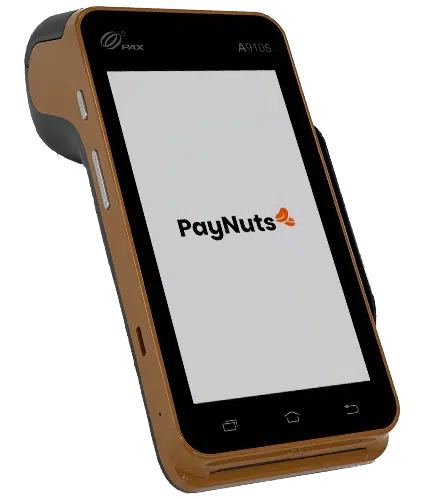
| EFTPOS machine | Standalone, mobile and portable EFTPOS machines |
| Rental plans | Low Fee: $0/mo Interchange++: From $29 incl. GST/mo |
| Transaction fees | Low Fee: 0.7%–1.5% (depends on card, turnover) Interchange++: Varied fees depending on card |
| Contract | No lock-in, setup fee or monthly min. charge |
| Payouts | Next business day or same night (7 days a week) in bank account |
The Low Fee plan costs nothing for EFTPOS rental, just a fixed transaction rate for Visa and Mastercard covering the EFTPOS machine costs too (premium card brands have higher rates). The rates are personalised and on the low side compared with alternatives, between 0.7% and 1.5% depending on your type of business and revenue.
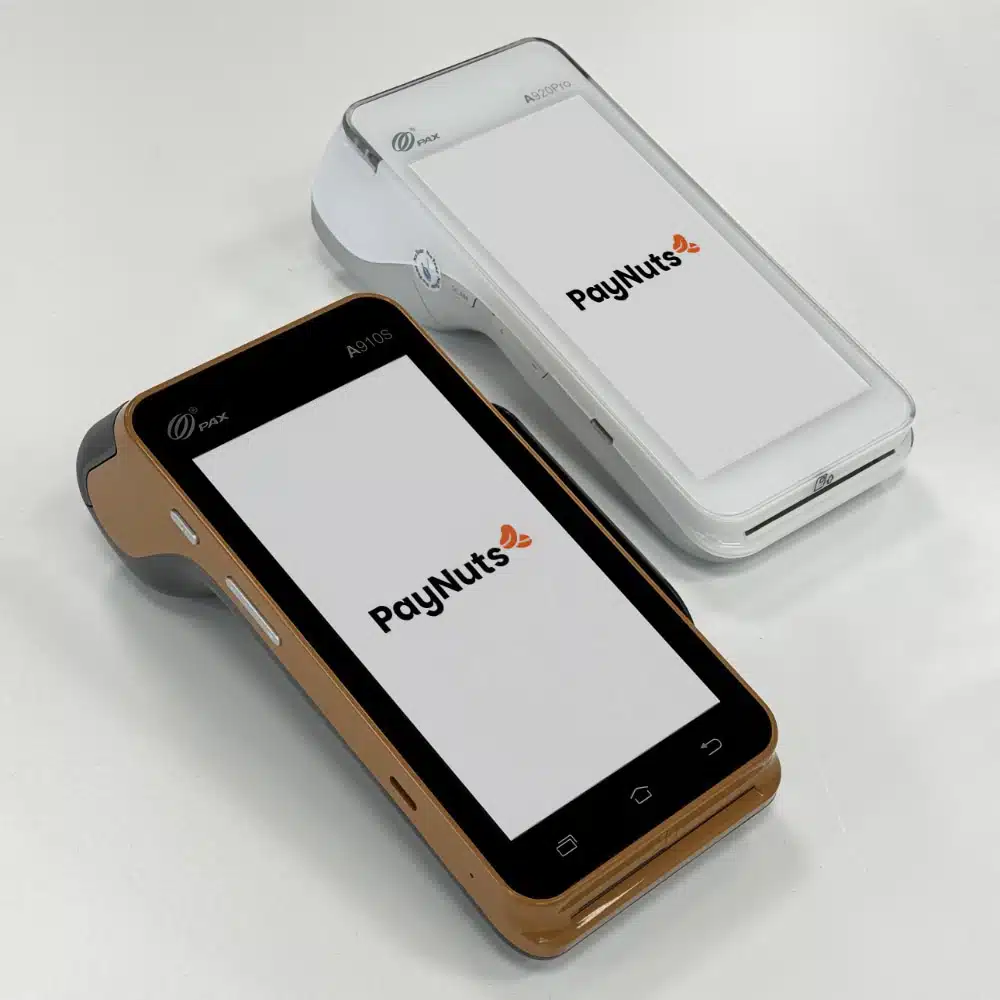
PayNuts offers a simple-fee and interchange++ plan, both of which can be cancelled any time.
The other plan, Interchange++, charges from $29 incl. GST monthly for EFTPOS rental and a very detailed set of fees for card schemes (e.g. Visa, eftpos), banks and a small commission for PayNuts. Although very varied, these fees reflect the actual cost of taking each card payment and are in total lower than the fixed rates on the Low Fees plan. Many businesses also see this as more transparent, as they get a detailed breakdown of all these costs every month.
PayNuts’ most popular EFTPOS machine is the mobile and portable PAX A910S Android terminal that comes in a tasteful mocha colour and white. It prints receipts and features a gorgeous HD touchscreen.
For a slightly longer battery life and professional, built-in barcode scanner, the white PAX A920Pro is PayNuts’ premium choice. We’ve tested this and can honestly say its card processing is very fast, it’s pleasant to hold and the screen is high quality.
Accepted cards

PayNuts also offers PAX A80 with glove-friendly push-buttons for a countertop. Another option is the smartphone-like PAX A77 without a receipt printer, but slim enough to slip into a waiter’s pocket (perfect for taking orders at tables).
These terminals integrate with over 1,000 POS software systems, but can be used independently. Recently, PayNuts launched their own POS registers with adaptable, simple POS software ideal for retail and hospitality businesses that want to keep all their software and payments with one provider.
PayNuts accepts most cardss, but American Express requires an extra contract. Buy Now Pay Later options are also available: Afterpay and Zip Pay.
Transactions deposit into your bank account at any Australian bank the following working day. Same-night funding is available at no additional cost.

Pros:
Cons:
Australian bank Westpac offers one of the best EFTPOS machine packages on the market. They’ve caught up with the fact that small businesses prefer less bureaucracy, modern terminal solutions, simpler fees and no commitment.
Westpac caters to most checkouts with its mobile, portable and stationary touchscreen terminal (EFTPOS Now), stationary machine (EFTPOS Connect) and self-service terminal (EFTPOS Flex).
Photo: Westpac
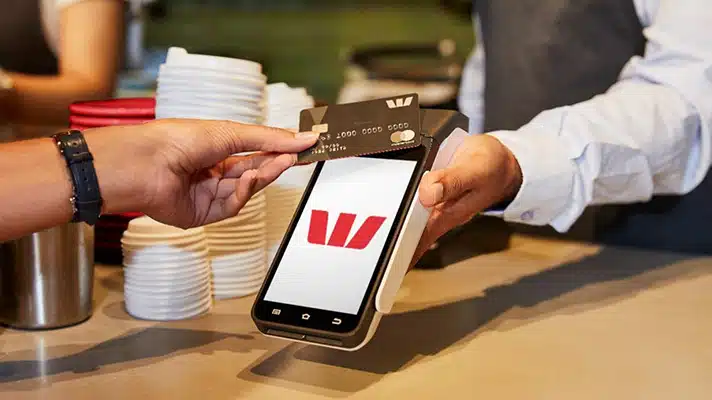
The EFTPOS Now smart terminal is attractive-looking.
EFTPOS Now, a Verifone T650p model, is a beautiful touchscreen terminal that works independently in all situations, anywhere with WiFi or 4G. The basic package does not integrate with POS software, but is instead a “mini point of sale” with useful features like tipping, preauthorisations and split bills. It does all this through its fully-touchscreen interface, which will appeal to modern businesses.
With the ‘Presto’ add-on (costs extra), EFTPOS Now integrates with most POS systems, making it ideal for countertops and shop floors.
Accepted cards
The second option, EFTPOS Connect, is an Ingenico Move 5000 model that integrates with even more retail and hospitality software systems. It is used in large stores and allows you to add a logo on the screen for extra professionalism. The Flex terminal for self-service checkouts and kiosks is mainly for large retailers.
The bank charges a monthly rental subscription of $24.75-$27.50 depending on the chosen terminal. Then you pay a fixed rate of 1.2% per eftpos, Visa, Mastercard and UnionPay transaction, but not American Express or JCS cards which can cost around 3%. Qualifying businesses can get custom rates.
Either way, the costs are best for a steady turnover, and you get same-day payouts with a Westpac bank account. A maximum fee of $550 (incl. GST) is charged if you fail to return the terminal upon ending the contract or if it gets damaged.
The only free solution is Westpac Air, an app on your smartphone that accepts contactless taps directly on the back of the phone (for 1.4% per transaction).

Pros:
Cons:
The latest terminal from Commonwealth Bank (CommBank) is a Verifone Carbon Mobile 5 model named ‘Smart’. It attracts high scores for design and functionality, ideal for businesses on the go who do not have complex inventories. A simplified point of sale (POS) system is accessed on its touchscreen display.
Photo: CommBank
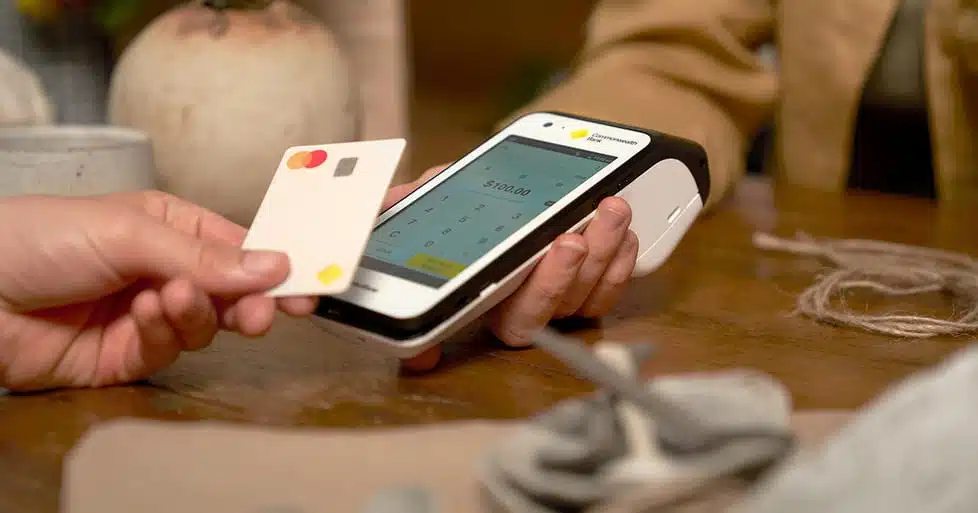
The terminal is a new-generation Android smart terminal, which is a step up in user experience.
It integrates with points of sale through a connector app, but not all POS systems are compatible. The terminal comes with a few other apps, like Smart Giving for receiving donations and Smart Hospitality for taking orders table-side.
There are no setup fees or lock-ins, but the replacement fee of $500 in case of non-return or a broken terminal can be a stressor for some.
The flat, blended fee of CommBank is competitive. As with the other big five banks, though, we have received reports of hidden costs on top of the monthly rental fees.
Accepted cards
While the consumer app of CommBank receives praise, the app for business has lagged behind. This means that analysing sales and performing other tasks, such as sending invoices, just won’t be as pain-free as with the providers on top of this list.
A few EFTPOS terminals are available through CommBank (Smart Integrated and Essential Plus) for the same rental and transaction fees. In addition, the Square-lookalike Smart Mini costs $59 upfront to purchase, but requires a very basic phone app to operate.

Pros:
Cons:
Tyro offers three portable and mobile EFTPOS machines (Tyro Pro) for rental.
You pay $29 monthly for Pro Touch (with a large touchscreen) or Key (with a keypad and touchscreen display) that work with 4G or WiFi and integrate with most POS systems. Recently launched Pro Lite is a somewhat simpler version of these terminals.
The service is cancellable any time, but you have to return the terminal when leaving the contract.
Tyro pricing:
| Tyro Pro Key EFTPOS | Tyro Pro Touch EFTPOS | |
|---|---|---|
 |
 |
|
| EFTPOS machine | Mobile card machine (WiFi, 4G) |
Mobile card machine (WiFi, 4G) |
| Cost | $29 incl. GST/mo (rental) | $29 incl. GST/mo (rental) |
| Transaction fees | Below $20k/mo turnover: 1.4% incl. GST $20k+/mo turnover: Tailored Cross-border fee: 0.4% + 0.4% if using DCC |
|
| Contract | No lock-in, no setup fee | |
| Payouts | Same day in Tyro Transaction Account, 1-2 business days in other bank account | |
“My tests of Ingenico Axium DX8000 (Tyro Pro Touch) have been positive, so this shouldn’t have issues unless Tyro’s software fails.”
– Emily Sorensen, Senior Editor, Mobile Transaction
Tyro has no contractual lock-in or setup fee, meaning you can sign up without too much risk.
If your business transacts for less than $20,000 per month and you rent a terminal, your transaction rate is fixed at 1.4% across cards. A card turnover above $20k monthly gives the merchant custom rates dependent on the business, turnover and cards accepted.
Photo: Mobile Transaction
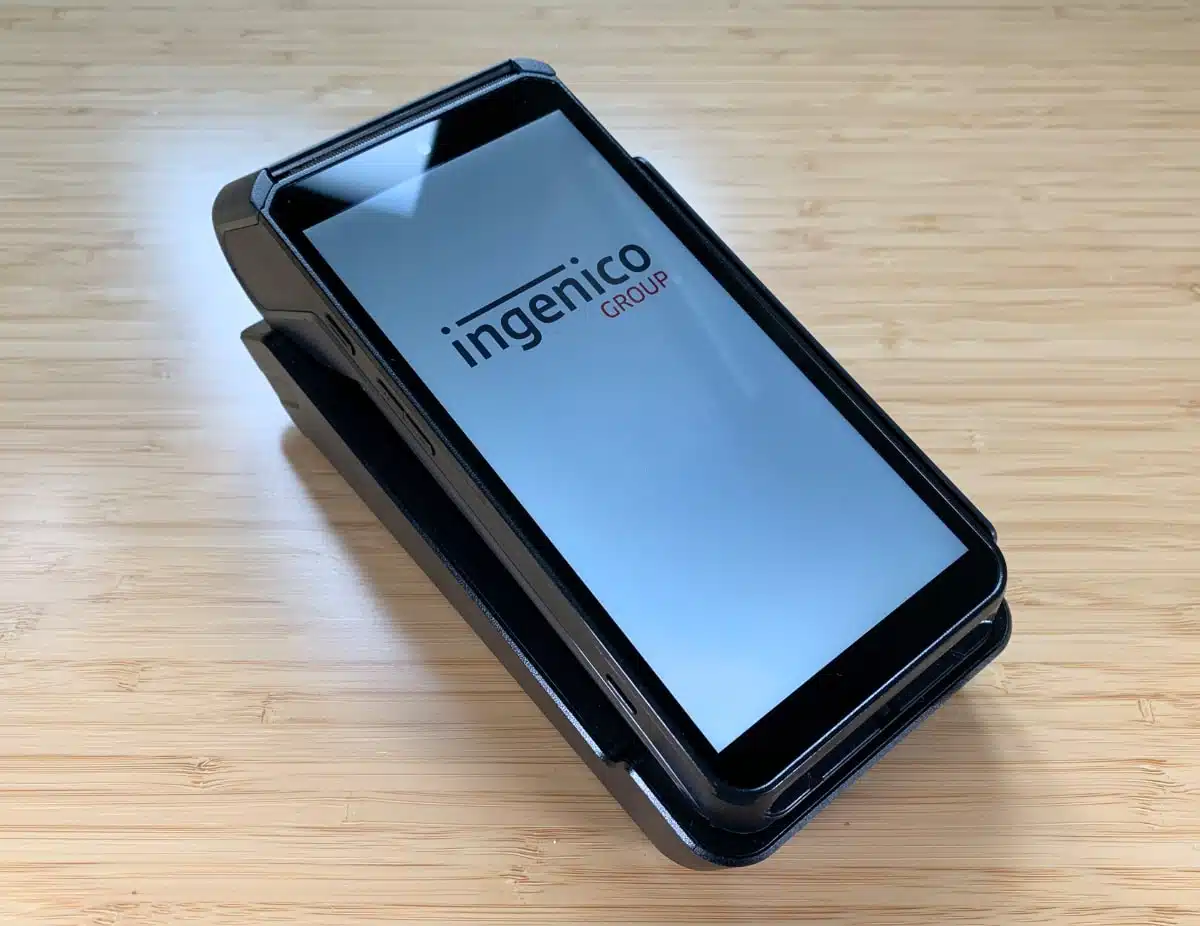
Tyro’s Pro Touch suits merchants who want a cutting-edge EFTPOS machine on a simple plan.
The Pro machines are manufactured by Ingenico, hard-wearing and look professional on a countertop or outside. They’re a big step up from the previous outdated Tyro terminals that had technical problems in 2021. The new card machines are much better, including the cheaper Pro Lite for $19 monthly.
Accepted cards
If you’re planning to pass on fees, the dynamic surcharging on the card machines is perfect for running this smoothly.
Payouts settle in your bank account within 1-2 business days, whereas a Tyro Transaction Account gives you access to funds the same day.

Pros:
Cons:
Former EFTPOS company Smartpay has recently been acquired by international payments company Shift4. Taking on the Shift4 brand, the company still offers a plan that requires surcharging to avoid fees. And like before, the terminal has limited features apart from basic card transactions.
The former Smartpay brand has already won over a solid fraction of Australian small businesses. Sellers typically opt for its “zero cost” plan to to boost margins – but it is not for everyone.
Shift4 pricing:
| Pass the Fees (surcharging) plan |
Pay the Fees (fixed rate) plan |
|
|---|---|---|
| Min. fees required* | $100 + GST/mo | $100 + GST/mo |
| PAX A920Pro terminal | No rental fee | $34.95 + GST/month |
| Transaction fees | Passed on to customer; possible for merchant to pay instead | Merchant pays fixed, tailored fee |
| Payouts | Next business day | Next business day |
| Contract | No lock-in, but 90-day notice period | No lock-in, but 90-day notice period |
*This is the minimum amount per month that Shift4 requires through transaction fees (via surcharging or paid by merchant).
For a start, no merchant can avoid paying less than $100 + GST every month through transaction fees or surcharging – that’s how the companies makes money.
At the time of writing, only one terminal is offered by Shift4, the PAX A920Pro model. This is a vast improvement on the last EFTPOS machine it offered when it was Smartpay, so we’re happy to see some progress.
Photo: Mobile Transaction
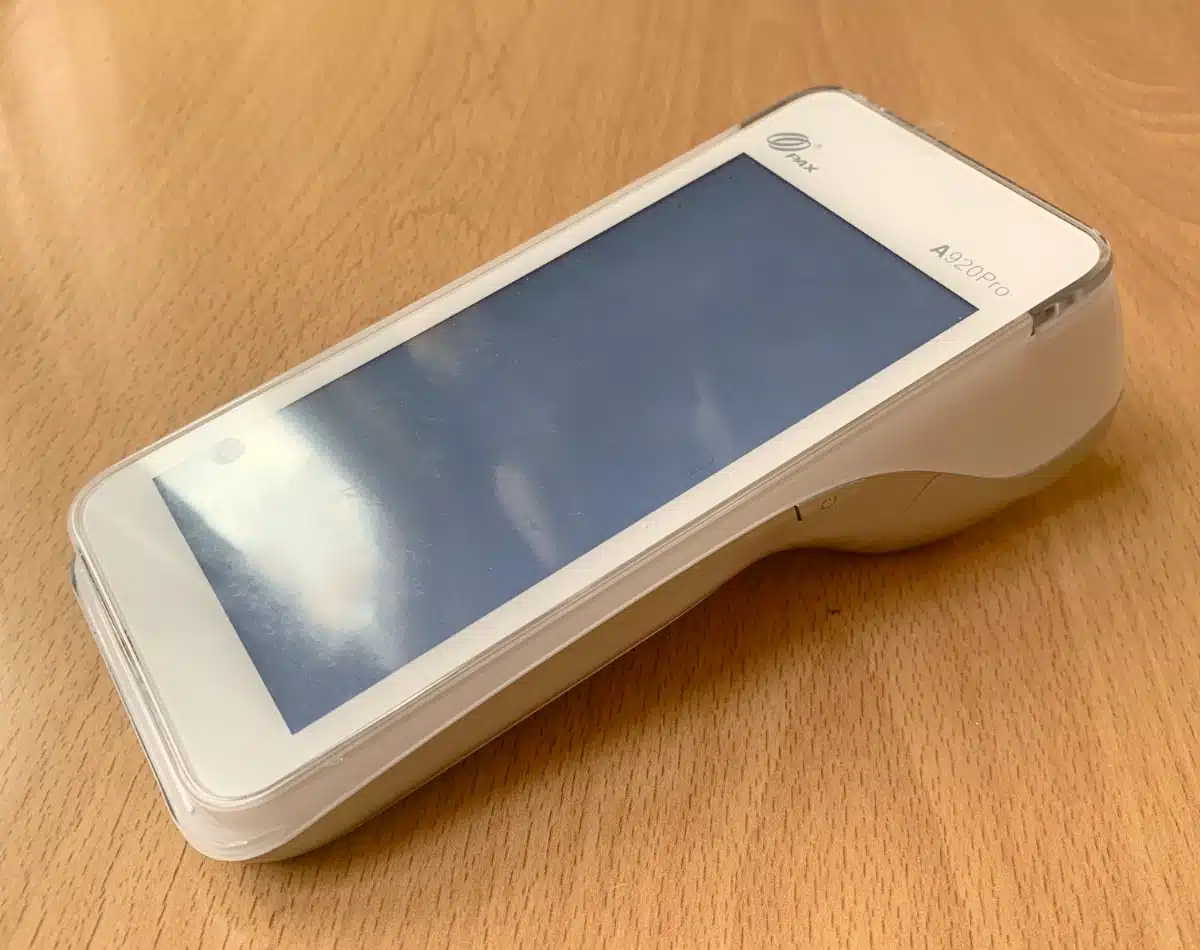
PAX A920Pro (pictured) is a big upgrade from the old Smartpay terminal.
Fees are based on your industry and sales turnover. Additionally, the “low fixed rate” on the Pay the Fees plan only applies to Visa, Mastercard and eftpos, not Amex and other cards that have much higher fees and require an extra contract.
Deposits of funds happen the next business day.
Accepted cards
Available with extra contract

Worryingly, Shift4 tends to hide behind an image pretending to be cheap, but its high monthly minimum charge makes it expensive with a low monthly turnover below $10,000. On the other hand, the onboarding is typically faster than that of a traditional bank.
With more players on the market offering surcharging without extra fees, the draw of Shift4 is not as strong as it used to be.

Pros:
Cons:
On paper, the offering from NAB looks fairly competitive. The biggest draw for many is the same-day settlement of funds if you are a NAB business account customer.
Their integrated EFTPOS terminal, Ingenico Move 5000, is hard to fault. We’ve used it many times and find it straightforward to use, with both a colour touchscreen and push-button PIN pad to aid accessibility. It connects with almost any POS system and can be used wired or wireless.
Not using a point of sale system? The standalone Quest QT850 NAB’s solution for that. It has a touchscreen and works on the go or in store with its basic payment software.
Photo: NAB
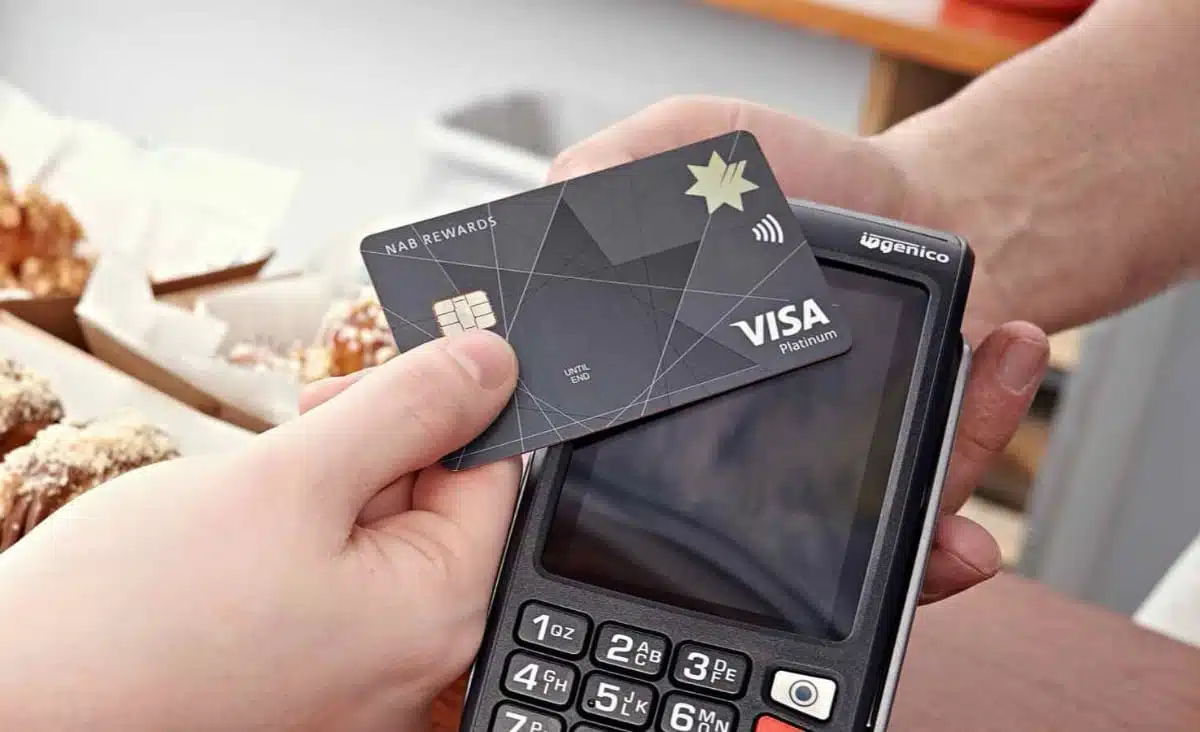
Ingenico Move/5000 is highly reliable and suited both on a counter and portably.
At second glance, the story is more mixed. The standalone or integrated terminal costs $25 monthly, which is one of the lowest rental fees on this list, but it still exceeds the cost of purchasing comparable smart terminals from providers higher up this list over the course of a year.
NAB’s fixed card processing rate of 1.15% is competitive, but it only applies to Visa, Mastercard, eftpos and UnionPay cards. To accept American Express, JCB or Diners Club, rates have to be negotiated individually for separate contracts, resulting in more paperwork and fees at the high end – unless the processing volume is high.
Accepted cards
Separate contract, extra fee
Despite fees being a mixed bag, the cost alone is likely not the main reason many businesses wish to look elsewhere. While the NAB consumer banking app is getting mainly positive feedback, the same cannot be said about the ease of the business app, nor the web dashboard. The day-to-day administration of the account just isn’t as good as one would expect from a digital solution.
Transfer speeds compared
We know that many merchants want fast deposits for EFTPOS transactions. Urgent bills can be paid quickly if card takings are accessible the same or next day – but not all providers offer settlement faster that the next 1-2 business days.
Overview of payout times among EFTPOS providers:
| Company | Transfer speed options |
|---|---|
| Square | Fastest: Instant in bank account (1.5% fee) Slowest: Next day in bank account (free) |
| Zeller | Fastest: Midnightly deposits 7 days a week in Zeller account (free) Slowest: Next business day in bank account (free) |
| PayNuts | Fastest: Nightly deposits 7 days a week in bank account (free) Slowest: Next business day in bank account (free) |
| Westpac | Same day 7 days a week, at a set time, in Westpac bank account |
| CommBank | Nightly deposits 7 days a week in CommBank bank account |
| Tyro | Fastest: Nightly deposits 7 days a week in Tyro account (free) Slowest: 1-2 business days in other bank account (free) |
| Shift4 | Next business day in bank account (free) |
| NAB | Nightly deposits 7 days a week in NAB bank account |
Square is the only one that offers instant deposits, but it comes at a cost of 1.5% added to the transaction rate.
All others except for Shift4 have an option for nightly payouts, typically in a business account from the same bank or provider.
Other EFTPOS machines just didn’t make sense to recommend unless you already use the company’s services (i.e. Stripe and Shopify).
Some terminals in Australia have been discontinued or are less popular, but the EFTPOS market is moving so we hope to see more competition soon.
Summary
The EFTPOS solutions with least commitment remain Square and Zeller, since they have no monthly fees or contract lock-in.
Square can get you started with the cheapest card reader, POS apps and the most free payment tools. Zeller’s high-performing, versatile touchscreen terminals have a low rate and a free business account, Debit Mastercard and useful extras like POS integrations and invoicing.
PayNuts offers the most attractive custom fees on the market, with some of the best quality terminals, efficient onboarding and no contract. Although Shift4 has a “pay nothing” plan, this is bound to end soon when surcharging is banned in October 2026.
The ‘big 5’ banks look fairly good on paper. We’ve tested the terminals they offer, and the card machines are difficult to fault in real life. What the banks still lack is the ease of use of the digital services, and customer service.
Tyro is a popular provider with no contract, but its slow onboarding and problematic service have been issues for many merchants.
Rundown of the best card machines for small-business owners:
| Provider | Best for | Offer |
|---|---|---|
 |
Cheapest card reader for small business, free extra selling tools | |
 |
Affordable touchscreen terminals with online account and Mastercard | |
 |
Quality terminals, low and variable rates without lock-in | |
|
Good range of EFTPOS solutions for Westpac account holders | |
|
One of the lowest flat EFTPOS rates from a bank | |
|
Integrates with most POS systems, well-known brand | |
|
Potentially no fees, but $100 + GST min. monthly fees | |
|
Same-day settlement for most payment cards |