
Payment by link is an easy way to accept cards online – no EFTPOS machine required. It can be used for impromptu sales on the phone, social media, online, on invoices and in person, and you don’t even need a website.
What are payment links?
- URLs for web page where customers pay online
- Shared via email, SMS, apps and social media
- Customers pay by card or other online method
- For fixed or open amounts
Depending on the merchant provider, you can send a pay button via email, text message or social media. Fees for these transactions are higher than for card terminal sales, given the fact that card details are entered manually rather than confirmed physically in a card reader.
Virtual terminals where the merchant completes the transaction themselves on a web page can be found here instead.
Payment links, in contrast, are for when the cardholder completes the transaction – that’s what we’re comparing below.
All of our options are mobile-friendly, so payers can open the link on their phones to pay easily online.
Comparison of the best payment links for small businesses in Australia:
| Provider | Best for | Rates | Features | Site |
|---|---|---|---|---|
| Zeller | Affordable, with surcharging | 1.75% + $0.25 (all cards) |
|
|
| Airwallex | Global transactions, multi-currency | 1.65% (domestic cards) / 3.4% (other cards) + $0.30 |
|
|
| Square | Most free payment link features, ease of use | 2.2% (all cards) |
|
|
| GoCardless | Best for direct bank payments | 1%-2.25% + $0.40 (bank transfers) |
|
|
| Adyen | For high-volume online business | 0.2%-3.95% + $0.13 (cards) |
|
|
| Stripe | Integrates in any payment flow | 1.7% (domestic cards) / from 3.5% (other cards) + $0.30 |
|
|
| Pin Payments | Australian service with surcharges | From 1.6% (domestic cards) / 3.4% (other cards) + $0.30 |
|
|
| PayPal | Convenient, customers trust the brand | 2.9% + $0.30 (cards) |
|
Zeller Pay by Link – all-round good value, Australian
Best-known for its popular EFTPOS machines, Zeller includes a Pay by Link option through its browser-based Virtual Terminal.
Users can log into their online merchant portal, create a transaction and send it as a payment request via SMS, email or copy-and-paste link through any online channel.
Unlike Square (listed further down), you can add a surcharge to these online transactions to recoup Zeller’s transaction fee. You can also attach the payments to a customer saved in a customer library.
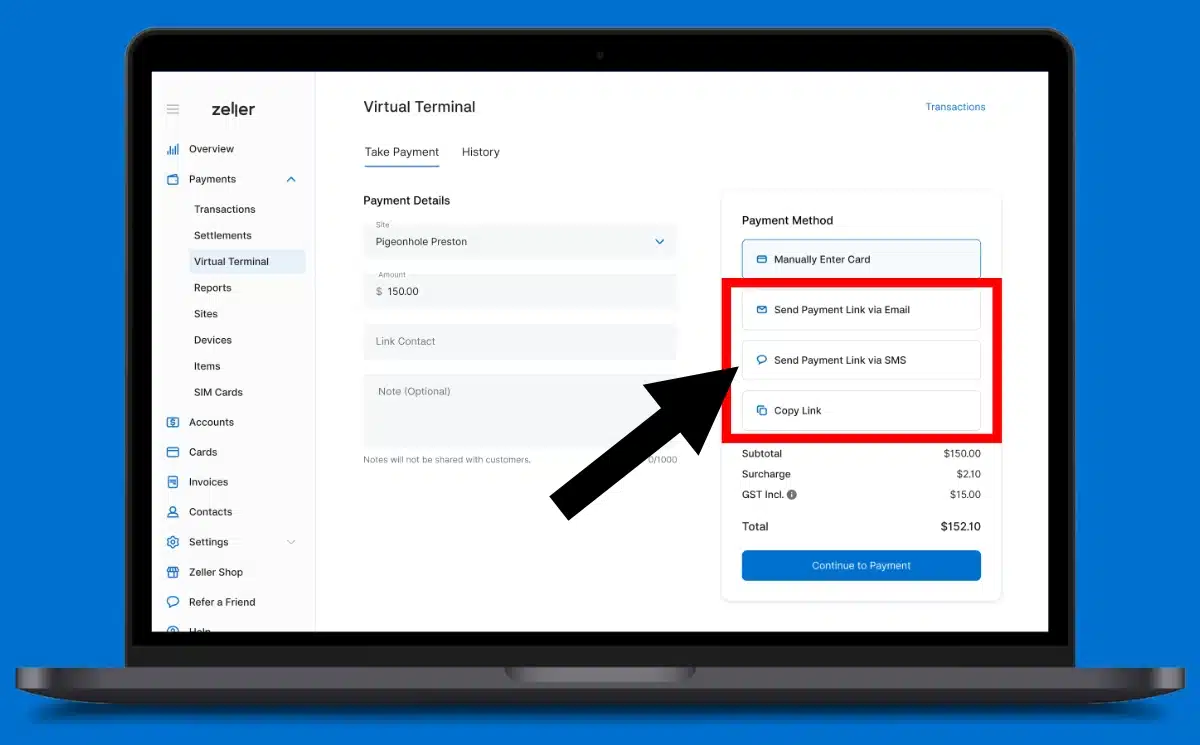
The service has no monthly fee, just the pay-as-you-go transaction charge of 1.75% + $0.25 for all cards.
This fee is more competitive than Square’s fixed 2.2% for larger transactions than $55 AUD. Below that, Zeller’s fixed fee of ¢25 on top of the percentage rate makes transactions more expensive, whereas Square doesn’t have a fixed fee, just a percentage rate that’s higher than Zeller’s.
“Zeller’s fee for large transaction values and surcharging for online payments are attractive, but the payment links would be more practical if Zeller adds the feature to its app.”
– Emily Sorensen, Senior Editor, Mobile Transaction
So far, you can’t send Zeller payment links through the EFTPOS terminal or Zeller App, so the biggest downside is that you can only create and send the links from a computer or internet browser on a smaller device.
Airwallex Payment Link – best for international sales
If you’re not just selling to Aussies, Airwallex is the ideal payment link provider with its online business account.
We’ve used Airwallex for five years after switching from a high street bank, and we have no regrets. There’s no monthly fee or contract on the Explore plan (for qualifying merchants), just a pay-as-you-go rate per successful transaction.
“Our team has only had good experiences with Airwallex’s cross-border payments. An added advantage is its ability to accept Alipay, WeChat Pay and PayPal through the links, not just debit and credit cards.”
– Emily Sorensen, Senior Editor, Mobile Transaction
The account can transfer different currencies between countries without cross-border fees. By extension, customers can choose between 130+ currencies and their preferred payment method (Visa, Mastercard, Amex, Alipay, WeChat Pay, PayPal, Google Pay or Apple Pay) on the online checkout screen.
Funds will settle in your home currency regardless of how the customer paid.
Image: Mobile Transaction
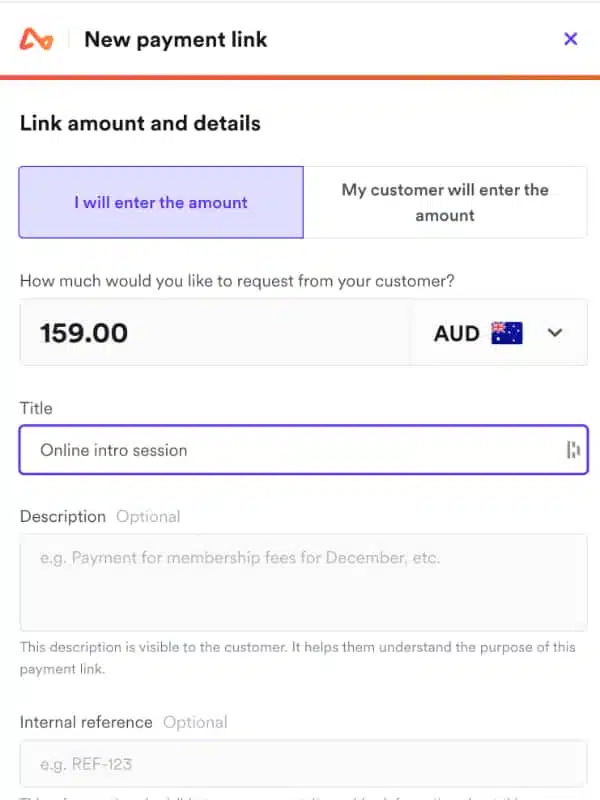
Image: Mobile Transaction
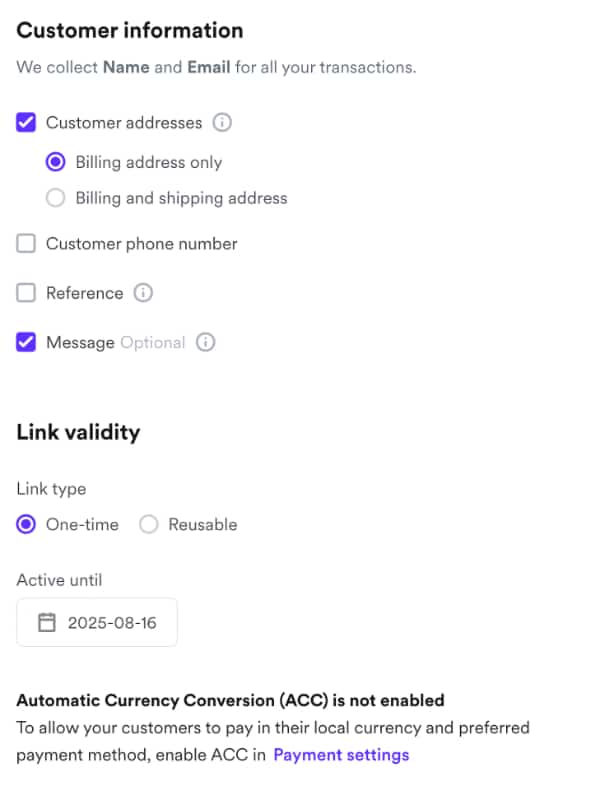
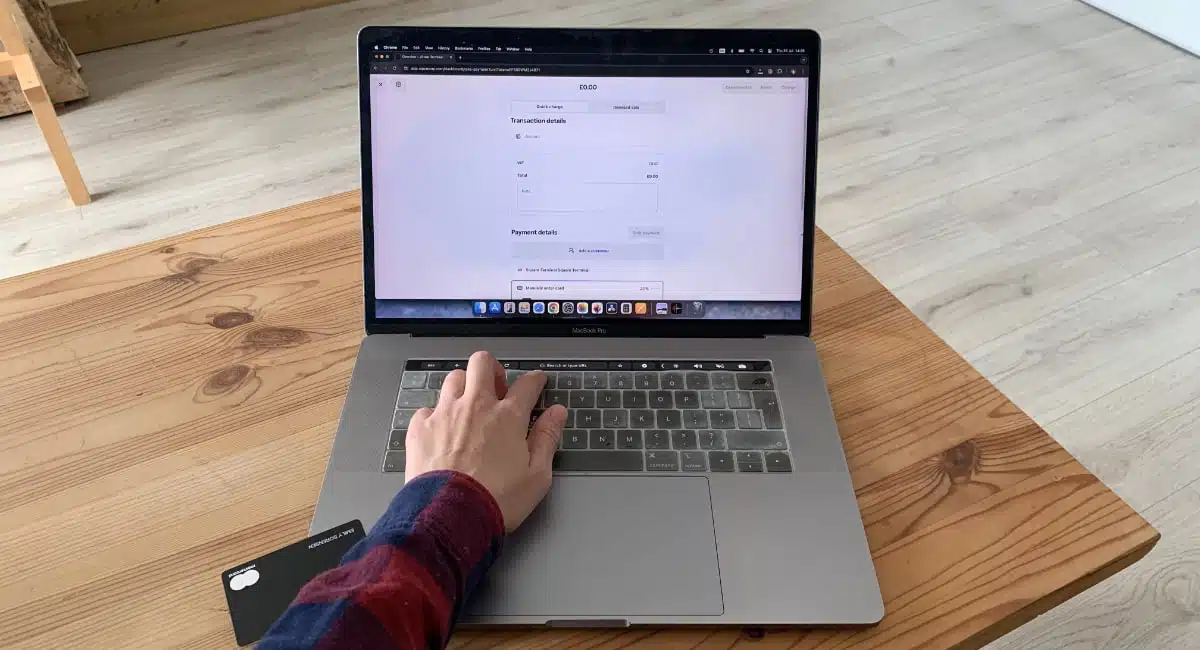
We’re able to create a one-time or reusable payment link in the Airwallex account (in a browser) and send it via email, SMS or embedded in a message or invoice. A QR code is generated for each link, which can be sent instead.
With Airwallex’s ‘Blended’ fees, transactions are 1.65% + A$0.30 if a domestic card was used, or 3.4% + A$0.30 with a foreign card. Additional fees for settlement, currency conversion or specific transactions may apply.
Subject to eligibility, you may be able to get interchange++ fees that are more variable than the blended rates.
Square Payment Links – best free payment link features
Square Payment Links are probably the most versatile solution without monthly fees or a contract. You can send links for specific POS transactions, individual products or donations with fixed or open amounts.
“Square has the most versatile, but user-friendly, pay-by-link options in Australia that I’ve tried. I love how you can send them via an app, browser or EFTPOS machine and organise links for different purposes.”
– Emily Sorensen, Senior Editor, Mobile Transaction
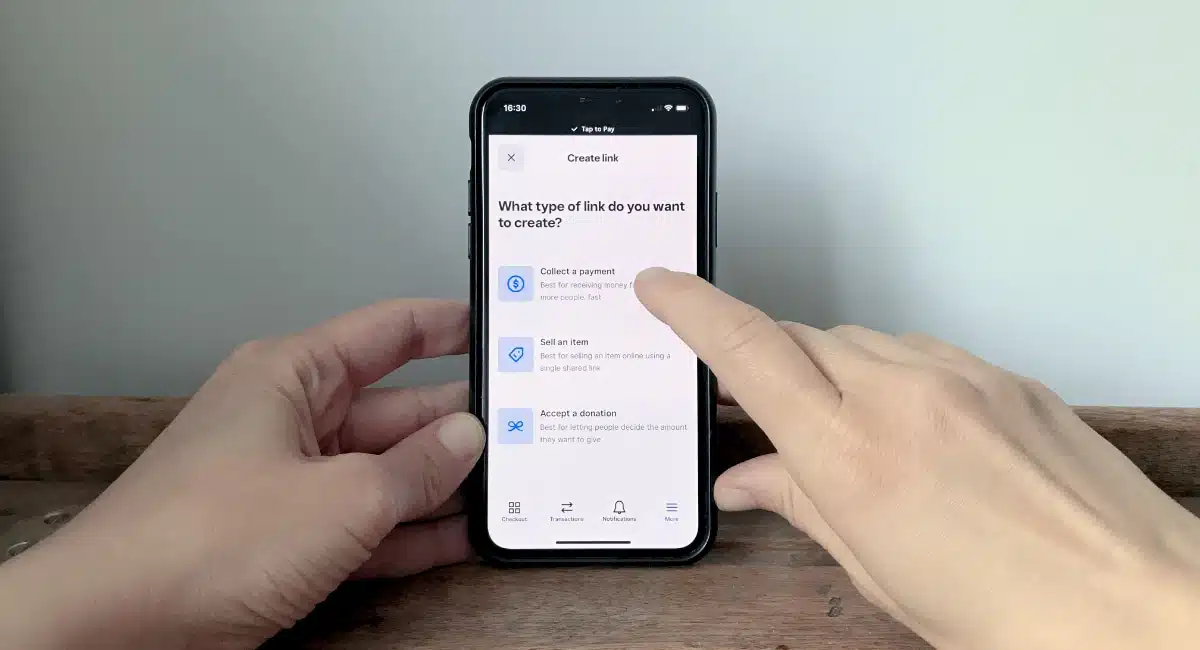
These links can be shared through your phone and apps, and the URL copied and pasted anywhere. I only need to go to the Payment Links menu in the Square POS app and pick the link for a certain sandwich, then send it to the customer who wants to buy it.
You can also show or print a QR code to display at your business. Embed codes can even be generated for placing pay links on your website.
Photo: Mobile Transaction
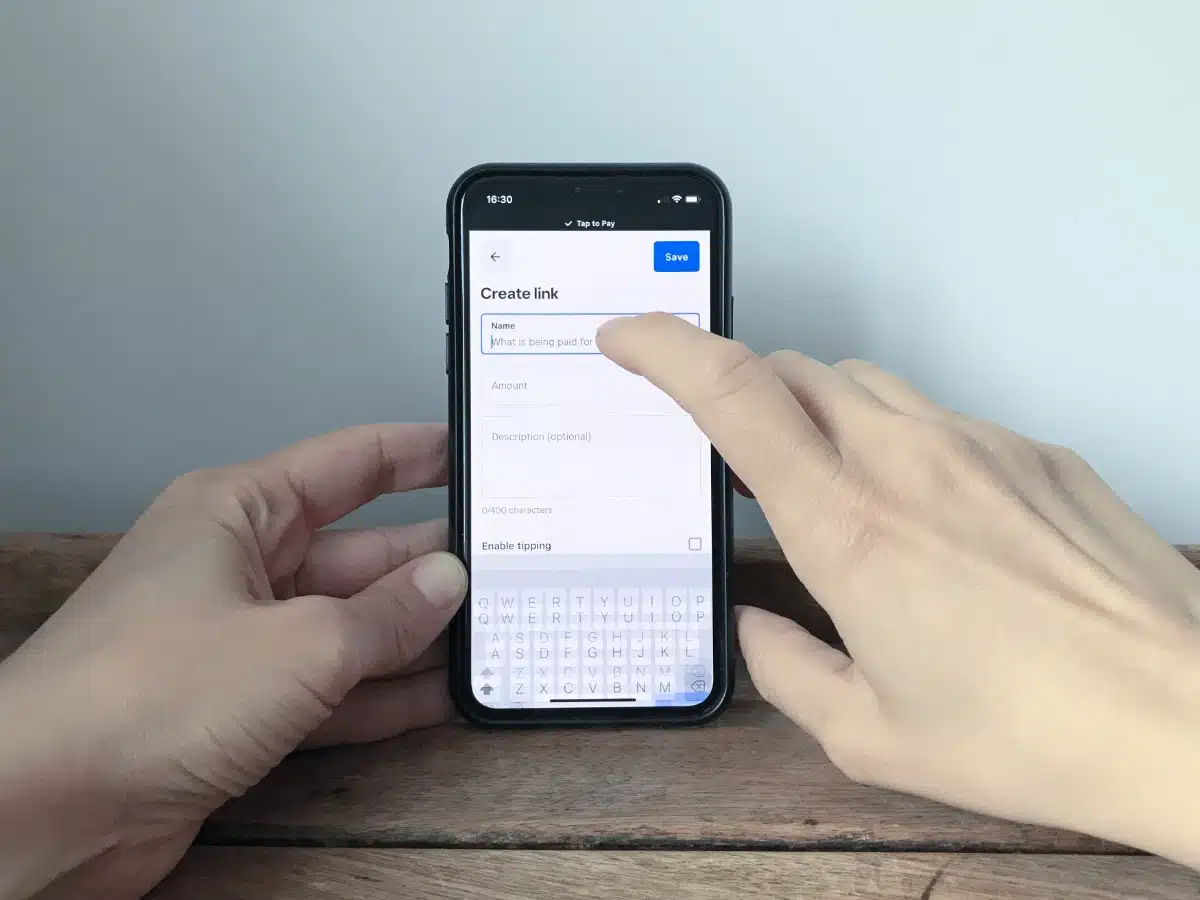
How it looks on iPhone when I create a link for a remote client.
In the Square Dashboard (browser), you can then see how many transactions have been accepted through the different links.
The customer opening the links will only need to enter their name, email address and card details for completing the transaction. If they access a link with an open amount, they will also enter the amount to pay.
Square has a simple sign-up form on their website, requiring you to connect a bank account for receiving the payouts. The only cost is a transaction fee of 2.2%. For an extra 1.5% fee, merchants can receive funds instantly in their bank account.
GoCardless – affordable direct debit options
GoCardless is different from a credit card processor, as it handles bank transfers (direct debits) only – in a much easier way than manually entering bank details.
Instead, businesses can send a link for a page where the customer selects their bank and follows a few steps in their banking app to complete the one-off payment or recurring payment setup to initiate a subscription.
“GoCardless has created a gold standard for easy bank transfers. I like the fact it accepts bank transfers from other countries too, not just Australia.”
– Emily Sorensen, Senior Editor, Mobile Transaction
While donating an amount to a charity, I was prompted to scan a QR code on the web page (pictured below). This opened my banking app to verify the transaction.
Image: Mobile Transaction
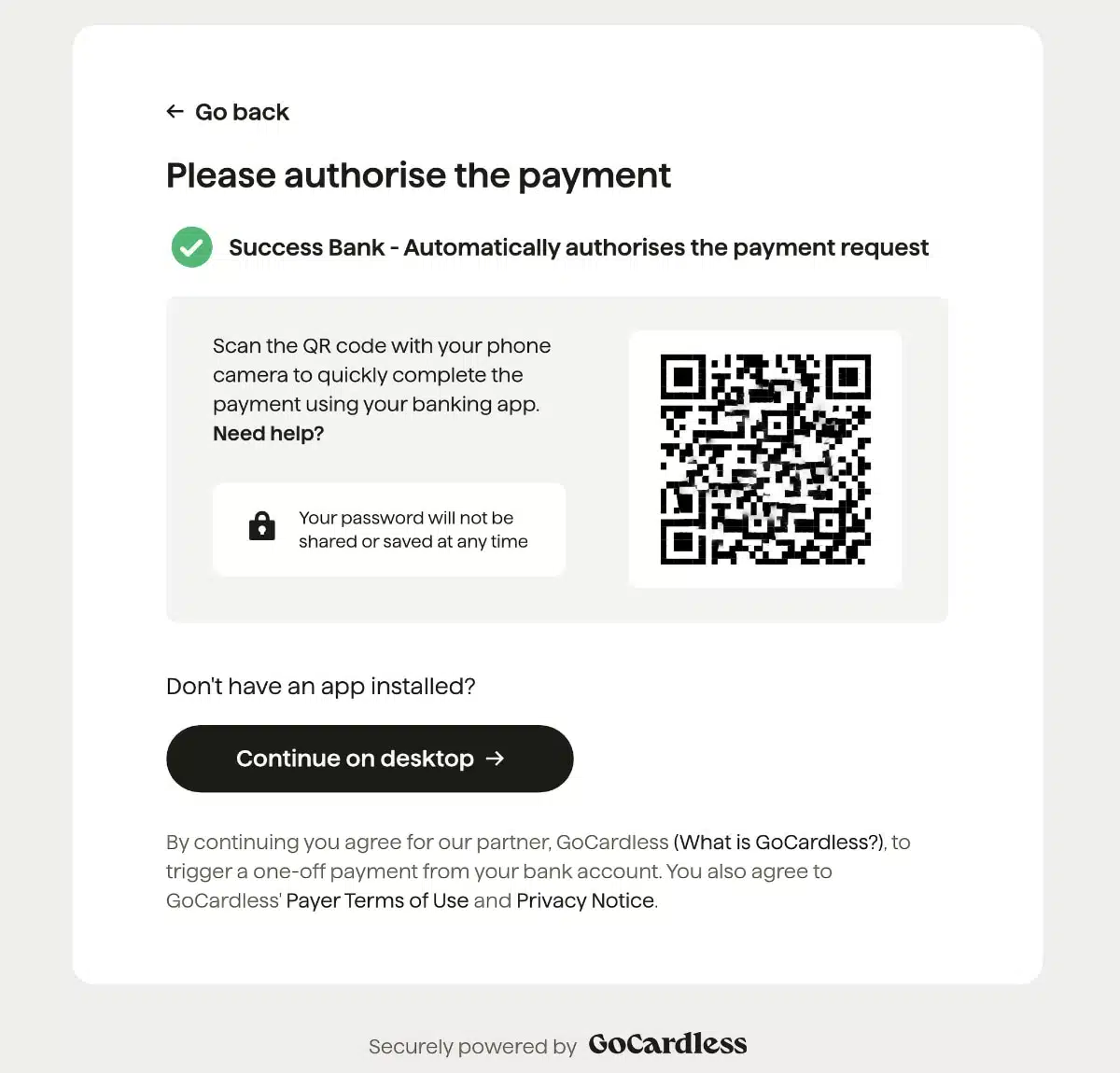
GoCardless asked us to scan a QR code when paying an amount via a payment button.
Compared with card transactions, bank payments are cheaper, even for cross-border transfers.
There’s no monthly fee, just a transaction fee that depends on your choice of features. The Standard plan charges 1% + A$0.40 per transfer from an Aussie bank or 2% + A$0.40 from a foreign bank. For an added 0.25%, you get fewer failed payments and tailored payment and email flows.
Transfers to your chosen bank account take 3 business days, which is certainly not the fastest on our list. On the other hand, bank transfers usually have fewer payment failures, so some people prefer this option.
Adyen Pay by Link – for high sales volume
Adyen is an international online payments provider mostly for medium-to-large businesses. It’s intended for businesses transacting at least A$3 million annually and considering Adyen as their payment platform for all sales channels, not just payment links.
Adyen Pay by Link transactions cost a A$0.13 gateway fee plus the interchange rate of the card which can be anything from 0.2% to 3.95% (domestic debit cards are cheapest, foreign premium cards are high). That’s good value for merchants accepting mostly Australian debit cards for transactions over $30.
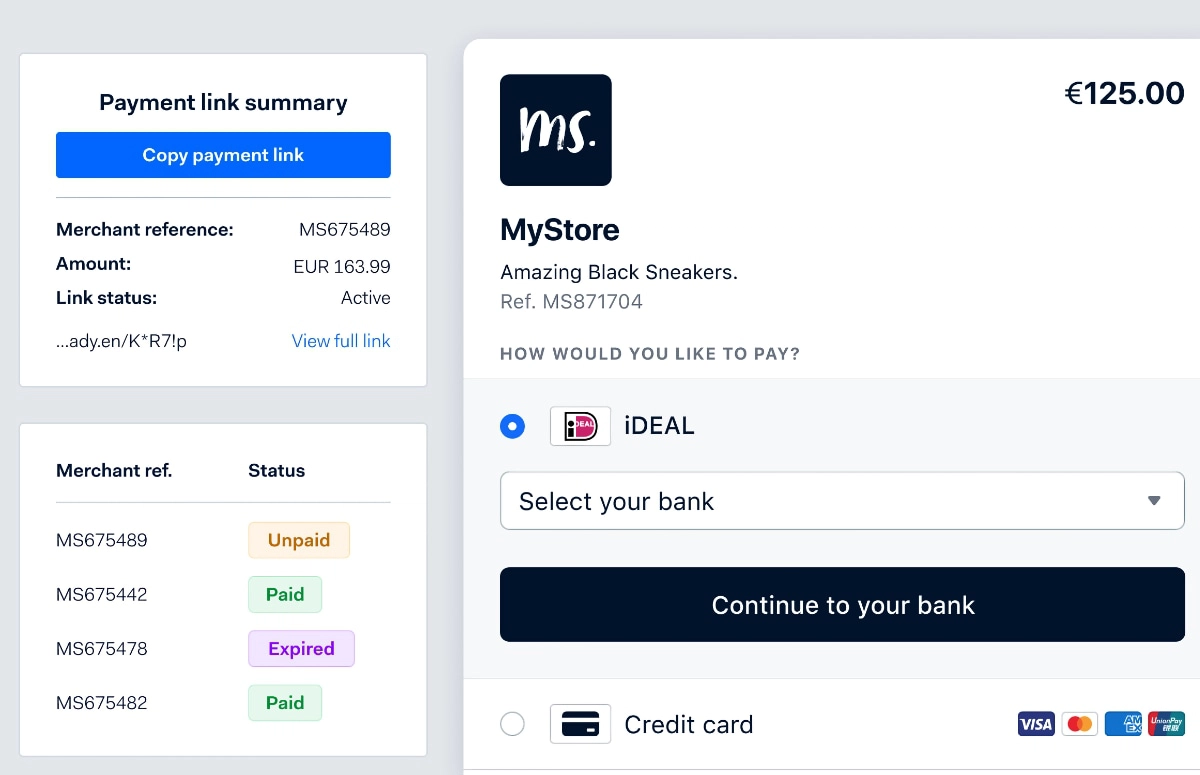
There’s no setup, closure or monthly fees, but Adyen requires a minimum of A$165 monthly in transaction fees. Opening an account requires a minimum deposit of around A$800, which is returned when the account is closed.
“We’ve calculated that your card turnover through Adyen Pay by Link should be at least A$30k monthly, in most cases significantly more, to satisfy Adyen’s deposit requirement and minimum fees.”
– Emily Sorensen, Senior Editor, Mobile Transaction
On the other hand, Adyen accepts many payment methods globally. The links can be sent via any channel online in various currencies and can be time-limited. Even the built-in payment security tools such as ‘3D Secure 2’ make Adyen more advanced than most market competitors.
You can also customise the checkout page, create QR codes and create open donation links – pretty much anything you need.
Stripe Payment Link – scalable customisations
Stripe’s payment platform is trusted around the world with its scalable customisation options through code. Luckily for a small business, you don’t need to know code to use its payment links from the Stripe account.
To generate a payment link, you set up an online payment page with your chosen colour theme, logo and whether to request a shipping address. This is done easily in Stripe, after which you can just send the payment URL in customer chats, via text, email, social media or elsewhere online.
“I see Stripe being used in many startups building custom payment systems, but payouts are slow and tedious to manage. Their payment links are more an add-on than the main reason why you’d go for Stripe.”
– Emily Sorensen, Senior Editor, Mobile Transaction
Alternatively, you can generate a QR code with the link or embed it as a button on a website or in an email.
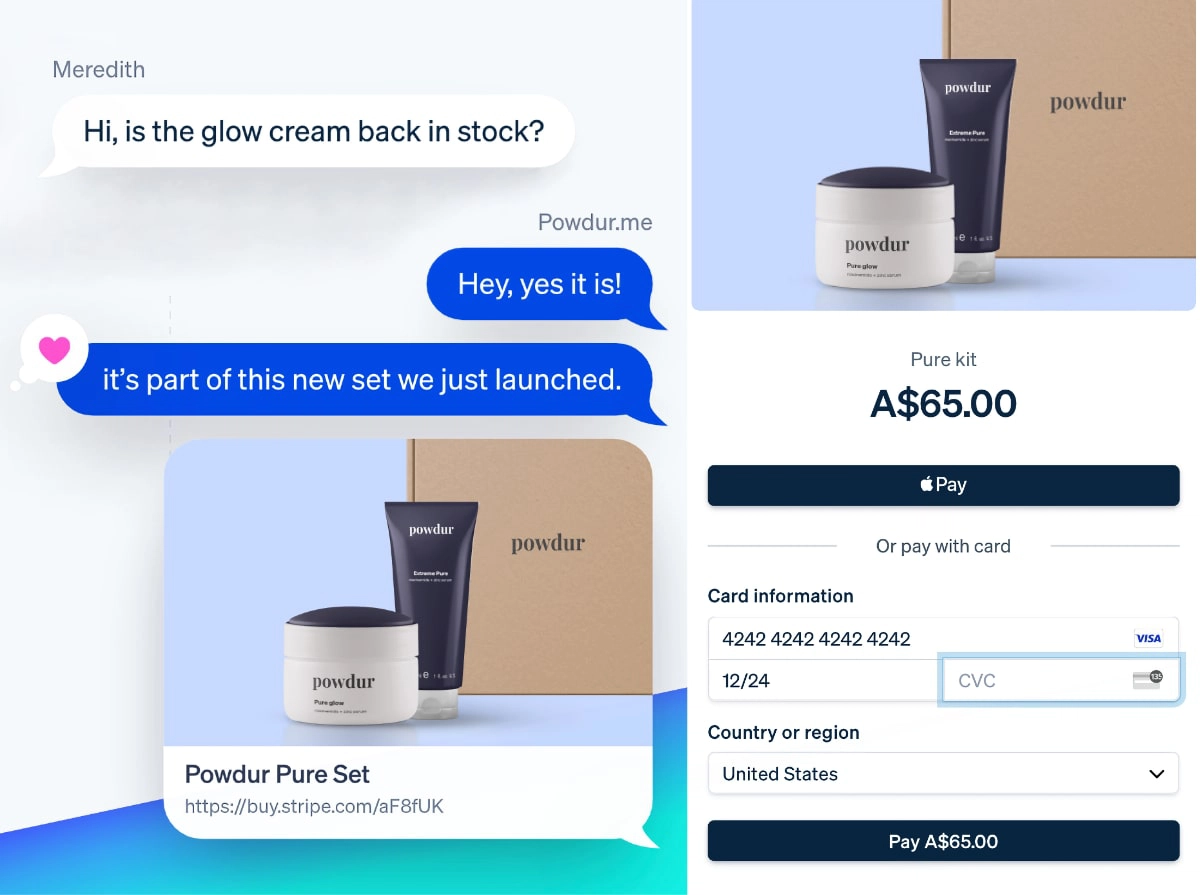
Links can be created for subscriptions, donations (open amounts) or selling products and services. They can be reused, allowing you to track payments for specific items over time. As with other Stripe products, it’s possible to integrate the payment links into a custom web- or app-hosted solution.
Transactions cost a fee of 1.7% + A$0.30 for Australian cards or 3.5% + A$0.30 for international cards and settle in your bank account. Foreign-currency transactions incur an additional fee of 2%.
Pin Payments – option to add a surcharge
A sub-company of Fat Zebra, Pin Payments is Australia’s local answer to online payments for small businesses.
The platform lets you create payment URLs to embed on invoices or websites, or send via SMS, email or other online message.
As with the other solutions, there’s no monthly fee or contract, just a transaction rate of 1.6% + A$0.30 for domestic cards and 3.4% + A$0.30 for international cards, plus a 1.7% currency conversion fee where applicable.
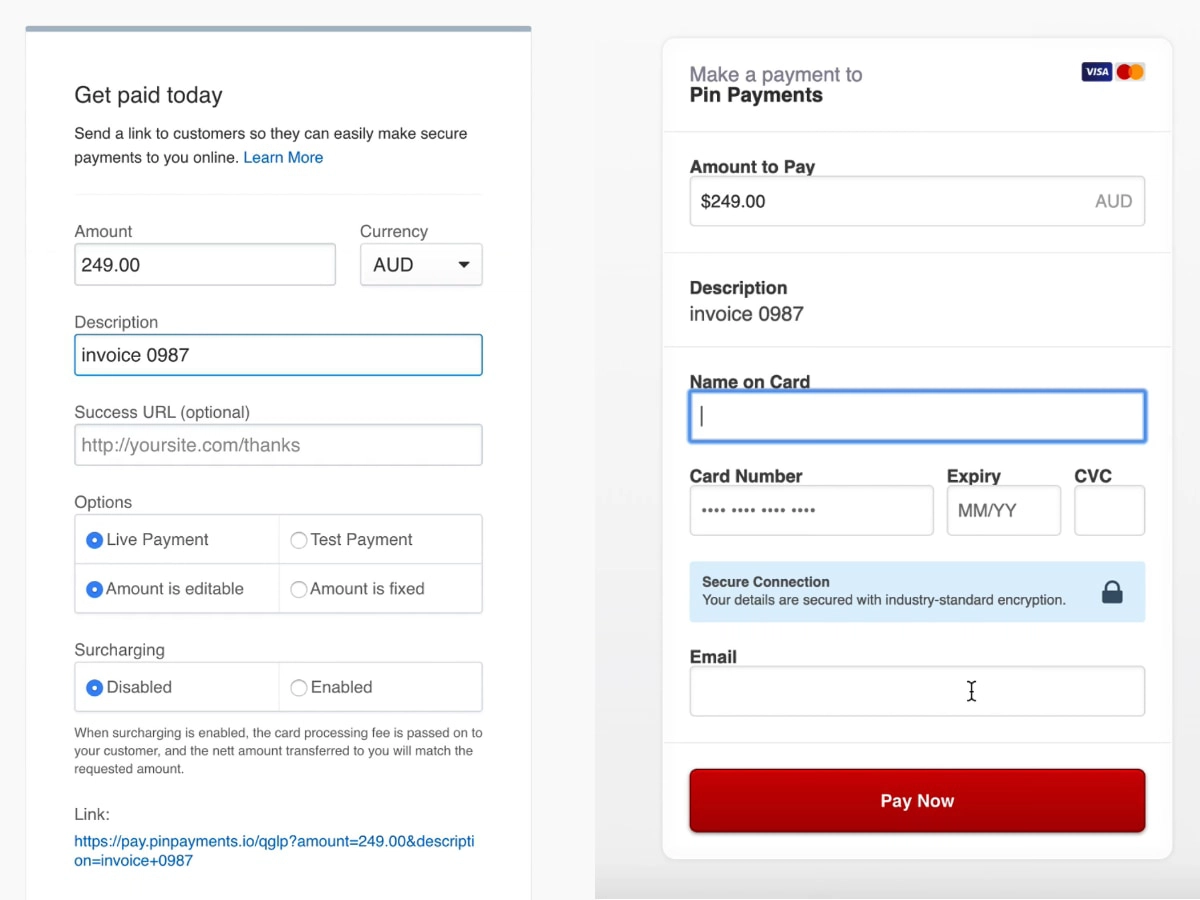
As a unique feature, you can add a surcharge to each payment link. This means you’re not charged anything for the transaction – instead, the customer will be charged the total transaction fees. Although tempting to switch this on, it’s worth considering whether this is fair.
Link payments can be fixed or open, live or a test. Buttons can be integrated on invoices from Xero, Synder and Invoice Ninja, where you can track payments along with other accounting data.
Pin Payments includes an online payment gateway for websites, a virtual terminal and recurring payments. It’s therefore a great, versatile hub for ecommerce and remote transactions.
PayPal – flexible links from familiar brand
It’s hated, it’s expensive – so why is PayPal still so popular? Well, its payment links are really adaptable. Customers also tend to like paying through PayPal, since it just works and they benefit from Buyer Protection in some cases.
Merchants can send the links from the PayPal Business account. It lets you create donation links, one-time and reusable links, pay buttons for a website and a personalised checkout page with your colours and branding.
There’s no contractual commitment or monthly fee, and payouts appear in the online account almost immediately after each transaction.
“I’ve found PayPal convenient when my customers already use and trust PayPal, but the merchant fees quickly inflate. I wouldn’t choose it for that reason and the infamously bad customer service.”
– Emily Sorensen, Senior Editor, Mobile Transaction
If you need the money in your bank account, however, you will need to manually transfer it to your linked bank account, but even that is quick (a few hours).
It costs 2.9% + A$0.30 to receive a PayPal payment link transaction, plus applicable currency conversion fees and possible payout fees. This is not cheap, so it might be best suited for occasional or limited sales.
Clients do not have to pay through their own PayPal account, but can choose to pay with different cards or later through instalments (Pay in 4).
The open payment links are great for donations, whereas the fixed-amount links suit any kind of sales. I like the option to decide where payers are redirected after transactions instead of a generic “payment successful” page.
Payment links compared:
| Provider | Costs | Site |
|---|---|---|
 |
$0/mo, no contract 1.75% + $0.25 per transaction |
|
 |
$0/mo, no contract 1.65% (domestic cards) / 3.4% (international cards) + $0.30 per transaction |
|
 |
$0/mo, no contract 2.2% per transaction |
|
 |
$0/mo, no contract 1%-2.25% + $0.40 per transaction |
|
 |
$0/mo, $800 deposit 0.2%-3.95% + $0.13 per transaction (variable) |
|
 |
$0/mo, no contract 1.7% (domestic cards) / from 3.5% (international cards) + $0.30 per transaction |
|
 |
$0/mo, no contract From 1.6% (domestic cards) / 3.4% (international cards) + $0.30 per transaction |
|
 |
$0/mo, no contract 2.9% + $0.30 per transaction |