
Looking for the Revolut Reader Ireland review?
Contents
In summary
What is it?
Our opinion
In detail
Pricing
Card reader
App features
Revolut Terminal
Service and reviews
What are Revolut Reader and Terminal?
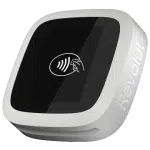
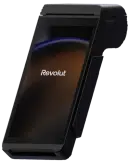
Launched in July 2022, Revolut Reader is a wireless card reader that works in conjunction with the Revolut app or Revolut POS system for iPad. In 2024, the standalone Revolut Terminal was launched for companies (freelancers can’t buy it) to accept cards without a connected app.
| Revolut Reader | Revolut Terminal | |
|---|---|---|
 |
 |
|
| Card machine type | Card reader connected with app on a phone or tablet | Independent, mobile card machine |
| Eligibility | Sole traders, companies and partnerships | Companies and partnerships |
| Account required | Pro (free) or Business (from £10/mo) | Business (from £10/mo) |
| Purchase price | £49 + VAT | £169 + VAT |
| Prints receipts? | No | Yes |
| Works with Revolut POS? | Yes | Yes |
The card machines accept contactless and chip cards of the Visa, Mastercard, Maestro and American Express brands, as well as Apple Pay, Google Pay and Samsung Pay.
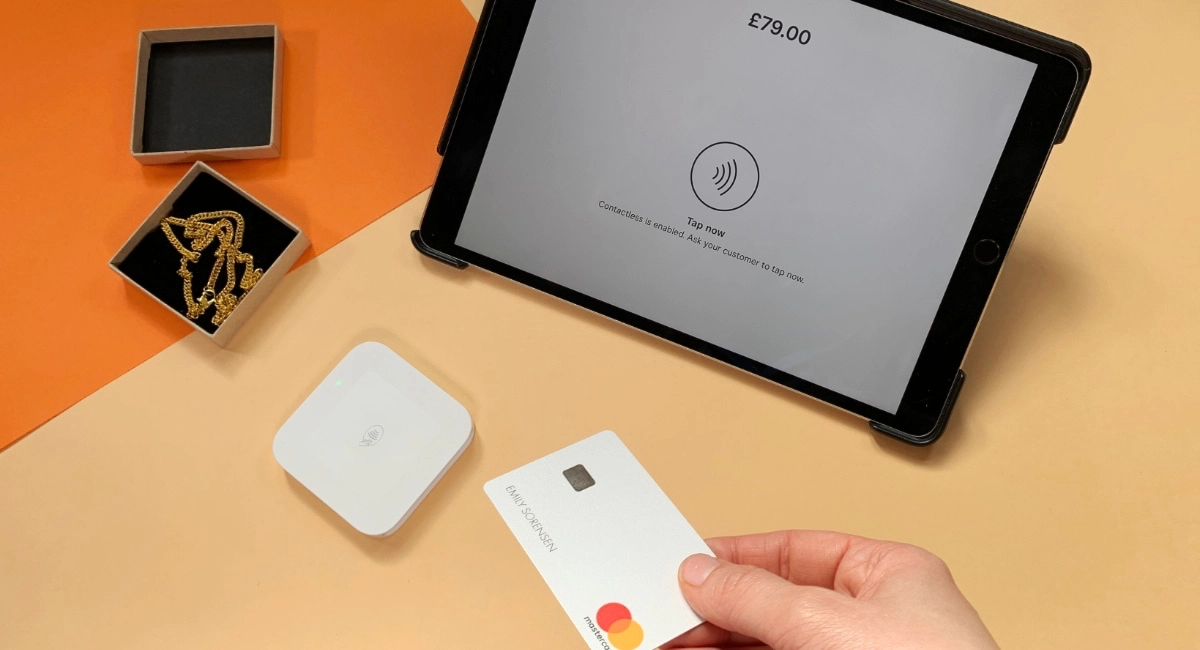
Photo: Emily Sorensen (ES), Mobile Transaction
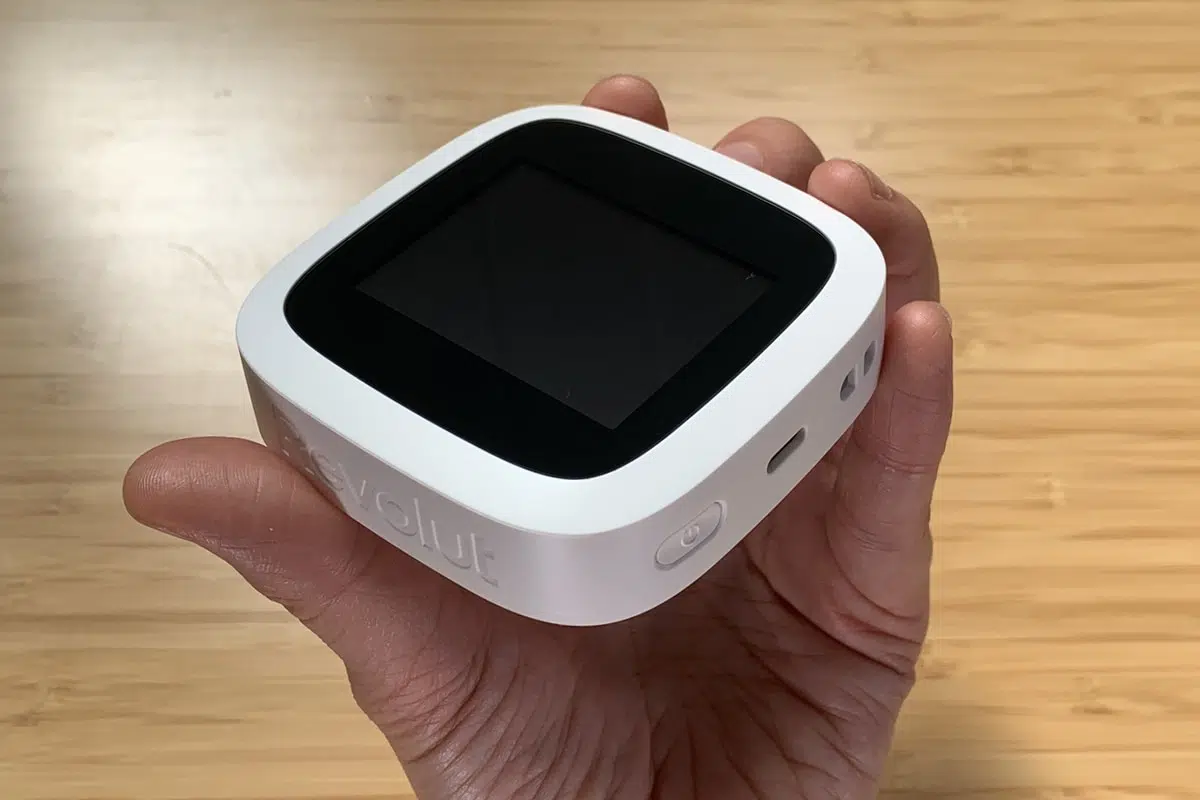
Here’s the Revolut card reader we tested.
The solution is geared towards registered companies and sole traders in the UK with a Revolut Business or Pro account. To qualify for payment acceptance after getting the Business account, you also need to apply for a Merchant Account.
Revolut is still an e-money account in the UK, not a bank account, but it can be used like a current account with its own IBAN for international transfers. What’s more, you can create different currency accounts to keep GBP, USD, EUR and other currencies separate.
Accepted cards


All transactions clear in your online Revolut Business account within 24 hours, so you can access and spend it with the accompanying Debit Mastercard.
You can view all transactions and use account features in the Revolut Business app. This includes sending payment links, invoicing, generating QR codes and managing cards and team members.
Our verdict: useful for small setups
The low card reader price and fees for domestic consumer cards are attractive for businesses who mainly just serve local clients on the go.
Revolut Reader was new when we tested it, so our teething problems (more on that below) would not apply to new users ordering it now. If you do run into problems, customer support may be slow to help. The included 30-day money-back guarantee and year’s warranty may ease your mind, though.
“Revolut is always changing, so what you see now might have a different price or different feature set tomorrow. As Revolut is gradually establishing itself as a bank, I have yet to see proof of a consistent quality of service, though.”
– Emily Sorensen, Senior Editor, Mobile Transaction
Given the lack of substantial features, the card terminals are only really suitable for simple transactions or a basic point of sale.
If you need a dedicated POS system with a more intuitive payment flow, other card machines that accept more card brands would be a more reliable alternative, unless you are happy with the basic hospitality-focused Revolut POS for iPad. Tide’s standalone card machines are worth a look, but its account features are less international.
Most importantly, Revolut Business account holders benefit from having a card reader integrated with the account, with next-day settlement included. The business banking features, online payments and multi-currency accounts are real benefits for borderless freelancers and companies alike.
Revolut Reader and Terminal ratings:
| Criteria | Verdict |
|---|---|
| Product Payments: Passable Hardware: Passable Software: Passable |
Passable |
| Cost and fees | Good |
| Value-added services | Passable / Good |
| Contract | Good |
| Sign-up and transparency | Passable / Good |
| Customer service | Passable |
| FINAL RATING | [3.5/5] |
Bottom line: Revolut Reader or Terminal can work for business account holders if taking payments at least weekly, but not all the time at high volumes.
Pricing
Revolut’s card machines don’t have a rental contract or lock-in. They are purchased upfront and owned by you.
But buying them means committing to using a Revolut account that costs a minimum of £10 monthly for companies or potentially nothing for sole traders.
The Revolut card reader costs £49 + VAT and Revolut Terminal costs £169 + VAT including a built-in SIM card. There is no free shipping, which costs £5 for DHL Express.
The card terminals come with a 30-day money-back guarantee, giving you the option to change your mind for a full refund. A 1-year warranty also covers the cost if it has an internal fault.
But before you can order the card reader, you must register for a Revolut Business account and Merchant Account to accept card payments. There are different business account subscriptions depending on the amount of features required. Freelancers can register for a free Pro account through the personal Revolut app.
Overview of Revolut fees:
| Revolut Reader/Terminal costs | |
|---|---|
| Card machine purchase | Revolut Reader: £49 + VAT Revolut Terminal: £169 + VAT £5 shipping fee applies |
| Business account (required for companies) |
£10-£125/mo (depends on plan) |
| Reader & Terminal transactions via Business | UK consumer Visa/Mastercard: 0.8% + 2p UK consumer Amex: 1.7% + 2p All other cards: 2.6% + 2p |
| Pro account (required for sole traders) |
Free |
| Reader transactions via Pro | 1.5% (any card) |
| Refunds | Original transaction cost is retained |
| Chargebacks | £15 each |
| Payouts | Free |
| Commitment | None |
With a Business account, transaction fees are low at 0.8% + 2p for domestic Visa and Mastercard consumer debit and credit cards, but high for premium, corporate, commercial and non-UK cards at 2.6% + 2p. Domestic consumer Amex cards cost 1.7% + 2p.
Revolut Pro account holders pay a predictable 1.5% for any type of card via the card reader.
If you decide to refund a transaction, the transaction fees are retained by Revolut, though no other refund fee is applied.
Chargebacks cost £15, should a customer dispute a transaction. Next-day payouts in your Revolut account are free.
Card reader and accessories
Like other app-based card readers on the market, Revolut Reader is small and wireless. Measuring just 78 mm x 78 mm x 22 mm and weighing 106 g, it has a chip card slot below the screen and accepts contactless cards and mobile wallets over the screen.
The terminal uses the WiFi or 4G of your connected iPhone, iPad or Android smartphone or tablet to process transactions. It does not work independently.
Photo: ES, Mobile Transaction
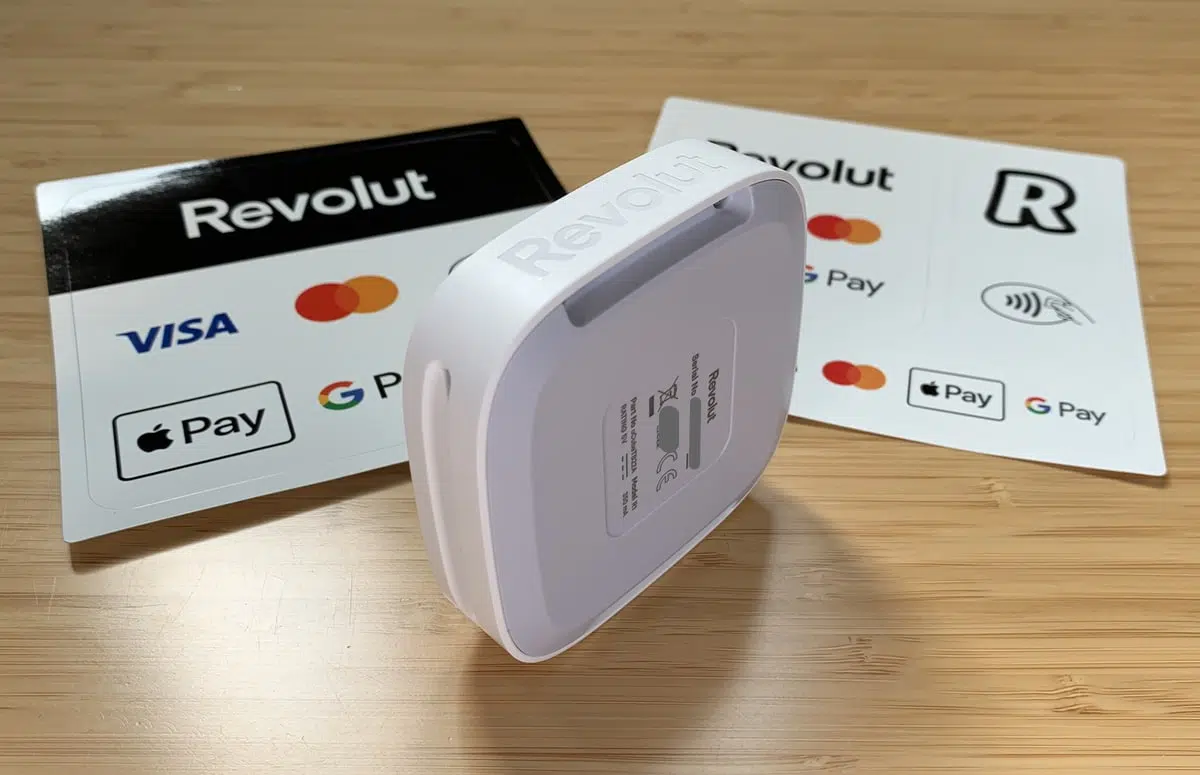
The card reader seen from behind, next to decals.
Revolut Reader’s small, monochrome touchscreen display is surrounded by a black frame and white, plastic casing. Overall, it looks a bit retro like a 1990s gaming device, but the style is in line with Revolut’s other products.
The screen activates when connecting with the app via Bluetooth. It shows a contactless logo when ready to accept a payment or virtual PIN pad when a PIN is required, which is when you’d use the touchscreen.
The only other time we used the touchscreen was when we synced the card reader with the Revolut Business app. For security reasons, you have to tap to confirm a code on the terminal screen that matches the one displayed in the app.
Photo: ES, Mobile Transaction

Ready to accept a card.
Photo: ES, Mobile Transaction
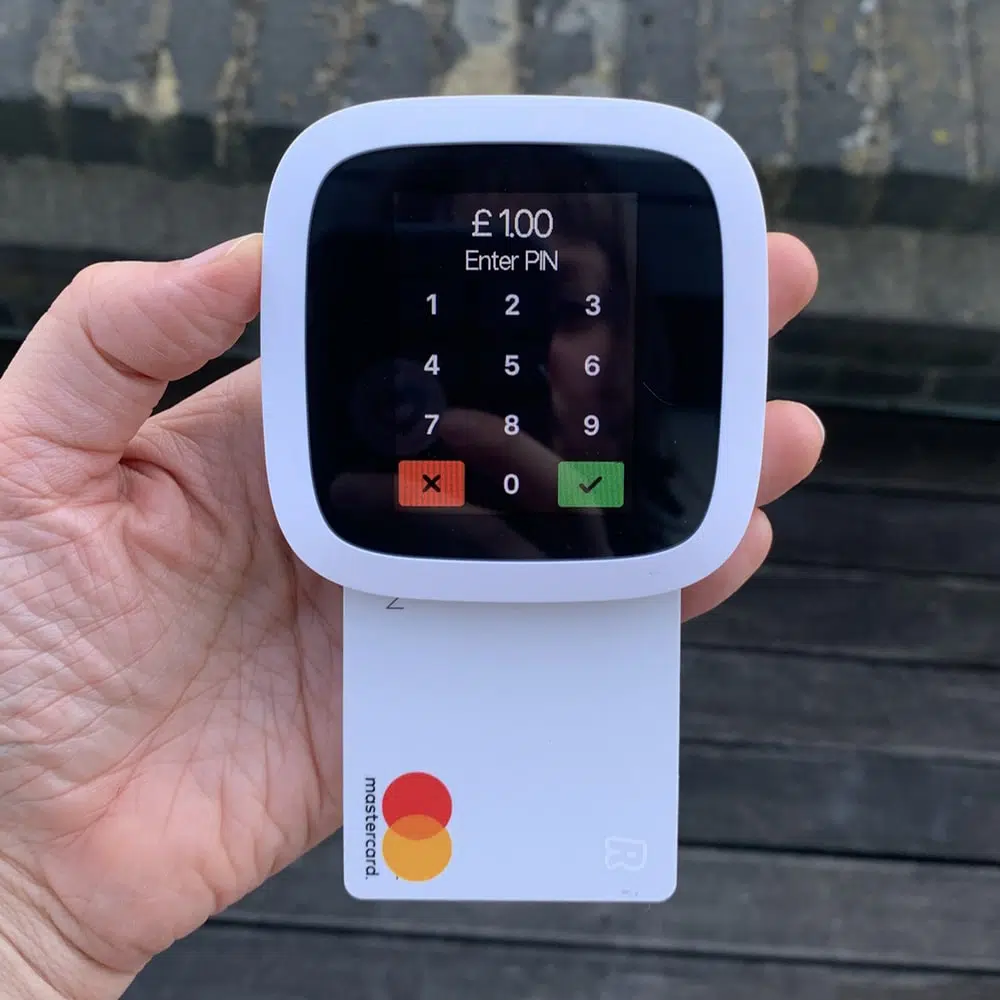
Virtual PIN pad on screen.
What about accessories?
The card reader comes with a 1.5 m USB-C charging cable that can be plugged into an adaptor or computer. Once fully charged, it should last you over 200 transactions, which is decent with a touchscreen.
Revolut Reader does not connect with a cash drawer or barcode scanner, only a few receipt printers through the Revolut POS app.
App features for the card reader
The card reader Revolut Reader connects with the:
- Revolut Business app through the Merchant section
- Revolut app through the Pro account section
In both of these apps for Android or iPhone, you can add a product catalogue to itemise transactions, charge in different currencies (only for custom amounts), process refunds, accept tips and send digital receipts.
However, sole traders with a Revolut Pro account does not have the same breadth of card reader features as companies. That’s because only the Business account includes team member settings and the standalone Revolut POS app.
Revolut POS app
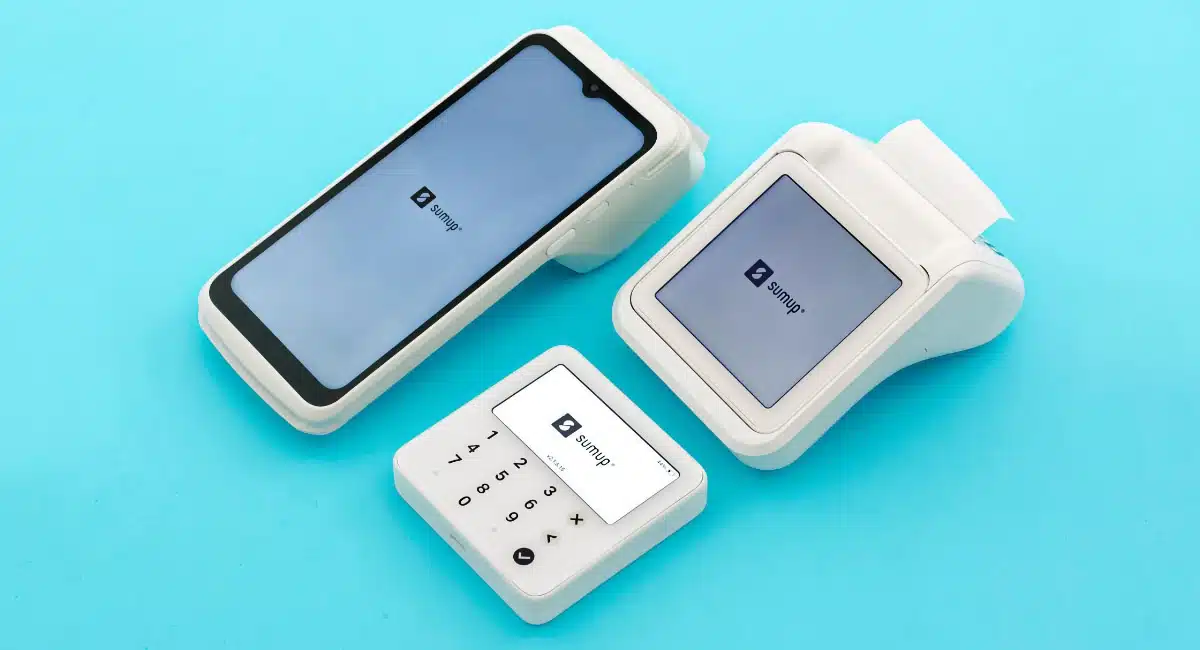
Like Square, PayPal, SumUp and Lopay, Revolut offers a free point of sale (POS) iPad app dedicated to in-person payments: Revolut POS which we tested and reviewed.
This is a simple EPOS for small food-and-drink businesses, not so much retail. It’s based on the old Nobly software, which Revolut acquired and turned into its own product.
No other POS systems work with the card reader, deeming it unsuitable for retailers or merchants who need extensive features like inventory management and loyalty functions.
Using Revolut Reader with the Business app
In the Business app, the ‘Merchant’ section has a ‘Get paid’ menu with choices for payment links, email invoices, subscriptions, Tap to Pay and card reader transactions. You cannot register cash payments.
Unless you’ve just taken another payment, the app first tries to connect with the card reader. This takes a few seconds or slightly longer if you need to confirm the security code in the app and on the terminal screen. With alternatives like Square Reader, you don’t have to reconnect after a significant break.
Image: Mobile Transaction
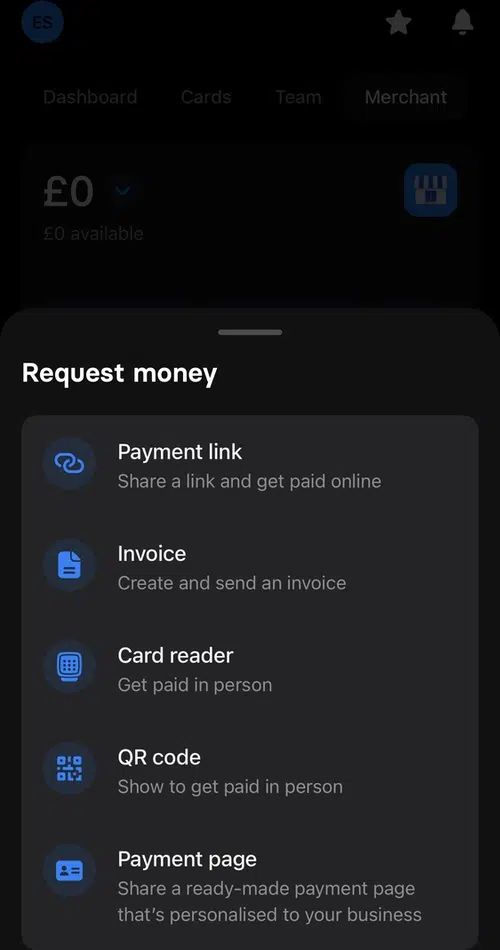
‘Get paid’ options when we started testing it.
Image: Mobile Transaction
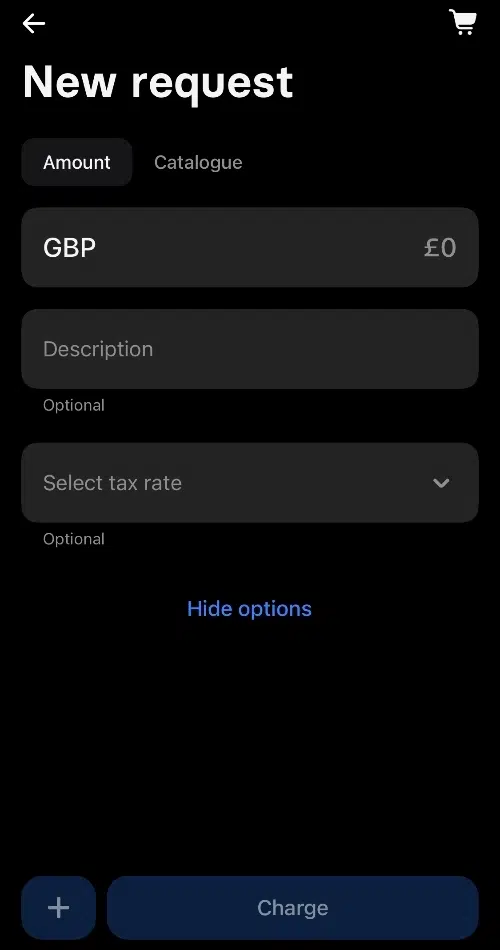
Transaction screen.
You can create a transaction in two ways. The default option is to add a single GBP amount and short description, which could be a transaction reference.
The other is to tap items in a product catalogue to add to the cart. This requires that you’ve added items already, along with a tax rate, product category, unit type and icon colour. It’s not a fully fledged inventory system with stock levels and complex analytics, just a way to create bills quickly and itemise receipts.
The product library only prices items in British pounds, but custom transaction amounts can be in other currencies.
Image: Mobile Transaction
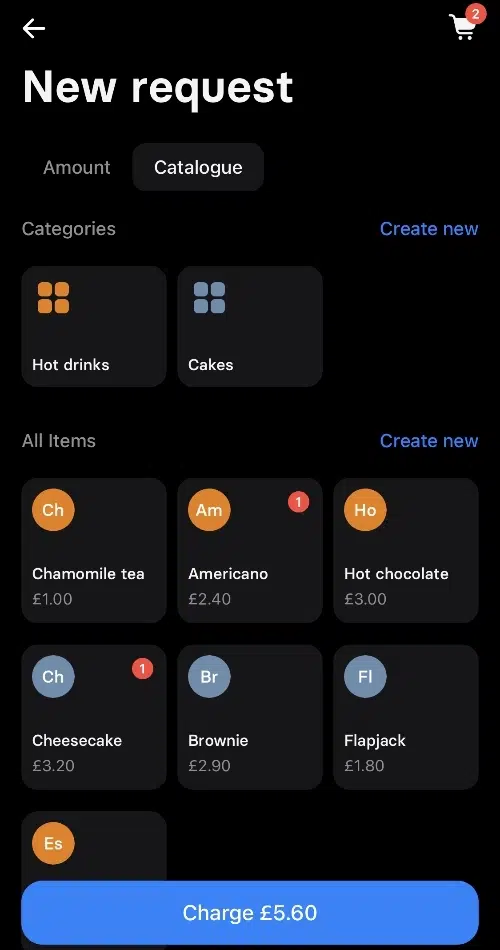
Product library.
Image: Mobile Transaction
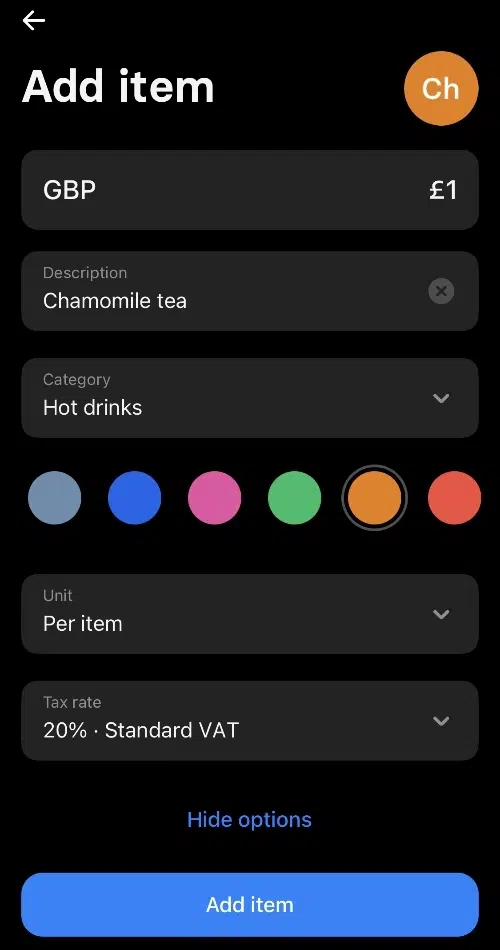
Product settings.
Image: Mobile Transaction
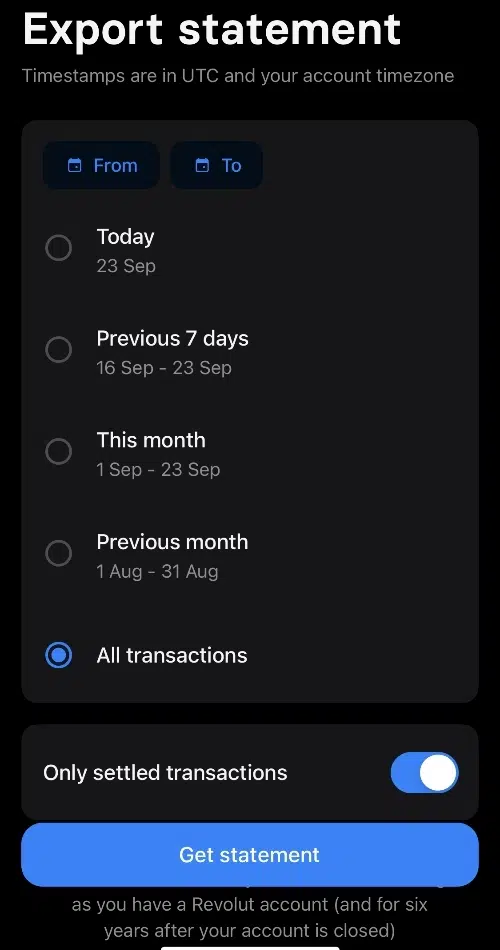
Export transactions to CSV.
When you’ve added a tip (optional) and the card reader successfully completes the payment, you can send a digital receipt via a messaging app, email or text message.
Transactions can be exported from the app to a CSV file for accounting. The Business app only shows basic sales analytics like best-selling products and the daily average transaction value.
If you have team members, you can set up individual user profiles with permissions that let them accept card payments.
A note on refunds – could be awkward
To refund a payment, you tap on the transaction and input the refund amount (partial refunds are accepted) and reason. The amount will then be processed back to the customer’s card.
But here’s what I noticed: you cannot immediately refund a transaction since it is marked as ‘pending’ for a short while after the card payment went through. Only when it is ‘completed’ in your business account can you initiate a refund, and only if you have enough funds settled in the Revolut account to cover the refund amount. This could lead to some awkward moments with customers if they regret a transaction or a mistake was made.
Using Reader with the Pro account
Sole traders can use Revolut Reader through the personal Revolut app, where the Pro account has a separate section. Here, you have similar payment acceptance options, a product catalogue and most of the features above.
Revolut Terminal – independent, smoother transactions
Revolut Terminal is more robust than Revolut Reader and doesn’t need to connect with an app to take payments. It’s a wireless, mobile card terminal that connects with WiFi or 4G through its eSIM card.
The software on Terminal completely depends on whether you set it up via the Business app or Revolut POS app. The latter will give you more features on Terminal, such as a custom product grid with images, modifiers and access to parked bills from the iPad POS app.
“I prefer Revolut Terminal because it’s a standalone device that avoids the pairing issues I had with Revolut Reader. The payment flow is also smoother when the whole transaction can be done on the same device.”
– Emily Sorensen, Senior Editor, Mobile Transaction
Setting it up through the Revolut Business app just gives you a basic product catalogue to itemise receipts (with variants).
Revolut Terminal also allows you to:
- split bills
- add tips
- refund payments
- accept different currencies on custom amounts only
- accept Revolut Pay via a QR code
- view past transactions
The card machine comes in black and white and looks like a standard smart POS terminal. It doesn’t have offline mode, though, so good wireless connectivity is required.
Revolut support, teething problems and reviews
Revolut users paying for a business account subscription can access a 24/7 chat support in the app, whereas the free plans has a more limited support chat.
We heard back from a real person minutes after initiating each support ticket on the chat, but in none of the cases could the agent solve our issues the same day – instead, it took weeks or days.
Then again, we bought the card reader as soon as it was launched and apparently a beta product, so it didn’t actually connect with the Revolut app. We contacted support to no avail, and it was only through testing it ourselves after some weeks that we found out.
Then the contactless function didn’t work, only chip and PIN. When the reader could accept contactless cards for the first time 2 days later, one of the transactions showed a completely different business name and location on the customer bank statement than what was true (this has still not been resolved).
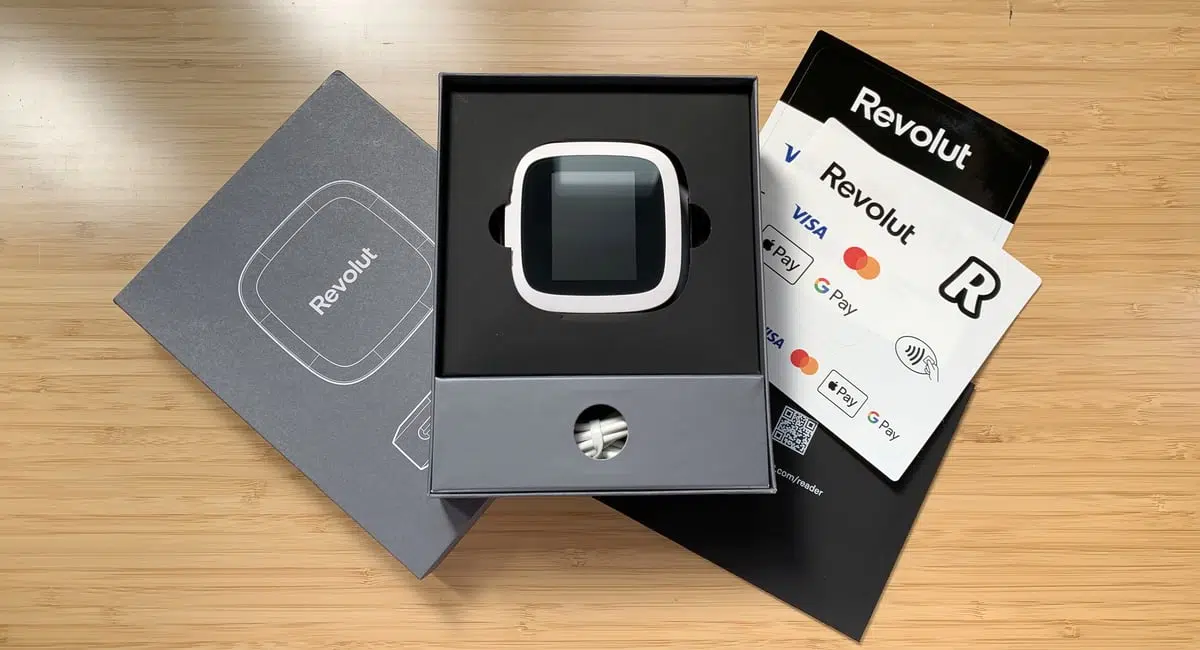
Image: ES, Mobile Transaction
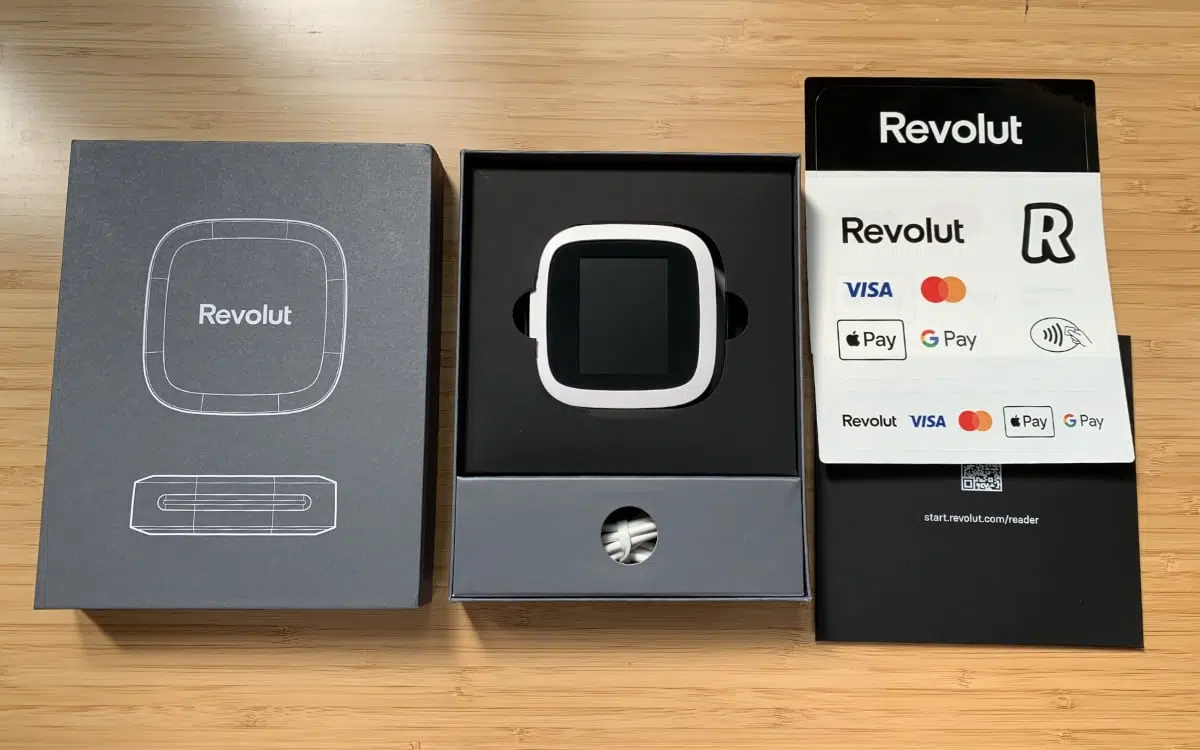
Box contents of a Revolut Reader package.
When we’ve asked for help in the support chat, we were passed on to different support agents and departments. Every other week, we would get an update to say they still hadn’t resolved it. You get the impression the support team doesn’t have a sense of urgency to help.
Judging from Revolut reviews, others are experiencing similarly unhelpful responses to their issues on the chat. Some have to wait for days or weeks for large transactions to be accessible in their account, while others have issues verifying their account.
Most reviews are positive about the service and features, though. And after some weeks, we were contacted by Revolut for feedback and eventually offered a replacement card reader that is working.