
Not got the budget for POS system software? You’re in luck, as there’s a handful of free, genuinely decent options in the UK.
They all have these things in common:
- Work on a tablet or smartphone, not Windows PC or Mac
- Connect with an inexpensive card reader for card transactions
- Process information in the cloud, requiring a WiFi or mobile connection
- No contractual commitment
The EPOS (electronic point of sale) systems are free in the sense of having no subscription cost. But you do pay a fairly competitive card transaction fee, which in part covers the cost of the software.
The solutions are broad enough for small brick-and-mortar, food-and-drink and service businesses, but paid add-ons or POS upgrades are needed for more advanced functions.
Best free POS systems in the UK:
| Free EPOS | Pros | Cons | Link |
|---|---|---|---|
| Square Point of Sale |
|
|
|
| SumUp Business |
|
|
|
| PayPal POS |
|
|
|
| Loyverse |
|
|
|
| Shopify POS Lite |
|
|
Best for: New businesses expecting to grow both in-store and online
Pricing: No monthly fee, 1.75%+ per transaction
Compatibility: iPad, iPhone, Android devices, Square devices
Pros: Simple fees, EPOS upgrade options, many complimentary tools, online payments, instant payouts, cash advance option
Cons: Only weekday customer support
Square Point of Sale is, hands down, the best free POS app. That’s because:
- it has the most features addressing many types of businesses
- its complimentary remote or online payment tools are second to none
- the app constantly gets better and just works very reliably
The Point of Sale app works on iPad, iPhone and Android smartphones and tablets, connecting with Square Reader for card transactions. It uses Square’s own payment system with a fixed 1.75% fee for UK cards.
Optionally, you can buy Square Register which has the EPOS built in and a classy card terminal attached or the portable Square Terminal or Handheld (WiFi-only, not 4G) that also use the software. There’s no standalone 4G terminal for mobile use, though the software can take offline card payments.
Image: Mobile Transaction
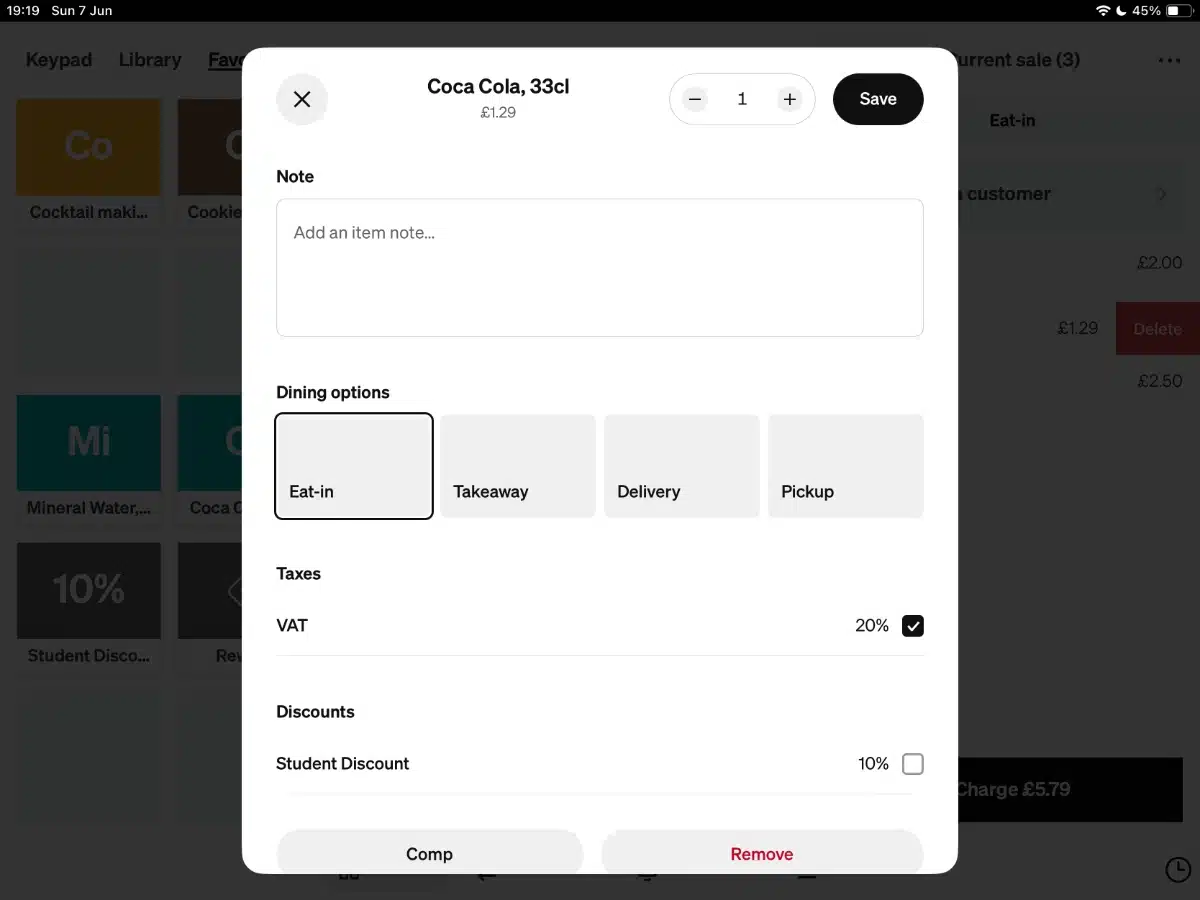
The app has features to suit both hospitality, services and retail businesses. There’s a product library with stock levels to keep track of inventory, open orders, tipping, split bills, e-gift cards, customer library, staff accounts with different permissions, advanced reports, and much more.
You might also appreciate the payment links accessible from the app, QR codes to print for table-side ordering and email invoicing from the app. In the browser-based Dashboard, you can build an entire online store, accept payments over the phone and check sales remotely.
Another major upside are the instant payout options to a bank account (for a fee) or Square Card (free) to spend or withdraw immediately. Square also offers cash advances for those who need emergency funding.
If Point of Sale doesn’t cut it, you can always upgrade to Square for Restaurants, Retail or Appointments – or integrate with the myriads of compatible software. In other words, Square is a great place to start if you want room to expand.
Compatible card terminals: All Square devices
Best for: Easy interface with many simple online payment options from app
Pricing: No monthly fee, 1.69% per transaction
Compatibility: iPad, iPhone, Android phones and tablets
Pros: Easy to use, online payment tools from app, business account with Making Tax Digital, cash advance option, low-cost hardware
Cons: Few integrations
SumUp Business is a simple POS app that’s easy to use, with just enough point of sale features to run a food stall, small shop, café, hair salon or any other business with uncomplicated inventory. The app works on Android devices, iPad and iPhone with SumUp’s low-cost card readers.
It has a product library with variants, images and stock counts. You can add discounts, user accounts for staff with restricted permissions and view transactions in the app.
The mobile (not tablet) app lets you manage the free business account where payouts can settle the next morning at 7am, 7 days a week. You can then spend it with the free SumUp debit card or transfer it to a bank account.
Image: Mobile Transaction
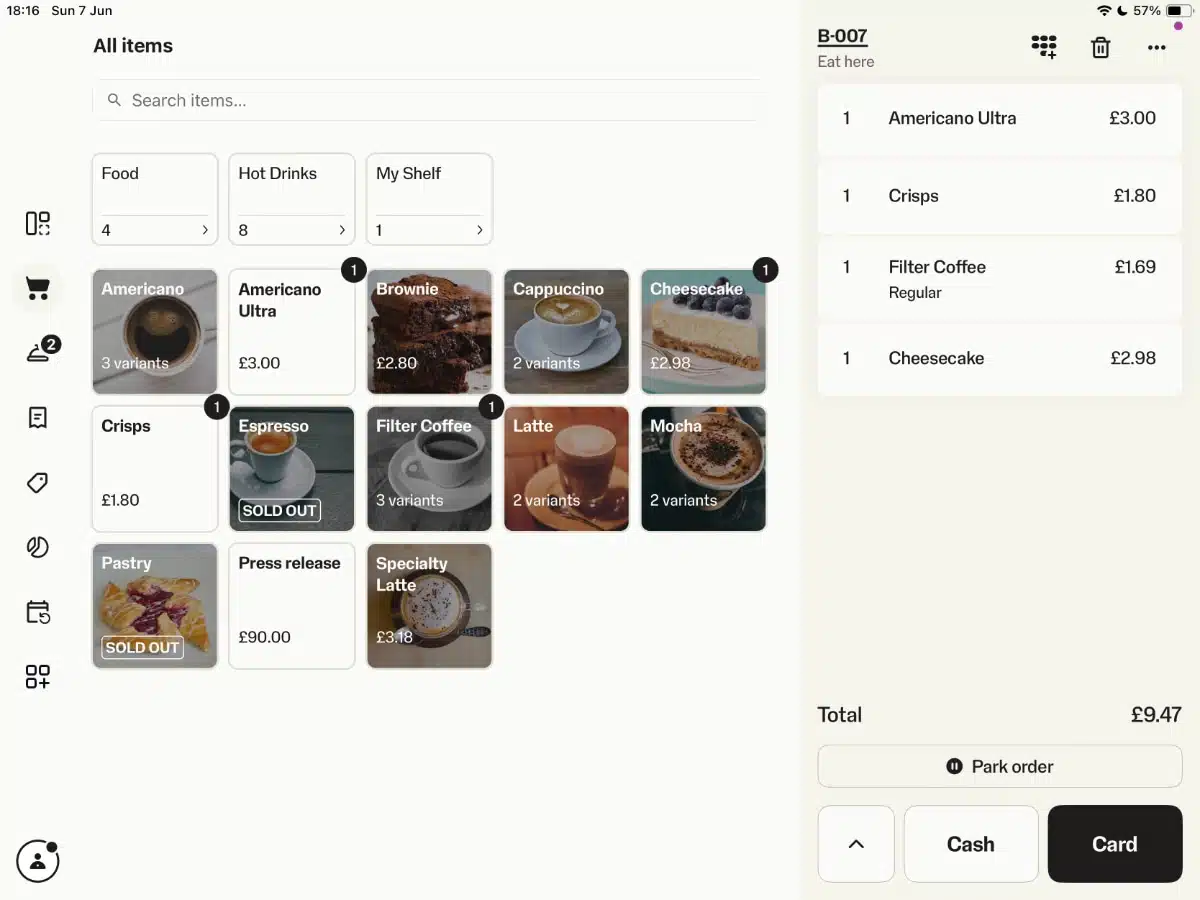
It’s clear that SumUp’s mantra from day one has been to get paid easily. Until recently, the priority has therefore been to add more ways to get paid remotely, not more POS functions to manage in-store operations. For example, sales reports were very basic with no accounting integrations.
But this has changed a lot of the past few years with added extras like stock counts, a free booking system and built-in Making Tax Digital tools powered by Sage. So I definitely think this is a more scalable EPOS now with upgrade options for more advanced retail and restaurant features. Small businesses can even apply for a cash advance with a very flexible repayment term.
The SumUp app also includes the most free sales channels in any free POS app: payment links, email invoices, e-gift cards, QR codes, a basic online store page created directly from the app, and a virtual terminal (terms apply). This is all great for merchants branching into online selling.
Compatible card terminals: SumUp card machines
Best for: Quality of card reader and simplicity of app
Pricing: No monthly fee, 1.75% per transaction
Compatibility: iPad, iPhone, Android phones and tablets
Pros: Compact card readers, PayPal integration, familiar brand, cash advance option, physical gift cards
Cons: Not many POS features, remote payment methods removed, complaints about app and service
Zettle (previously iZettle) has long been popular among cafés, independent shops, market stalls, hairdressers and other types of small businesses in the UK. Then it was bought by PayPal and rebranded entirely.
The latest POS app, PayPal Point of Sale, is basically a slimmed-down version of the old Zettle Go app. It gets more complaints and has fewer features than before – namely online and repeat payments have been removed. It now just focuses on core POS features like a simple product library with stock counts, tipping and barcode scanning.
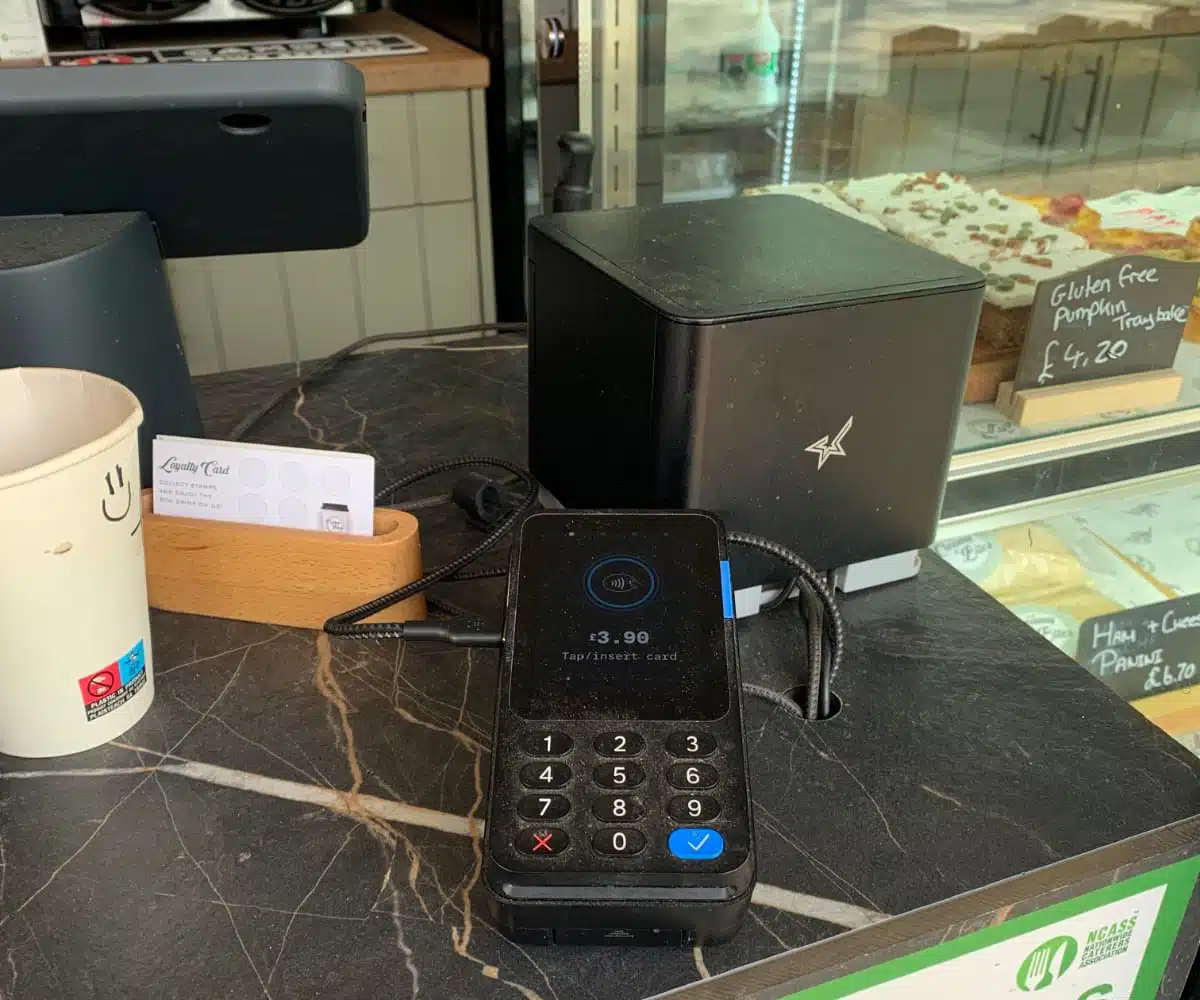
The inexpensive, slim card reader PayPal Reader works with this app on Android devices, iPad or iPhone. I like it for the physical buttons (rare nowadays), but the 1.75% card processing fee is “subject to change”. Generally, the POS product has been unpredictable since PayPal’s takeover, so I don’t generally recommend committing to it.
Photo: Mobile Transaction
The app has a product library where you can add variants, stock counts, cost price, SKU, inventory tracking, barcode and more. This is better than the average free POS system, but there isn’t much beyond that on the inventory side. In the back-office account, you’ve got the option to bulk-import many products from a spreadsheet, so you don’t have to add products manually – not a given for POS systems, so that’s a nice extra.
You can save basic contact details in a customer library after each purchase, accept tips and add discounts. The app also lets you view transactions, sales reports and basic sales analytics like top-selling products. Apart from accepting cards and cash, you can sell and accept physical gift cards.
The PayPal system integrates with accounting software (QuickBooks, Xero) and ecommerce platforms (Shopify, WooCommerce, PrestaShop). Most importantly perhaps, merchants can receive payouts in the PayPal account within minutes, available to spend with a PayPal debit card.
Compatible card terminals: PayPal Reader, PayPal Terminal
Best for: Small operations who want free EPOS with flexibility to change card payment processor
Pricing: Free, transactions via SumUp, PayPal or Teya
Compatibility: iPhone, iPad, Android tablets and smartphones
Pros: Choice of card processors, decent POS features, 24/7 support, offline mode
Cons: Not the easiest to figure out, app not improved much, looks a bit outdated
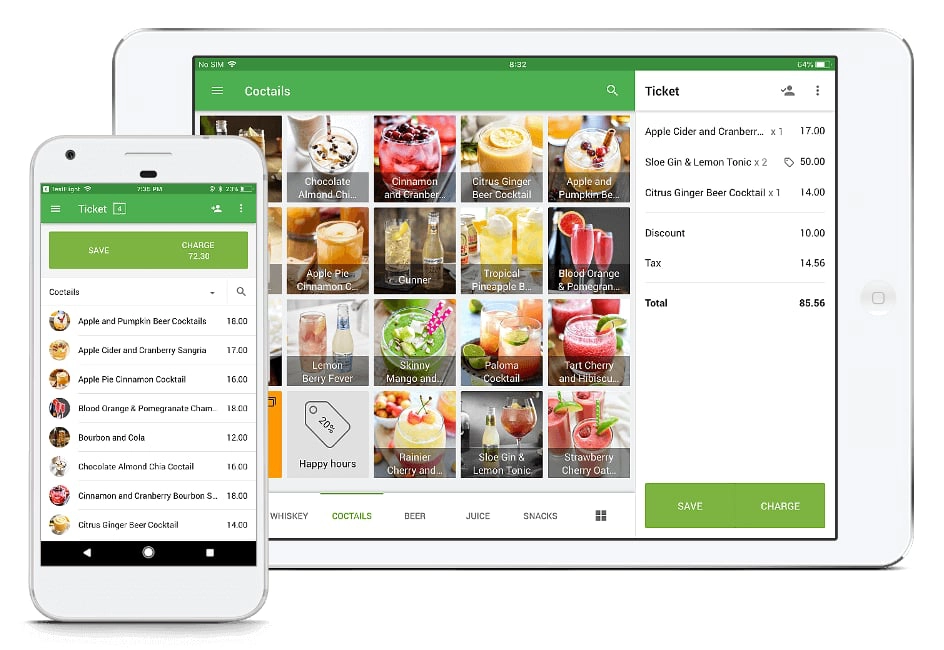
Loyverse is the best of the lesser-known free POS apps in App Store or Google Play. It has some unique advantages like a free customer display app (enabling customers to e.g. input their email address for an e-receipt) and free kitchen display system.
The Loyverse system has enough POS features to satisfy many small businesses. For example, you can add products to an inventory library, create a simple customer loyalty scheme, create barcodes with embedded weight, manage multiple stores and label saved orders. If WiFi is patchy, you’ll benefit from Loyverse’s offline mode.
Photo: Loyverse
There are paid add-ons for advanced inventory management (£20 + VAT/month per store), staff management (£20 + VAT/month per store) and unlimited sales history (£5 + VAT/month per store). It also integrates with accounting, ecommerce, marketing and other external software, so I think it’s possible to grow with the system.
The software looks like it’s built by Google (same font and style) and has hardly changed in the past 5 years. I did notice one improvement: the cost and sale amounts now show GBP currency instead of no currency – pretty important!
You can connect with PayPal, SumUp or Teya for card payments, accept cash or use a standalone card machine and manually confirm payments in the app.
Overall, I was surprised by the amount of little extra functions, considering how basic the Loyverse app looks front-end. There’s enough to use it as a standalone EPOS system indefinitely if you’re, say, a food truck or small shop.
Compatible card terminals: SumUp, PayPal, Teya terminals
Best for: Retailers primarily selling online
Pricing: POS Lite: free, POS Pro: £69/mo.
Compatibility: iPad, iPhone, Android devices
Pros: In-depth omnichannel features, customised app layout, good card terminals
Cons: Ecommerce subscription required, can get pricey
The Shopify POS app is free if you’re on Shopify ecommerce subscription. You cannot use the app without this, so it is technically not free until you pay for features to manage an online store (from £19 + VAT/month) or just use pay buttons (£5 + VAT/month). You then get access to Shopify POS Lite, the free tier of POS features. For an additional £69 per month, you get advanced point of sale features with Shopify POS Pro.
The POS app works on iPad, iPhone and Android devices. The main benefit of the system is the integration with your Shopify online store. Product inventory is synced across online and in-store sales channels so stock levels are always correct and sales reports include all transactions.
Photo: Shopify
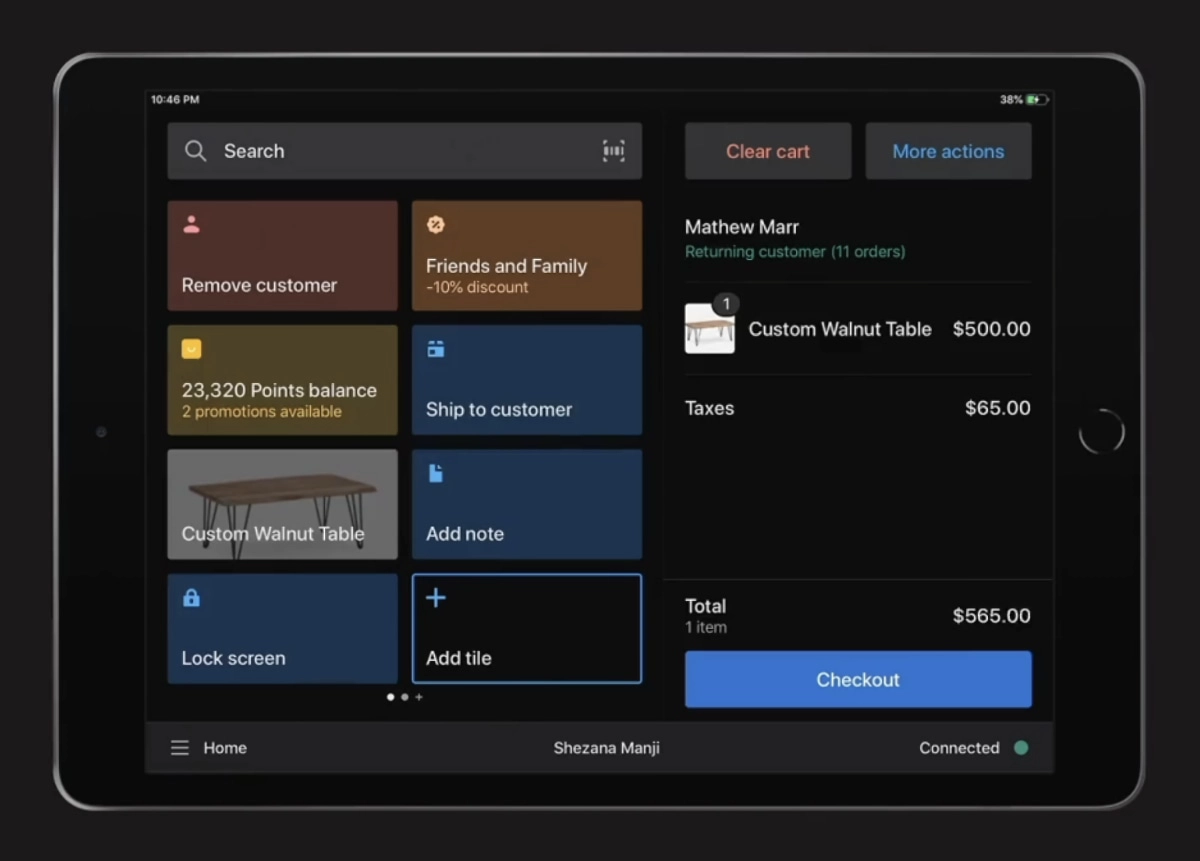
However, only with a POS Pro subscription can you set up click and collect and other sophisticated online/in-store communications in a true omnichannel manner. The free POS Lite is worth using if you are primarily selling online, happy with Shopify’s transaction fees and just need reliable retail EPOS linked with your online shop.
The free POS app only displays priority functions upfront, but then you can easily search for items, customers and orders through the search bar. I find this works well for retailers with many products, especially as you can add barcodes for scanning. You can also accept gift cards, cash and cards (via a Shopify card reader) and benefit from many other features.
Overall, Shopify POS Lite is suited for on the go, whereas a brick and mortar merchant probably requires POS Pro. All users get access to 24/7 customer support, which I definitely think you should expect for the cost.
Compatible card terminals: Shopify card readers
Summary of free POS apps:
| Free POS system | Best for | Offer |
|---|---|---|
 |
Most extensive free POS and multichannel sales features with good upgrade options | |
 |
Easy to use, with all-round business management incl. account and Making Tax Digital tools | |
 |
Basic POS app with PayPal integration and well-designed card readers | |
 |
Good-value POS features, offline mode and 24/7 support, but add-ons may be necessary | |
 |
Cross-channel selling with many retail features – only worth the cost with online store |