


Mobile Transaction’s editors have tested and used SumUp’s products and services for nearly a decade to give our honest insights about them. This review reflects our experiences and opinions, and photographs are our own.
Looking for the reviews of SumUp Ireland or SumUp Australia?
You just sign up (takes 5-10 minutes), purchase a SumUp card reader and pay a fixed rate per transaction. There are no hidden fees or fixed monthly costs for most of the products, but an optional Payments Plus subscription is available to lower the rate.
Apart from using a card reader, you can accept payments remotely via payment links, an online store, email invoices and keyed transactions. QR codes can be generated for touch-free payments and restaurant ordering in person.
Transactions are processed through the cloud, allowing real-time access to sales figures from the SumUp app or the web-based dashboard.
The complimentary business account with a Mastercard allows you next-day access to funds, unless you prefer settlement in your bank account.
SumUp rivals PayPal (ex-Zettle) and Square with its low costs, superb value and ease of getting started.
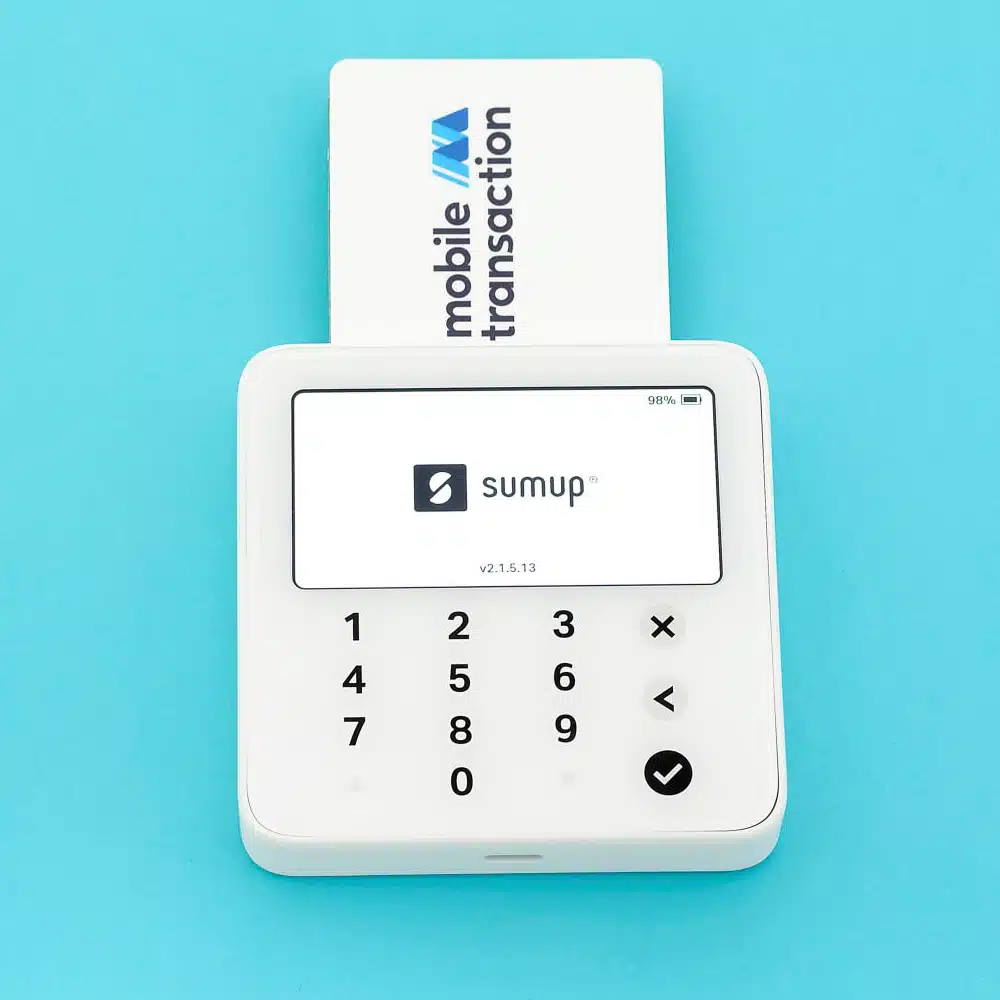
Our experience and opinion
Based on our research and testing over the years, we know that SumUp is generally great for low-volume merchants who just need to start accepting cards, for example in a shop, café, bar, market stall or on the go. We especially recommend it for cash-strapped merchants who need fast access to funds in a dedicated business account.
The pay-as-you-go transaction fee is definitely competitive below a monthly turnover of £3k-£5k. But those making more can save on the Payments Plus plan with a discounted rate.
The service has a low barrier of entry with the cheap card machines, no monthly fees and no contract lock-in. When your business makes more money, you can always ask for custom rates.
“SumUp is one of our go-to recommendations for the easiest, cheapest way to get your business started with payments – for a reason. It just works really well and has a convenient business account for next-day transfers.”
– Emily Sorensen, Senior Editor, Mobile Transaction
We found SumUp’s online payment options super-accessible. The online store is, however, quite basic, so eventually you’d need to look elsewhere to expand these systems.
Additionally, the app and payment terminals have just the essentials you need without compromising on efficiency and build quality. If you need more features, just upgrade to a paid POS system.
Potential downsides include a slow or poor service and terminal issues for some users. We had some teething issues with Solo, for example, but the latest version has addressed some of that.
The new SumUp card machines take the product offering up a notch. The most ambitious one so far, Terminal appeals to even more hospitality and mobile merchants who need portable POS features. At the cheap end, the new Solo Lite impresses with a long battery life.
Our SumUp ratings
| Criteria | Verdict |
|---|---|
| Product Payments: Good / Excellent Hardware: Good Software: Good |
Good |
| Cost and fees | Good / Excellent |
| Value-added services | Good |
| Contract | Good / Excellent |
| Sign-up and transparency | Good / Excellent |
| Customer service | Passable / Good |
| FINAL RATING | [4.3/5] |
Bottom line: With its uncomplicated costs, easy sign-up and free extras, SumUp is a solid place to start for a wide variety of businesses.
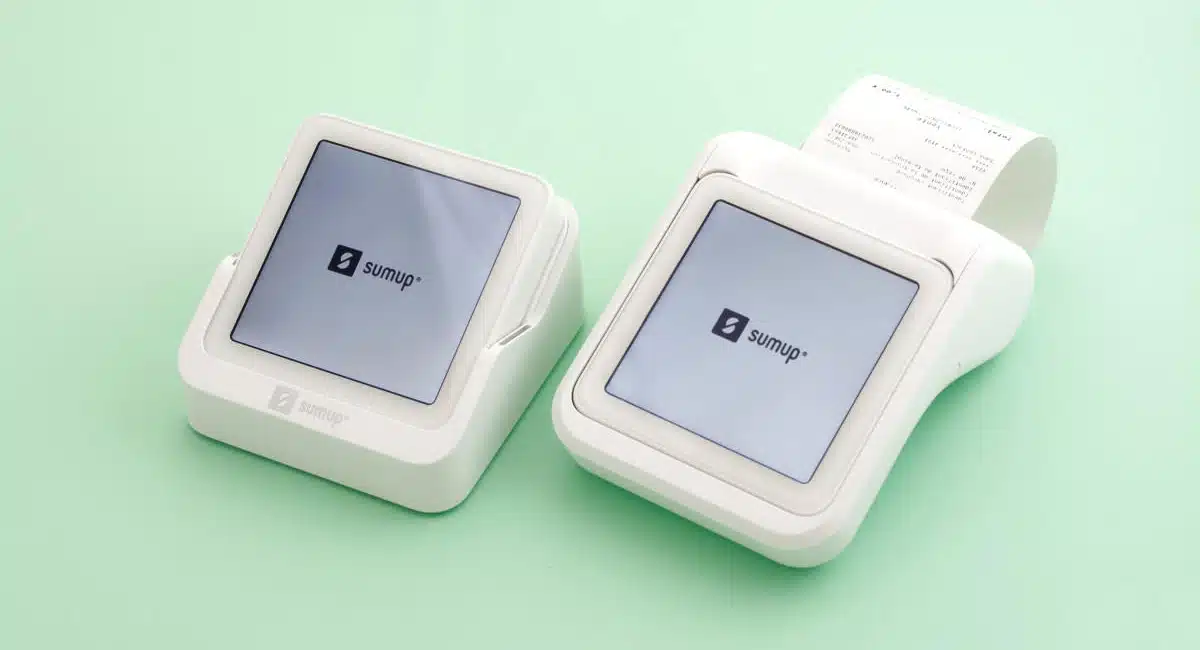
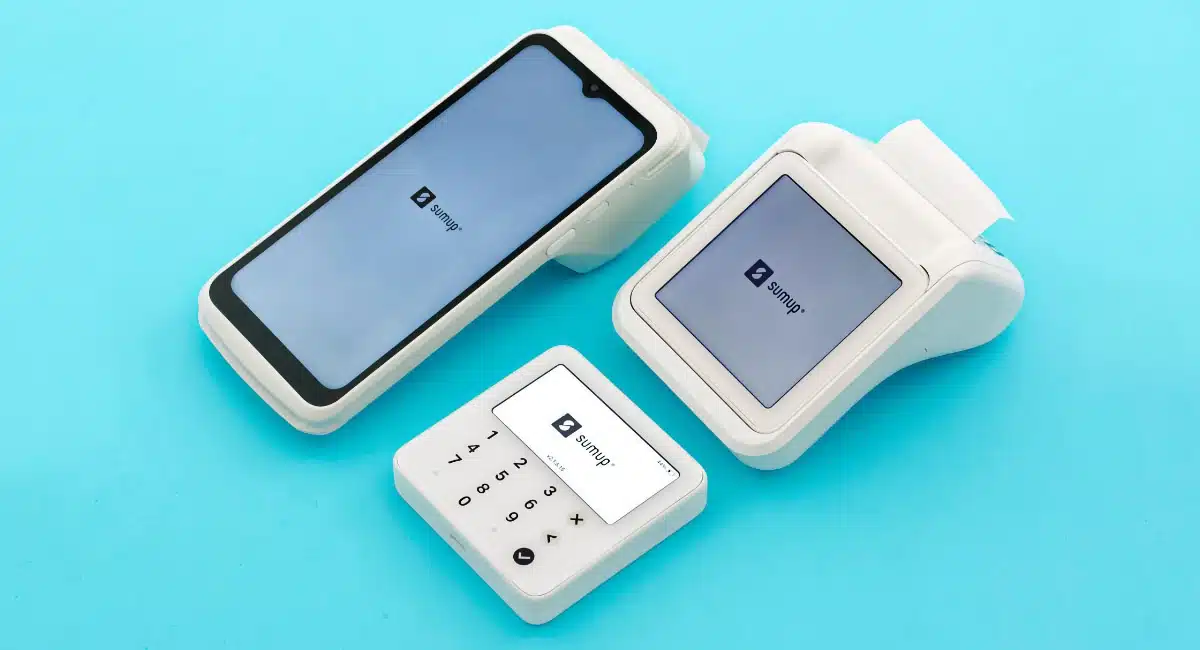
They are all wireless and portable, ideal on the go or at a till point when stationed in their corresponding charging dock. It’s possible to link several SumUp terminals to your main account, but you cannot link any other brand of card machine to it.
| SumUp Solo Lite |
SumUp Solo |
SumUp Terminal |
|
|---|---|---|---|
 |
 |
 |
|
| Price | £15 + VAT | £49–£75 + VAT | £99 + VAT |
| Works without phone/tablet | |||
| Connections | Uses phone network/WiFi | WiFi, 4G (SIM included) | WiFi, 4G (SIM included) |
| Size | 8.2 x 8.2 x 1.2 cm | 8.3 x 8.3 x 1.7 cm | 192.5 x 8.0 x 4.94 cm |
| Battery life | 1000+ transactions | 100 transactions | 14 hours |
| POS integrations | SumUp app, SumUp POS | SumUp POS | SumUp app built in |
| Receipt printing | Via compatible mobile printers | SumUp Solo printers only | Printer built in |
SumUp Solo Lite – cheapest, connects with app
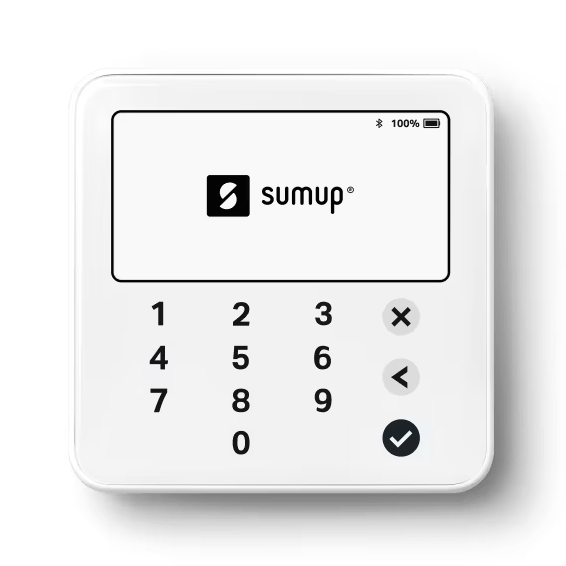
The cheapest model, SumUp Solo Lite, costs only £15 + VAT because it does not work independently. Rather, this wireless reader connects with your mobile device (Android phone or tablet, iPhone or iPad) via Bluetooth, working in tandem with the SumUp app to accept chip and contactless cards.
The card reader comes with a USB-C cable, which you can plug into a computer or power supply when it needs a charge (a wall plug is bought separately).
Photo: Emmanuel Charpentier (EC), Mobile Transaction
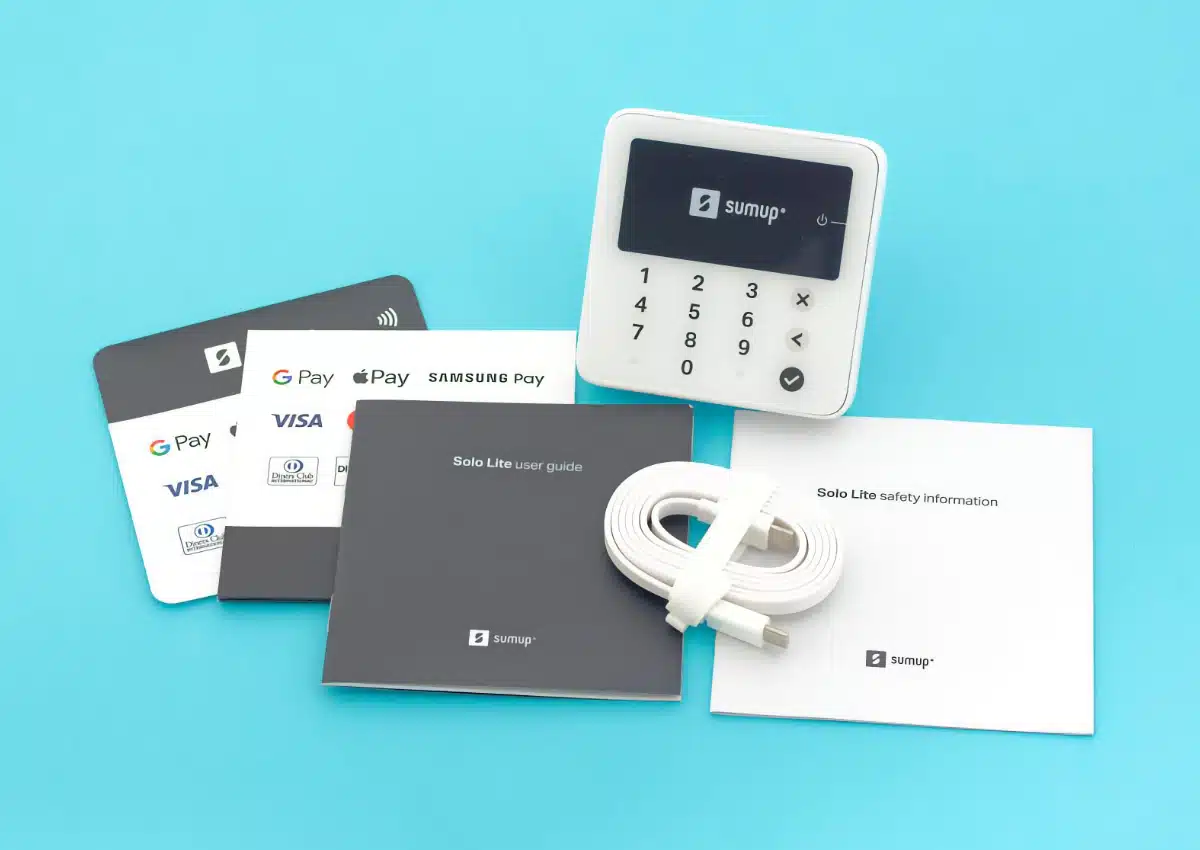
Box contents of our SumUp Solo Lite delivery.
You’ll get up to 1,000+ transactions out of a full charge. Busy stores may want to opt for a charging station, which not only keeps the Solo Lite charged all day when a cable is plugged in, it also keeps it in place on a countertop.
“I’ve never had issues with SumUp Solo in my own tests, and it looks really pretty. Predecessor Air, on the other hand, tended to slip out of my hand because of its smoother, curved exterior.”
– Emily Sorensen, Senior Editor, Mobile Transaction
The card reader is smooth and stylish with a glass surface and plastic base that’s nice to hold in the hand. It’s tamper-proof, meaning any external effort to manipulate its technology will shut it down permanently. That’s great for security, but you need to make sure it’s not near highly magnetic fields, which could inadvertently deem it unusable.
Solo Lite is really an improvement on its predecessor SumUp Air, which had a more slippery grip, smaller display and less readable keypad numbers. With more angular edges, a thinner body, larger display and dark PIN pad numbers, Solo Lite easier to hold and read.
Photo: EC, Mobile Transaction
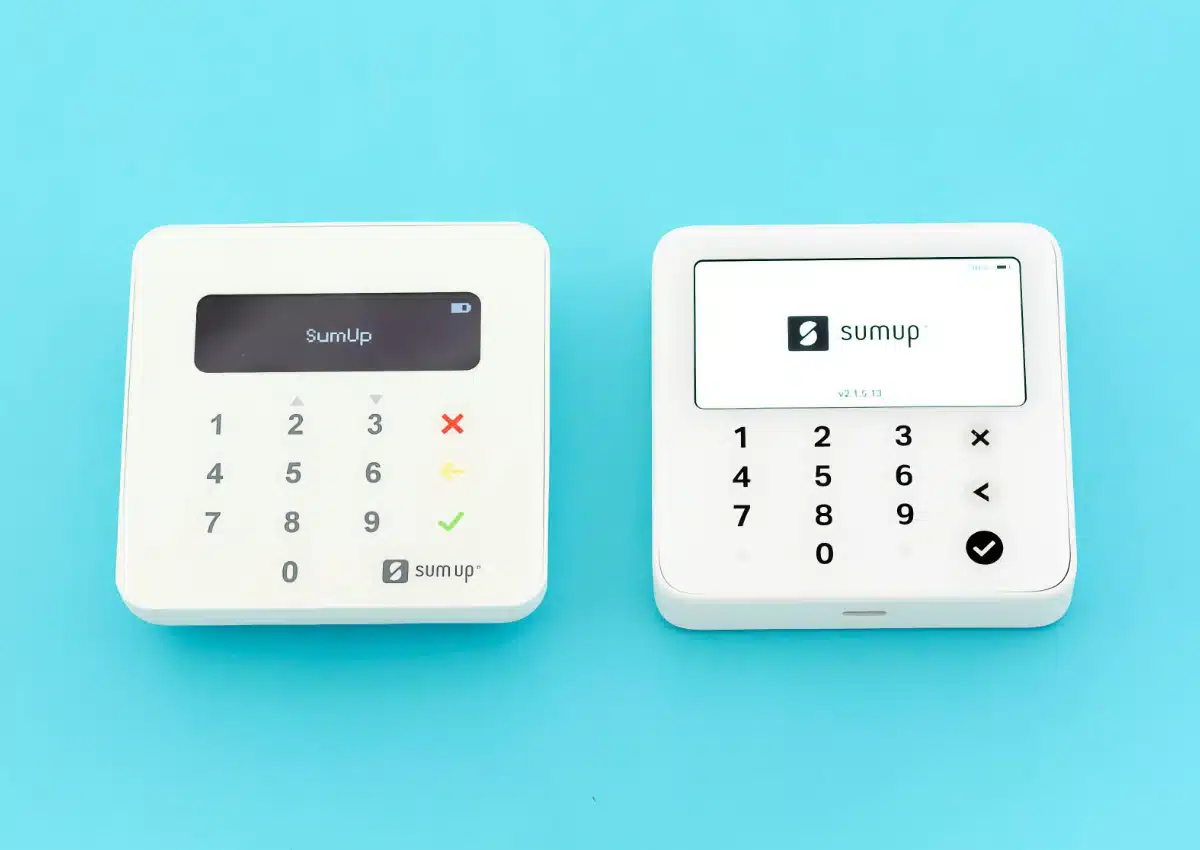
The old Air (left) has been replaced by the new Solo Lite (right).
If you need to print paper receipts, Solo Lite works with compatible receipt printers available at an extra cost. SumUp’s listed options are all mobile Bluetooth printers that connect with the app on your mobile device. A cash drawer can be linked to it, but only via a receipt printer.
SumUp Solo – small, basic and independent
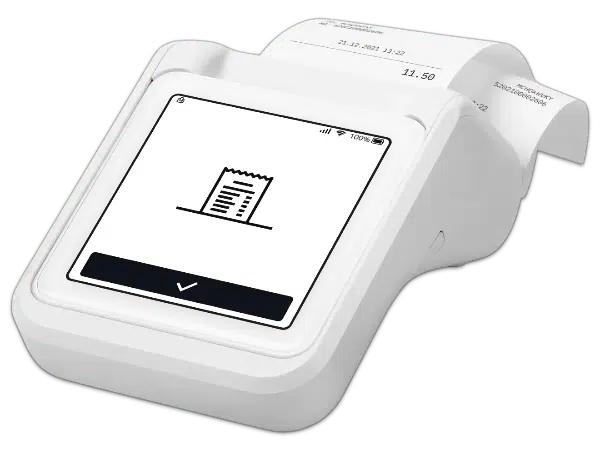
Then we have a card machine that doesn’t require a mobile app: SumUp Solo with (£75 + VAT) or without (£49 + VAT) a receipt printer (a replacement of the discontinued SumUp 3G and Printer). The Solo and Printer duo is the cheapest UK card machine that prints receipts.
Solo has a crisp-clear touchscreen that is visible enough in direct sunlight. On the display, you just enter an amount, transaction description (optional) and proceed to accept a chip or tap payment.
It has a few useful features like smart tipping, refunds and adjustment of screen brightness. Solo, however, does not have a product library and cannot accept special payment methods like gift cards.
Photo: EC, Mobile Transaction
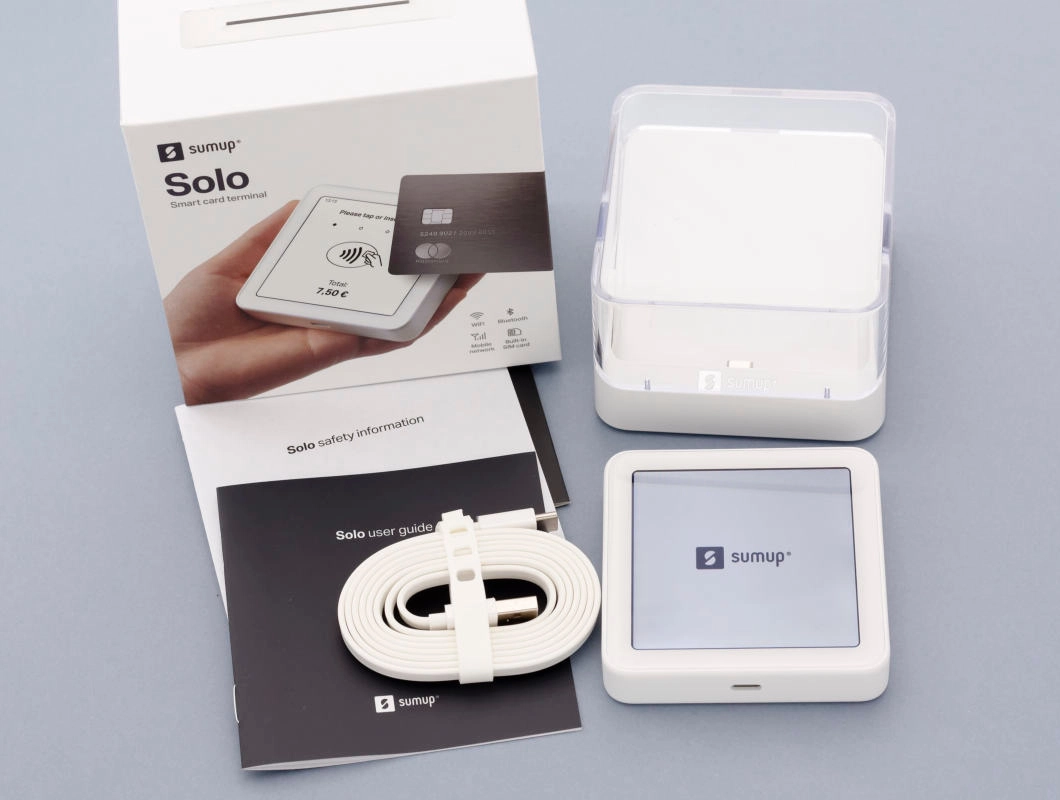
Package contents of SumUp Solo with a desk charging stand (not receipt printer).
Solo has a SIM card with unlimited data, so you don’t need a connected mobile device to process card payments. This could be a handier solution for those who don’t need elaborate POS features, but instead prefer one portable device for card payments or just an extra terminal to use away from the point of sale.
It has a shorter battery life compared with Solo Lite: up to 100 transactions.
“We found that Solo’s touchscreen was more power-hungry when the screen brightness was on maximum, but the terminal’s battery performance has improved since we tested it. It should now be able to last up to 8 hours without the receipt printer.”
– Emily Sorensen, Senior Editor, Mobile Transaction
Photo: EC, Mobile Transaction
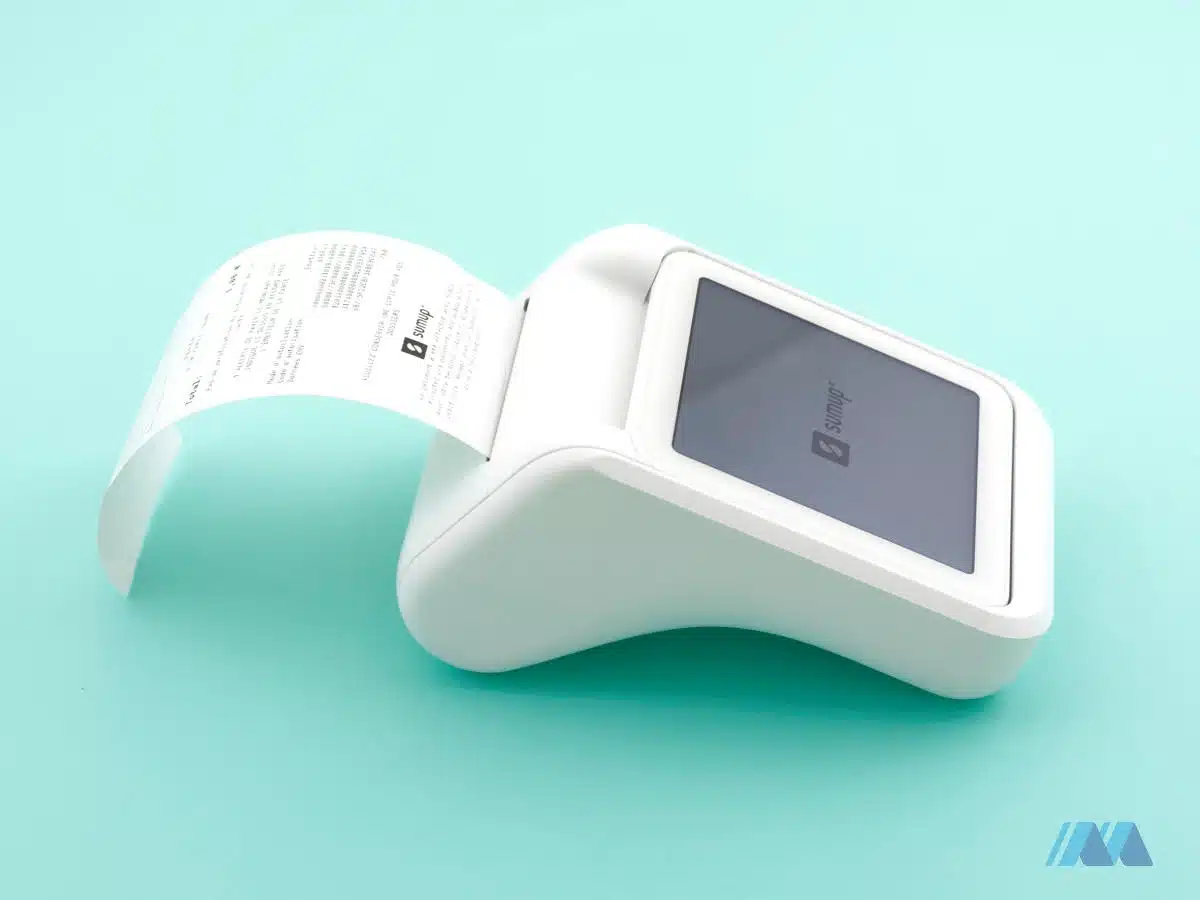
The SumUp Solo and printer combo is the cheapest UK card machine with a receipt printer.
Solo can work as a standalone solution for those who don’t need more than card payments, or with a SumUp POS register on a counter.
When used independently, it only works with a SumUp Solo printer attachment; a fixed countertop version or portable one doubling as a power bank.
The portable printer’s power bank capability is actually an excellent backup for mobile merchants – other card terminals don’t usually have this.
Photo: Emily Sorensen (ES), Mobile Transaction
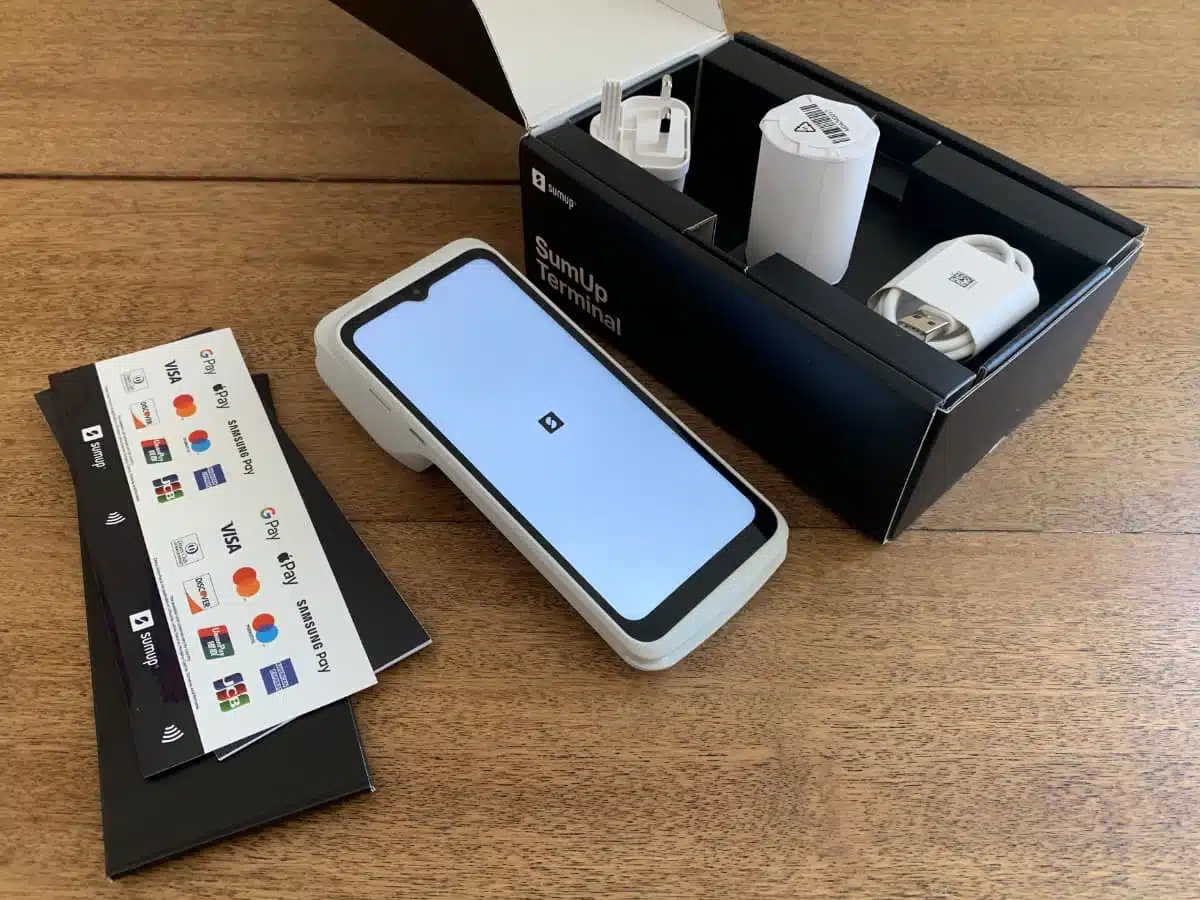
Our SumUp Terminal arrived well-packaged with everything needed to take payments.
SumUp Terminal – standalone solution with more POS features
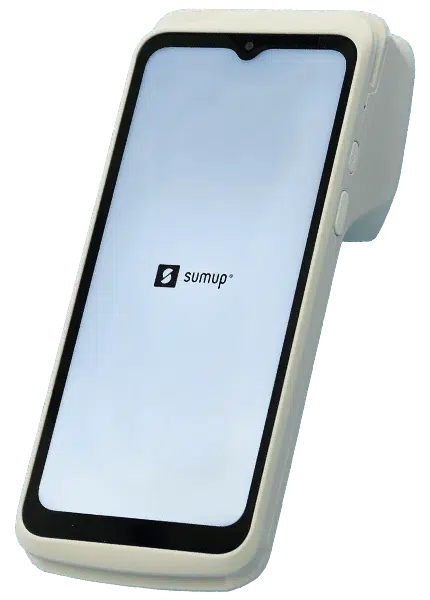
Merchants who need more than basic card payments on a standalone terminal can opt for the new SumUp Terminal which has the SumUp app installed. The software includes a product library, sales analytics, discounting and more.
No external receipt printer is needed, as this is built in. The receipts are small, but itemised with the most essential information including your business address.
I really like that the device has many accessibility settings like font size, colour adjustments and TalkBack. Although user-friendly by default, SumUp’s other card machines don’t come close to this.
It also has a large, 6.5″ HD touchscreen that’s smash-resistant if dropped from a height of up to 1.2 metres, so it suits very active environments like busy restaurant floors.
Photo: ES, Mobile Transaction
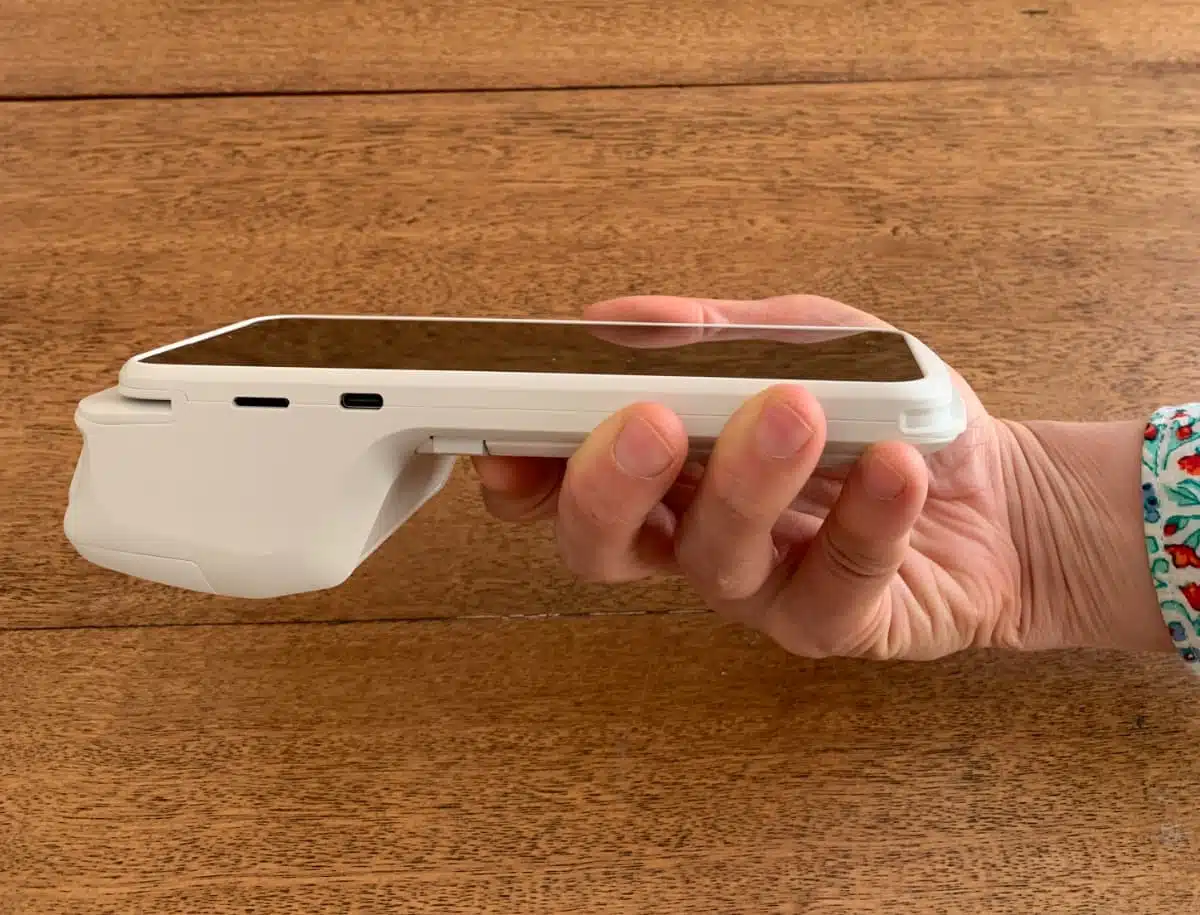
I found that the weight of SumUp Terminal’s top end pulls it down if I only hold onto the flat end.
Ironically, though, the top part containing the receipt roll is rather heavy compared with the much flatter body, so I had to keep a firm grip near the top end – or hold it upright – to avoid dropping it. Holding only the flat, lower end meant that the weight of the top end kept dragging it towards the floor.
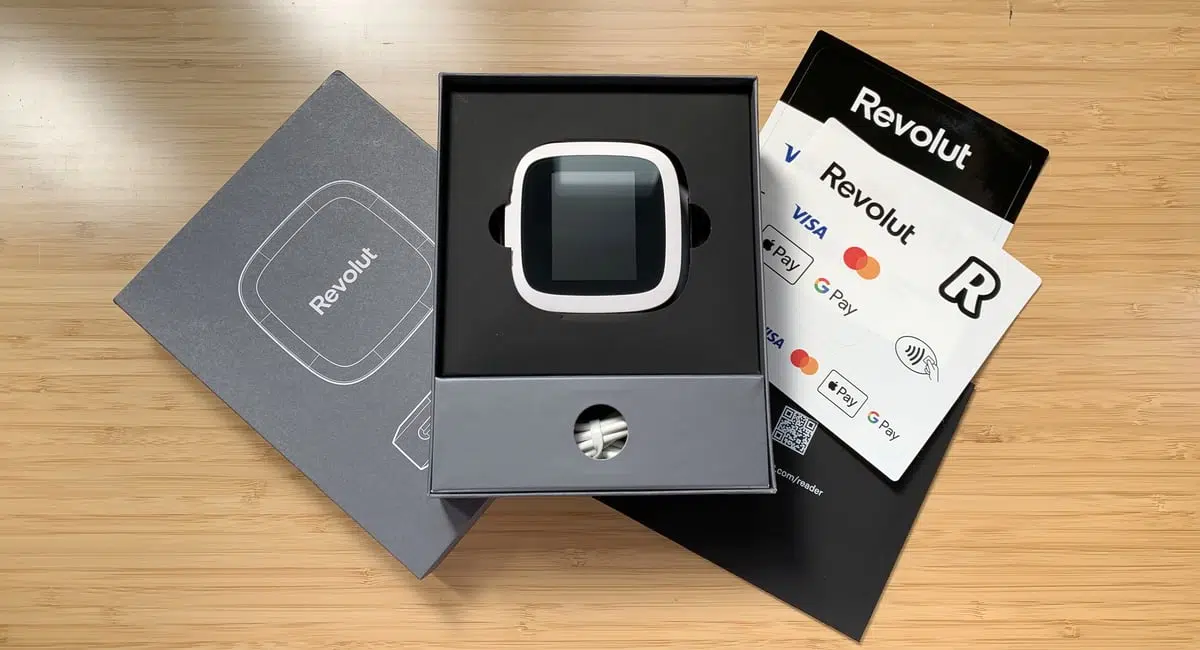
Other than that, this is the first card terminal from SumUp that emulates market-leading terminals like PAX A920, though it’s made of cheaper-looking plastic similar to Revolut Reader. SumUp Terminal’s matte plastic feels a bit slippery and prone to marks, in contrast with its touchscreen that feels premium.
Photo: ES, Mobile Transaction
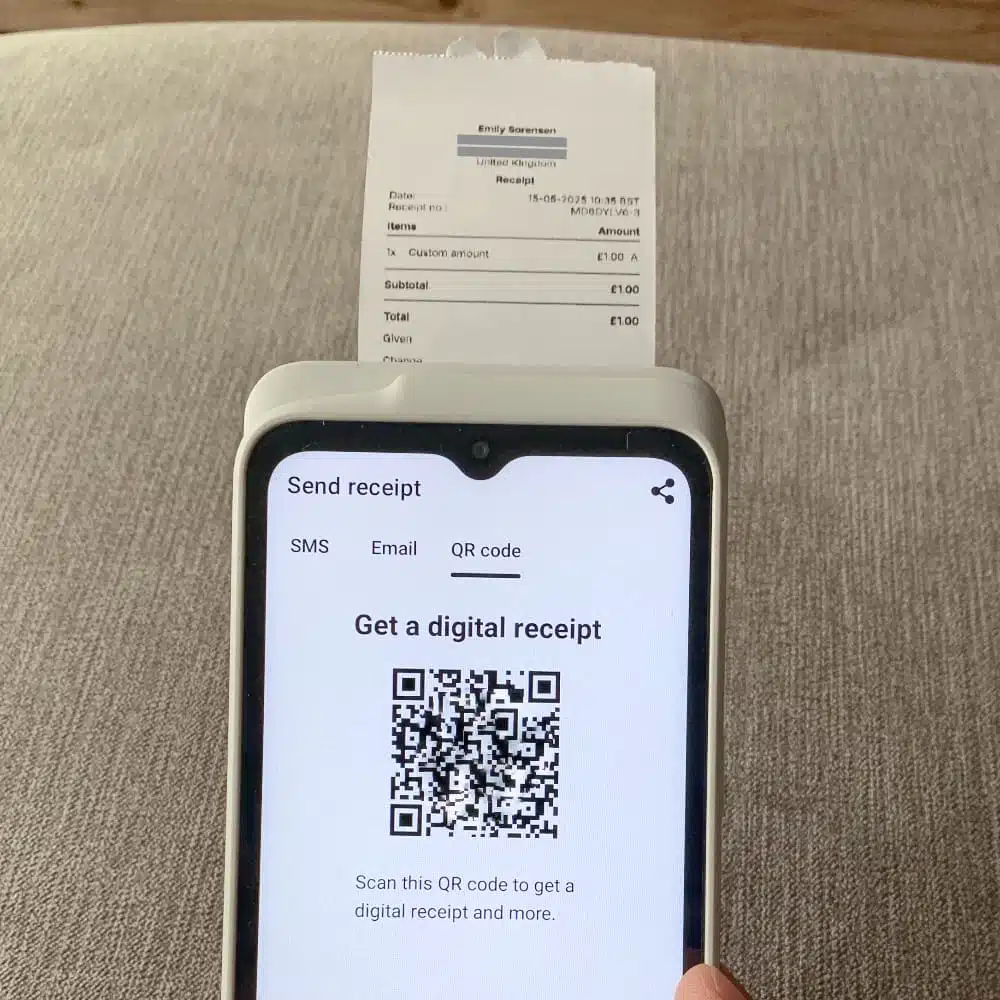
Our SumUp Terminal prints small, but sufficient, receipts.
Its front and rear cameras pave the way for barcode scanning, but this requires a POS subscription to use.
Alternative: Tap to Pay on a smartphone
Like most leading payment companies, SumUp has now added a functionality to SumUp App: acceptance of contactless cards or mobile wallets on the merchant’s iPhone or Android phone.
As long as the merchant has a compatible, NFC-enabled smartphone, they can ask their customers to ‘Tap to Pay’ for a transaction directly on the phone instead of a dedicated card reader. The feature has to be enabled first, after you’ve bought a card reader.
Accepted payments and payouts
The card readers accept chip (PIN or sign) and contactless NFC payments from any credit or debit card with the Visa, V Pay, Mastercard, Maestro, JCB, UnionPay, Discover, Diners Club or American Express logo. The mobile wallets Apple Pay, Google Pay and Samsung Pay are accepted too.
UnionPay is an exception for the Solo terminal – this is still not accepted on it.
Consumers may also pay with the e-wallet SumUp Pay containing a virtual Mastercard that collects loyalty points only to be redeemed at stores using SumUp.
Accepted cards





The minimum possible payment amount is £1. Customers can tap a contactless card or phone for amounts up to £100 without entering a PIN, but the card terminal will require authentication for amounts above. There’s no transaction limit on Apple Pay and Google Pay payments.
What about remote payments? Mastercard, Visa, American Express, Diners Club and Discover are accepted online, but not UnionPay or JCB.
By default, SumUp initiates payments – minus the transaction fee – to your bank account or SumUp Business Account daily. It takes 2-3 working days to clear in the bank account, whereas the SumUp account receives funds the following day. You can also choose to be paid weekly or monthly on a schedule.
SumUp lets you register cash payments, but not cheques.
Fees: low, fixed rate and no monthly charge
No ongoing or monthly fees apply to SumUp by default – you only pay a flat rate of 1.69% per card reader transaction, which is lower than PayPal’s (formerly Zettle) and Square’s fixed rate.
The payment terminals are purchased upfront and owned by you, but can be returned for a full refund within 30 days if you change your mind.
Given the lack of contractual commitment, termination fees or monthly minimum sales volume, you’re not charged anything if you don’t make sales for any length of time. This is great for fluctuating sales, seasonal businesses or anyone making £5,000 or less per month in card payments.
| SumUp general charges | |
|---|---|
| SumUp card machines | SumUp Solo Lite: £15 + VAT SumUp Solo: £49 + VAT SumUp Solo & Printer: £75 + VAT SumUp Terminal: £99 + VAT Free shipping and 30-day money-back guarantee included |
| Account creation | Free |
| Contract | No lock-in, no exit fee |
| Monthly cost | Free |
| Card reader transactions | 1.69% (any card) |
| Refunds | Free before payout, transaction fee after |
| Chargeback fee | £10 |
| Minimum monthly sales volume | No minimum, no fees |
| Invoice, online, QR code & link payments | 2.5% per transaction |
| Virtual terminal & keyed payments | 2.95% + 25p per transaction |
If your business accepts more than £10k monthly, you can ask for a custom quote with lower rates. In fact, SumUp has become more competitive with Dojo, Worldpay and the likes, so you don’t need to switch provider if you start with a fixed SumUp rate and want a better deal later on.
Keyed and virtual terminal payments are 2.95% + 25p per transaction, while online transactions, payment links, QR codes and email invoices cost 2.5%.
Chargebacks always have a processing cost of £10, applicable when a customer disputes a card transaction with their bank.
Refunds are free if processed before the money is settled in your bank account. After that, you can only process refunds with enough outstanding payouts (money not yet settled in your account), and SumUp will charge you the transaction fee originally paid.
Optional subscriptions
With an optional subscription, Payments Plus, you get the following reduced rates:
| Payments Plus fees | |
|---|---|
| Monthly cost | £19 per month (no VAT applies) |
| Contract | None; cancellable any time |
| Domestic consumer card transactions via chip, tap | 0.99% per transaction |
| All other card payments via chip, tap | 1.69% per transaction |
| Online card payments via invoice, link, ecommerce | 2.5% per transaction |
The Payments Plus plan is cancellable any time, so you can try it for a month or two to see if it saves money.
It has a lower rate of 0.99% for domestic consumer cards accepted through a card reader. International, commercial or premium cards still cost 1.69%, so it might not suit those with many tourists and international customers.
The plan would, however, be worth the monthly cost if you accept more than £3,000 per month in card payments.
We also know you can get lower transaction rates with a SumUp Point of Sale subscription. This requires speaking to the sales team for a quote.
Business Account and Mastercard
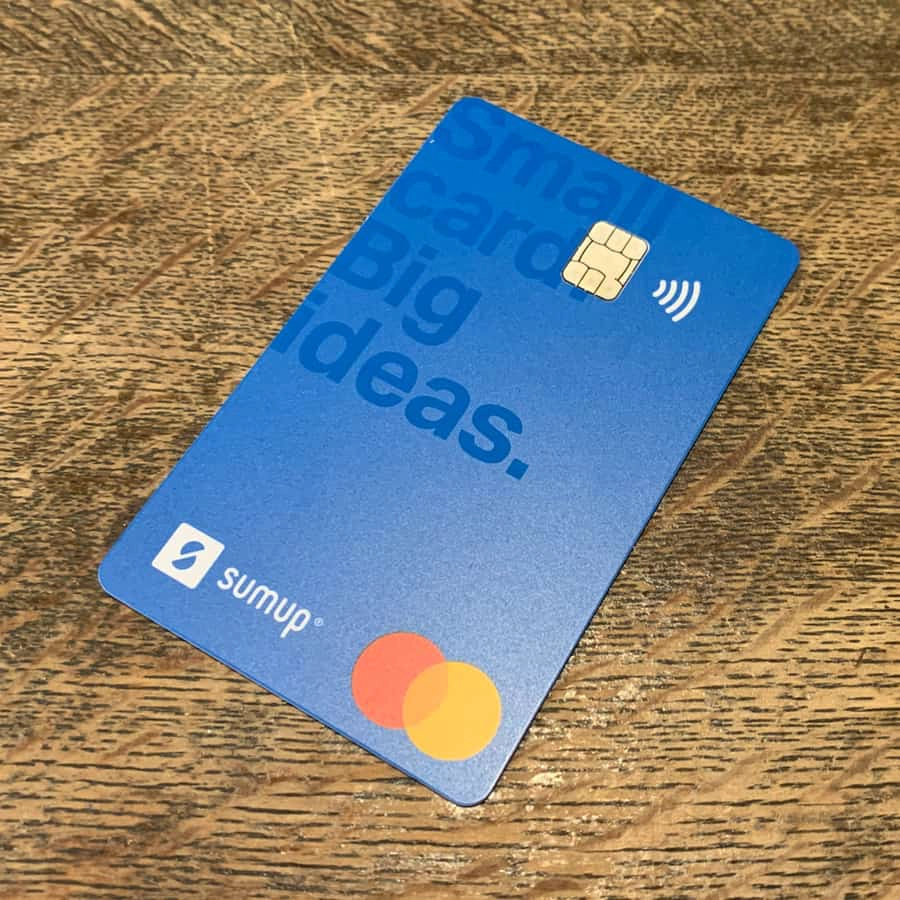
Don’t have a bank account? Or need faster access to funds in a dedicated online account? The free SumUp Business Account and Card offer an alternative way to get paid the next day (including weekends) instead of clearing in your bank account.
SumUp Card (or SumUp Business Mastercard) is a prepaid debit card linked to your business transactions. It can be used in physical shops, online or for withdrawing cash up to three times a month free and without monthly fees.
Image: Mobile Transaction
The account is managed in the SumUp app or browser dashboard, where you can:
The account and card features are a bit basic so far, e.g. it can’t do cross-border transfers. But a new Plus subscription (£15/month) adds more features like multiple cards to track team expenses and a lower cash deposit fee.
Business funding for merchants now available
If fast transfers aren’t enough, eligible merchants can request a SumUp Cash Advance. This is a business loan you repay within 12 months through a percentage of your card transaction takings.
Not all payment companies offer this, though Square and PayPal both do.
SumUp app: POS features (and more)
When SumUp first launched in the UK, the purpose of its app was to link with the card reader to accept payments in person. It has since matured into something much more than that, covering most payment and business management features.
Here, we focus on its point of sale features for face-to-face merchants. The app also lets you manage the SumUp Business Account and access the virtual terminal, invoicing, online store functions and customer orders.
Product library
Unless you prefer to enter a transaction amount with optional description, you can add products with an image, category, tax rate, variants and prices. Items are shown in a checkout menu so you can easily tap to add them to the bill.
Image: Mobile Transaction
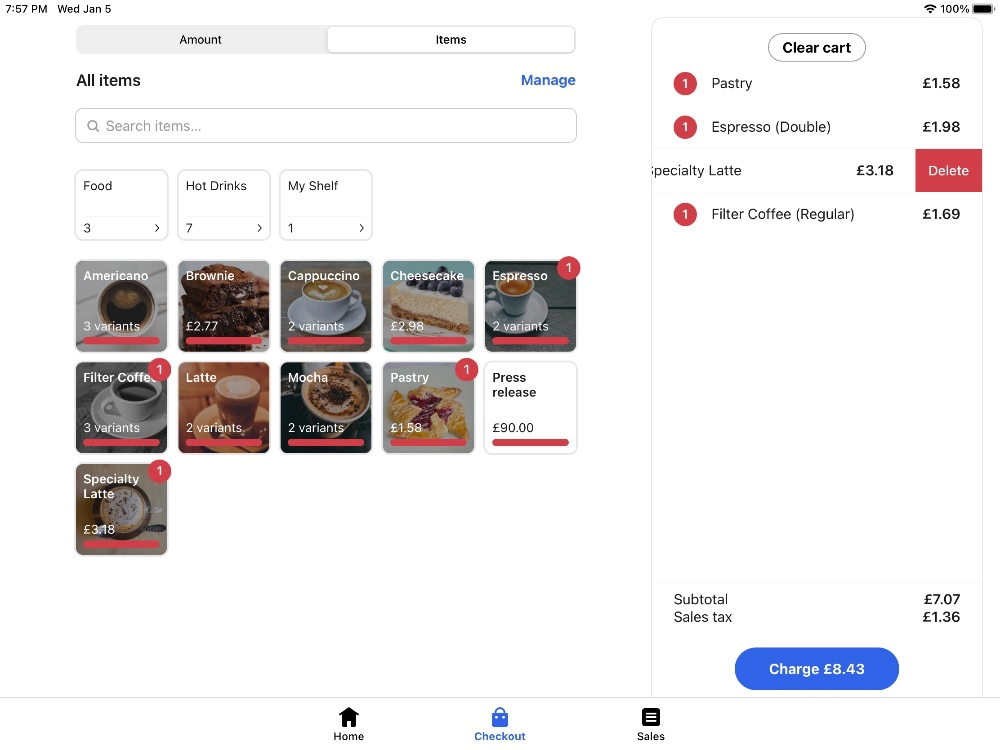
The product menu is user-friendly on iPad.
You can create different category labels, e.g. “Hot Drinks” and “Food”, shown as separate tabs on the screen to switch between. However, SumUp does not track stock levels or allow you to add more than one level of variants per product.
Image: Mobile Transaction
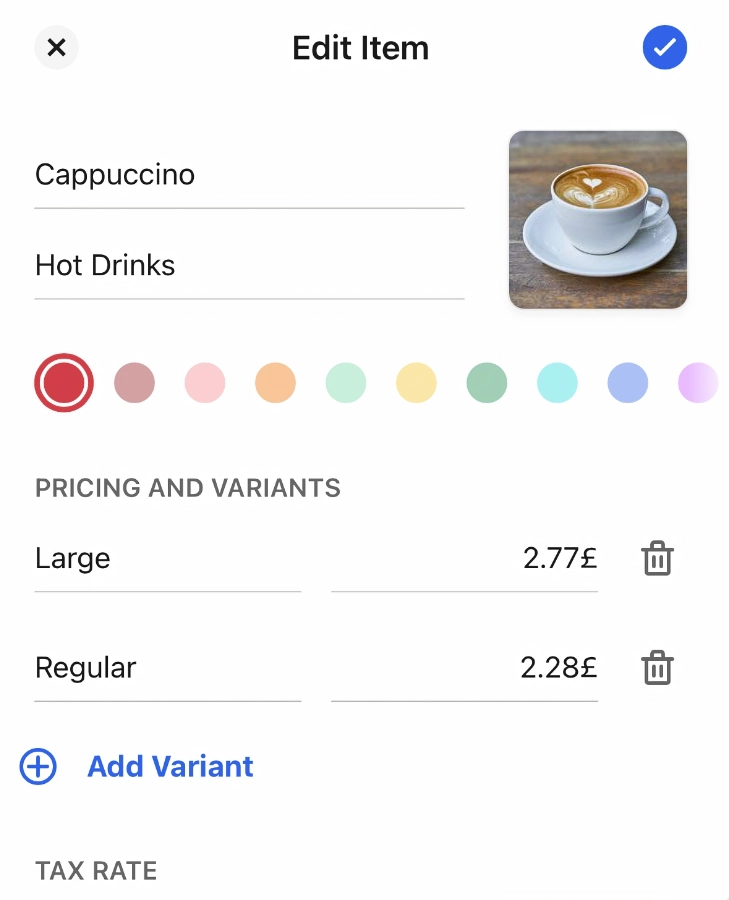
Add products with item details.
Payment options
Accept cards, cash and tips. Only recently, SumUp also added discounts (percentage or fixed amount), if you want to reduce the price of items.
You also see options to send a payment link or text message, or generate a QR code that the customer can scan to proceed on their phone – a great way to take payments face to face without a card reader. Keyed card entry is displayed for users with a virtual terminal activated.
The app does not accept vouchers, cheques or other special payment types. You cannot accept partial payments, splitting between cash and card.
Image: Mobile Transaction
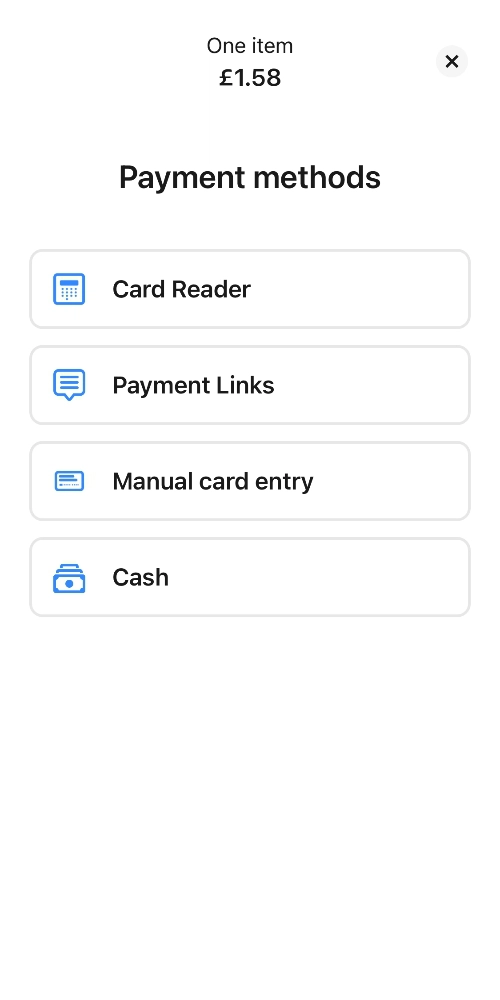
Payment method screen.
Image: Mobile Transaction
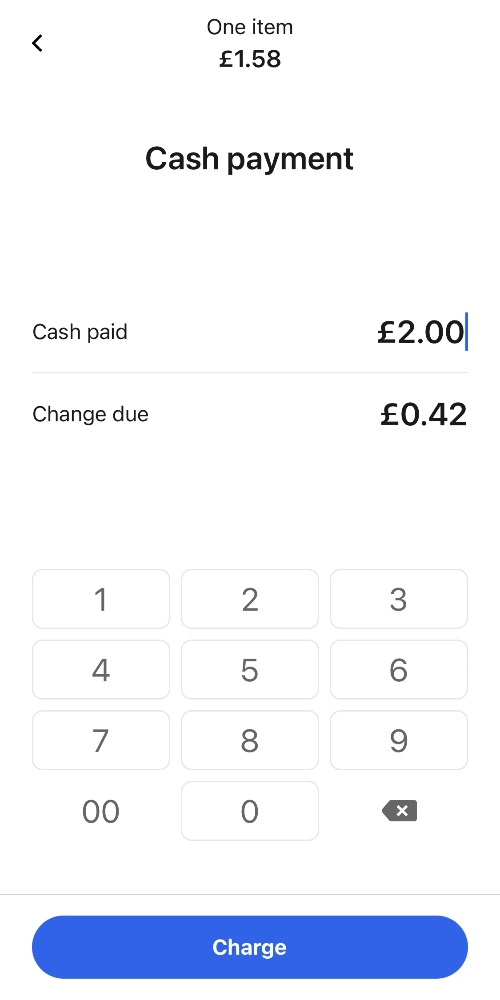
Cash transaction.
Image: Mobile Transaction
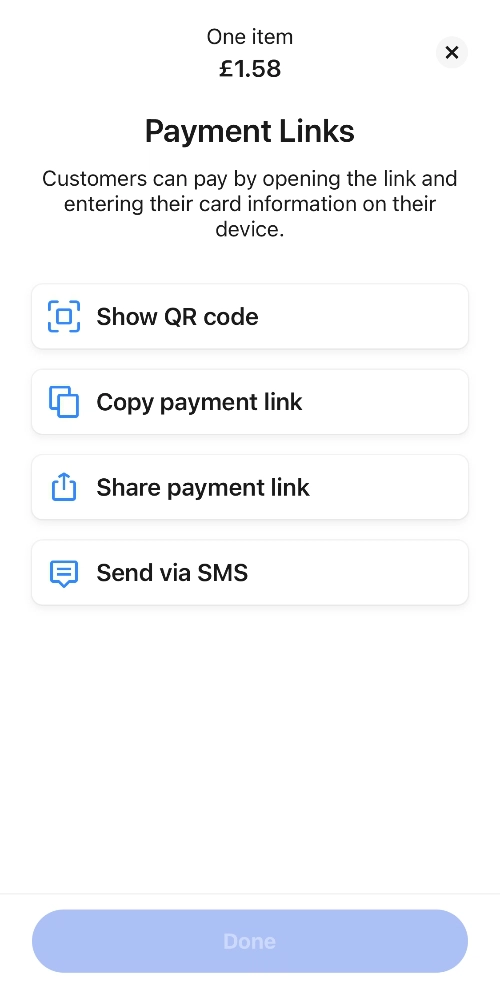
Payment link options.
You can, however, accept SumUp Gift Cards. Customers can purchase these online from a fixed link you share via social media, text, email or messaging app. The customer then receives the virtual gift card over email.
Receipts
Taxes can be shown on the receipt, as enabled in your settings. After each transaction, you can send a receipt via email or text or print it. Alternatively, you can share it to an app on your – or a nearby – device via the cloud or Bluetooth.
Image: Mobile Transaction
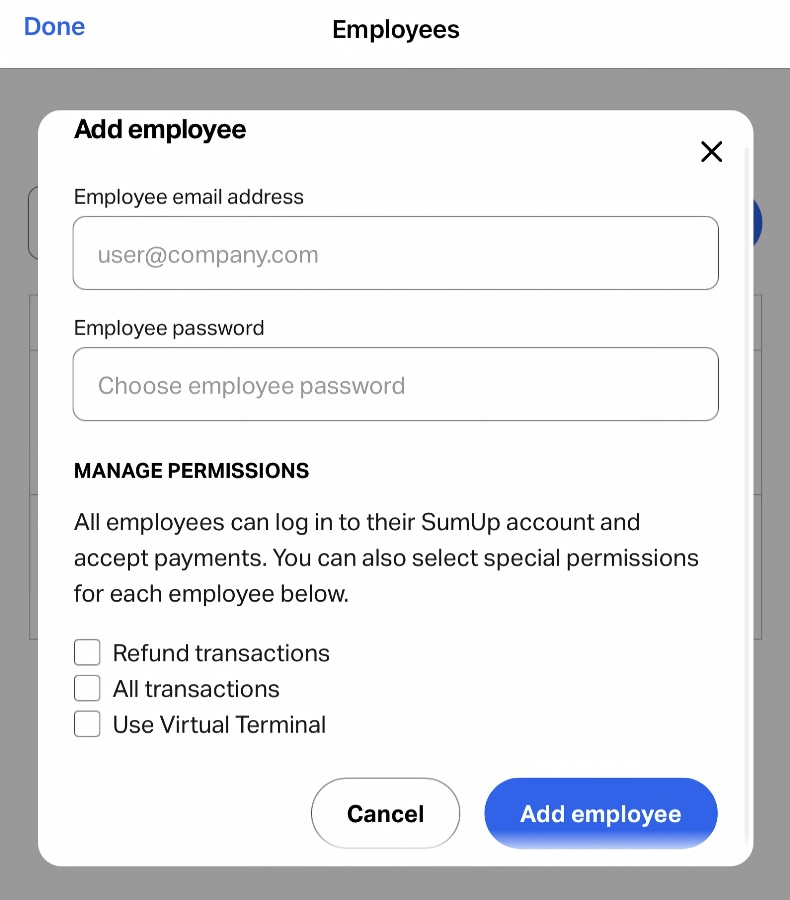
Staff accounts can have refunds and transaction overviews restricted.
Refunds
Refund complete or partial transaction amounts via the original payment method. If the customer paid by card, the refund is processed to that. A refund can only succeed if there is enough balance to fund it, i.e. outstanding payouts currently underway to your bank account.
Staff accounts
Create multiple staff logins with basic restrictions, including whether they can view all transactions, process refunds or use the virtual terminal (if activated).
Reports and analytics
View a list of transactions and payouts, and filter these according to a time period.
In the browser dashboard, you can sort transactions according to users to monitor sales activities.
POS integrations
Merchants can upgrade to a more extensive, but easy, POS system called SumUp POS Plus or POS Pro (previously Goodtill).
POS Plus (£29/mo) is an extension of the free SumUp app, whereas POS Pro (from £49/mo) is a modular system with optional add-ons for your industry, such as restaurant, customer loyalty and online ordering features. These both require a 12-month commitment, which is not openly advertised.
There’s also a free booking system linked to the SumUp account. In addition, a few external POS systems work with SumUp card readers, such as Loyverse. Consequently, you shouldn’t be afraid to start with the really simple SumUp app if all you want is to receive payments now, but later anticipate growth.
Those looking for an order-and-pay solution can get a SumUp Kiosk. This is a big self-order, touchscreen station you can place in store, where customers can add food or products to their bill, then pay on the attached SumUp card reader. You get a custom quote for this starting at £49 + VAT per month.
Online payments: plenty of simple options
In the past few years, SumUp has come a long way in terms of remote payments – and they’re all included free in your account.
Payment links
For a start, Payment Links allows you to create a transaction in the SumUp app, then choose one of the following:
Food and drink businesses will benefit from SumUp’s multi-use QR codes for individual items to print and display at tables, the counter or in the window. This allows customers to scan the code with their phone and place an order without staff interaction.
Online store
Click-and-collect and delivery orders can be placed online through the very basic SumUp Online Store. It lets you create a simple web page (through the app, no less!) with products, collection and delivery options. Order notifications are sent so you can prepare shipments or collections promptly.
It’s not a perfect system, but it does the minimum needed to manage orders from your phone.
Photo: ES, Mobile Transaction
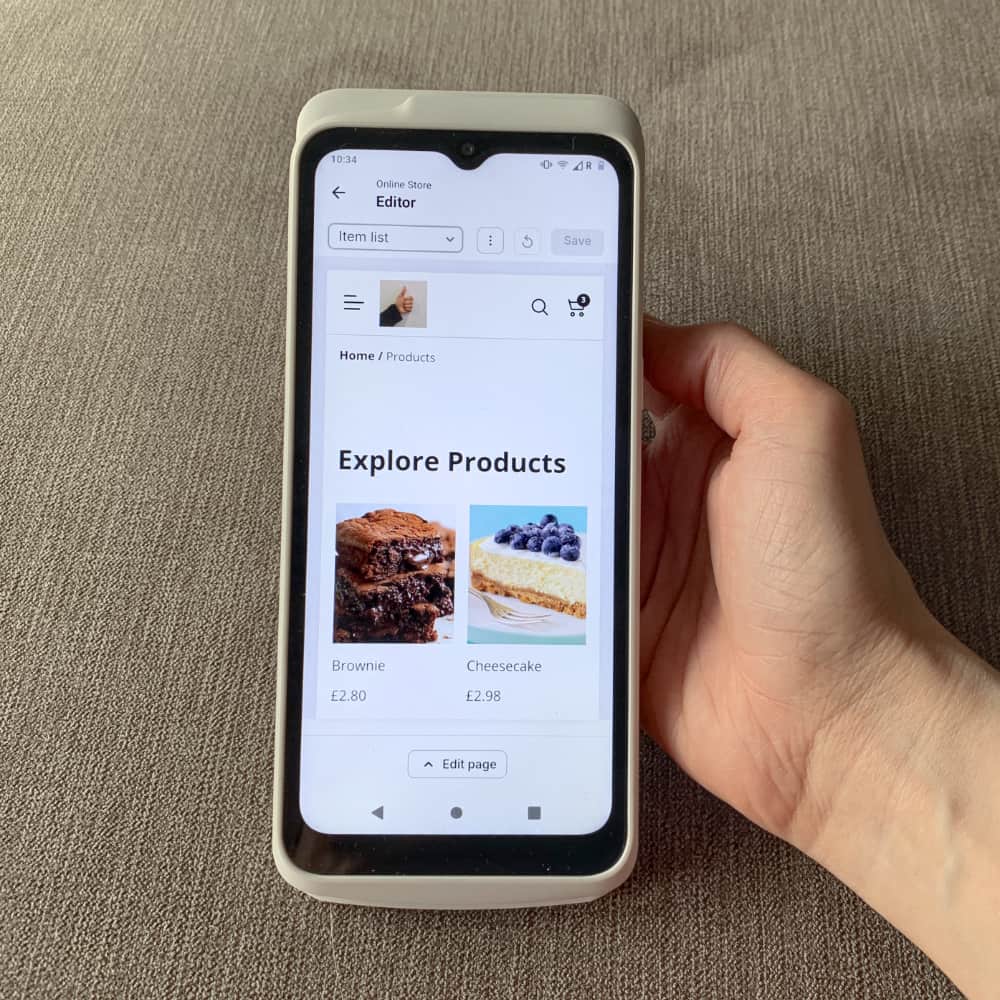
We could edit the online store on SumUp Terminal. Other card machines don’t let you edit an online store.
The website is, however, extremely basic. There are not many editing options and practically no style choices, so it’s nothing like ecommerce platforms such as Squarespace and Shopify. Instead, you can edit basics like terms and conditions and collection hours, and you get a free page to share on social media to keep sales afloat while you’re not trading in person.
Image: Mobile Transaction
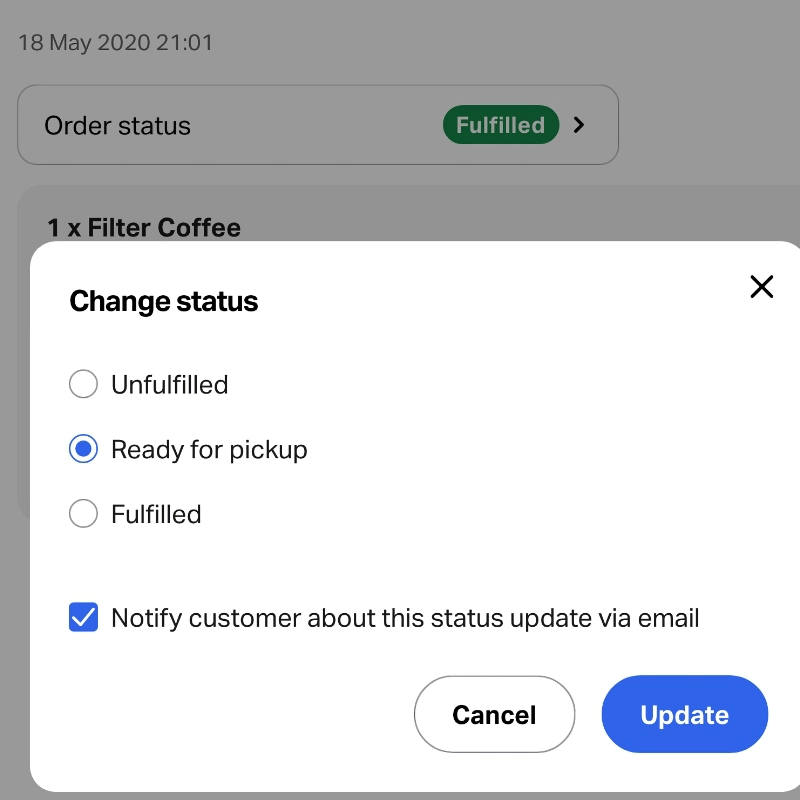
Selecting an order status.
Image: Mobile Transaction
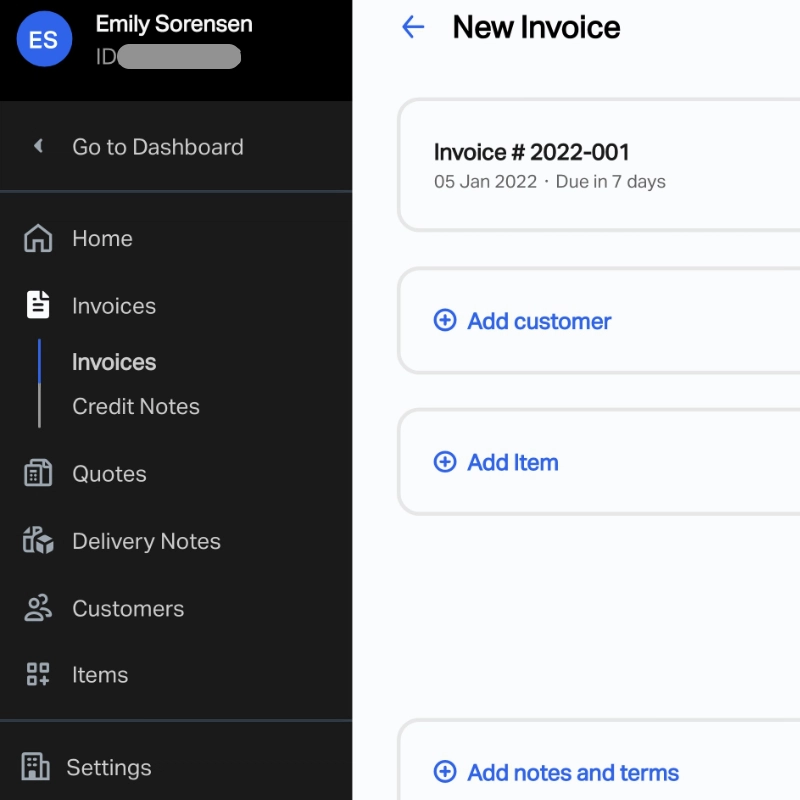
SumUp Invoices menu in Dashboard.
Invoicing
Alternatively, you can send and manage email invoices from the app or the Dashboard for more features. This includes sending quotes, credit notes and itemised invoices with customer details, and you can generate delivery notes. The recipient can pay through a SumUp payment link or by bank transfer.
The Free Invoices plan lets you send unlimited invoices with payouts going to your SumUp Business Account. Bank account settlement, 14 languages and full customisations are included on the Plus plan (£7 + VAT/month on an annual plan or £8 + VAT/month paid monthly).
Virtual terminal
What if you need to process a card payment on behalf of a customer? Eligible users can activate a Virtual Terminal, accessible in both the app and web dashboard. It allows you to enter a transaction and card details, then finalise the payment while talking to the customer over the phone.
SumUp is one of the only payment companies that allow you to use a virtual terminal from a mobile app. Other providers typically only have a web version to use on a computer.
Accounting: compliant with Making Tax Digital
For reporting options, it’s best to log into the SumUp Dashboard in a web browser. Apart from its basic sales overview within a selected time period, you can export your sales history from a particular day, week or month to a CSV file for accounting.
Payout reports are sent via email when settlements are completed and are downloadable as a PDF file.
SumUp integrates with Xero, Sage and QuickBooks if you’re on a POS Plus subscription for £29 monthly. Though not free, having these integrations available is a step up for SumUp, who didn’t offer any a few years ago.
But for sole traders, the biggest advantage is SumUp’s compliance with the new Making Tax Digital requirements. From April 2026, self-employed people making over £50,000 annually have to start sending HMRC quarterly returns via automated accounting software. From April 2027, this applies to those making over £30,000 too.
SumUp has been working with Sage to add such a system to its business account, so sole traders can comply by just following simple prompts in the free business account.
Photo: ES, Mobile Transaction
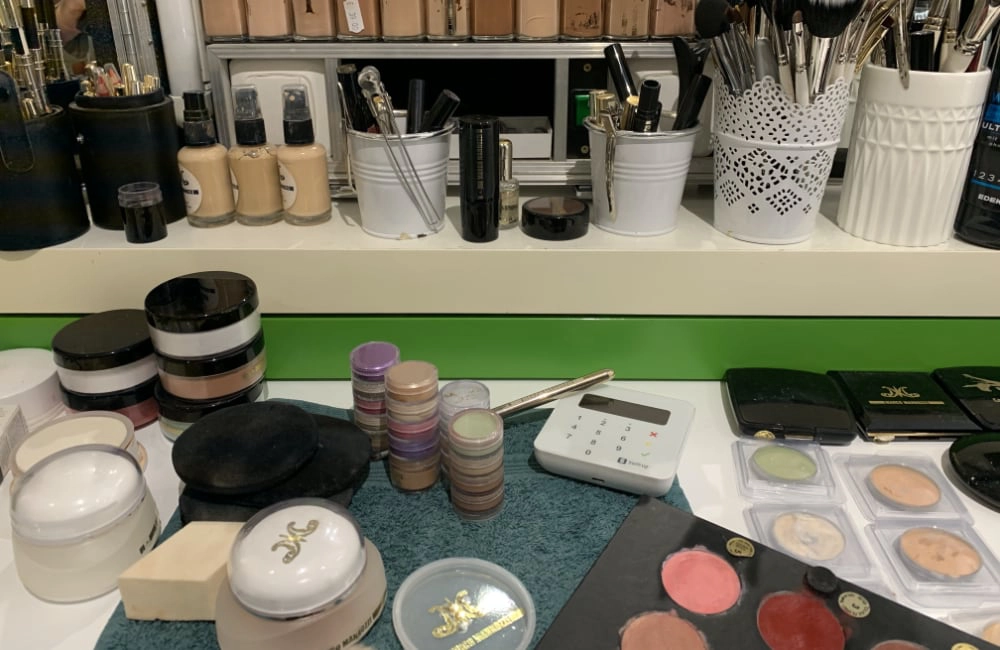
SumUp is convenient for beauty salons such as this, where we visited in Berlin a few years ago.
Who is SumUp best for?
SumUp suits sole traders, entrepreneurs and small businesses requiring an extremely user-friendly card machine and versatile features for remote selling too.
Market stalls, artists and makers, independent shops, taxi drivers, tradesmen, beauty salons, barbers and hairdressers like the straightforwardness of the platform. In my local area, I often see cafés, restaurants and bars use SumUp, sometimes with a more advanced POS system.
SumUp is designed to suit businesses that don’t need more than a few card readers – anything more, and you probably want a more complex POS system that tracks stock levels, staff movements and more.
You can use many SumUp readers in the same account, but the lack of location management can make it hard to monitor who did what.
Outside traders working a lot in the sun can go for SumUp Terminal or Solo which have bright, adjustable screens viewable in the sun. In contrast, we found the display on the old SumUp 3G hard to read in strong sunlight.
Photo: ES, Mobile Transaction
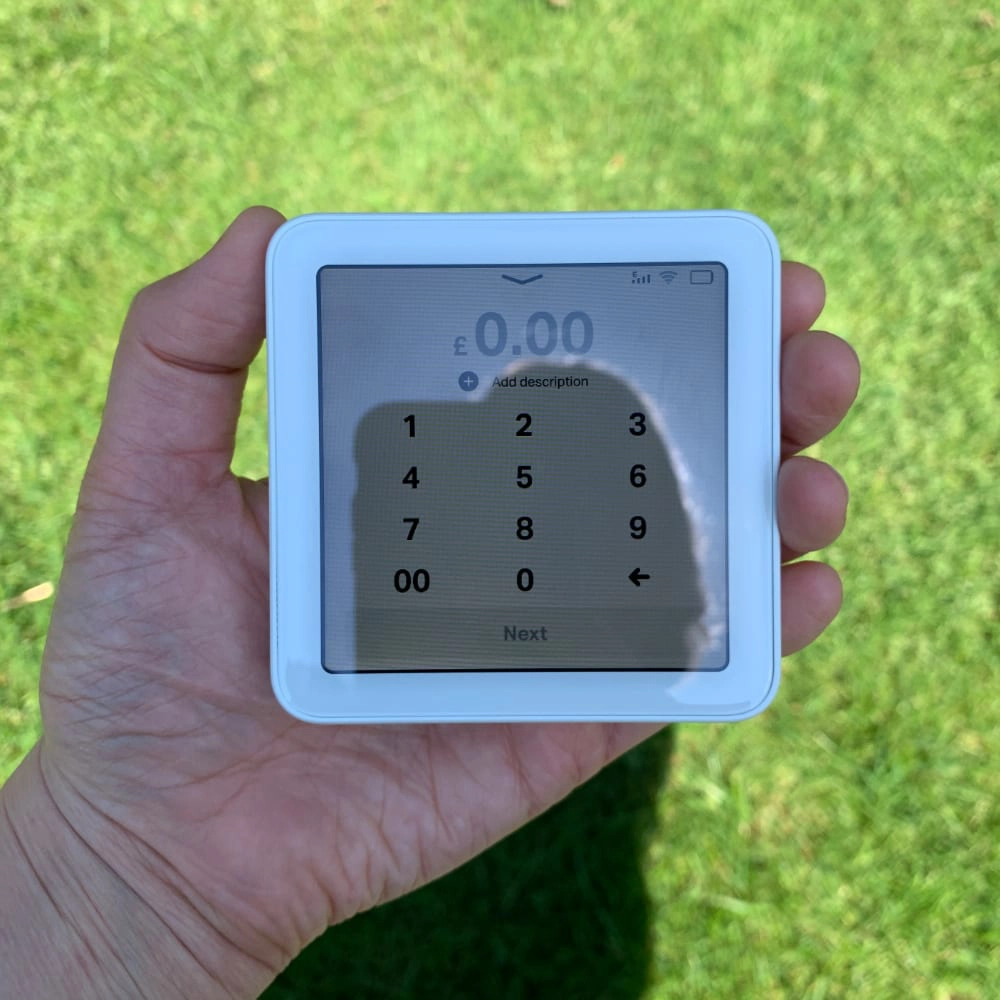
Here’s how visible our SumUp Solo screen was in strong sunlight.
Those travelling abroad for business – to trade shows, for example – can use SumUp on their travels if prior arrangements have been made with the customer service team. This arrangement is available for almost all of Europe.
Customer service and user reviews
SumUp’s online support section will answer the majority of questions. To contact customer support, you can phone them on weekdays between 8am and 7pm and weekends between 7am and 5pm. To put that into context, the closest competitors, PayPal and Square, only offer weekday support.
Alternatively, you can always email SumUp, but getting a reply can take days, sometimes weeks. We’ve experienced response times of over a month for non-urgent queries, but you can deal with pressing issues on the phone or through a contact form in your account during working hours.
Users tend to rate SumUp highly compared to several other mobile card readers, but it is not a perfect service.
For example, people have complained about lack of support when they needed it. There have also been card reader issues, e.g. some users have said their old card reader has stopped working for no reason, forcing them to buy a new terminal after the warranty is up.
Photo: ES, Mobile Transaction
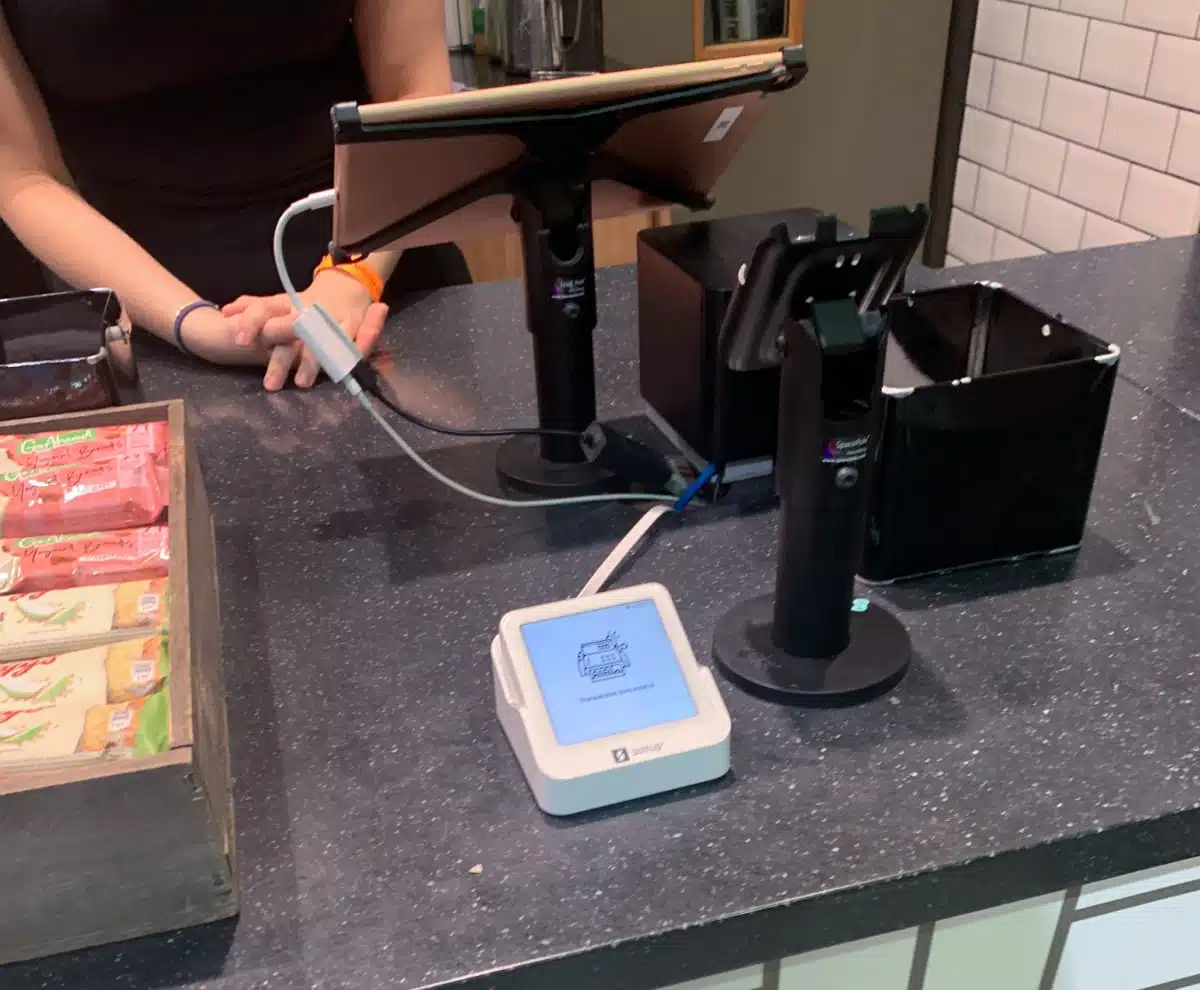
SumUp Solo does integrate with a POS system, like at this takeaway business we visited.
Sign-up and eligibility
SumUp accepts registered sole traders and businesses with a bank account owned by the organisation, business or self-employed person. Not-for-profit organisations may be accepted too, provided they meet certain criteria. SumUp can advise further on this if you get in touch.
As with all payment companies, there are certain high-risk business types SumUp will not support, e.g. multi-level marketing, any kind of adult entertainment, door-to-door sales and unlicensed counselling.
It’s very easy to get started: you sign up on SumUp’s website, submitting basic information about yourself and your business. Like any other payment provider, SumUp performs a check against the business details provided.
As long as you are not classed as a “restricted business”, and your bank account name matches your business name, they should accept it all pretty swiftly.
After sign-up, you can order a card terminal on the website, arriving within three working days. In the meantime, you can download SumUp App on an iOS or Android device and use the available features there.
It is also possible to buy a SumUp card reader from stores like Ryman, Toolstation and Amazon, but then you are likely to pay shipping charges too.
The virtual terminal can also be activated for qualifying merchants. You need to contact customer support for this and answer some questions about your business and payment usage. After reviewing your account, SumUp may add the virtual terminal to your dashboard and app.