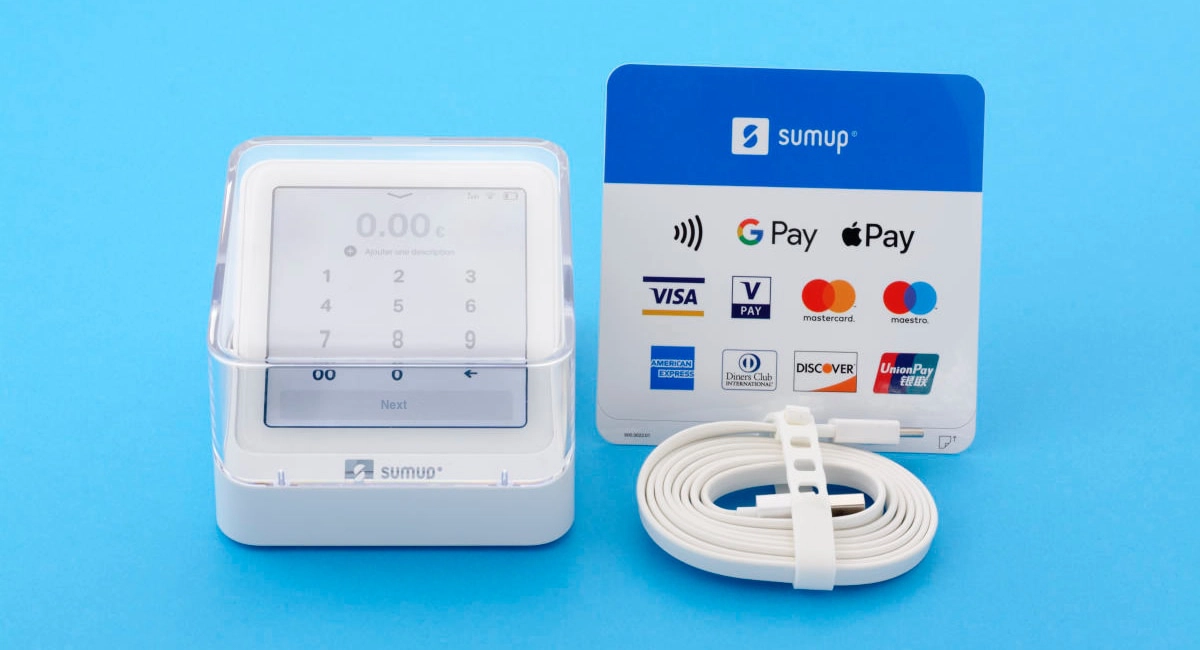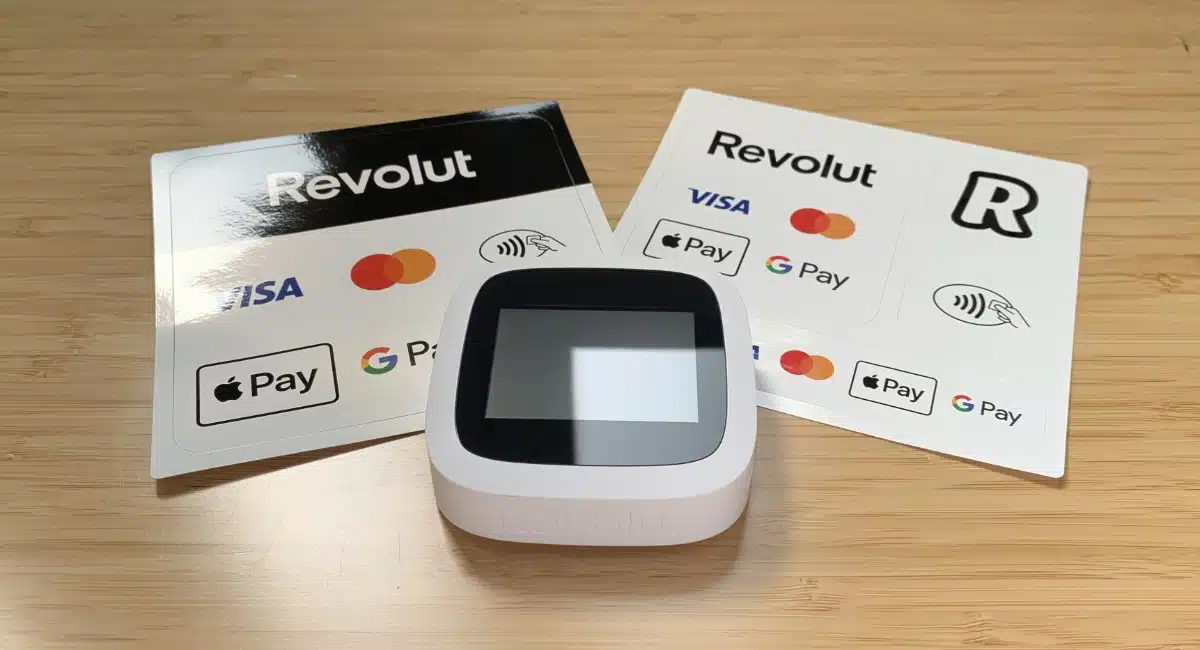

- Pros: Good, pretty terminals. No monthly fees or lock-in. Fixed rate for all cards including Amex. Online payments. Business account.
- Cons: No evening support. Limited accounting integration.
- Best for: Merchants who need need a very easy, low-cost solution for taking card payments.
Mobile Transaction has tested SumUp’s card machines for years, so our opinions are based on experience.
Contents
In summary
What is it?
Verdict
In detail
Card readers
Fees
App and reports
Register and POS set-up
Customer service
Who is it for?
Getting started
What is SumUp?
Many Irish entrepreneurs are looking for alternatives to a lock-in card machine contract.
SumUp is a no-monthly-fee solution for taking both in-person and remote card payments, and it also includes a range of tools to manage a small business.
The offer is tailored primarily to micro-businesses, sole traders, freelancers, and tradespeople.
There are no fixed contracts or minimum turnover requirements, so you can use it (or not) without the risk of extra fees.
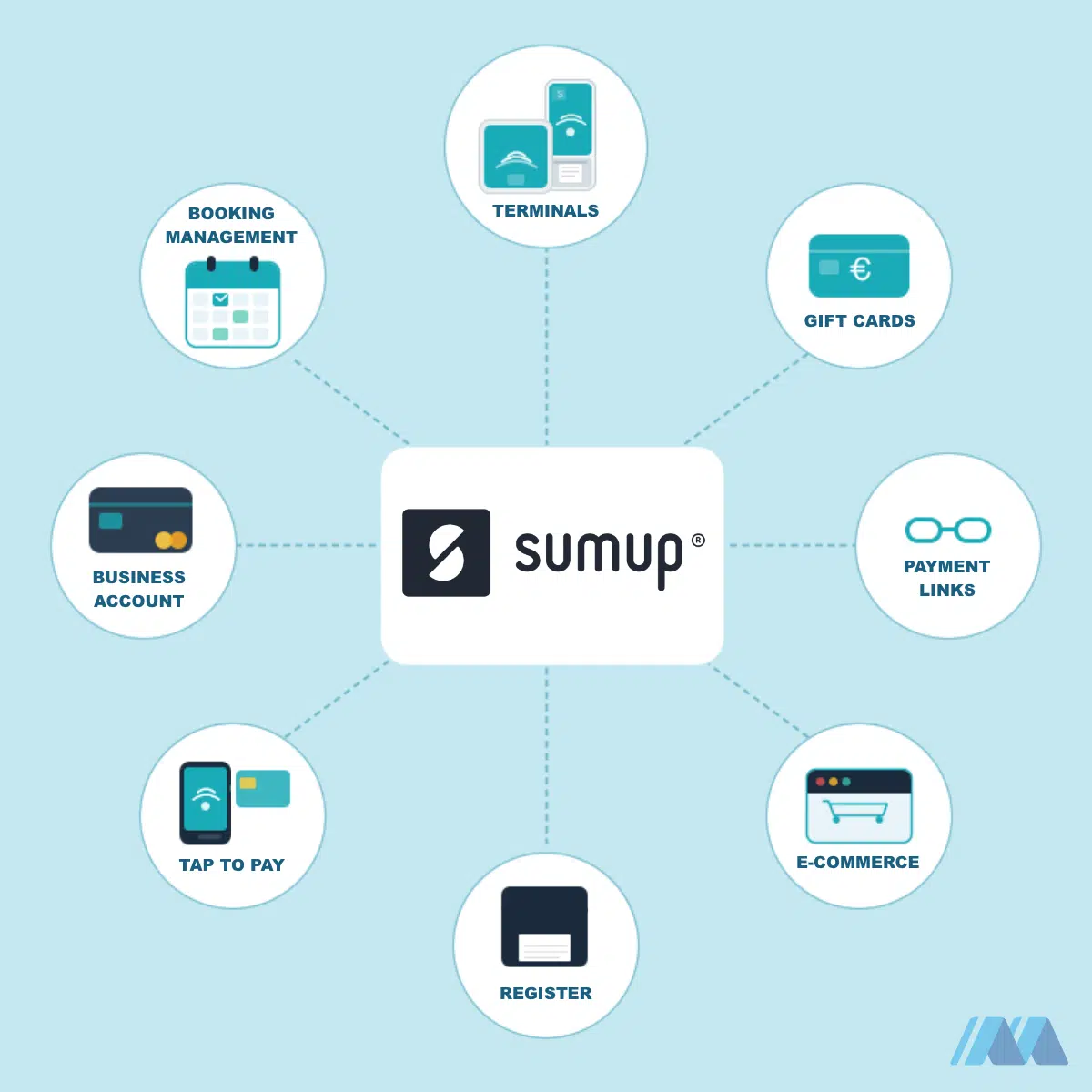
Which services are included in the basic SumUp plan?
- Tap to Pay to accept card payments without a physical terminal
- Business account with next-day funds transfers, even on weekends
- Prepaid debit card
- Payment links and online payments
- Online store
- Gift cards
- Booking management
- Loyalty programme
- Invoicing
If preferred, transactions can be deposited in your bank account of choice within 2–3 working days.
The card can be added to your Apple Pay or Google Pay wallet and used in shops accepting Mastercard, whether online or in store.
SumUp is a pay-as-you-go service costing only a simple transaction fee for successful sales and the one-off cost of the card reader, which is yours to keep indefinitely.
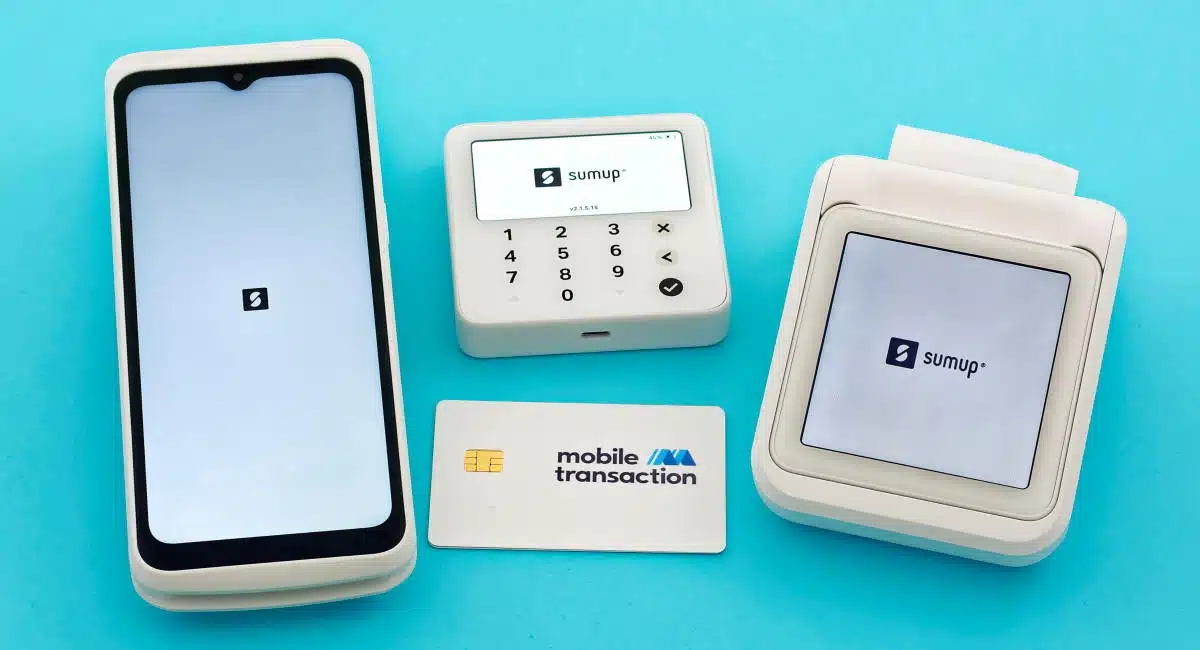
Image: Mobile Transaction
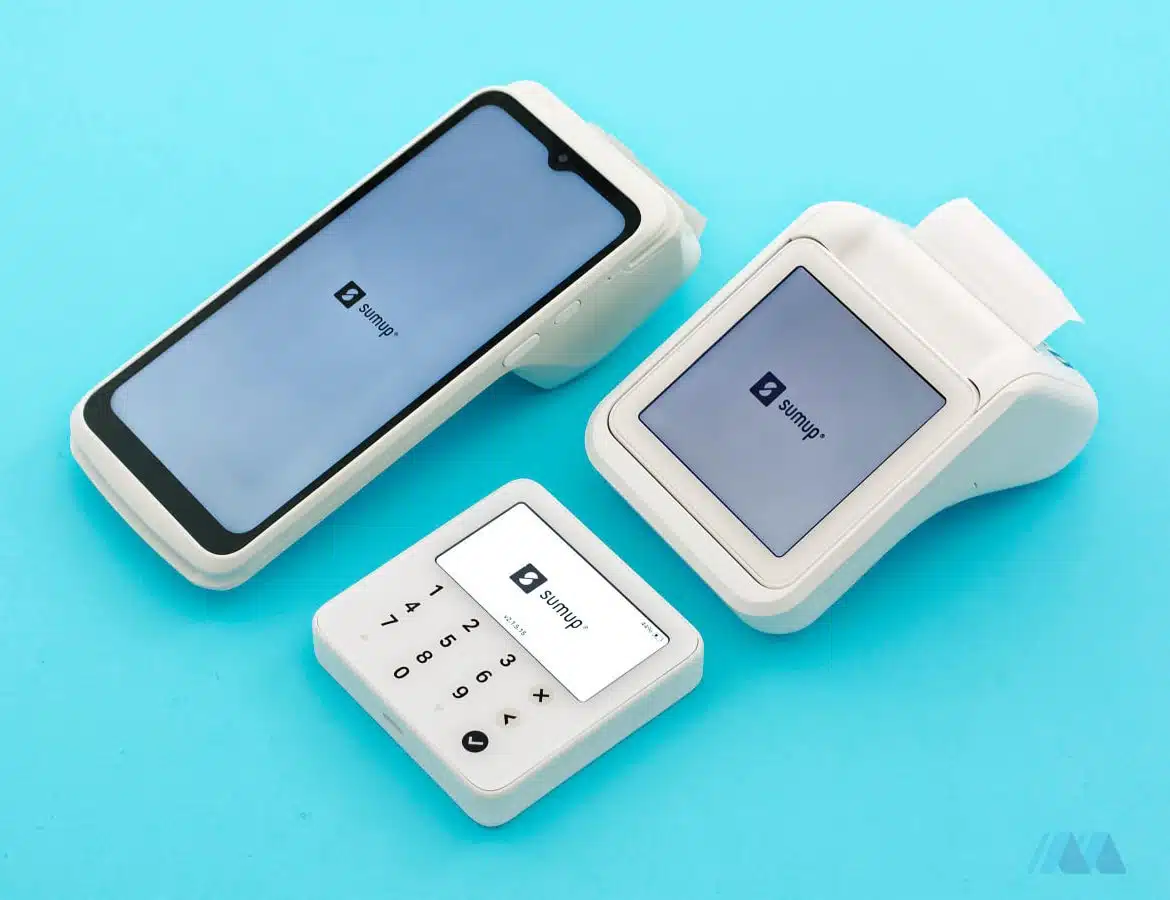
Terminal and Solo are standalone card readers, while Lite requires a Bluetooth connection to a smartphone or tablet.
Its device lineup includes:
- a smart terminal with a built-in printer (Terminal)
- a compact, lightweight device available with or without a printer (Solo)
- an affordable app-based card reader (Solo Lite)
The first two are standalone terminals, while the latter requires Bluetooth pairing with an Android or iOS smartphone or tablet.
Cards accepted





SumUp accepts a wide range of debit cards, credit cards and contactless mobile wallets from the brands above.
It could also be a great option as a backup card terminal for businesses operating in major cities, business hubs, and tourist hotspots.
Our opinion: still one of the best
In Ireland, SumUp is without doubt one of the leading options for mobile card payments. But with Square, Revolut and Worldpay having entered the Irish market, SumUp does have more competition now.
Small-business merchants will find SumUp’s simple fee structure and app just what they need for accepting cards in the most user-friendly way possible. The card machines are good piece of engineering that look good and fit in a pocket.
“I love how pretty SumUp’s card readers are, but I did find a few shortcomings with Solo. On its own, the battery life wasn’t great when I tested it, but the printer attachment can top it up on the go if power is low.”
– Emily Sorensen, Senior Editor, Mobile Transaction
The latest card machine, SumUp Terminal is a jewel for entrepreneurs who need a mobile terminal with a printer, POS and ecommerce features directly on the touchscreen. Our only issue with it was the uneven weights of the top (heavy) and bottom (light) part, so you need a firm grip to hold it horizontally.
The complimentary business account with next-day payouts is important for many merchants in need of a fast cashflow. We’ve spoken to some businesses saying how slow payouts are a deal-breaker. If you went with Square, fast payouts cost extra.
Overall, SumUp is a very low-risk, easy payment solution for anyone who just wants to take payments without hassle.
Card readers: choice of 3
SumUp sells a few types of card readers.
Let’s take a look at the (significant) differences between these devices with a comparison table:
| SumUp Solo Lite |
SumUp Solo |
SumUp Terminal |
|
|---|---|---|---|
 |
 |
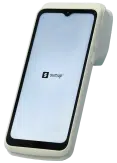 |
|
| Website | |||
| Price | €15 + VAT | €49 + VAT | €99 + VAT |
| Works without phone/tablet | |||
| Connectivity | Uses connected mobile device’s network or WiFi | 4G, WiFi | 4G, WiFi |
| Battery life | 1000+ transactions | 100 transactions | 14 hours |
| POS integrations | SumUp App, SumUp POS | None | SumUp App built in |
| Receipt printing | Compatible printers available | SumUp Solo Printer only | Built in |
| Dimensions | 8.3 x 8.3 x 1.7 cm | 8.3 x 8.3 x 1.7 cm | 19 x 8 x 5.3 cm |
Note: using Tap to Pay incurs no initial fee, as it is a built-in app feature that turns your smartphone into a payment terminal.
Tap to Pay does have its drawbacks, though: it only supports contactless payments. This makes it ideal for sole traders or as a backup reader, but less suitable for retail shops and high-volume card businesses.
We have tested and photographed SumUp terminals. Drawing on our firsthand user experience, here’s a closer look at the devices’ features:
SumUp Terminal
If you need something more ‘professional’, SumUp Terminal is the answer to a more traditional smart terminal with simple POS software (SumUp App) built in.
It prints simpler receipts than Square Terminal, but works with 4G anywhere and can even edit your online store front directly on the screen.
Image: Mobile Transaction
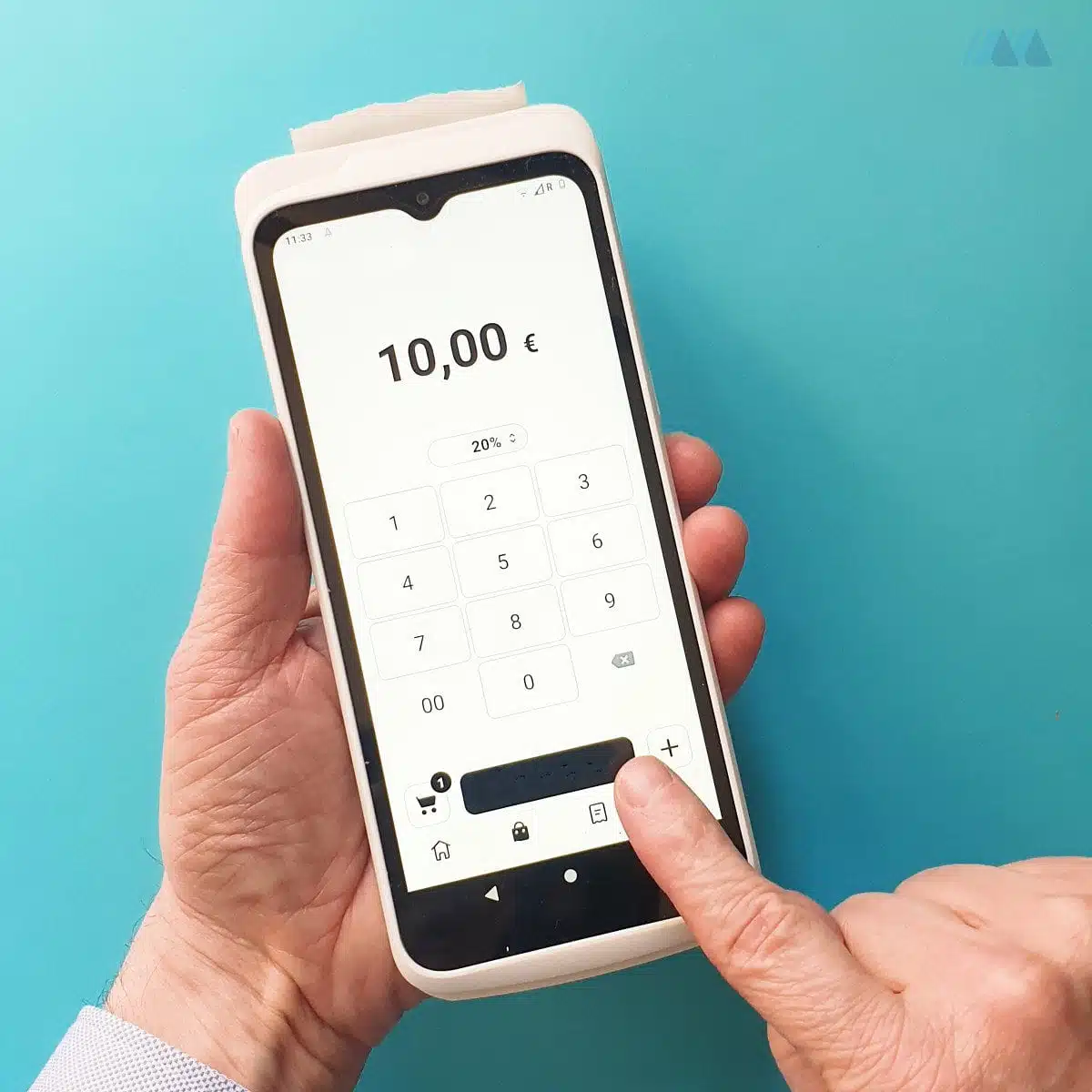
Our SumUp Terminal worked well for both itemised and simple (pictured) transactions.
“One thing I noticed about SumUp Terminal is how the receipt roll end is much heavier than the bottom, flat part. The weight of the top would tip it downwards if I didn’t hold the whole terminal firmly enough! If you hold it more upright, though, it’s fine.”
– Emily Sorensen, Senior Editor, Mobile Transaction
These standalone card machines are ideal for merchants requiring an additional, portable card terminal to function independently from a point of sale system. They also work well for on-the-go payments that do not require a phone to operate the card reader.
SumUp Solo
Alternatively, you can opt for the standalone SumUp Solo or Solo and Printer terminal.
These square-shaped touchscreen terminals come with a built-in SIM card with unlimited data for payment processing anywhere (though they also work with WiFi).
None of them require a connected mobile device. They are in fact meant to be independent card readers that don’t work with a point of sale app.
Image: Mobile Transaction
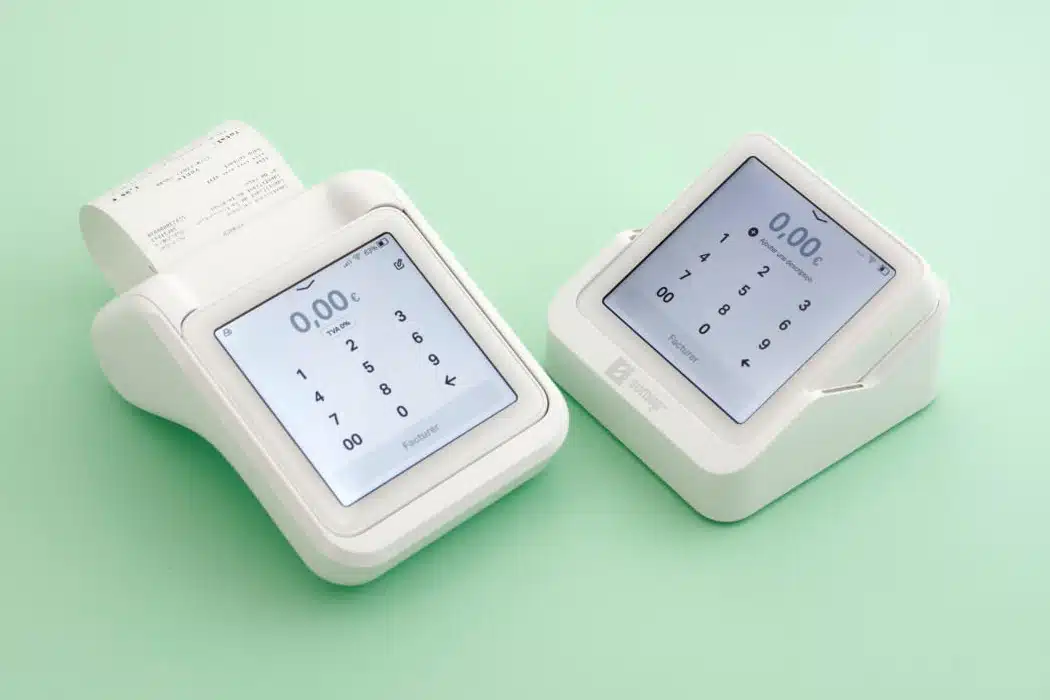
SumUp Solo and Printer next to SumUp Solo in a basic countertop stand.
Built into Solo are features like smart tipping, language settings and screen brightness settings.
The design looks fancy and can be purchased with a simple countertop stand or receipt printer doubling as a charger.
SumUp Solo and Printer includes a printing-and-charging cradle. The card reader and printer together are portable, but obviously heavier than just the Solo reader.
These standalone card machines (Terminal, Solo) are ideal for merchants requiring an additional, portable card terminal to function independently from a point of sale system. They also work well for on-the-go payments that do not require a phone to operate the card reader.
SumUp Solo Lite
The cloud-based processing power of SumUp App is what allows the Solo Lite card reader to accept payments.
The payment process itself is simple: firstly, enter the transaction amount in the SumUp App or add products from the product menu. The customer inserts their card into the reader and confirms the payment with their PIN on the card reader keypad or taps a contactless card or phone on the Solo Lite display.
When the payment has gone through, you can send an email or text receipt to the customer.
Photo: Mobile Transaction
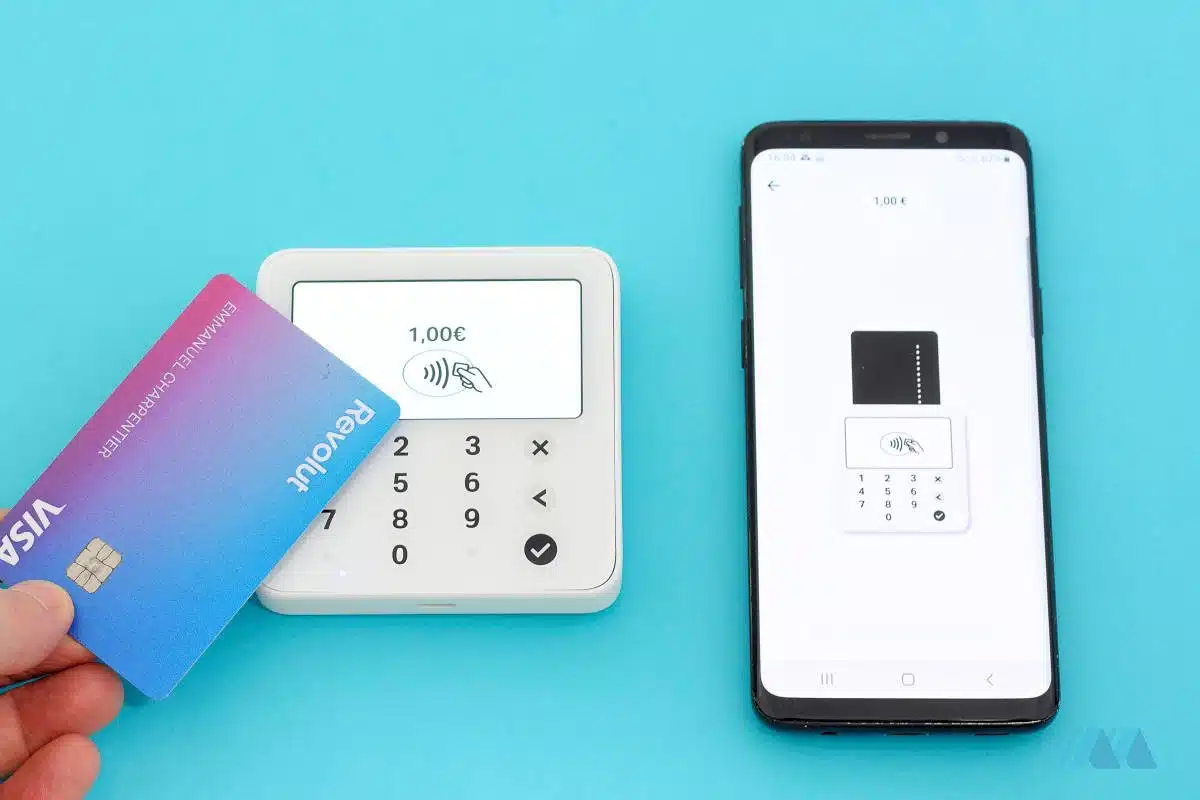
SumUp Solo Lite (pictured) replaces the old SumUp Air.
It’s also possible to connect the SumUp App to printers using AirPrint (iOS) and Google Cloud Print (Android).
Of course, if you need receipt printing and not the app, you can buy the SumUp Solo and Printer set or just SumUp Terminal.
Solo Lite has a very long battery life: over 1000 transactions from a full charge. That’s twice as long as its predecessor SumUp Air that only lasted 500 transactions.
Fees: predictable, simple
You can choose between two pricing plans, one of which has no monthly fee.
Pay-as-you-go
The upfront cost is simply the price of the device.
After that, there are no recurring fixed fees, but rather a fee on processed transactions.
This means you’re only paying when you actually take a payment. No contractual commitment, no setup fee.
You can buy the card reader through this link, with free delivery.
The terminal has a 30-day-money-back guarantee from the day of purchase.
| SumUp charges | |
|---|---|
| Card reader price | Solo Lite: €15 + VAT Solo: €49 + VAT Solo and Printer: €59 + VAT Terminal: €99 + VAT |
| Shipping | Free |
| Account creation | Free |
| Monthly cost | Free |
| Card reader transactions | 1.69% |
| Cancellation fee | None – no contract |
| Refunds | Free within 2-3 days, 1.69% after |
| Chargebacks | €10 each |
| Invoices, Online Store, Payment Links | 1.69% per transaction |
| Virtual Terminal | 2.95% + 25¢ per transaction |
While some merchant service providers charge for processing refunds, SumUp does not – as long as you process the refund before the transaction has settled in your account. After this, the SumUp retains the original transaction fee. Chargebacks incur a fee of €10.
It is also possible to accept remote payments through Invoices, Online Store, Payment Links (incl. QR codes) and SumUp Virtual Terminal. The virtual terminal is subject to approval by SumUp. Transactions through the virtual terminal cost 2.95% + 25¢ and all other remote payments are 1.69% per transaction.
There is no monthly cost for the business account, no fees for using the card, and you get three free monthly ATM withdrawals (further withdrawals cost 2% each).
SumUp’s transaction fee appears to be the best fixed rate currently available in the Irish mobile card payment market. Both Square and Elavon Mobile advertise a 1.75% rate, and Elavon charges more for JCB, UnionPay, Diners Club and Amex. High-volume merchants might find better deals with a traditional card machine.
Pay-as-you-go vs. Payments Plus
What are the differences between the two pricing plans, and which one is more cost-effective?
| SumUp plans | Pay as you go | Payments Plus |
|---|---|---|
| Monthly cost | Free | €19 |
| Transaction fee | 1.69% | 0.95% |
| 24/7 priority support | – | Yes |
| Free device replacement | – | Yes |
We calculated the break-even point for the overall cost (monthly fee + transaction fees).
Our calculations show that Payments Plus becomes the better value option once you process around €2,600 a month in card payments.
Otherwise, it is better to opt for the basic plan, which is more cost-effective for lower card transaction volumes.
App features and reporting
Whether you use the app-based SumUp Solo Lite reader or now, merchants can al access the handy SumUp App. It has essential features for accepting and managing payments – and a bit more.
For example, you can add products to a product library for an easier checkout experience as you can click on these to add to the shopping cart. Alternatively, enter the sales total directly in the app when you take the payment.
If you were granted access to Payment Links, the payment methods will (apart from cash and card) show payment link, SMS link and QR code as payment options – plus SumUp Gift Cards if you have sold any for redemption. Email invoices can be sent and managed from the app by all SumUp users.
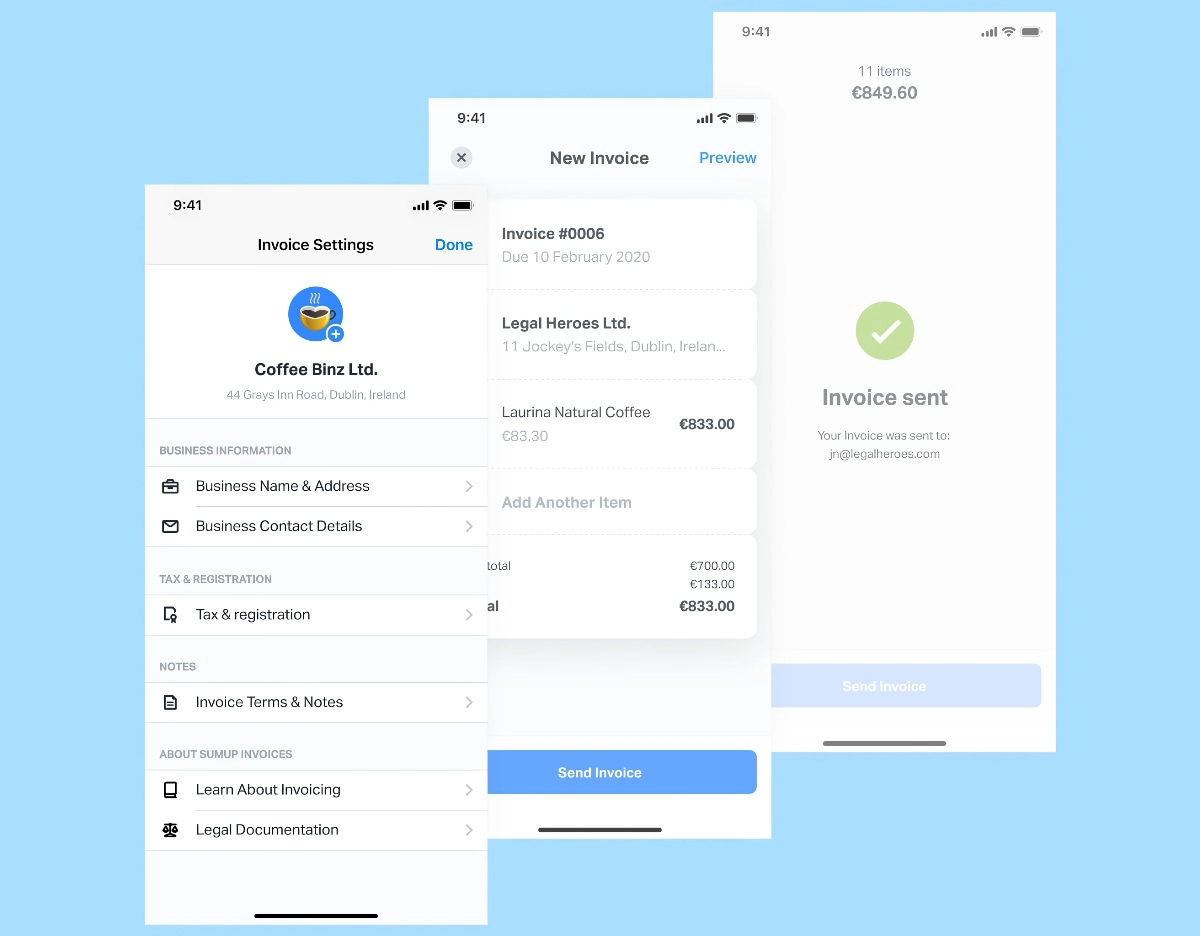
SumUp Invoices are useful for many professionals.
Tipping can be switched on in the app, where the customer can choose the tip amount from a few suggested percentage options.
You can create multiple staff accounts in the app, defining whether they are allowed to process refunds and view all transactions in the app. If you need to have more than one person accepting card payments at a time, it is possible to link more than one card reader to the main SumUp account.
SumUp’s online dashboard provides an overview of important sales statistics. You can also access more sales data and export an entire sales history – or history of a particular day, week or month – to a CSV/Excel file.
Payout reports are automatically emailed to you for every settlement in your bank account (if this setting is switched on), listing the associated transactions.
When ready to expand your checkout features, it is possible to upgrade the software to a more feature-rich SumUp POS system built around your requirements.
SumUp Register and POS set-up
SumUp POS is a point-of-sale system that is fully compliant with Irish regulations.
The offering consists of:
- Software (management app)
- Hardware (tablet, add-on modules)
You can choose from two app versions:
- Free POS (no monthly fee)
- POS Plus (€39/month)
With the free version, you can process payments, manage a product catalogue, and track your inventory. It does not offer hospitality-specific features or advanced tools. The Plus version includes advanced features for retail, hospitality, delivery, and more.
Photo: Mobile Transaction
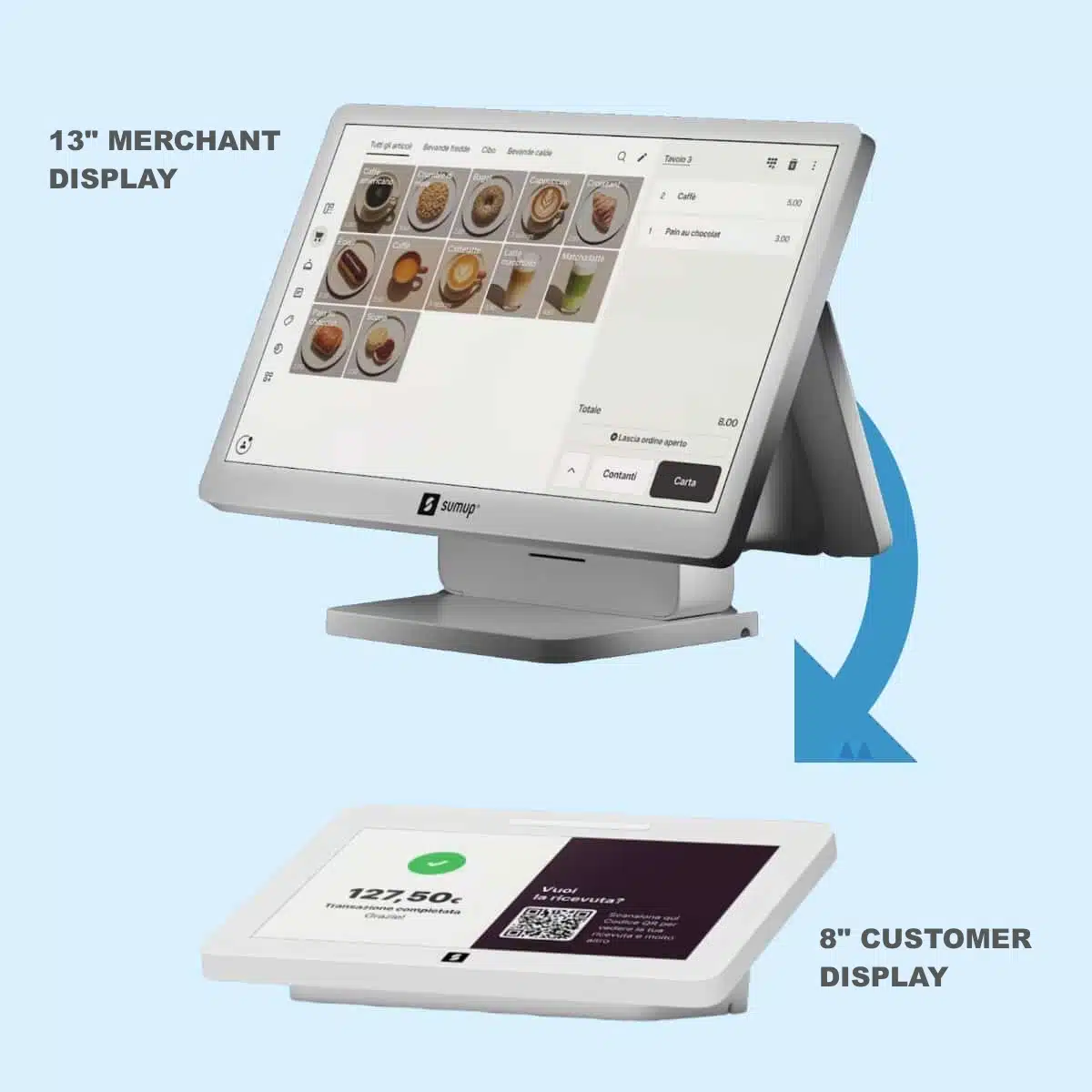
SumUp Register basic hardware kit
The hardware starter kit costs €399 excl. VAT.
It includes a 13-inch touchscreen tablet with the SumUp Register app pre-installed, and an 8-inch customer display.
Alternatively, you can opt for more complete kits or extra accessories, like a receipt printer, cash drawer, and barcode scanner.
What about customer service?
To contact customer support, messaging chat is encouraged, but you can phone them between 8am and 7pm on weekdays and 8am-5pm on weekends, or email any time. The support team is unavailable in the evening past opening hours. The helpline is generally responsive, but non-urgent email queries can take a few days for a response.
The online Support Centre answers the majority of user questions. Apart from that, the product is designed to be so simple to use that very little input is needed from the customer service team.
Who is SumUp suitable for?
SumUp is a great option for merchants and small businesses needing a single mobile card reader, as opposed to multiple readers and staff accounts. This could be market stalls, small shops, cafés, taxi drivers, fundraisers, tradespeople and other professionals.
For lower-volume traders and businesses, the flat rate is competitive. If monthly card sales exceed €5,000, it may be worth getting a quote from a traditional terminal provider to compare. Just bear in mind the additional monthly fees, contractual lock-in and minimum transaction volumes that other providers often require.
SumUp is for registered businesses and sole traders only, meaning only bank accounts in your business, sole trader or organisation’s name are accepted.
If you’re travelling to trade shows, for example, SumUp offers the flexibility of using it abroad – as long as you’ve alerted customer service, and only if you’re going to one of the other countries SumUp operates in.
How to get started
You register for a SumUp account online through a short online form, then order the card reader which will be delivered by post within a week’s time.
As with other payment providers, SumUp performs an automatic identification, bank account and business check upon registration to be sure your details are legitimate and your business is not classed as high-risk.
As a self-employed person, your bank account can be in your own name. If registering a business name, the bank account should be in your business’ name.
SumUp card machines are also available to individuals without a VAT number, such as casual sellers and hobbyists.
If you have the card reader, download the free SumUp app on your iOS or Android device and pair it with the terminal via Bluetooth (needs to be enabled on your mobile device). That’s it – when all of these things are connected, you are ready to take card payments.