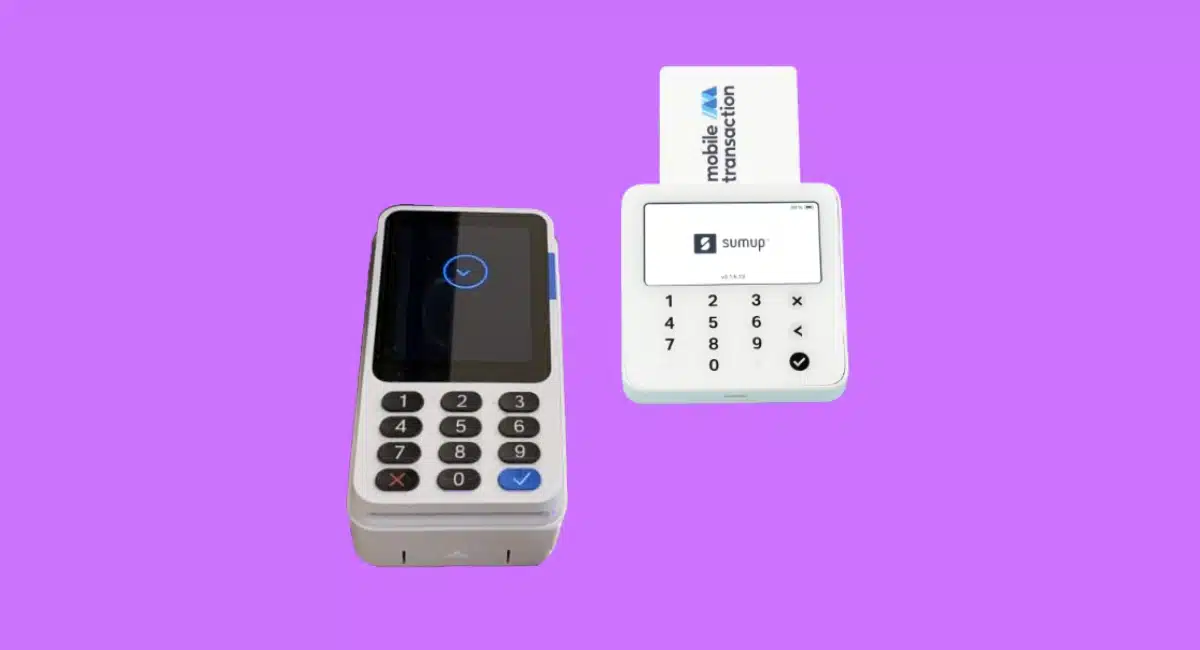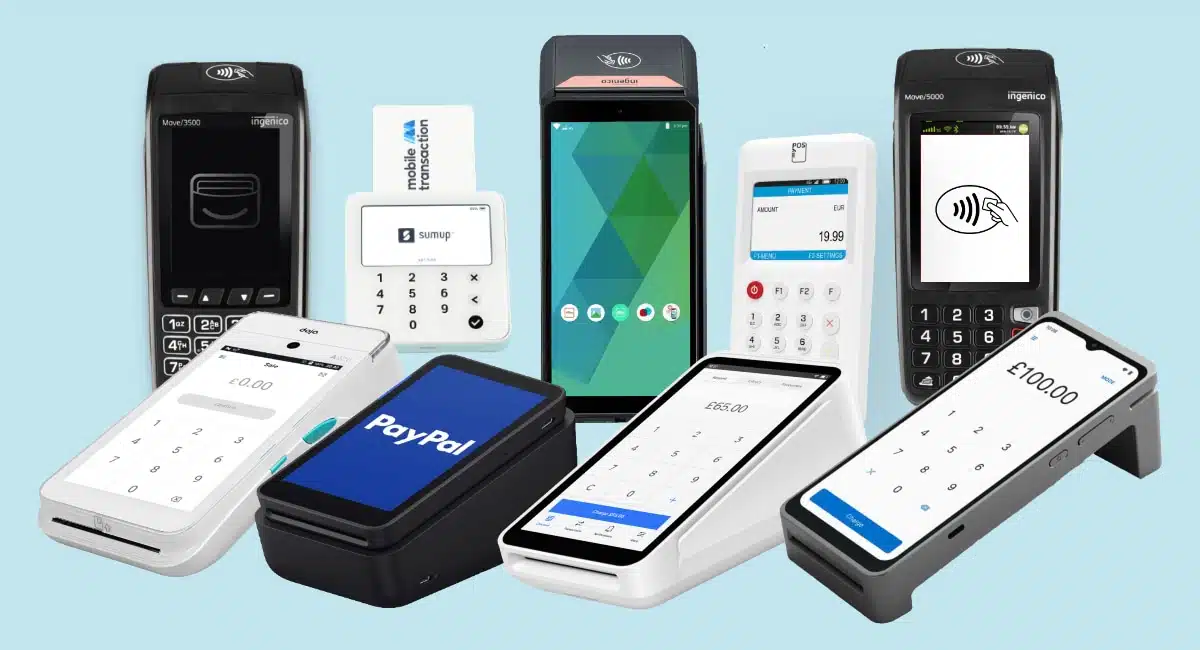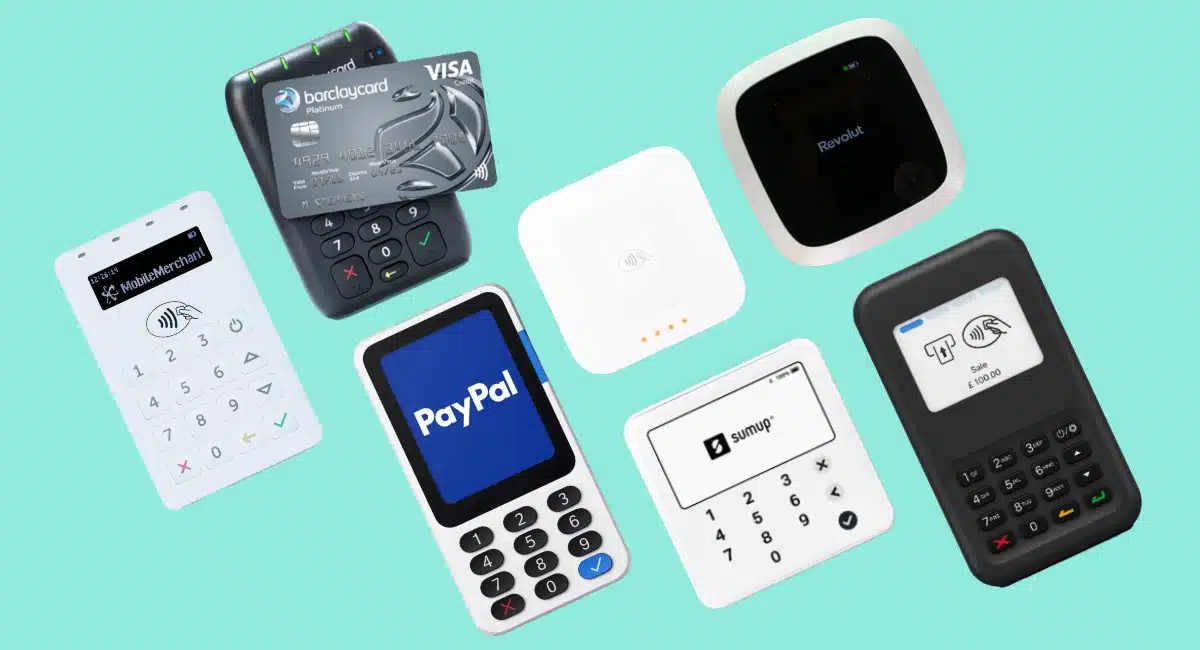
At Mobile Transaction, we’ve spent the last decade testing mobile card readers to help you make an informed decision.
And I’m happy to say that the terminals I’ve tested and reviewed are more affordable and run smoother than the ones I used in retail years ago.
There’s now a good selection of contract-free, inexpensive card readers that connect with an Android or iPhone app (all in this comparison work with both).
We like this setup because the app often offers more features than traditional card machines – it’s a more flexible solution.
How card readers work:
The card readers don’t typically have monthly fees, lock-in or complicated fees. Instead, you purchase it upfront and pay a fixed fee per transaction.
We know this is attractive for merchants who cannot commit to ongoing costs, and perfect for new businesses looking to start up quickly.
We also look at the app that comes with the card reader, as it may serve as your main point of sale (POS) system. Some card readers for phones only have a basic payment app, while others go beyond that with a product library, staff logins, payment links, etc.
So the best card reader is not just about build quality and Bluetooth connection – we also test the app, compare costs and see if it integrates with other tools.
If you want to accept contactless payments directly on your phone without a card reader, see our comparison of Tap to Pay solutions.
Compare card readers in the UK:
| Card reader | Pricing | Advantages | Website |
|---|---|---|---|
| SumUp Solo Lite |
Price: £25* Rates: 1.69% or 0.99%-1.69% |
|
>>SumUp |
| Square Reader |
Price: £19* Rate: 1.75% |
|
>>Square |
| Revolut Reader |
Price: £49* Rates: 0.8%-2.6% + 2p |
|
>>Revolut |
| PayPal (Zettle) Reader |
Price: £29–£69* Rate: 1.75% |
|
>>PayPal |
| Shopify WisePad 3 |
Price: £59* Rates: 1.5%-5% |
|
>>Shopify |
| Elavon Mobile |
Price: £19* Rates: 1.75%-2.5% |
|
>>Elavon |
| Smartpay Anywhere |
Price: £29* Rates: Custom |
|
>>Barclaycard |
*Prices exclude VAT.
Pros:
Cons:
What I like most about SumUp Solo Lite is probably how easy it is to keep clean – the flat glass PIN pad just needs a quick wipe. It also has a long battery life, so I rarely needed to charge it.

 Emily Sorensen, Senior Editor at Mobile Transaction
SumUp Solo Lite is a beautiful card reader for iPad, iPhone and Android devices that has just replaced the old SumUp Air reader. It links with an app via Bluetooth, which has worked reliably when we’ve used it.
The card reader has a smooth glass surface over its PIN pad, which we found easy to wipe clean. It accepts contactless and chip payments from most card brands and mobile wallets.
Photo: Mobile Transaction
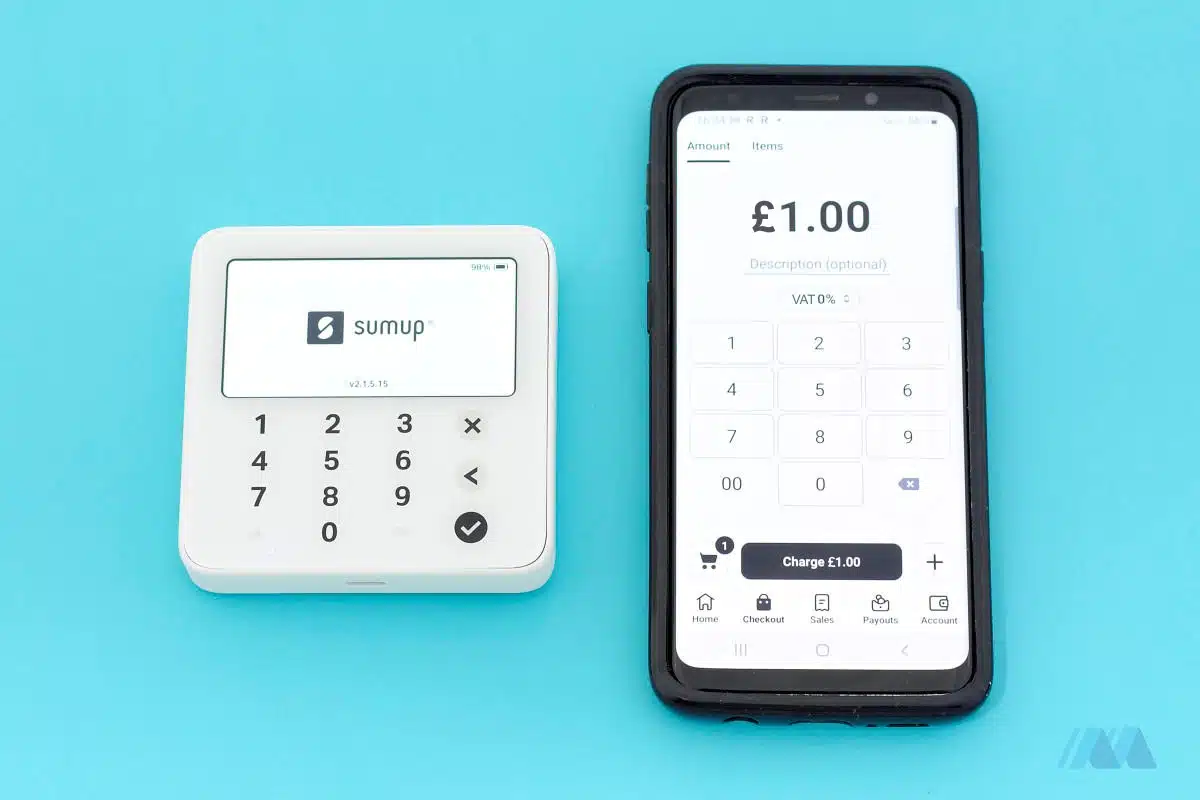
The card reader costs £25 + VAT and has no monthly fees or contractual commitment. All you pay is a fixed 1.69% per transaction for any type of card, or 0.99% for domestic cards (1.69% for international and commercial cards) with a £19/month subscription.
Buying it as a bundle with a stand costs £31.50 + VAT.
Solo Lite works with SumUp App, a simple POS system with a product library, user accounts, sales overview, payout reports and online payment options.
The app also sends email invoices or payment links, and allows you to set up a basic online store, display or print QR codes for payments and accept telephone payments through a virtual terminal (a rare feature from an app). Merchants can also sell and accept digital gift cards.
Accepted cards





What’s more, the free SumUp Mastercard links with your very own online Business Account with access to transactions the day after, weekends included. Otherwise, payouts reach your bank account within 2-3 working days.
For a more complex till, the Solo Lite reader can be used with the SumUp Point of Sale software. This has full-fledged retail or hospitality functions that also integrate with Xero and Sage for accounting and Wix, PrestaShop and WooCommerce for ecommerce.
Signing up and ordering the card reader is easy and quick through the website. For more help, customer support is contactable on weekdays between 8am and 7pm and weekends between 7am and 5pm.
Pros:
Cons:
Square Reader is so small and inconspicuous you can actually lose it easily if it’s not placed in a stand. But that’s a good thing if you need things minimal.
Emily Sorensen, Senior Editor at Mobile Transaction
Square Reader is an inconspicuous, square-shaped card reader without a PIN pad, but with a long battery life (since it has no power-hungry display). Compatible over Bluetooth with iPhone, iPad and Android devices, it takes chip (with PIN entry on your mobile device) and contactless payments.
It’s the smallest and lightest terminal on this list, but its app, Square Point of Sale, is the most comprehensive of them all.
Photo: Mobile Transaction
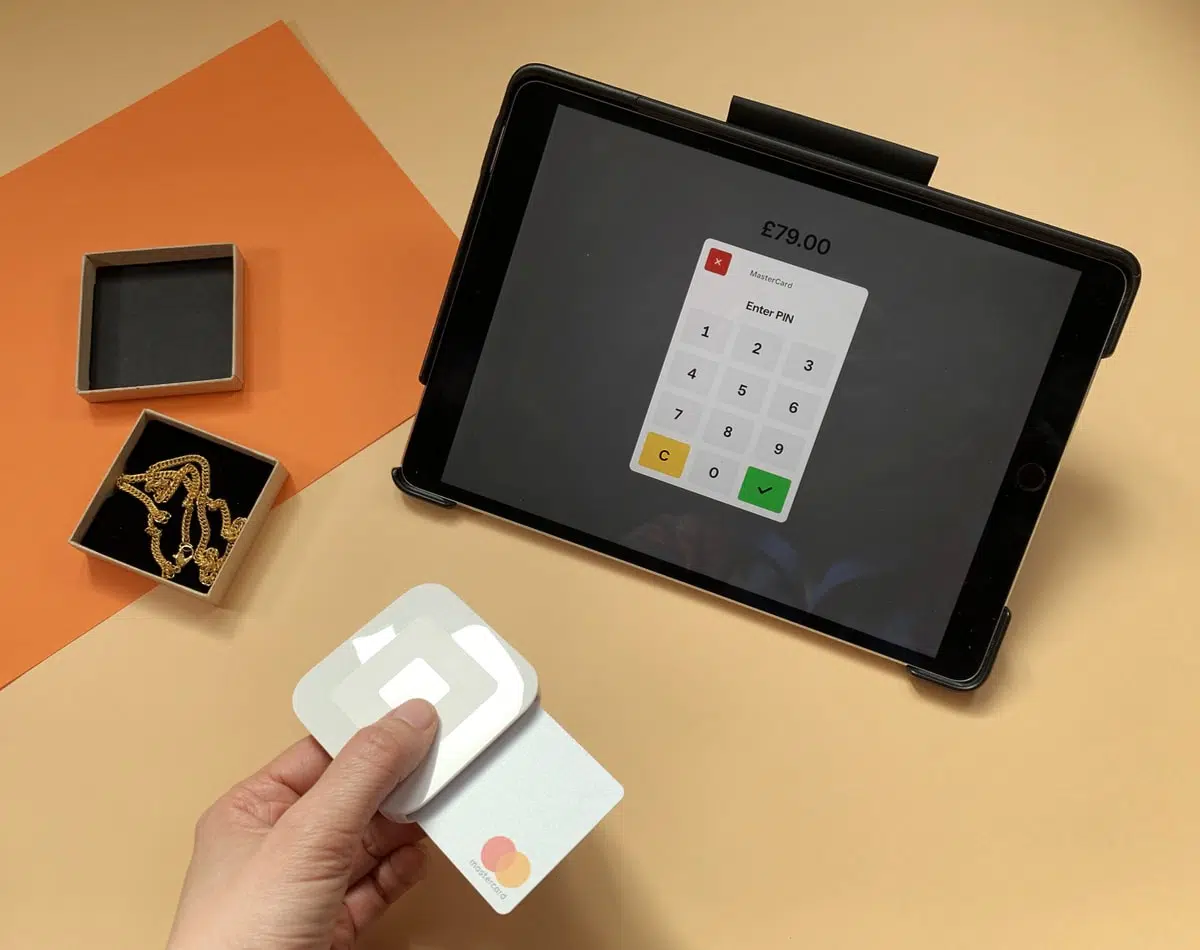
Square Reader only costs £19 + VAT, and the pay-as-you-go transaction rate is 1.75% for all card payments. There are no monthly fees or contract lock-in to worry about.
Unlike other card readers on this list, it has a 2-year hardware warranty. We’re not surprised, as we’ve had ours for years without trouble.
You can get a charging dock for £29 + VAT too, and connect the hardware with receipt printers, kitchen printers, cash drawers and barcode scanners.
The free Point of Sale app has enough features to serve most small businesses. Its inventory library tracks stock, and the till menu shows various product options and the ability to mark transactions for eat-in, eat-out, delivery or pickup.
You can schedule staff shifts, track breaks, export payroll data and analyse employee sales, and the app Square Team lets staff log their own hours. More employee features cost £20/month per location.
Accepted cards

There are also customer lists, sales reports, order management, invoicing and more in the app. Electronic gift cards can be sold and accepted, payment links created, QR codes generated for contactless selling, and even buy now, pay later payment credit option Clearpay is accepted.
Square’s browser dashboard has a free virtual terminal for telephone payments, an online store builder, detailed reports and options to subscribe to POS systems for retail, restaurants and a scheduling system. Square also integrates with much external software for e.g. accounting, online ordering and ecommerce.
Payouts reach your bank account the next day, including weekends and Bank Holidays as long as your bank allows fast transfers. Uniquely, there’s also an instant bank account transfer option for an extra fee of 1.5%, or free instant transfers to a prepaid Square Card (Mastercard) to use in shops and online.
Square’s customer support is available on weekdays between 9am and 5pm. You sign up online through a simple form, order the card reader and wait 3-5 working days for the delivery.
Pros:
Cons:
I’d only go for Revolut Reader if I actively used the Revolut account. The card reader feels a bit cheap, and the app is not really designed for point of sale transactions.
Emily Sorensen, Senior Editor at Mobile Transaction
Revolut Reader is a contactless and chip card reader for account holders. Transactions clear within 24 hours, which is super-fast, ready to spend with the complimentary debit card.
To get started, businesses need to sign up for a paid Business Account, then a Merchant Account to add payment acceptance. Then you can order the card reader for £49 + VAT excluding a compulsory £5 shipping charge.
We did the mistake of ordering Revolut Reader after the immediate, automatic approval of our Business Account, only to have the account on hold in the following days while Revolut requested more information.
Photo: Mobile Transaction
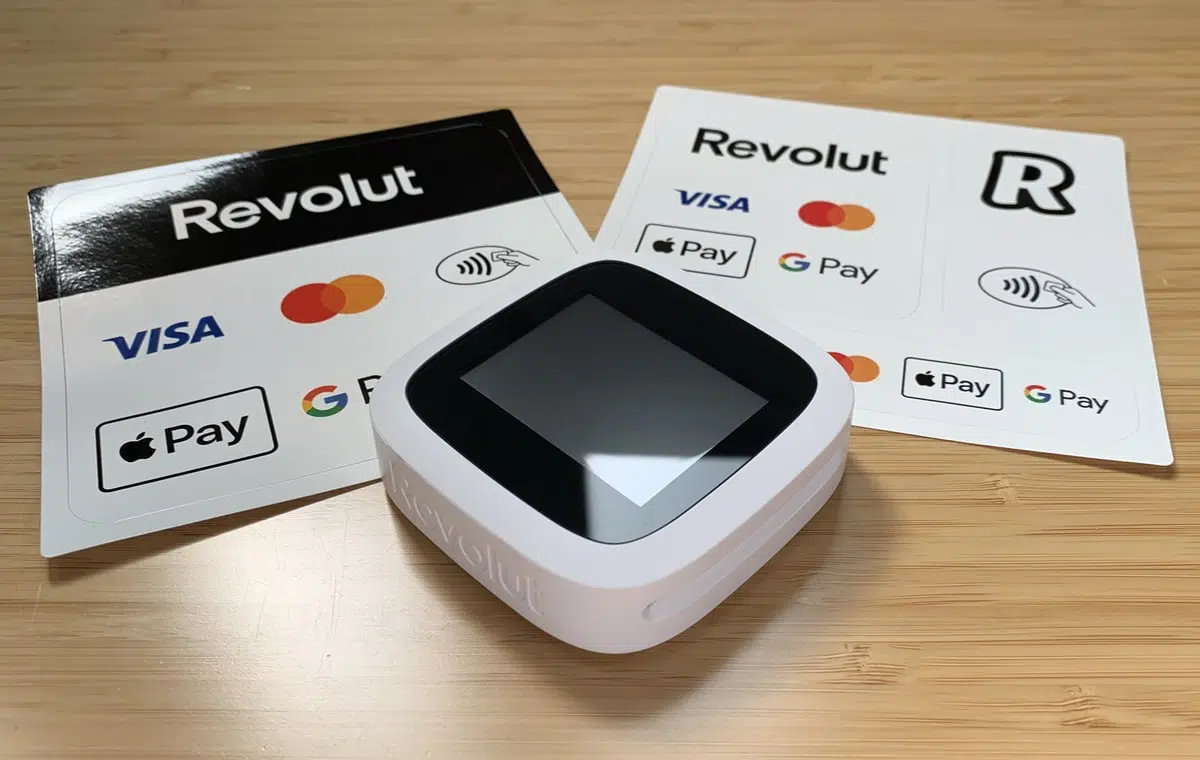
You pay a low fee for domestic, consumer Visa and Mastercard transactions (0.8% + £0.02), but higher fees for UK consumer Amex (1.7% + £0.02) and all other cards (2.6% + £0.02).
The keypad-less card reader looks functional and akin to a retro pocket gaming device in its plastic casing. We had some technical issues where it wouldn’t connect with the app over Bluetooth, but this was eventually resolved, and we received a free replacement.
Accepted cards
We tried the chat support available to Business Account users, but the support agents were rarely able to help. It took several days or weeks to fix any issue. Still, the app is regularly updated and bugs fixed, which can’t be said of certain competitors.
Overall, Revolut Reader could be a nice extra for those who need simple in-person payments in addition to payment links, team expense tools and a business account. Features are gradually added, for example a product catalogue for itemising bills and Tap to Pay in the iPhone app which weren’t there when we started testing it.
The Revolut POS iPad app also integrates with Revolut Reader and is included on all Business plans. We tried it and can say it’s mainly sufficient for small cafés with its simple table plans, food menus and service charges, but not anything more substantial.

Pros:
Cons:
PayPal Reader is a perfect palm size with an accessible PIN pad. It’s a shame PayPal has stopped adding features in the app, essentially neglecting the product.
Emily Sorensen, Senior Editor at Mobile Transaction
Zettle Reader (originally iZettle Reader) was one of the first inexpensive, contract-free readers without monthly costs. Now, PayPal owns it and launched PayPal Reader, an upgraded version with a larger display that’s touchscreen.
Unlike its predecessor, PayPal Reader connects with the PayPal Point of Sale app both wirelessly via Bluetooth and wired via USB-C cable. This allows users to choose the connection that’s most reliable for the location (wired is the most stable, whereas Bluetooth can have issues).
The first card reader machine costs £29 + VAT upfront (following ones are £69 + VAT) and then you pay 1.75% per transaction for any card.
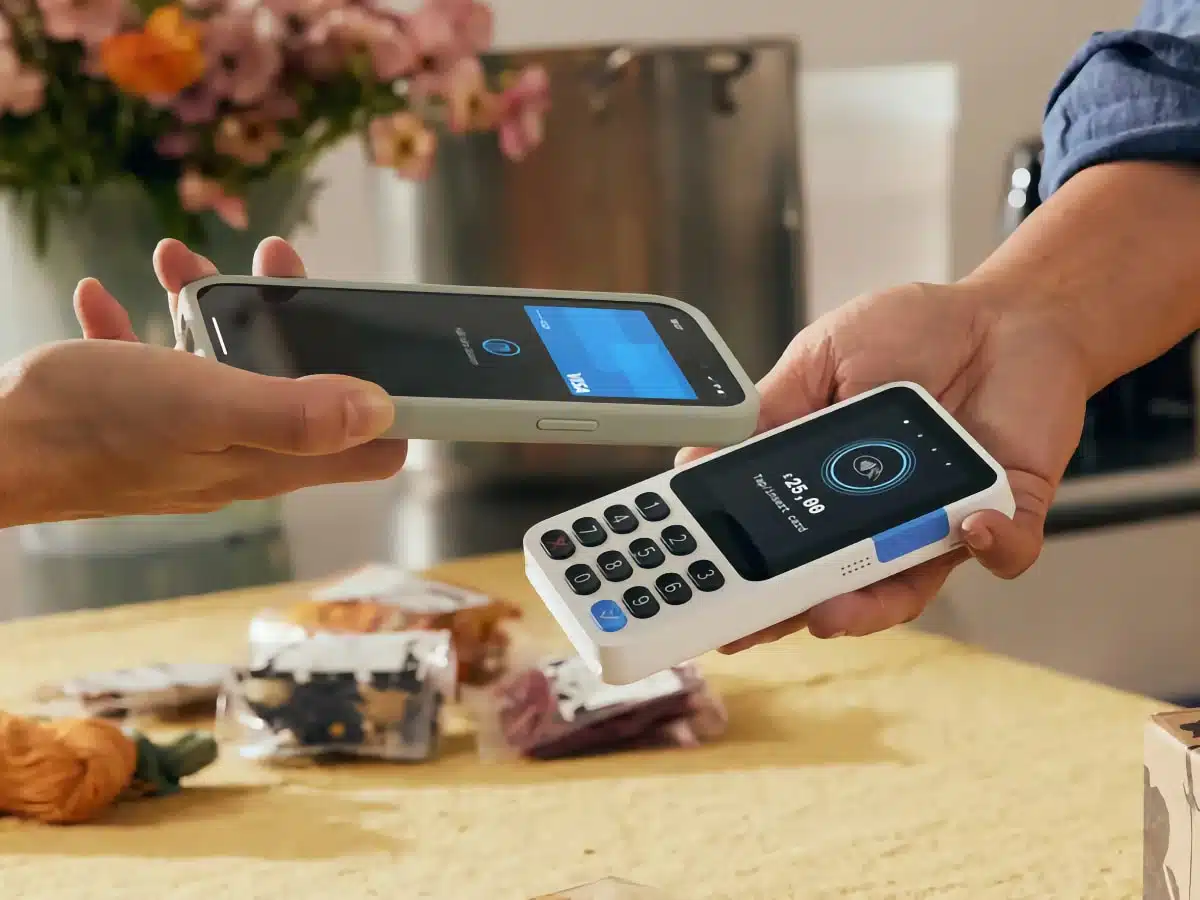
When using it, we found the card reader ergonomic, lightweight and sturdy. It comes in white or black and can connect with a till drawer, barcode scanner, receipt printer and optional charging dock keeping it in place on a countertop. I do think the new PayPal Reader looks smarter than the old Zettle Reader – the larger screen makes a difference.
The PayPal Reader works with the free POS app on most tablets and smartphones. It has a product library, transactions overview, basic sales reports and acceptance of cards (keyed or via reader) and cash. Still, the complete lack of new features in the app means we can’t recommend it as an advanced checkout.
Accepted cards
The card reader also integrates with other POS systems like Epos Now and Tabology, accounting like Xero and QuickBooks and certain ecommerce platforms.
But invoicing, payment links and QR codes have actually been removed from the PayPal Point of Sale app, so any remote transactions will need to be done through the PayPal account.
Transactions clear in your bank account within 1-2 working days or straight away in an online PayPal account. The latter also has a PayPal Business Debit Card linked so you can spend funds without transferring it to a bank account.
PayPal only provides customer support on weekdays between 9am-5pm via telephone, email and chat. We’ve tried contacting them on several occasions without a response, so we can’t say with much confidence that this is a good service.
To sign up, you submit a short registration form online and order the card reader, which has a shipping fee.

Pros:
Cons:
Shopify’s card reader immediately feels like good quality, but the PIN pad is small for people with larger hands.
Emily Sorensen, Senior Editor at Mobile Transaction
Best known for its ecommerce software, Shopify also has a card reader to go with a POS app. It’s called WisePad 3 Reader (£59 + VAT) and works with the Shopify payment system that’s part of the ecommerce subscriptions.
The card reader pairs well with a POS app on your iPhone, iPad and Android device over Bluetooth.
Photo: Mobile Transaction
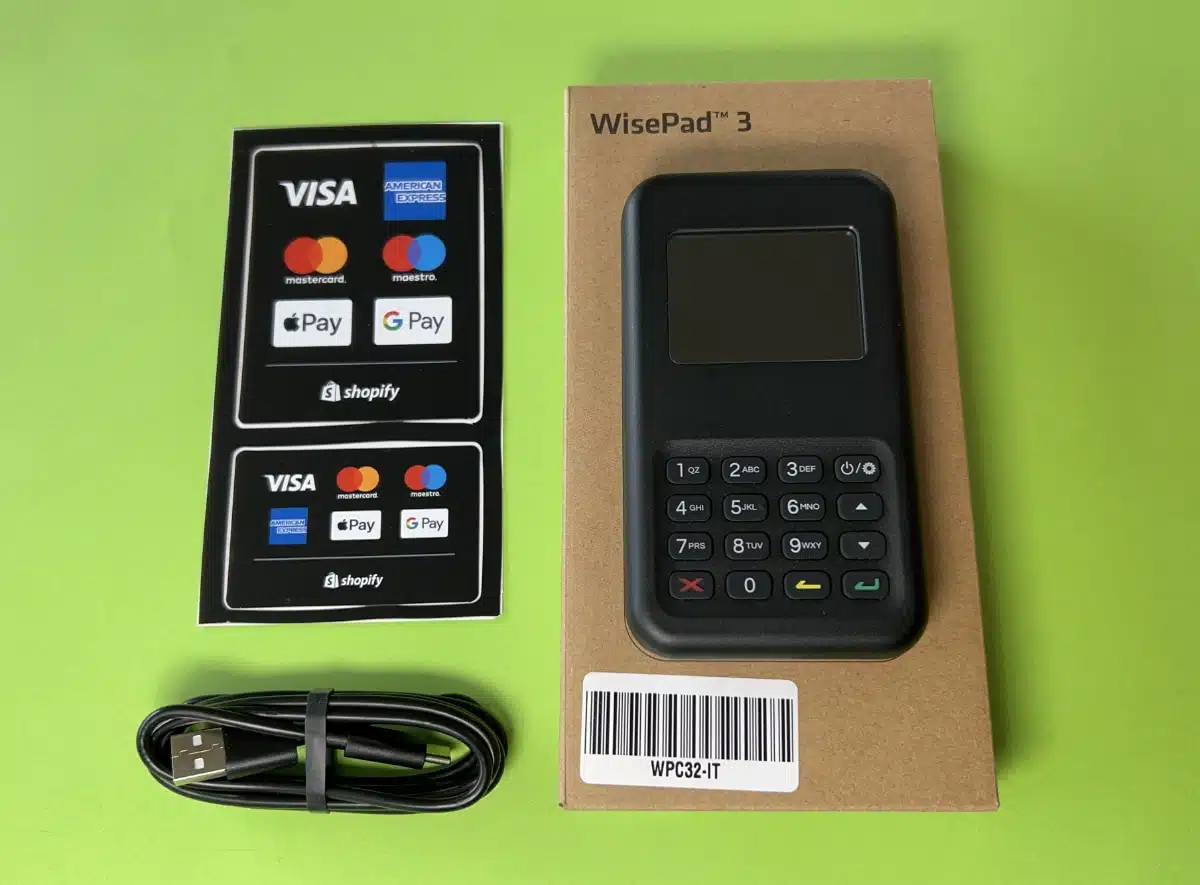
The cheapest subscription you can have with WisePad 3 is Starter for £5 + monthly for a few online selling tools. This has the high rate of 5% per card reader transaction.
The full-fledged online store plans (£19-£344 + VAT/month) have lower rates between 1.5%-1.7%. Annual contracts are cheaper per month.
A limited version of the Shopify POS app (POS Lite) is included on all plans, but you can upgrade to Shopify Retail (with POS Pro) for £69 + VAT monthly per location. This has a chip and tap card rate of 1.7% and many features for unifying online with in-store sales, for instance a smooth Click & Collect system.
Because of the ongoing monthly cost, the card reader is only really worth it if you’re also using Shopify for an online store.
Accepted cards
The POS app has genuinely good features for e.g. product and order management, customer profiles, staff accounts and integration with receipt printers, cash drawers and barcode scanners. POS Lite is recommended for on-the-go sales, whereas POS Pro is better for a full setup in a retail shop.
Transactions settle in your bank account within 6 working days, which is the slowest in this comparison. All subscriptions include 24/7 customer support and online help guides.

Pros:
Cons:
Compared with the other models we’ve tested, Elavon Mobile looks more dated. It gives off a calculator feel, but the buttons are at least very easy to use.
Emily Sorensen, Senior Editor at Mobile Transaction
A big acquiring bank, Elavon, has a white mobile card reader that costs £19 + VAT.
As with others, it has no monthly fee or contractual commitment. It just has a transaction fee dependent on the card accepted: 1.75% for Visa and Mastercard, 1.9% for American Express and 2.5% for Diners Club, Discover and JCB cards.
The card reader is a Datecs Bluepad-50 model with a PIN pad. It looks like a calculator and accepts contactless payments and chip and PIN. What’s more, Elavon Mobile does not connect with a cash drawer, barcode scanner or receipt printer, so it is purely for mobile transactions.
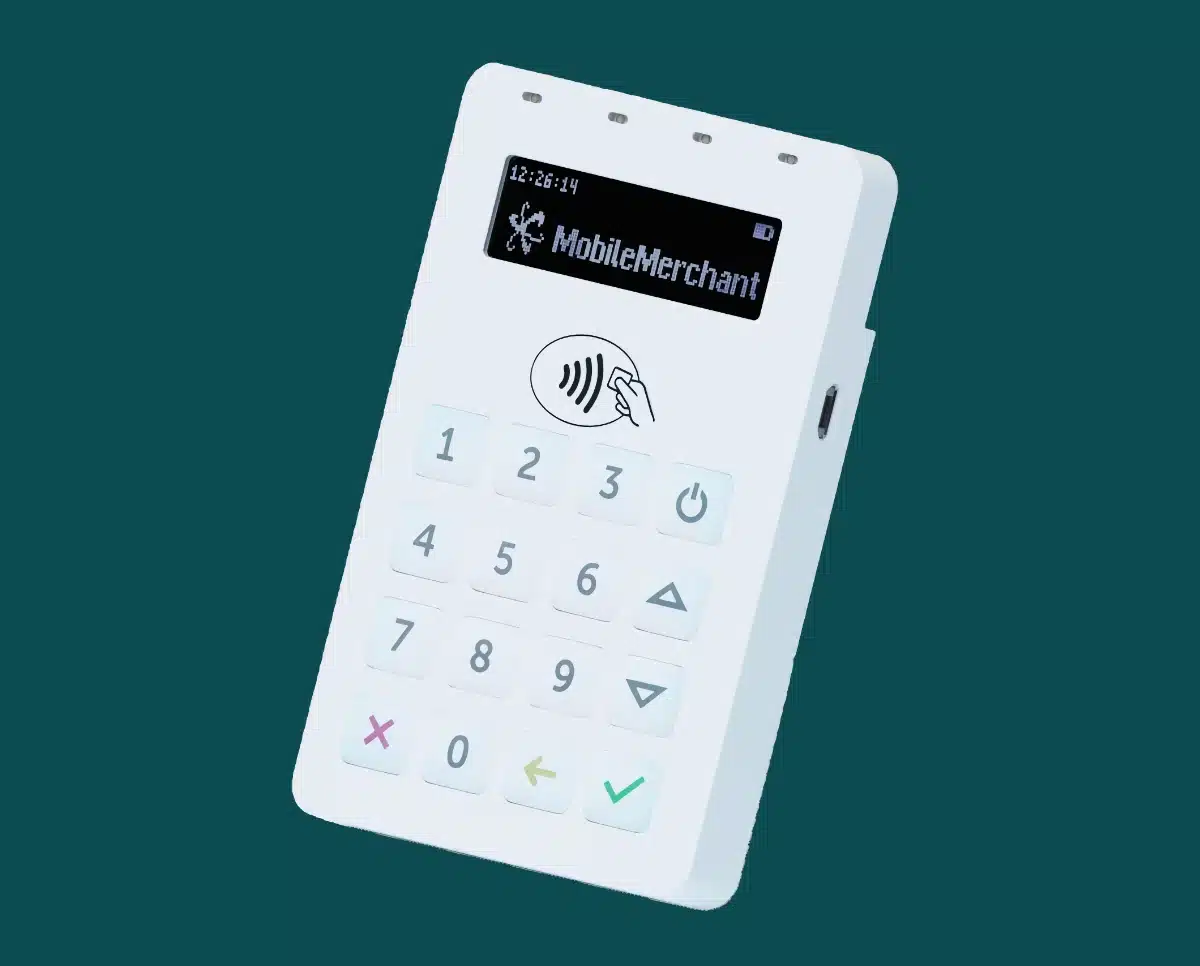
In the app, you enter the transaction amount with a description or add items from a simple product library. It’s possible to add a service charge, discount and VAT, accept cash, gift cards (digital or physical) and send e-receipts, and that’s about it. Digital invoices can be sent too. There are no advanced features beyond that.
Elavon has actually improved their app by replacing it with Talech’s (now rebranded to Elavon) mobile POS app. However, this is only slightly better than the old, buggy card reader app that was hardly ever updated.
Over the years, users have complained of technical issues preventing them from using the card reader, but the new app should have resolved this.
Accepted cards
Elavon merchants have a free virtual terminal in the web dashboard to accept over-the-phone payments for a higher transaction cost. They also benefit from fast settlement – one working day – but this is not guaranteed.
Customer support is provided 24/7 for merchants, which is a luxury for a pay-as-you-go credit card reader.
Signing up is more tedious, though. You complete an online form (takes around 15 minutes) and have to submit various documents for verification. Once onboard, you can order the card reader.

Pros:
Cons:
The card reader Barclaycard sells is an old model that used to be popular over a decade ago. I wouldn’t pick it today, especially with the unreliable app it’s supposed to connect with.
Emily Sorensen, Senior Editor at Mobile Transaction
Barclaycard Business’ card reader, Smartpay Anywhere, comes without contract lock-in. It costs £29 + VAT upfront and does potentially have monthly fees such as a monthly minimum service charge.
We don’t think the model (Miura M010) is bad per se, but it is an old card reader – over 10 years old – with a problematic app for iOS and Android devices.
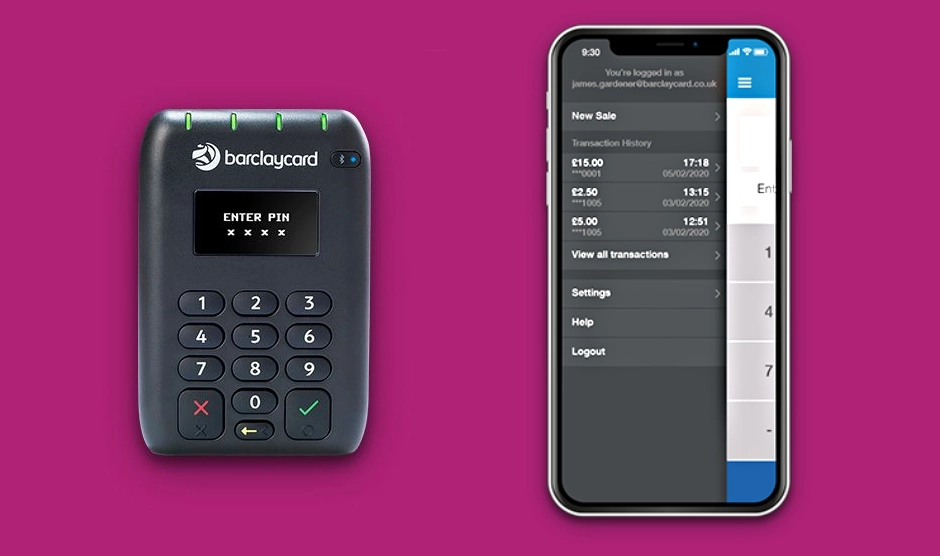
The card reader doesn’t work with receipt printers, cash drawers or barcode scanners, but it does take swipe cards on top of contactless and chip cards. In addition, the trusted ‘Barclaycard’ logo on the terminal may put some customers at ease.
You’d think a banking giant like Barclays would only have amazing products, but the latest app is poorly designed and looks neglected. There’s a product library, refunds, digital receipts and a transactions overview, but these features are standard elsewhere.
What’s more, the app was last updated a year ago, which means it is buggy. User ratings frequently mention bugs, connectivity issues and a lack of customer service when they report the issues.
Accepted cards
Smartpay Anywhere’s transaction fee used to be fixed at 1.6%, but Barclaycard has decided to change that to custom rates. This is less transparent upfront, but potentially fairer – at least with a high sales volume that gives lower fees. It does mean that monthly fees may apply, which we don’t think is worth it for the poor app experience.
Standard payouts take between 2 working days and a week, but next-day settlement is available for some users.
To register, you complete an online application, which should take about 15 minutes. But beware – your chance of approval “depends on financial circumstance and borrowing history”, which is stricter than elsewhere.
Card reader apps compared
Square comes away with the best and widest range of point of sale (POS) features in its choice of free apps.
Where others lack features, Square provides free inventory tracking, split bills, many different payment methods and team management tools.
SumUp comes second with its online payments and complimentary business account in the card reader app. SumUp’s app is, however, very basic and only for simple stores that don’t need stock control or integrations. With a monthly fee, however, you can upgrade to SumUp’s POS systems with more features.
Revolut only has a few POS features like a basic product library in the business account app, but offers a separate POS app for small food-and-drink. We’ve found Revolut generally adds new features quicker than other solutions.
The PayPal Point of Sale app is easy to use, but lacks many features, particularly online selling tools like payment links. Still, you can get those separately from your main PayPal account.
Card reader app features:
| App | Product library |
Online payment tools |
App updates | Integrations |
|---|---|---|---|---|
| SumUp | Yes | Many | Regular | Some |
| Square | Yes | Many | Regular | Many, various |
| Revolut | Yes | Some | Regular | Some |
| PayPal | Yes | Few | Regular | Some |
| Shopify | Yes | Few | Regular | Many, various |
| Elavon | Yes | Some | Regular | None |
| Barclaycard | Yes | None | Rare | None |
| App | Product library |
Online payment tools |
App updates |
Integrations |
|---|---|---|---|---|
| SumUp | Yes | Many | Regular | Some |
| Square | Yes | Many | Regular | Many, various |
| Revolut | Yes | Some | Regular | Some |
| PayPal | Yes | Few | Regular | Some |
| Shopify | Yes | Few | Regular | Many, various |
| Elavon | Yes | Some | Regular | None |
| Barclaycard | Yes | None | Rare | None |
The Shopify POS app is excellent for managing retail inventory across sales channels. It has good customer relationship management tools, promotional features and a customisable display.
The app from Barclaycard is very basic, rarely updated and less reliable than PayPal, SumUp, Square, Shopify and Revolut who regularly update and improve their apps. Elavon had a similarly basic and frustrating app, but has improved it recently.
In addition, Elavon and Barclaycard do not integrate with external software for accounting and ecommerce, nor do they offer payment links. But Elavon is better than Barclays for its complimentary invoicing, gift cards, faster payouts and online reports.
Compare card reader pricing
Prices and fees of app-based card readers tend to be similar given the healthy market competition, but you don’t get the same value or quality for the money.
The cheapest card reader is Square Reader, sometimes rivalled by SumUp Solo Lite when that’s on offer. Only the first PayPal Reader is cheap (£29 + VAT), and then it’s £69 + VAT for extras. After purchase, you own them.
Barclaycard advertises a low “one-off device rental fee”, so you don’t actually own the card reader despite the lack of subscription. The card readers from Shopify, Elavon and Revolut are yours to keep.
Card reader fees:
| Card reader | Price* | Monthly fee* |
Transaction fee |
|---|---|---|---|
| SumUp | £25 | From £0 | Pay-as-you-go: 1.69% £19/mo: 0.99%-1.69% |
| Square | £19 | None | 1.75% |
| Revolut | £49 | From £10 | 0.8%-2.6% + 0.02% |
| PayPal | £29–£69 | None | 1.75% |
| Shopify | £59 | From £5 | 1.5%-5% |
| Elavon | £19 | None | 1.75%-2.5% |
| Barclaycard | £29 | Custom | Custom |
*Excl. VAT.
Only Shopify requires a monthly fee for an ecommerce plan. This includes a basic retail POS app that can be upgraded for £69 + VAT monthly.
Revolut also requires a Business account subscription, which includes Revolut POS. Square and SumUp have their own advanced EPOS at various price points.
PayPal’s and Square’s fixed rate is only marginally higher than SumUp’s. You can get a similarly low rate with Shopify, but only with a pricey online store plan.
Elavon differentiates between Visa and Mastercard (1.75%) and other cards (1.9% or 2.5%). Accordingly, it’s expensive dealing with tourists or business clients with corporate or premium cards. Barclaycard similarly offers separate fees for different cards, tailored for your business.
Revolut has the lowest rate (plus a fixed, small fee) for domestic Visa and Mastercard transactions with a Business account.
Other credit card readers
A few services have gone out of business: WorldPay Zinc, Worldpay Reader, Payatrader and Intuit Pay. PayPal Here was discontinued and replaced with Zettle Reader and then PayPal Reader (on the list above).
The European neobank Viva Wallet offers a Mini Card Reader that works with its app, and this is available for UK merchants.
Then there’s a Stripe card reader for existing platform users. Card machines by Stripe can be more complicated, as they need to be programmed by a developer.
You sometimes see others, but without the tech funding to update software and adapt the product quickly, these card readers do not get good reviews. In the end, the fittest survive – which is good news for small businesses.
Summary
| Card reader | Advantage | Website |
|---|---|---|
 |
Great features for simple shops that sell remotely too | |
 |
Most POS features in an app, many extra features available | |
 |
Business account features and low rate for UK cards | |
|
Best card reader design with user-friendly app | |
|
Advanced integration with Shopify ecommerce | |
|
24/7 customer support, basic card reader | |
|
Custom rates, buggy app |
| Card reader | Advantage |
|---|---|
|
Great features for simple shops that sell remotely too |
|
Most POS features in an app, many extra features available |
|
Business account features, low rate for UK cards |
|
Best card reader design with user-friendly app |
|
Advanced integration with Shopify ecommerce |
|
24/7 customer support, basic card reader |
|
Custom rates, buggy app |