
Looking for the UK or Australian Square Terminal review?
How Square Terminal works
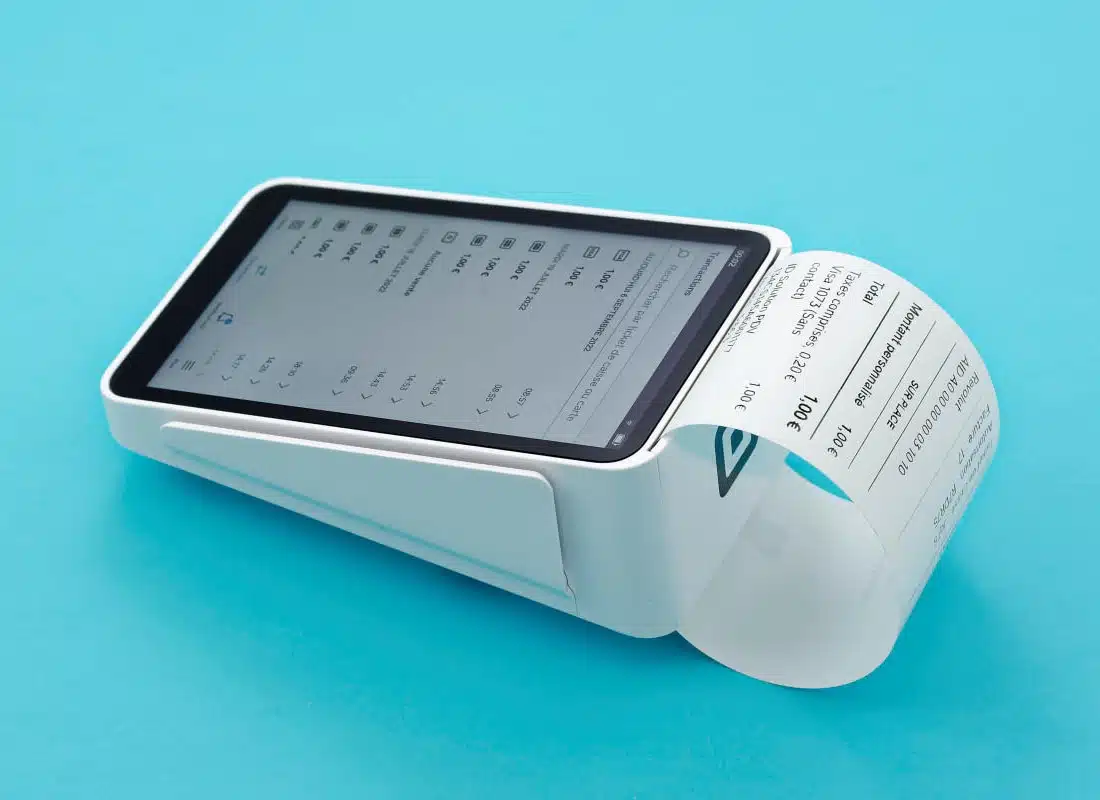
Square Terminal works as a standalone payment and POS terminal with software and a receipt printer built in (as opposed to Square Reader).
It accepts chip and contactless cards (with a slot for swipe cards), or you can key in card details manually.
Accepted cards





Unlike traditional card machines, Square Terminal handles more than card payments. You can, for example, accept gift cards and edit your product library on it.
The card machine has the Square Point of Sale software built in, which you navigate on the touchscreen. Customers enter their PIN on the touchscreen too. The terminal also works in tandem with Square’s specialised POS systems for restaurants, retail and appointments.
Transactions and activities on the terminal link with your backend Square account where more complimentary features, ecommerce tools and integrations are available.
Photo: Emily Sorensen (ES), Mobile Transaction
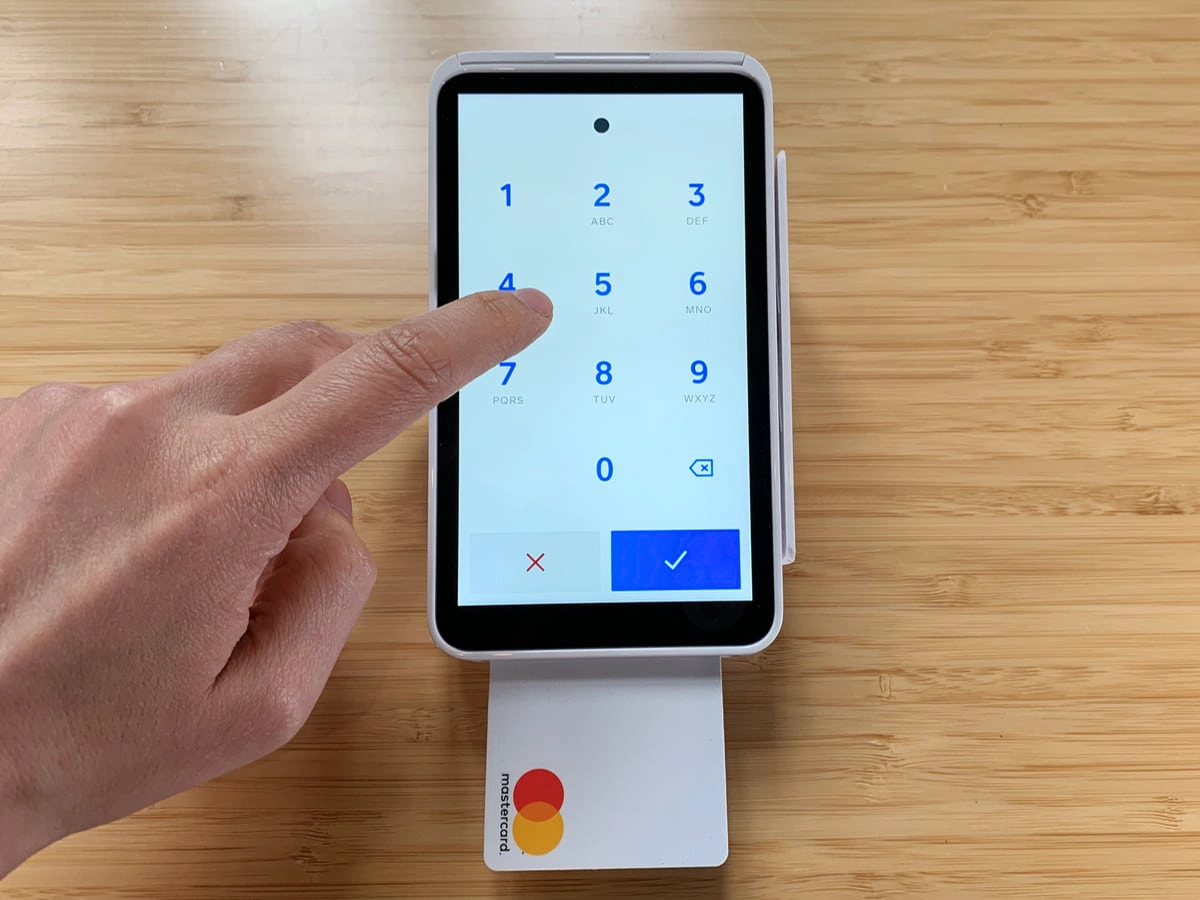
PIN on glass – like on Square Terminal – has been deemed highly secure.
The payment terminal needs to be connected with the internet via WiFi. Optionally, you can purchase a hub that allows you to connect via Ethernet cable. It does not work with 4G or other mobile networks.
Square Terminal can be linked with your countertop register, providing a distance between the POS screen and card machine. It’s also possible to connect it with a browser-based virtual terminal for transactions on a laptop to be paid by chip or tap in person.
Our opinion: good quality, compact and flexible
If you’re looking for a compact, affordable point of sale without lock-in or complicated fees, Square Terminal is a strong contender.
The sleek payment terminal fits nicely in a small shop that doesn’t need a complicated checkout, receipts are detailed and the battery life is great.
In addition, it has many add-on features like an online store builder, invoicing, phone payments and integrations.
| Square Terminal criteria | Rating | Conclusion |
|---|---|---|
| Product | 4 | Good |
| Costs and fees | 4 | Good |
| Transparency and sign-up | 4.8 | Good/Excellent |
| Value-added services | 3.9 | Good |
| Service and reviews | 3.7 | Passable/Good |
| Contract | 5 | Excellent |
| OVERALL SCORE | 4.1 | Good |
Merchant reviews of Square Terminal are sparse in Ireland, in part because popular competitors like Revolut, AIB Clover and SumUp offer similar products that work with 4G too, not just WiFi.
We think the main downside of Terminal is definitely its lack of mobile connectivity when out and about. But this is not really an issue when you’re just using it on company premises, even if the internet fails – as now, it accepts cards offline too.
Plus, the affordable but the 24/7 support that comes with the product should ease some concerns.
Bottom line: Square Terminal is overall excellent value for a small shop that doesn’t want monthly fees or commitment.
Fees and payouts
A major upside to Square is its simple costs. You just pay for the terminal, then a fixed transaction rate for any debit and credit cards processed.
There is no minimum sales volume required, payout fees, fixed monthly costs or contract lock-in.
The Square card machine costs €169 + VAT upfront, which includes a 2-year limited warranty and 30-day cooling-off period during which you can get a full refund if you don’t like the product.
Square Terminal pricing:
| Charges | |
|---|---|
| Square Terminal – purchase | €169 + VAT |
| Hub for Square Terminal (optional) | €39 + VAT |
| Shipping | Free (3-5 working days) |
| Chip and contactless rate | 1.75% + VAT |
| Keyed (on terminal) card rate | 2% + VAT |
| Settlement in bank account | Free |
| Refunds | Transaction fee is retained |
| Chargebacks | Free |
If you’re connecting the terminal to other hardware, you’ll need the Hub for Square Terminal costing €39 + VAT. In Square’s online store, you can order compatible accessories, such as a countertop mount (€39 + VAT).
Transactions cost a fixed rate, 1.75% + VAT, for all chip and contactless payments through the terminal regardless of the card brand, type or country of issue.
For manual card entry on the terminal, the transaction fee is 2% + VAT. Invoiced or keyed payments in a browser via Virtual Terminal cost 2.5% + VAT.
If you send transactions from the virtual terminal to Square Terminal for a chip or contactless payment, the chip/tap fee of 1.75% + VAT applies.
Transactions via the online store or payment links cost 1.4% + 25¢ + VAT for Irish and other EU/EEA cards or 2.9% + 25¢ + VAT for UK and international cards.
Square keeps the transaction for refunds processings, but chargebacks have no admin fee. You even get free payment dispute support from the Square team, in case a chargeback should incur.
Transactions clear – free of charge – in your bank account within 1-2 working days.
Photo: ES, Mobile Transaction
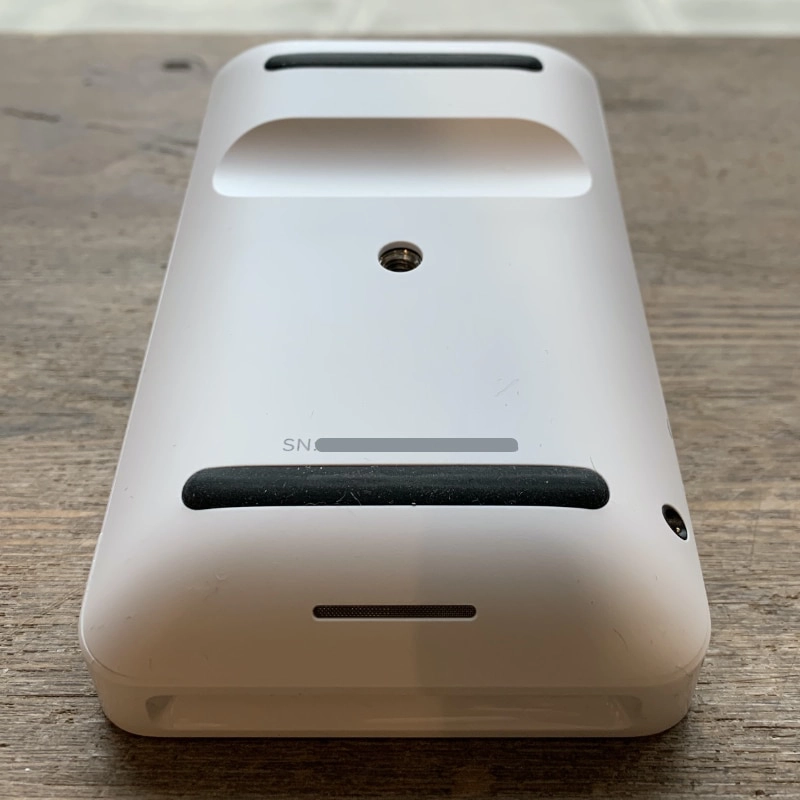
Underneath the terminal.
Underneath are two rubber strips to keep it stable on a desk, and a hole if you need to screw the terminal to a surface.
“We noticed Square Terminal sits really stable on a desk because of the rubber strips. SumUp Terminal, for example, doesn’t have that so would tend to slip quite easily along our desk.”
– Emily Sorensen, Senior Editor, Mobile Transaction
The battery lasts all day without a charge, which is impressive given the large, energy-consuming touchscreen. However, we found that leaving it on standby drains the battery completely by the next day.
Therefore, we recommend switching it off completely when you don’t plan on using it to avoid having to recharge it first the next time you need it.
Photo: ES, Mobile Transaction
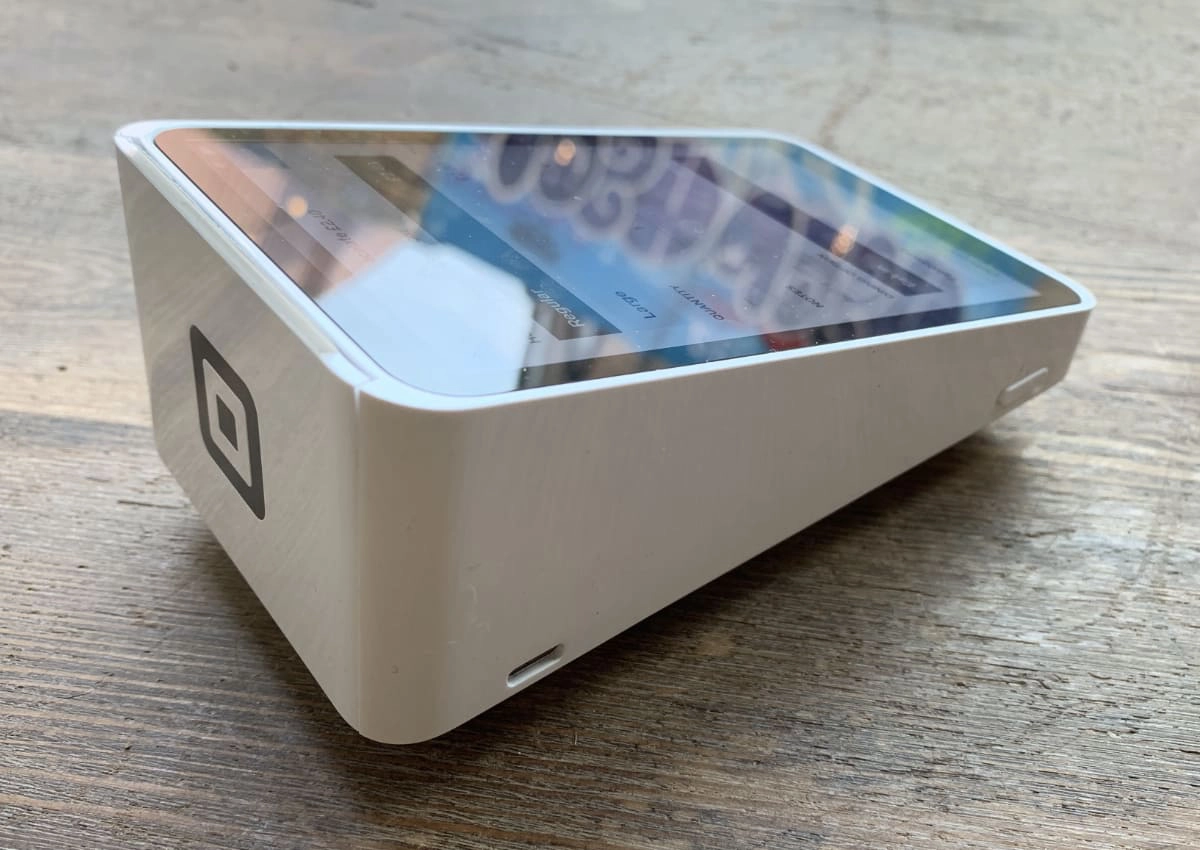
The power cable socket and power/standby button are on the left side of the terminal.
Because it runs on a local, secured WiFi connection, it can be used across your premises, for example for payments at the customer’s table. The Ethernet connection through the Hub can keep it connected too.
You can’t connect Terminal with portable or unsecured WiFi connections, but it does accept card payments offline as long as the transaction data is uploaded to the cloud within 24 hours.
Square Terminal tech specs:
| Tech specs | |
|---|---|
| Dimensions | 142.2 (L) x 86.4 (W) x 63.5 (H) mm |
| Screen size | 139.7 mm (5.5″) |
| Weight | 417 g |
| Data | WiFi (secured only), Ethernet via Hub (extra cost) |
| Card technology | EMV (chip), NFC (contactless), swipe |
| Battery life | All day from full charge |
| Built-in receipt printer | Uses 57 mm (width) x 35 mm (diameter) thermal receipt paper |
| Accessories included | Square Terminal, power adaptor, receipt paper roll, ‘accepted cards’ decals |
Software
The default software is Square Point of Sale (downloadable on a mobile device as well).
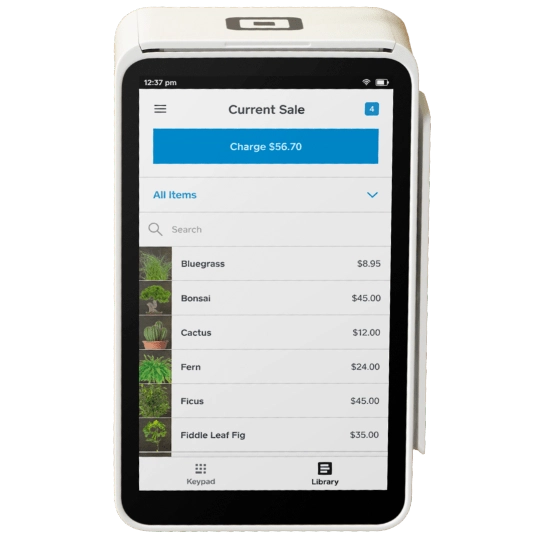
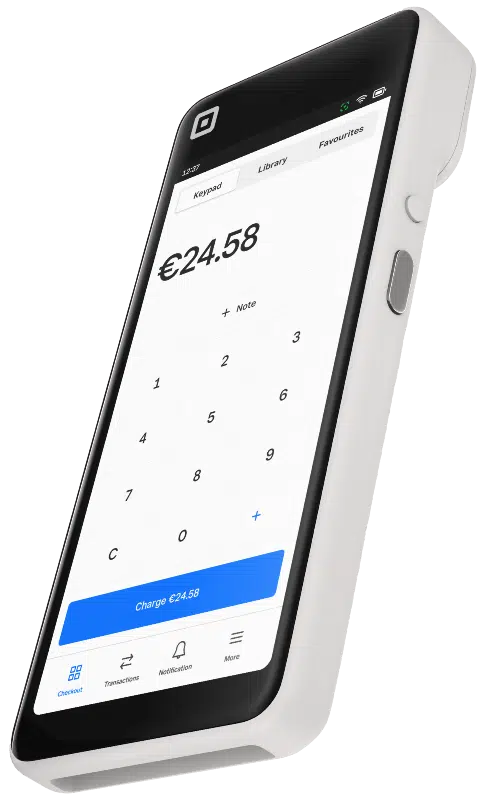
Its checkout screen has three options for adding to the shopping cart: enter price amounts manually, tap to add products from the library or tap to add from a ‘favourites’ grid.
You can create open tickets and save them for quick access. It’s also possible to customise the menu to include the functions you use the most, like reports.
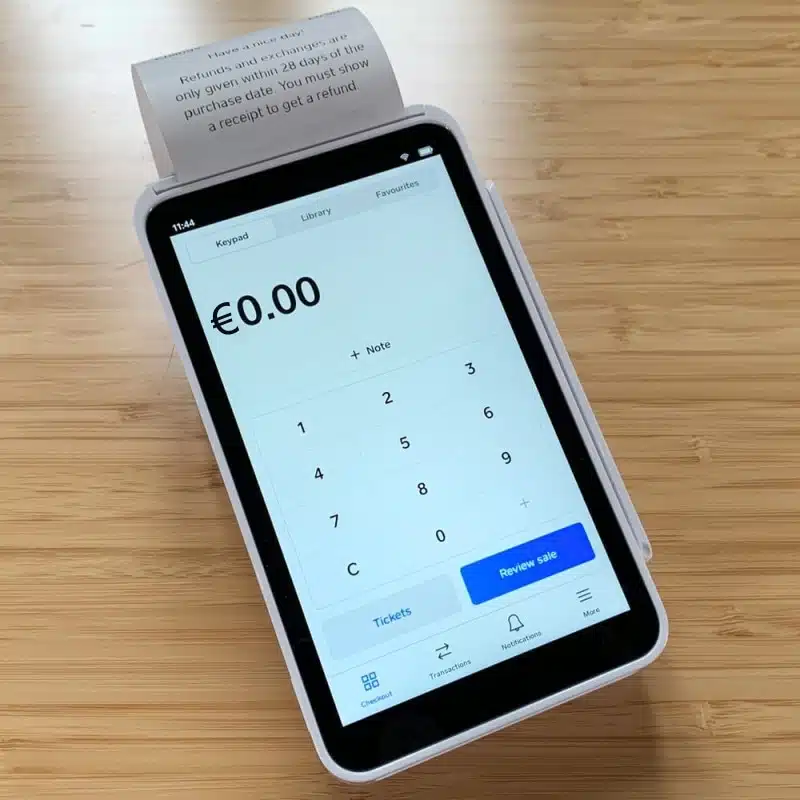
Enter an amount to add to the bill.
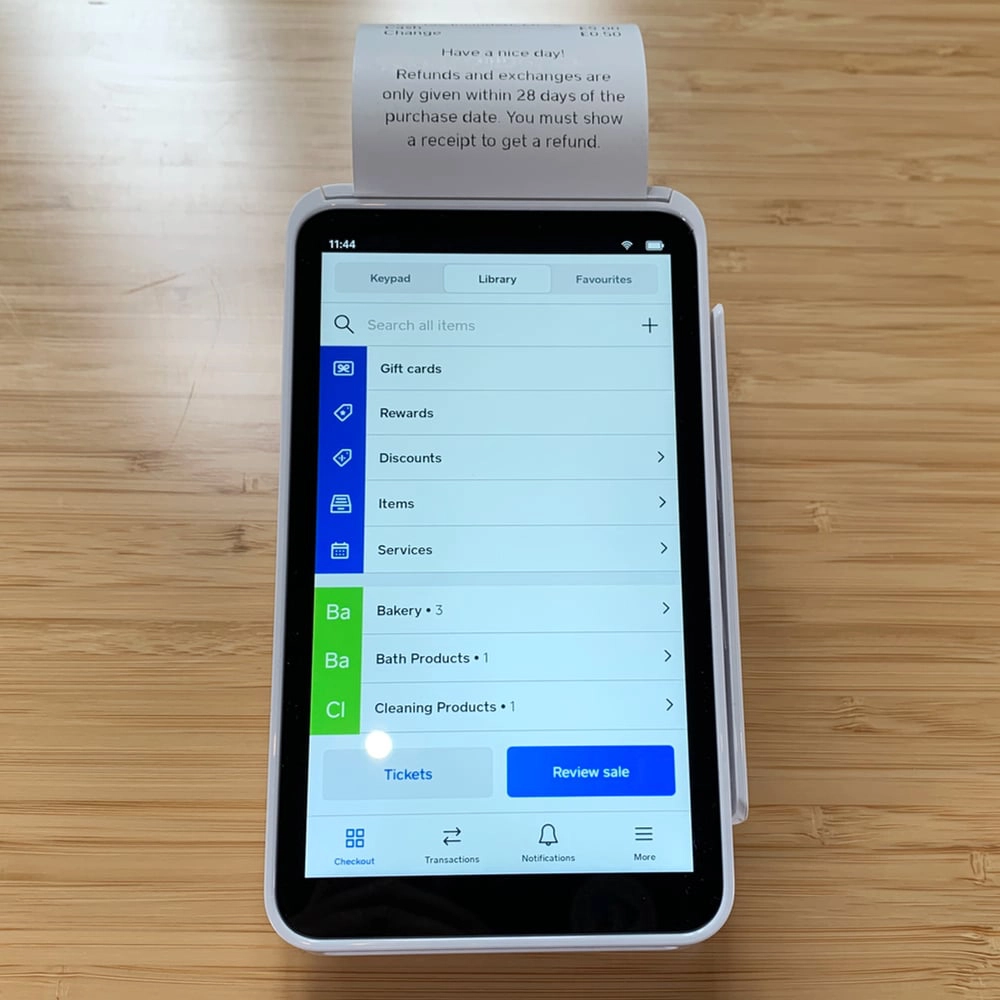
Product menu as the checkout screen.
The checkout flow and products can be edited on the terminal – no need to log in on a computer to do it.
You can add product variants like size and colour and enable the Eat-in, Takeaway, Delivery or Pickup options if you’re a café, all of which can be selected during the checkout flow.
What about payment options?
You can accept cash, payment cards and mobile wallets, a card on file (saved in the customer library), gift cards (issued from the terminal too), invoicing and manually-entered cards. The tender can be split and custom or preset tipping amounts added.
Receipts can be printed, emailed or texted.
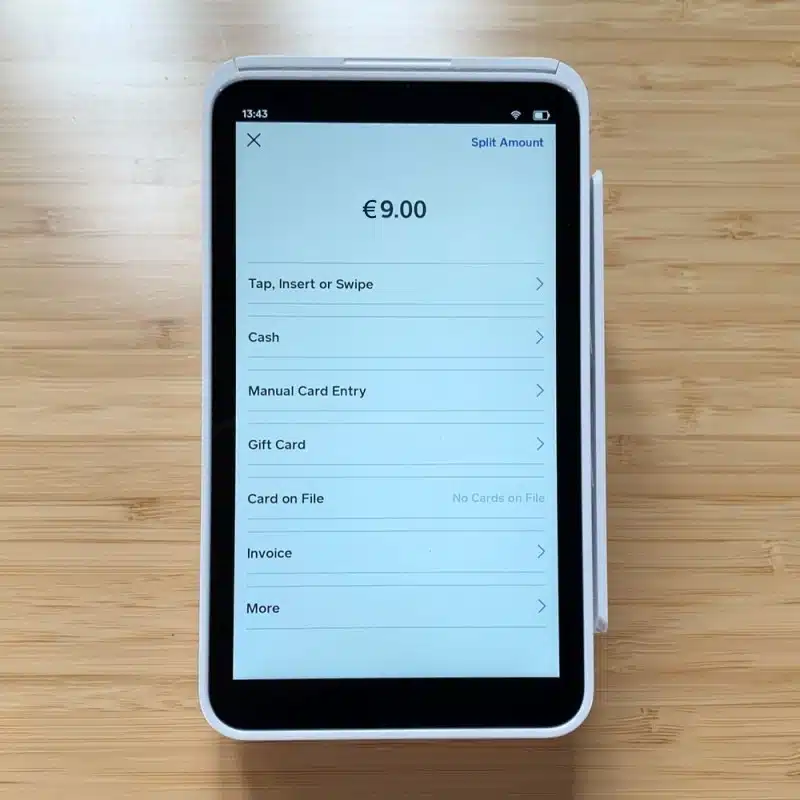
Payment methods.
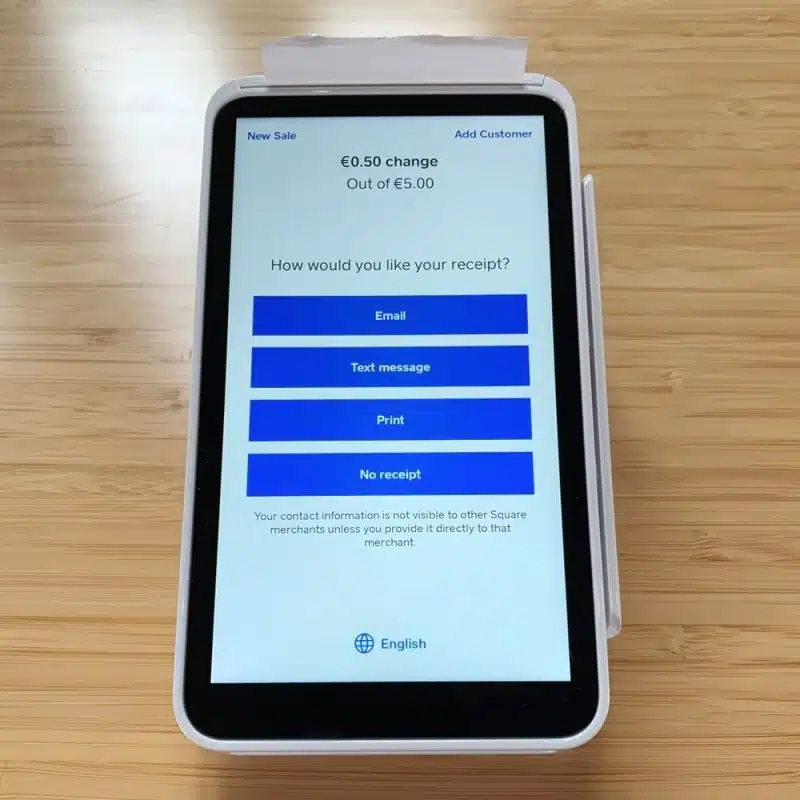
Receipt options after a transaction.
The customer library lets you add a person to orders and invoices. Over-the-phone payments are also possible; just add products or an amount on the checkout screen and choose manual card payment.
Other features
Transactions, sales history and reports are viewable on the terminal. In fact, you go to Transactions to process a refund (itemised or custom amount) or resend a receipt via email or text.
Receipts are customisable, and food places can set the terminal to print order tickets. Pickup and delivery orders paid for online can be managed on the terminal, which is handy for order fulfilment.
Mobile devices with the Point of Sale app can connect with Square Terminal instead of Square Reader (the recommended card reader for the mobile app). With this arrangement, you have slightly more features on the tablet or smartphone.
The software is updated automatically daily when the Terminal is connected to the internet. So prepare to wait for the update to process when you switch on the terminal every day (it took minutes on most days we tested it).
For increased security, we recommend setting the terminal to require password login every time it’s used. You can reset the password on the terminal if needed.
Square Terminal vs Handheld vs Reader
Square sells 3 portable card machines: Reader, Terminal and Handheld. The two latter are most alike.
Whereas Square Terminal is a premium, self-sufficient card machine, Square Reader has no screen, no PIN pad, no receipt printer and no app features. Instead, it relies on an app on a connected smartphone, iPad or Android tablet.
The new model Square Handheld is, like Terminal, freestanding and relies on WiFi.
The big distinction is Handheld is designed to be carried around. It’s slim and fits in a pocket – ideal for table service – and has a barcode scanner for stock checks on a shop floor. The trade-off? It has no receipt printer.
Unfortunately, neither Terminal nor Handheld works with 4G, so none of them suit mobile Irish merchants like taxi drivers, tradespeople or rural market stalls with no secured WiFi.
Photo: ES, Mobile Transaction
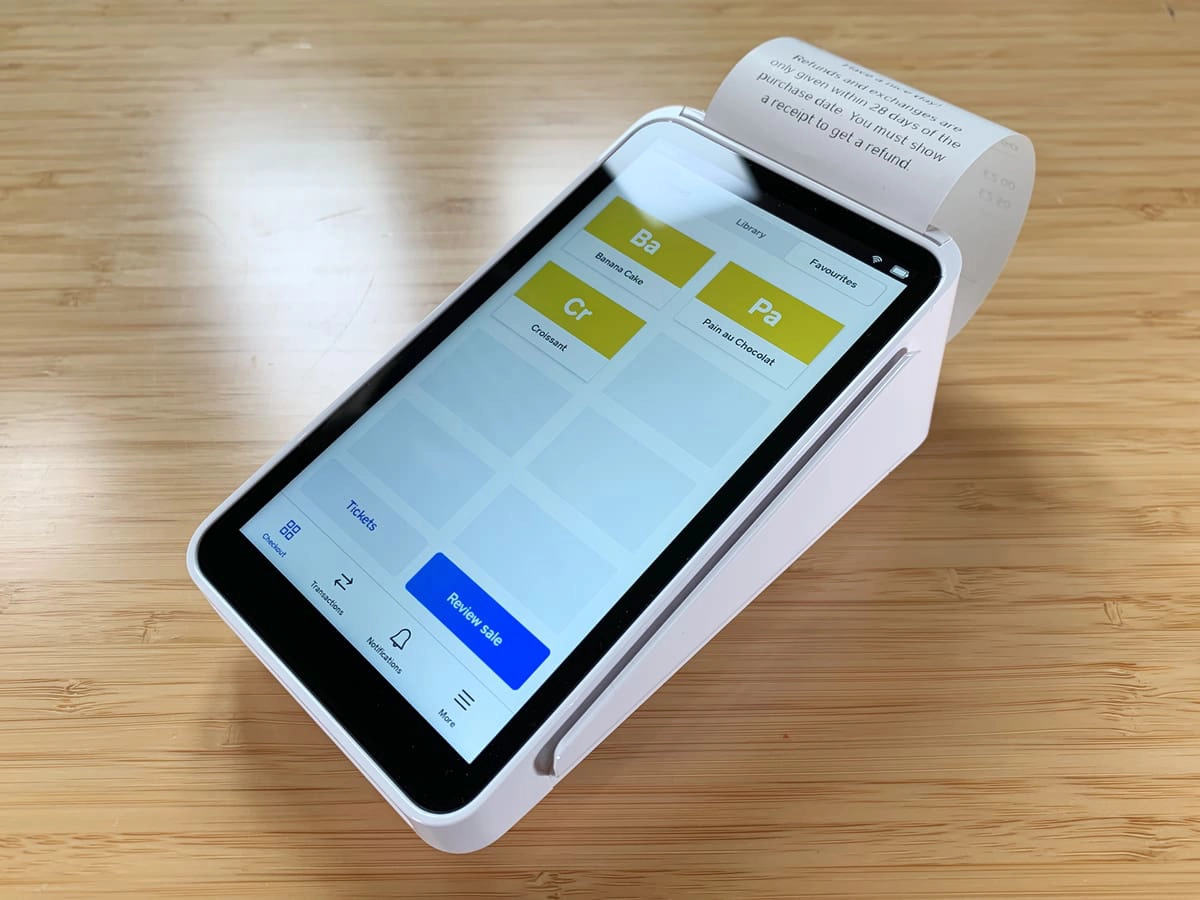
Square Terminal prints detailed receipts and works independently, unlike Square Reader.
In comparison, Square Reader is tiny compared with the others, so it’s very convenient on the go. Of course, this requires using both the card reader and mobile device.
The Hub connects to the terminal via a cable and has three USB ports for POS hardware and one Ethernet socket for internet.
Compatible equipment is plugged into the Hub’s USB ports (Bluetooth not accepted) and includes:
- Receipt printers
- Kitchen ticket printers
- Kitchen display
- Cash drawers
- Barcode scanners
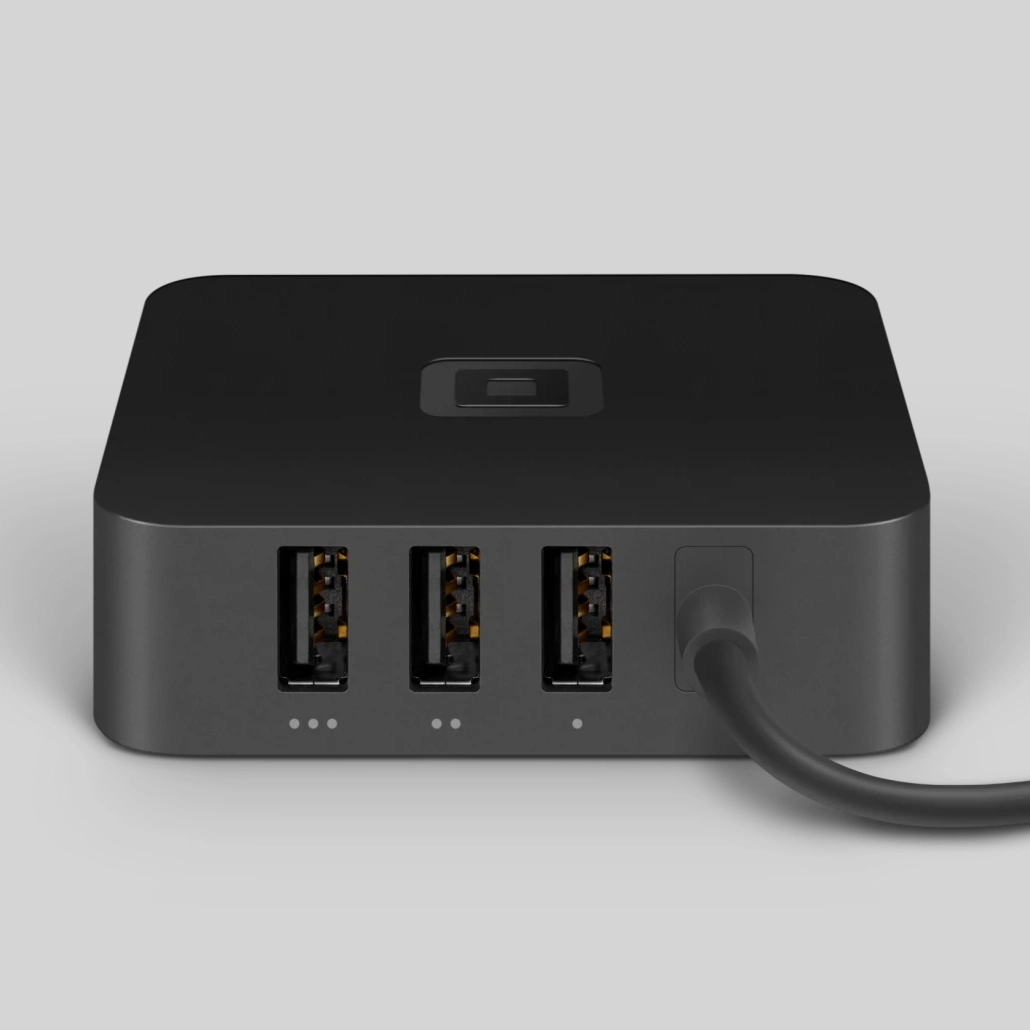
Hub has three USB ports for POS accessories.
You may alternatively just use Terminal for the card acceptance part, allowing distance between you and customers.
This requires a tablet or phone with a Square app in the vicinity, or a computer with the virtual terminal open (can be placed remotely). A connected Terminal could then be fixed to your countertop.
It’s perfectly possible to run the Square POS system separately on a tablet with Terminal taking payments independently elsewhere, as long as they’re connected to the same account.
Reporting
On the card machine, you can view sales history, generate custom reports, track cash drawer activity and sales by team member.
Square users have backend (browser) access to sales reports sorted by date, location, time period and more, and reports can be exported to Excel. There are many other free analytics on gift cards, popular sales categories, sales trends, transaction statuses, discounts, employee sales, etc. Custom reports can also be created.
If these are not enough, you can integrate sales with more advanced accounting and reporting tools like QuickBooks, FreshBooks and Xero.
Who is it best for, compared with alternatives?
If you’re a small shop, café, hairdresser or any type of merchant who doesn’t require massively complicated POS features, Square Terminal will save you counter space and money because you don’t need to buy a receipt printer, tablet or touchscreen monitor. And if you’re cashless, the terminal is all you need.
The lack of monthly fees and lock-in are great advantages of Square, in contrast with the similar AIB Clover terminals that have long contracts and various fixed monthly costs. myPOS’s smart terminals might be a better alternative, since they also lack ongoing fees.
It’s useful that you can manage remote orders on the terminal, but you should check if Square’s online store features are a good fit, as they are too basic for some shops.
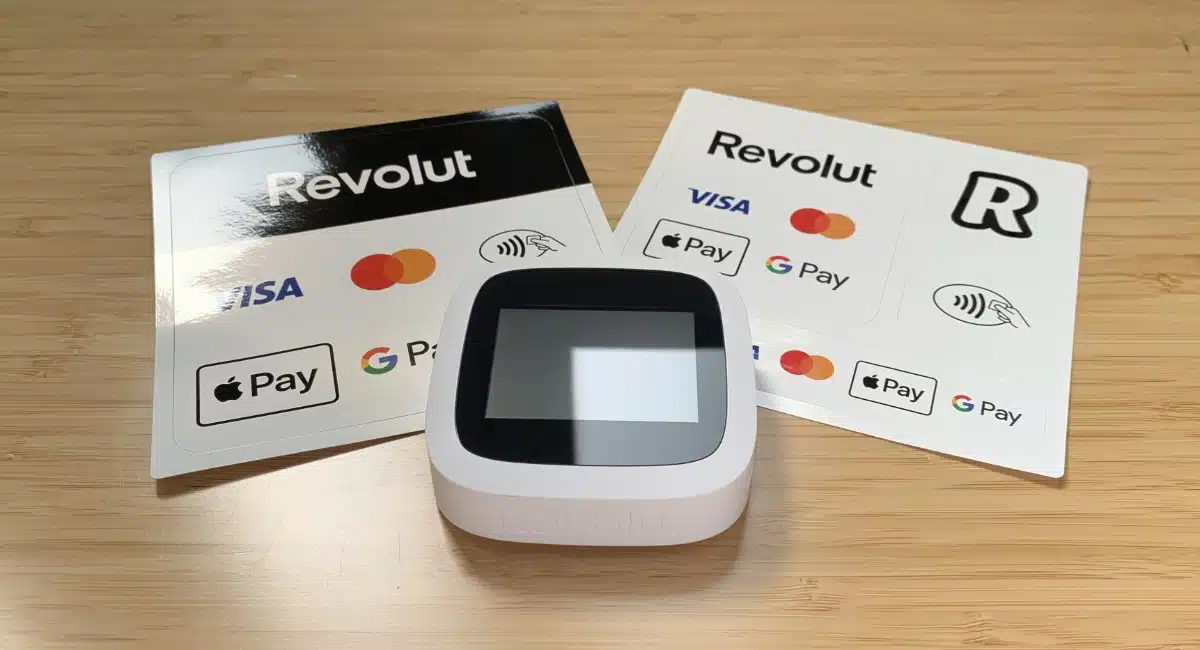
If needing a card machine on the go or in rural Ireland, we recommend mobile 4G solutions such as Revolut Terminal. This comes with a business account and low fees for domestic consumer cards, but Revolut’s checkout software is much more basic than Square’s.
Square Terminal does not work on the go where WiFi isn’t “secured”, since it lacks a SIM card for mobile connectivity. Still, it’s improved over the past few years with its offline mode, so you could potentially accept cards anywhere as long as the transaction is uploaded within a day.
If you require more custom features, we recommend looking for another card machine that connects with advanced POS software.
Customer service and user reviews
Square provides 24/7 support over the phone exclusively for Square Terminal users. This is more than what you get with Square Reader which only entitles you to weekday support during working hours.
There’s a very helpful support centre on the website, answering most questions.
Customer reviews in Ireland are generally positive, citing its user-friendliness and quick setup. The complaints mainly refer to an unhelpful customer service response, suggesting the support team could be better trained and more timely in resolving complicated issues.
Square just requires you to complete a short sign-up form with basic business and personal information.
They will assess the information and check the validity of your bank account, but you are able to start selling straight after sign-up through the online sales channels.
The pricing is already set since it is the same for everyone, in contrast to many payment companies that like to get on a call to get business information before giving you a quote.
It takes 3-5 days for your terminal to arrive after placing the order. The card machine is so intuitive that you don’t need a manual to set it up – just make sure your WiFi is the right sort of connection to qualify as “secured”.
Photo: ES, Mobile Transaction
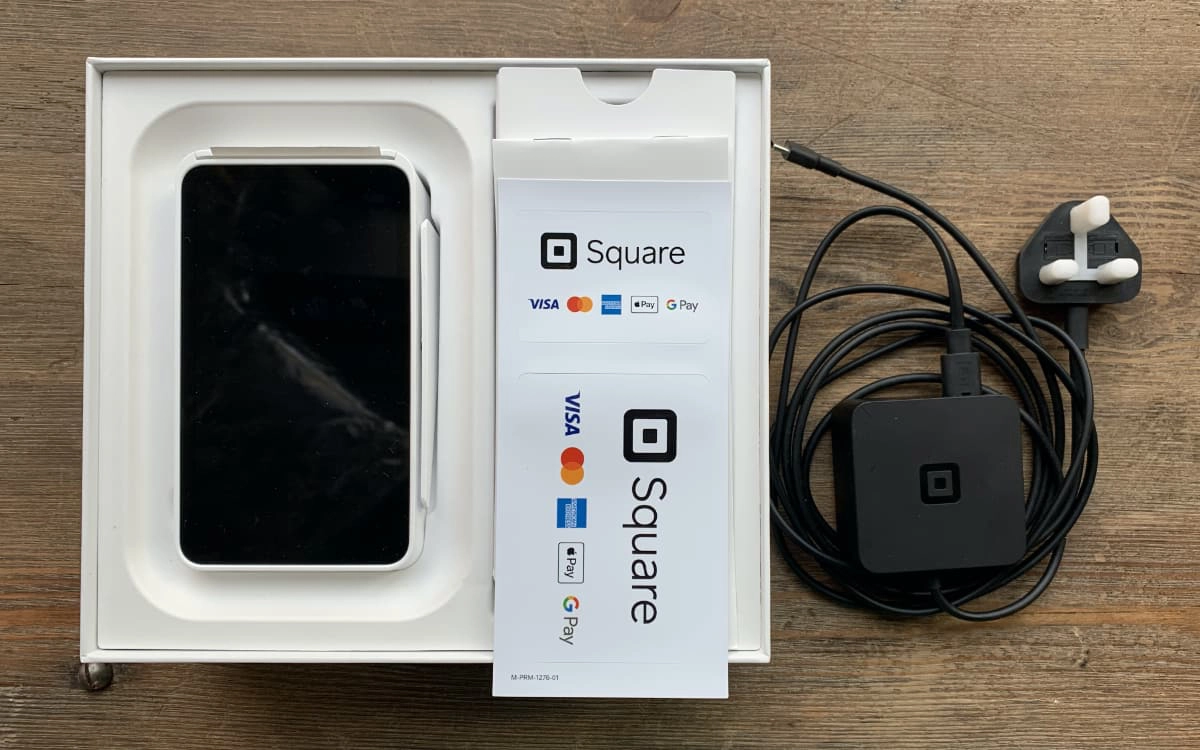
Square Terminal comes in a sturdy, white box (looks like an Apple product) with a terminal, power cable, decals and instructions booklet.
Your bank account can take around 4 days before it is properly set up to receive payouts. Any transactions accepted by then will just be held by Square until they can clear in your bank account.