
Contents
In brief
What is it?
Our opinion
In detail
Signing up
Pricing
Card reader
App features
Revolut Terminal
Revolut vs SumUp vs Square
Service and reviews
Mobile Transaction has personally tested Revolut Reader, the business account and service on several occasions over time. We do this to provide an honest take on the product. Opinions are the editor’s own.
What are Revolut Reader and Terminal?
Revolut’s QR codes are already used by many Irish businesses, such as hairdressers, to get paid from customers in person.
But Revolut has taken a step further and introduced two card machines:
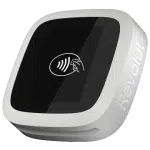
- Revolut Reader – launched in 2022, this wireless card reader connects with Revolut’s apps to take payments
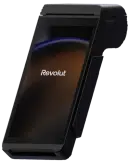
- Revolut Terminal – launched in 2024, this card machine accepts payments independently
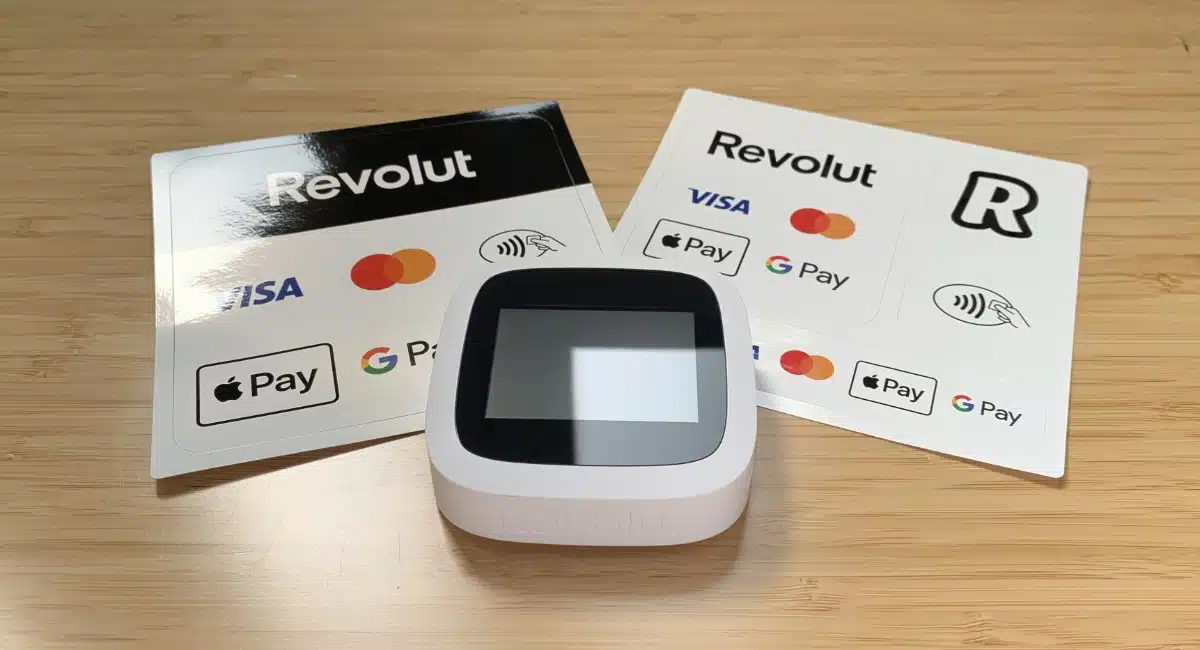
They accept contactless and chip cards of the Visa, Mastercard and Maestro brands, as well as Apple Pay, Google Pay and Samsung Pay.
| Revolut Reader | Revolut Terminal | |
|---|---|---|
 |
 |
|
| Card machine type | Card reader connected with app on a phone or tablet | Independent, mobile card machine |
| Eligibility | Sole traders, companies and partnerships | Companies and partnerships |
| Account required | Revolut Pro (free) or Revolut Business (from €10/mo) | Revolut Business (from €10/mo) |
| Purchase price | €69 + VAT | €189 + VAT |
| Prints receipts? | No | Yes |
| Works with Revolut POS? | Yes | Yes |
Transactions clear in your Revolut account within 24 hours. With the accompanying Debit Mastercard, you can then spend it soon after seeing the customer.
Photo: Emily Sorensen (ES), Mobile Transaction
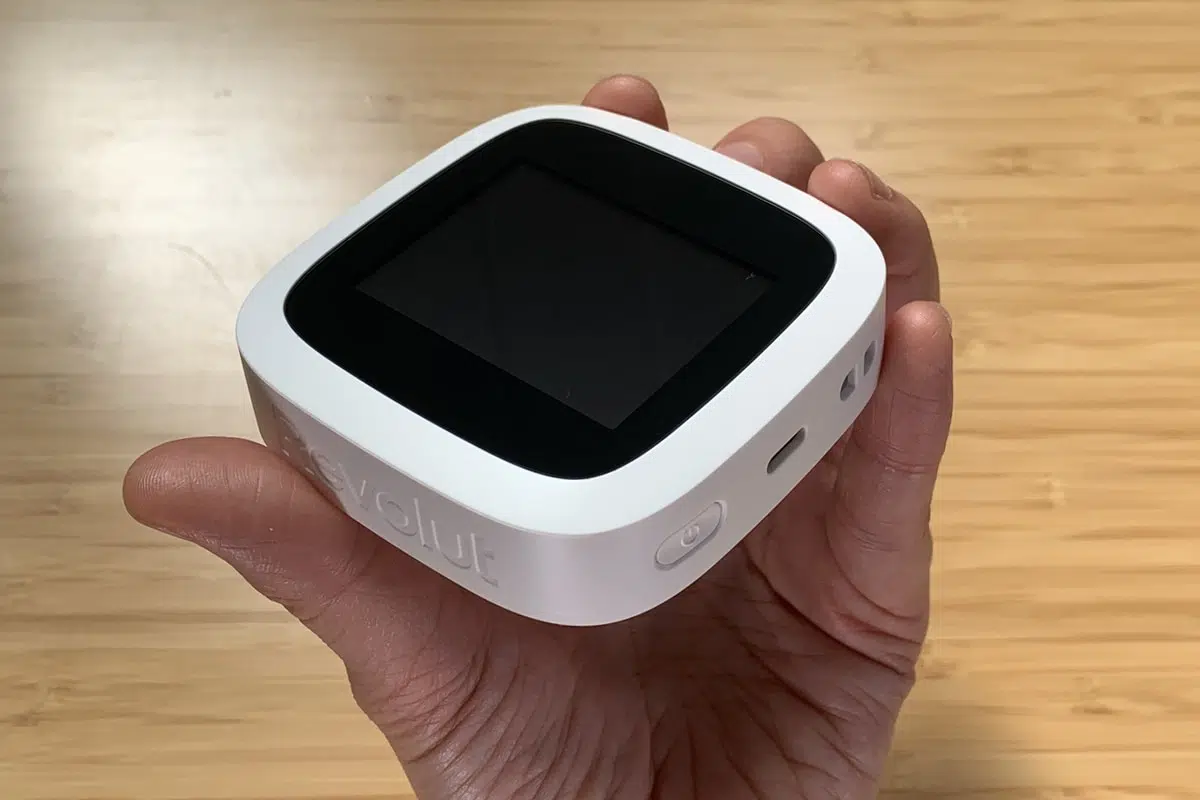
The Revolut card reader we tested.
Revolut is now a regulated bank in Ireland, so users benefit from the security of that and its IBAN for international transfers.
What’s more, you can create different currency accounts to separate EUR, USD, GBP and other currencies.
Especially the Business account (as opposed to Pro) comes with many free and optional features like team expenses, bulk payments and integrations with other software. Whether you’re a freelancer or company, there’s an account to suit your size of business.
Accepted cards


You can view all transactions and use account features in Revolut’s personal or Business app. This includes sending payment links, invoicing, generating QR codes and managing cards.
Our opinion: better for companies, limited for sole traders
The potential of Revolut’s card readers is completely dependent on the account you qualify for: Pro for freelancers (a free personal account with selling tools added) or a full-fledged Business account starting at €10 monthly.
The latter is the only one with POS features in the mobile Revolut app and dedicated iPad app for a fixed checkout. It is also the only account allowing you to buy Revolut Terminal, the best of the card machines.
And if you’ve got Business account? As long as your business serves mainly Republic of Ireland- and EEA-based (unfortunately not Northern Irish) customers with a consumer card, Revolut will probably be a money-saving option for both irregular and regular payments.
Our ratings of Revolut Reader and Terminal:
| Revolut criteria | Rating | Conclusion |
|---|---|---|
| Product | 3.5 | Passable/Good |
| Costs and fees | 4.2 | Good |
| Transparency and sign-up | 3.7 | Passable/Good |
| Value-added services | 4 | Good |
| Service and reviews | 3.2 | Passable |
| Contract | 4 | Good |
| OVERALL SCORE | 3.8 | Good |
When I first tested the small card reader, it was newly launched and still with teething issues, but most of those problems won’t apply to new users. If you do run into problems, customer support may be slow to help. The card reader’s 30-day money-back guarantee and year’s warranty may ease your mind, though.
“I think it’s worth getting the card reader for merchants who regularly use the Revolut Business account to accept cards from Irish (not Northern Irish) customers. For a better payment flow, go for Revolut Terminal.”
– Emily Sorensen, Senior Editor, Mobile Transaction
Given the lack of substantial features like tipping and sales analytics, the Business app is only suitable for simple transactions. Better point of sales features are available in the Revolut POS app, but this is for iPad only and mostly for simple food-and-drink operations, not retailers or anything complex.
Either way, a major draw is Revolut’s 24-hour payouts in the account even for freelancers. This can be spent straight away with the included Mastercard.
Additionally, the business banking features, online payments and multi-currency accounts are real benefits for borderless freelancers and companies alike.
Eligibility and sign-up – what’s required?
What’s available depends on your legal entity.
Companies, partnerships and sole traders registered in Ireland can all get Revolut Reader, but sole traders can’t get Revolut Terminal.
That’s because Revolut Terminal only works with the Revolut Business account that only companies and partnerships can apply for. Sole traders have to get the Revolut Pro account, which is basically the personal account with selling tools added. This account only works with Revolut Reader.
You don’t have to be Irish personally, as long as you have a legal residency status in the Republic of Ireland.
Applying for Pro
If you already have a personal Revolut account, you just need to upgrade this to a Pro account through the personal Revolut app. After submitting the required business details, the application is typically approved immediately or sometimes longer.
You’ll then have access to the new features in the app, and that’s when you can order the card reader too.
Applying for Business
Companies must complete the Business Account registration through the Revolut Business app. It takes around 10-15 minutes to do but requires the following from everyone:
- Video selfie and a photo of passport, national ID or residence permit
- Certificate of corporation/registration of your company
- Proof of operating address
- Proof of business activity
- Document showing all directors and major shareholders
If you’re not a citizen of Ireland, you’ll have to submit proof of your right to reside there. Companies need to also submit identity checks of each shareholder or director. If the applicant isn’t a director or shareholder, a Power of Attorney is required to proceed with the registration.
Additional information or documents may be required, depending on your business. Revolut prefers documents in English, though other languages can be accepted. In some cases, you need to submit a website address for your business to prove its legitimacy (a non-public LinkedIn profile does not suffice – we tried).
If all goes well, the Business Account is verified within 24 hours. To qualify for payment acceptance and the card readers, you also need to apply for an additional Merchant Account through the app. Revolut Pro doesn’t require that.
This is quicker and may not require more documents, but Revolut could still ask for extra proof. It can take a day or more for this application to be approved, depending on your type of business.
Pricing – buy upfront, but account and payments have fees
Revolut’s card machines don’t have a rental contract or lock-in. They are purchased upfront and owned by you.
But buying them means committing to using a Revolut account that costs a minimum of €10 monthly for companies or potentially nothing for sole traders.
The card terminals come with a 30-day money-back guarantee, giving you the option to change your mind for a full refund. A 1-year warranty also covers the cost if it has an internal fault.
There are different account subscriptions depending on the amount of features, even for the Pro account that has a free plan.
| Revolut Reader/Terminal costs | |
|---|---|
| Card machine purchase | Revolut Reader: €69 + VAT Revolut Terminal: €189 + VAT €5 shipping fee applies |
| Revolut Pro account (required for freelancers) |
Free |
| Reader transactions via Pro | 1.5% (all cards) |
| Revolut Business account (required for companies) |
€10-€90/mo (depends on plan) |
| Reader & Terminal transactions via Business | Domestic & EEA* consumer cards: 0.8% + €0.02 Non-EEA** and commercial cards: 2.6% + €0.02 |
| Refunds | Original transaction cost is retained |
| Chargebacks | €15 each |
| Payouts | Free |
| Commitment | None |
*Including Iceland, Liechtenstein and Norway, not Northern Ireland/UK. **Including Northern Ireland/UK.
With a Business account, transaction fees are low at 0.8% + €0.02 for Mastercard and Visa consumer cards issued in the Republic of Ireland and EEA, but high for premium, corporate, commercial and non-EEA cards at 2.6% + €0.02.
Northern Irish and UK-issued cards fall under the 2.6% + €0.02 rate, which is not great if you get a lot of business from there. But if most customers are from the Republic of Ireland or within the EEA, the domestic fee is very competitive.
Revolut Pro account holders pay a predictable 1.5% for any type of card via the card reader.
Payouts and fees for all users
Payouts arrive free in your Revolut account within 24 hours of each transaction, even on weekends.
In the Business account, funds first arrive in the Merchant Account. To spend the money, funds then have to be moved to the Business account, which takes an instant to do manually or automatically at the end of each day.
If you decide to refund a transaction, the transaction fees are retained by Revolut, though no other refund fee is applied. Chargebacks incur a fixed fee of €15, should a customer dispute a transaction.
With any account, you get a free Mastercard Debit card sent to your postal address. Withdrawing cash with it costs 2% of the amount with the Business account, which is more expensive than bank cards. On Revolut Pro, you get free withdrawal limits every month.
If you want to pay in other currencies, Revolut offers affordable exchange rates for its multi-currency accounts.
Revolut Reader and accessories
Like other app-based card readers, Revolut Reader is small and wireless. Measuring just 78 mm x 78 mm x 22 mm and weighing 106 g, it has a chip card slot below the screen and accepts contactless cards and mobile wallets over the screen.
The terminal uses the WiFi, 4G or 5G of your connected iPhone, iPad or Android smartphone or tablet to process transactions. It does not work independently.
Photo: ES, Mobile Transaction
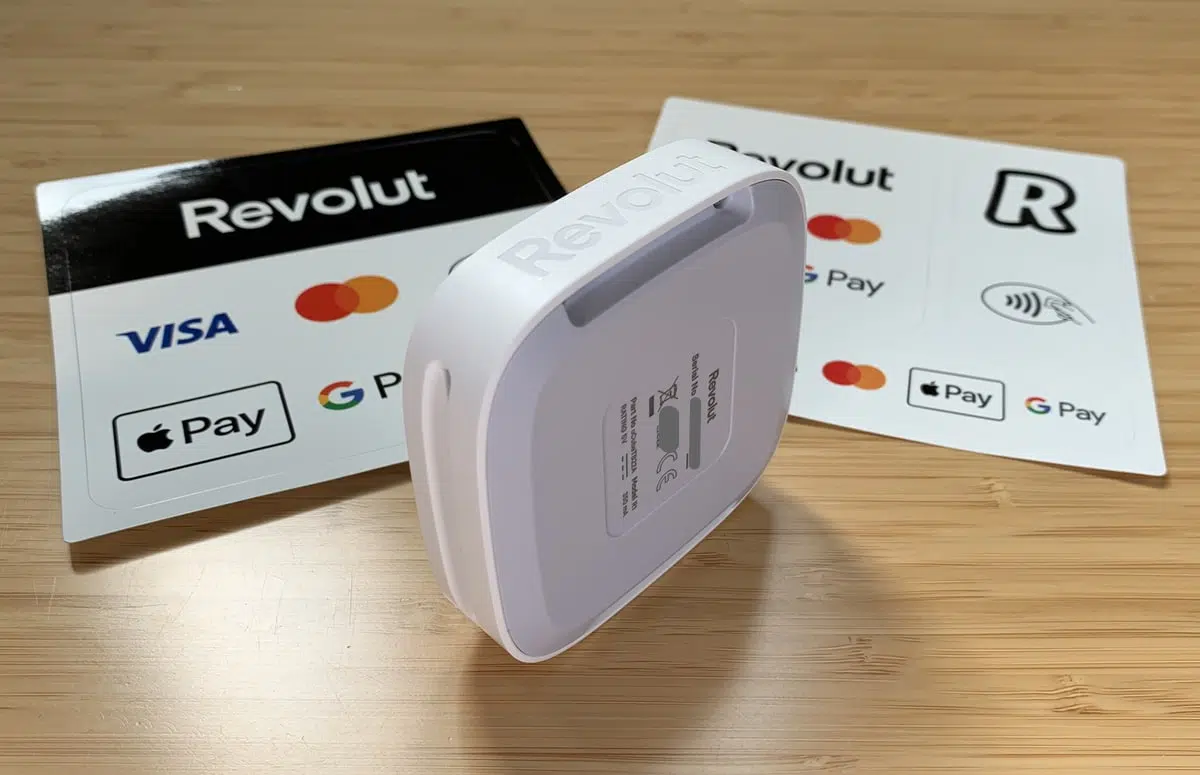
The card reader seen from behind, next to decals.
The card reader has a small, monochrome touchscreen display surrounded by a black frame and white, plastic casing. Overall, it looks a bit retro like a 1990s gaming device, but the style is in line with Revolut’s other products. Irish customers already familiar with the Revolut logo will trust the card reader when they see the logo etched into both sides.
“To me, Revolut Reader’s casing feels a bit cheap compared with other card reader brands. I’ve also had several technical glitches with it, but maybe that’s because I’ve mostly used it when it was just released.”
– Emily Sorensen, Senior Editor, Mobile Transaction
The screen activates when connecting with the app via Bluetooth. It shows a contactless logo when ready to accept a payment or virtual PIN pad when a PIN is required, which is when you’d use the touchscreen.
The only other time we used the touchscreen was when we synced the card reader with the Revolut Business app. For security reasons, you have to tap to confirm a code on the terminal screen that matches the one displayed in the app.
Photo: ES, Mobile Transaction
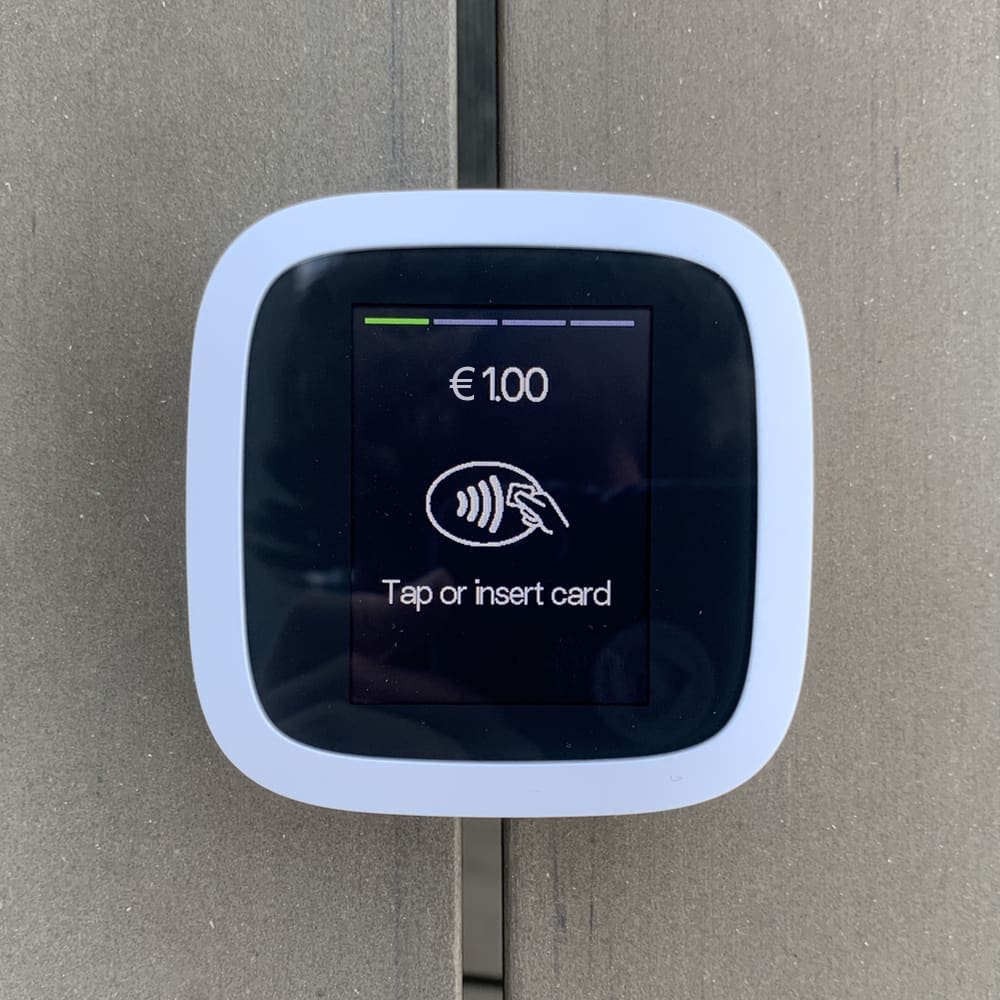
Ready to accept a card.
Photo: ES, Mobile Transaction
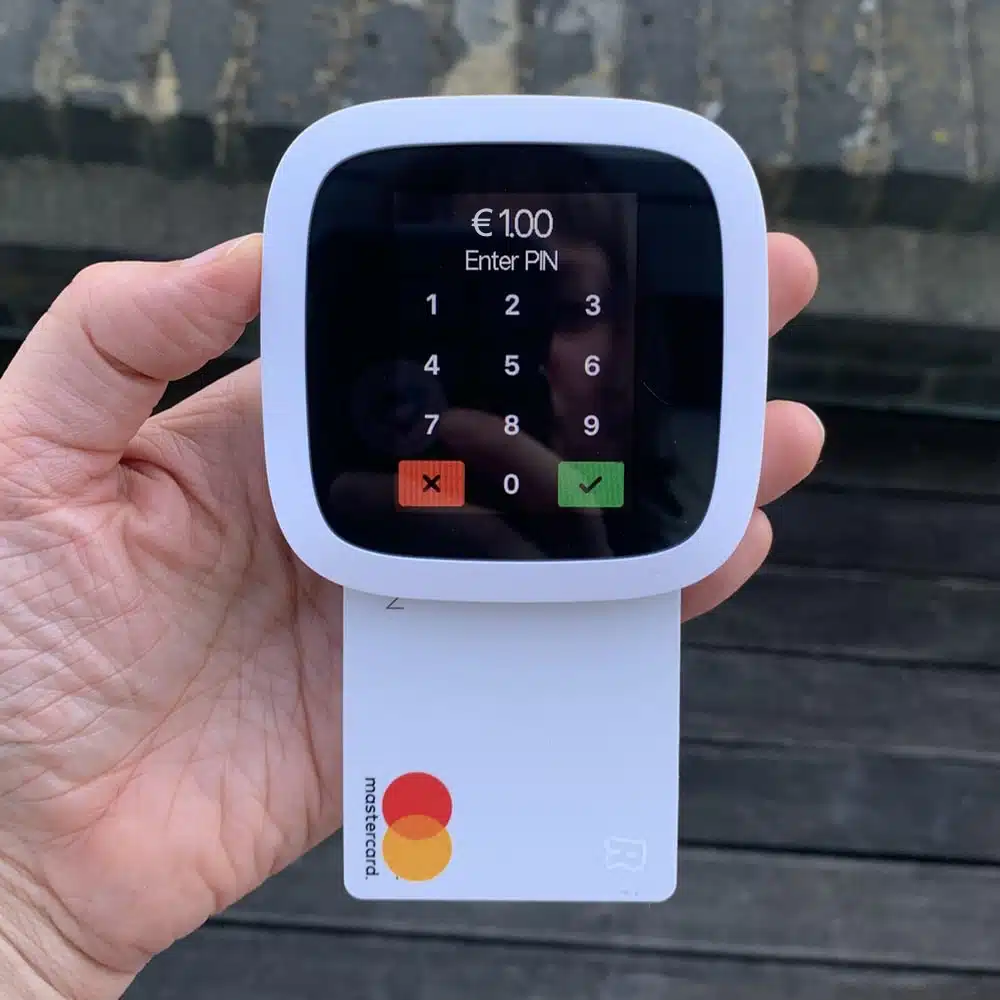
Virtual PIN pad on screen.
What about accessories?
It comes with a 1.5 m USB-C charging cable that can be plugged into an adaptor or computer. Once fully charged, it should last you over 200 transactions, which is decent for a card reader with a touchscreen.
Revolut Reader does not connect with a cash drawer or barcode scanner, only a few types of receipt printers through the Revolut POS app.
Would it suit street vendors and outdoor merchants?
If you take the card reader from town to town, unpacking and packing it, we recommend getting a protective case to avoid scratches or cracks in the touchscreen, instead of just throwing it in a bag.
The plastic frame feels like average-quality (more flimsy than durable) plastic, so you do need to take extra care to protect it. It’s certainly not waterproof, so any humidity or water could get inside and damage the technology.
You can’t increase the screen brightness, so the screen might be hard to read in strong sunlight. In darkness, the display is clearly visible since it lights up like a phone.
App features for the card reader
To accept payments, Revolut Reader connects with the:
- Revolut app through the Pro account section
- Revolut Business app through the Merchant section
In both of these apps, you can add a product catalogue to itemise transactions, charge in different currencies (only for custom amounts), process refunds, accept tips and send digital receipts.
However, sole traders with a Revolut Pro account does not have the same breadth of card reader features as companies. That’s because only the Business account includes team member settings and the standalone Revolut POS app.
Revolut POS app
Like Square and SumUp, Revolut has a point of sale (POS) iPad app that’s mainly for cafés and simple shops. Most users in Ireland tend to use the card reader with their iPhone or Android phone, though.
No other POS systems work with the card reader, deeming it unsuitable for retailers or merchants who need extensive features like inventory management and loyalty functions.
“The Revolut POS app for iPad is worth checking out, but my tests found it’s mainly for small food and drink. For impromptu card reader payments, the general Revolut apps would suffice.”
– Emily Sorensen, Senior Editor, Mobile Transaction
Using Revolut Reader with the Business app
In the Business app, the ‘Merchant’ section has a ‘Get paid’ menu with choices for payment links, email invoices, subscriptions, Tap to Pay and card reader transactions. You cannot register cash payments.
Unless you’ve just taken another card reader payment, the app first tries to connect with the reader after this is selected. This takes a few seconds if automatic, or slightly longer if you need to confirm the security code in the app and on the terminal screen. With leading alternatives like Square Reader, you don’t have to reconnect after a significant break.
Image: MT
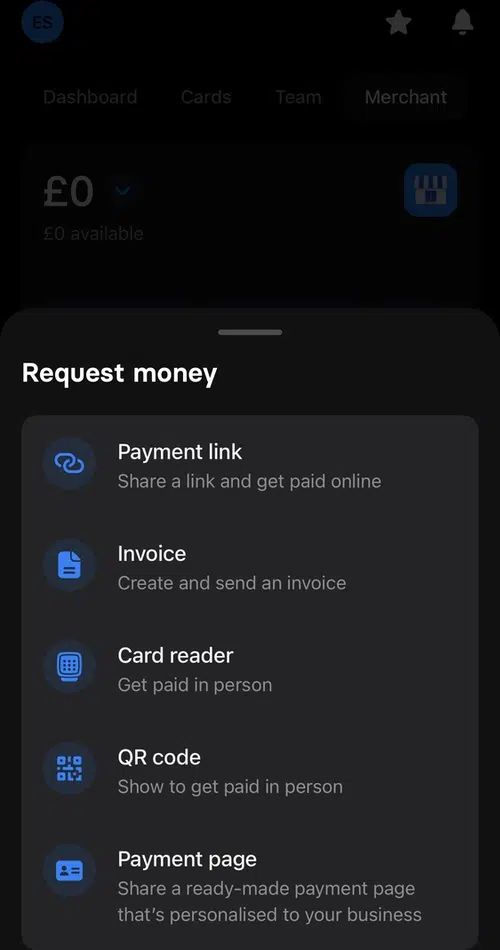
‘Get paid’ options when we started testing it.
Image: MT
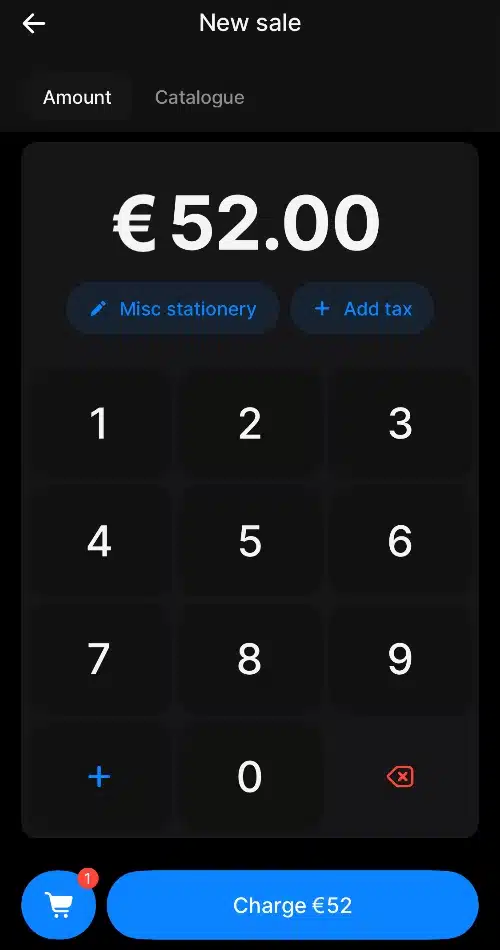
Transaction screen.
The default transaction option is to add a single amount in a choice of currency and with short description, if required.
The other is to tap items in a product menu to add to the cart. This requires that you’ve added items already to a product library, along with a tax rate, product category, unit type and icon colour. It’s not a fully fledged inventory system tracking stock levels and analysing what’s selling. It’s just a means of adding items to bills quickly and itemising receipts.
The product library can only price items in your main currency, i.e. euros. Only custom transaction amounts can be in other currencies.
Image: MT
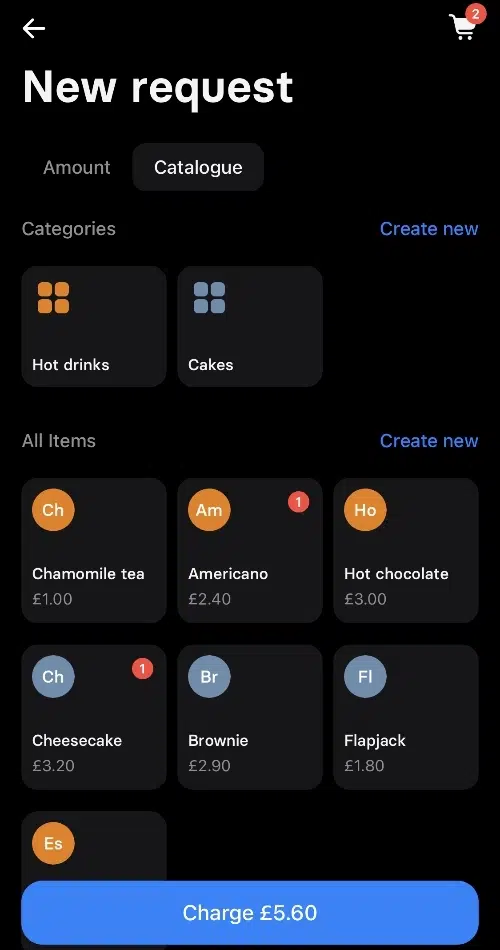
Product library.
Image: MT
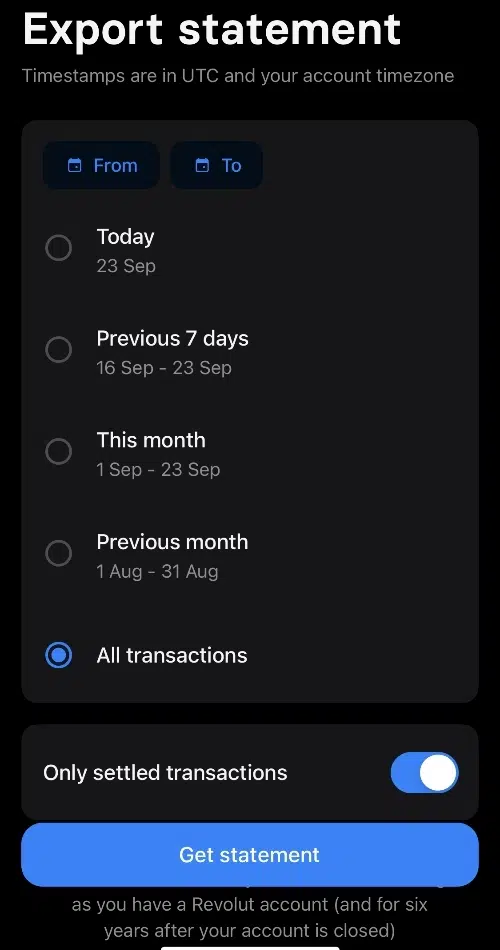
Export transactions to CSV.
When you’ve added a tip (optional) and the card reader successfully completes the payment, you can send a digital receipt via a messaging app, email or text message.
Transactions can be exported from the app to a CSV file for accounting. The Business app only shows basic sales analytics like best-selling products and the daily average transaction value.
If you have team members, you can set up individual user profiles in your account with permissions that let them accept card payments.
A note on refunds – could be awkward
To refund a payment, you tap on the transaction and input the refund amount (partial refunds are accepted) and refund reason. The amount will then be processed back to the customer’s card.
But here’s what I noticed: you cannot immediately refund a transaction since it is marked as ‘pending’ for a short while after the card payment went through. Only when it is ‘completed’ in your business account can you initiate a refund, and only if you have enough funds settled in the Revolut account to cover the refund amount. This could lead to some awkward moments with customers if they regret a transaction or a mistake was made.
Using Reader with the Pro account
Sole traders can use Revolut Reader through the personal Revolut app, where the Pro account has a separate section. Here, you have similar payment acceptance options, a product catalogue and most of the features above.
Revolut Terminal: smoother transactions
Revolut Terminal is more robust than Revolut Reader and doesn’t need to connect with an app to take payments. It’s a wireless, mobile card terminal that connects with WiFi or 4G through its free eSIM card.
“Revolut Terminal is worth the higher price just for the convenience of not having to connect it with an app and keeping payments to one device. It gets messy when you’re fiddling with an unreliable Bluetooth pairing and impatient customer.”
– Emily Sorensen, Senior Editor, Mobile Transaction
The software on Terminal completely depends on whether you set it up via the Business app or Revolut POS app. The latter will give you more features on Terminal, such as a custom product grid with images, modifiers and access to parked bills from the iPad POS app.
Setting it up through the Revolut Business app just gives you a basic product catalogue to itemise receipts (with variants).
Revolut Terminal also allows you to:
- split bills
- add tips
- refund payments
- accept different currencies on custom amounts only
- accept Revolut Pay via a QR code
- view past transactions
The card machine comes in black and white and looks like a standard smart POS terminal. It doesn’t have offline mode, though, so good wireless connectivity is required.
Revolut vs SumUp vs Square
Within payments, Revolut’s closest competitors in Ireland are Square and SumUp. So how do they compare?
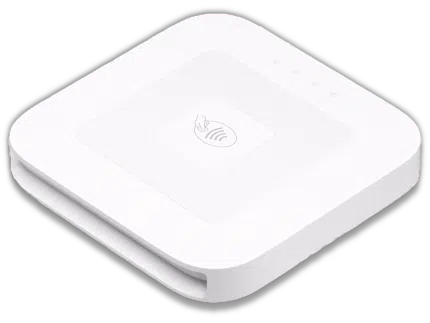
Like Revolut, both SumUp and Square have a selection of terminals, not just an app-dependent card reader. Frankly, the latter’s card machines have been better quality in our tests, but you might find Revolut better overall for its banking features.
Comparison of Revolut, SumUp and Square:
| Revolut | SumUp | Square | |
|---|---|---|---|
|
 |
 |
|
| Card machines |
|
|
|
| Standalone POS apps | 1 x iPad POS suitable for cafés | 1 x free simple POS 2 x paid, adaptable POS apps |
1 x free general POS 3 x paid POS apps (Restaurants, Retail, Appointments) |
| Transaction fee | Companies: €10+ monthly / 0.8%-2.6%* + €0.02 Sole traders: 1.5%** |
1.69%** | 1.75% + VAT** |
| Business account payouts | 24 hours | 24 hours | n/a |
| Bank account payouts | n/a | 2-3 working days | 1-2 working days |
| Cash withdrawals | 2% fee | 3/mo free, then 2% fee | n/a |
| Multi-currency | Yes | No | No |
*0.8% for ROI/EEA consumer cards, 2.6% for all others. **Applicable to all cards.
Revolut’s onboarding process takes a bit longer than signing up for SumUp and Square, especially for companies.
SumUp has a higher fixed transaction fee for all cards (1.69%), in contrast with Revolut’s low 0.8% + €0.02 for domestic cards. But SumUp Business Mastercard includes 3 free cash withdrawals each month from the online SumUp Business Account, whereas Revolut charges 2% for ATM withdrawals.
With SumUp, you can choose automatic settlements into the online SumUp account (within 24 hours, like Revolut) or a bank account (2-3 working days). Square doesn’t have its own business account and settles payments within 1-2 working days in your bank account.
Like Revolut, remote and online payments are offered through Square and SumUp, mainly QR codes, payment links, online store integrations and email invoices. If over-the-phone transactions are needed, nearly all other card reader alternatives in Ireland offer this – not Revolut.
Other alternatives in Ireland
When it comes to business account features, Revolut takes the lead with a broad spectrum of features. myPOS comes second with its cross-border payments, multi-currency accounts and complimentary debit card, but Revolut is simply more streamlined and tends to be cheaper to use.
Higher-end, independent card machines can be sought from Yavin, myPOS and AIB Merchant Services (offering Clover). With Yavin, you get similarly low fees as Revolut for domestic cards, but they are more variable and therefore less predictable than Revolut.
Customer service and our experiences of Revolut
Revolut users can access a 24/7 chat support in the app. There is no phone number or email support, so you have to contend with that.
Our own experience of Revolut support has been slow and inconsistent. We were repeatedly passed on to different people who did not have an answer. It may take days or weeks (like it did for us) to resolve technical issues, but then again, this is a new product that’s still improving on the software side. We were also asked to resubmit proof of our business repeatedly even though it had been approved before.
“I kept having to reverify my account with documentation after a few months’ inactivity, which was a pain as it meant I had to wait until approval to use the payment features again. With regular use, you might not have to do that.”
– Emily Sorensen, Senior Editor, Mobile Transaction
I had several technical issues to begin with, but the only problem that persisted was that a different name than my business name appeared on a customer bank statement. This was never resolved.
Image: ES, Mobile Transaction
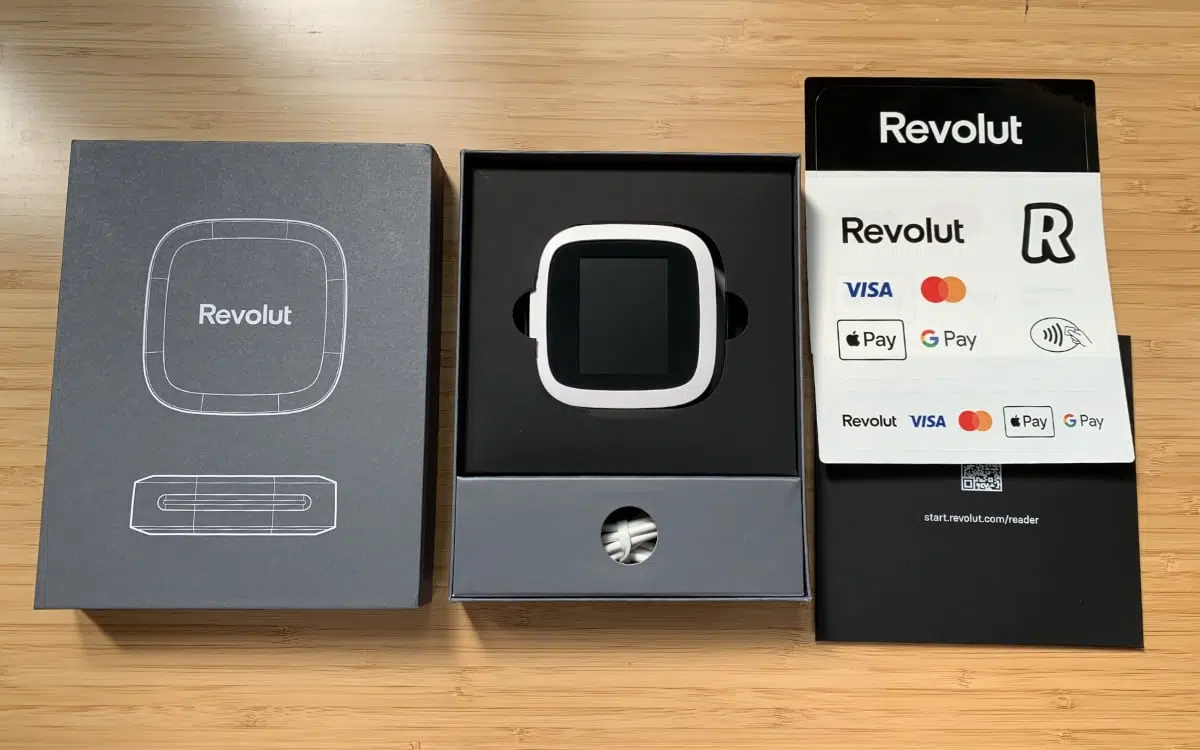
Box contents of a Revolut Reader package.
Revolut reviews in Ireland
Judging from Revolut reviews, we weren’t the only ones experiencing unhelpful responses to issues on the chat. Some have to wait for days or weeks for large transactions to be accessible in their account, while others have issues verifying their account. We’ve also seen issues making the card reader work.
Many reviews are positive about the features, though, particularly around ease of use and the convenience of the service.
Revolut is a popular online bank in Ireland where more than 1 in 3 people use the service, which is a good indicator that it’s here to stay. Reviews specifically about Revolut Ireland (not Revolut in general) have tended to be more negative compared with other countries, though.