


Get SumUp Solo for just €71 + VAT. No ongoing fees or contract. Free shipping in 3-5 working days.
Mobile Transaction is an independent payment industry resource trusted by over a million small businesses per year.
We allow solution providers to offer product discounts for the benefit of our readers. These discounts do not influence our editorial content such as reviews or recommendations. Ratings are based on full retail price. (Full policy)
How SumUp Solo works
SumUp is known for its user-friendly, simple card payment solutions for small businesses and sole traders alike.
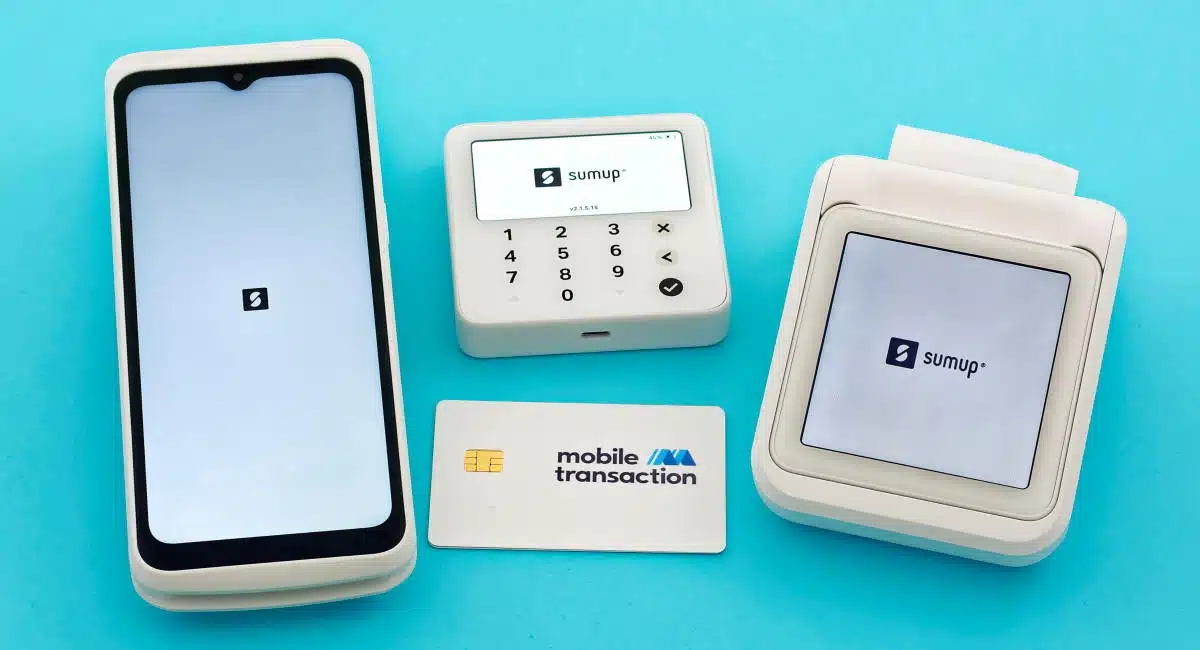
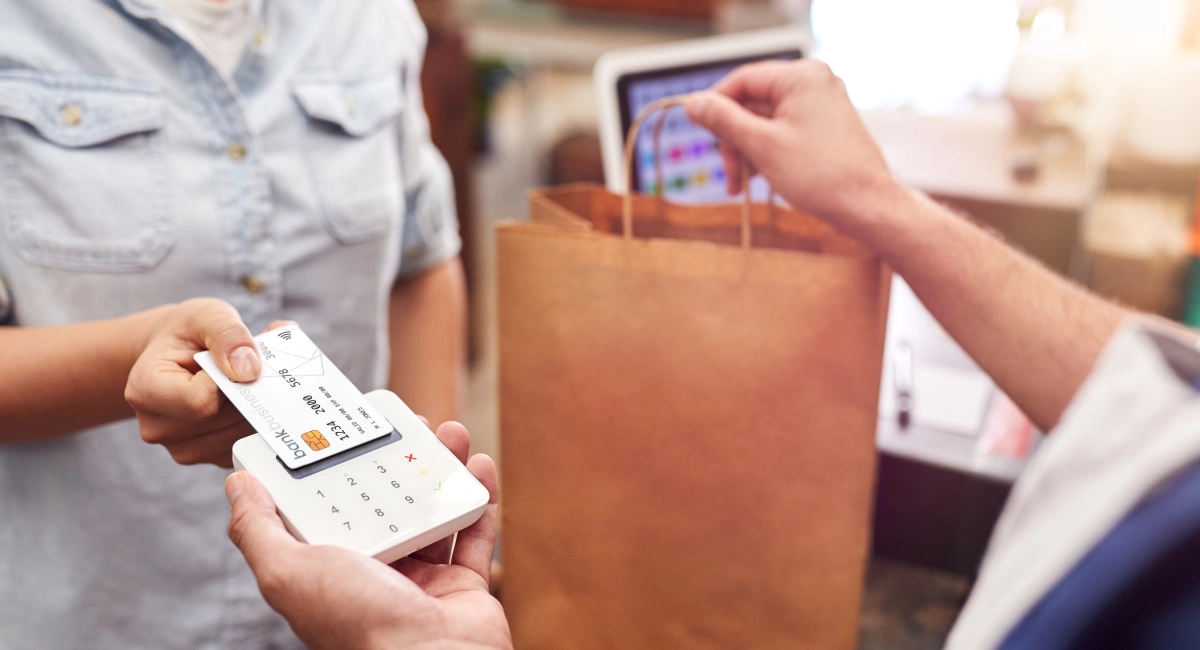
Its flagship model SumUp Solo is a special one: a square-shaped, standalone card reader without a physical PIN pad.
Instead, it’s operated exclusively via the front-facing touchscreen – a purpose-built mobile device for card payments. It can be purchased with a curvy receipt printer doubling as a power bank or a basic countertop stand to keep it in place at a register.
Photo: Emily Sorensen (ES), Mobile Transaction
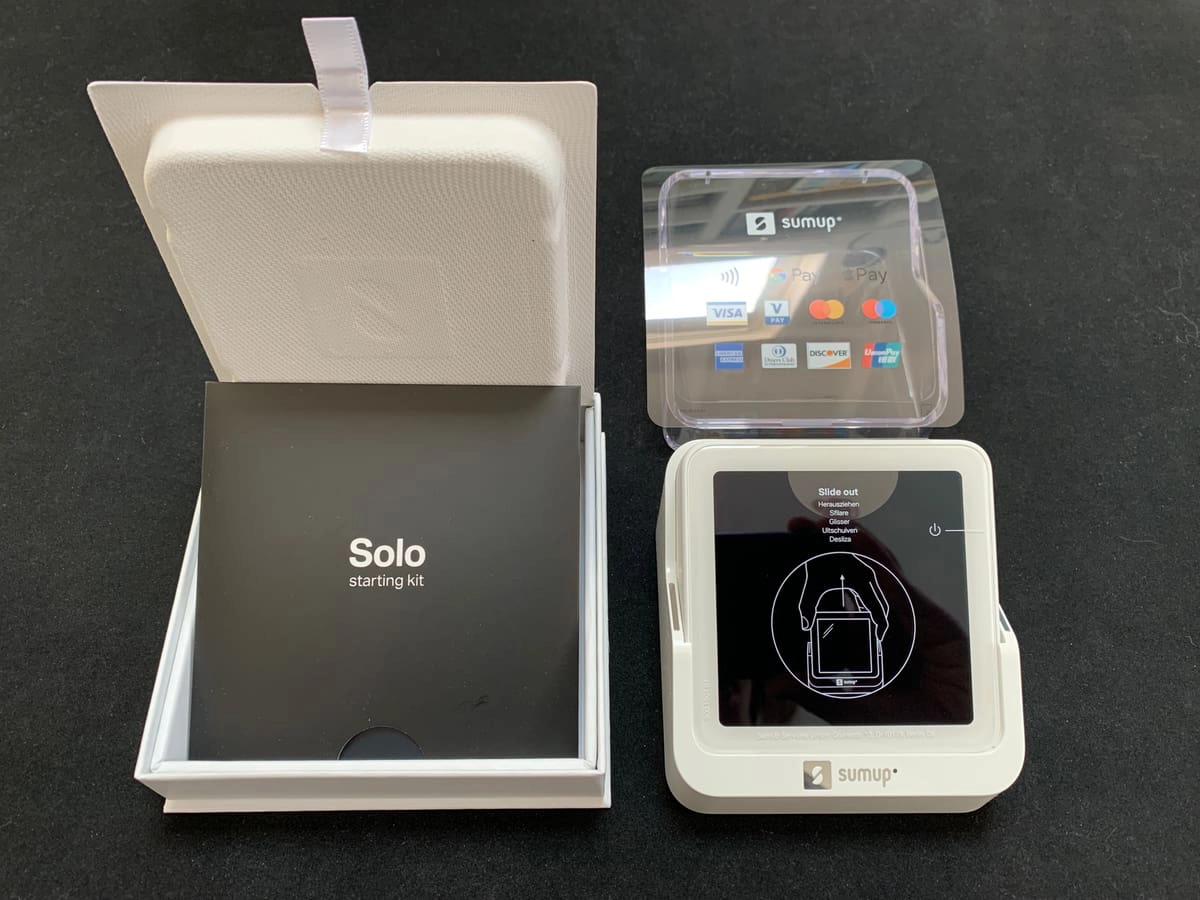
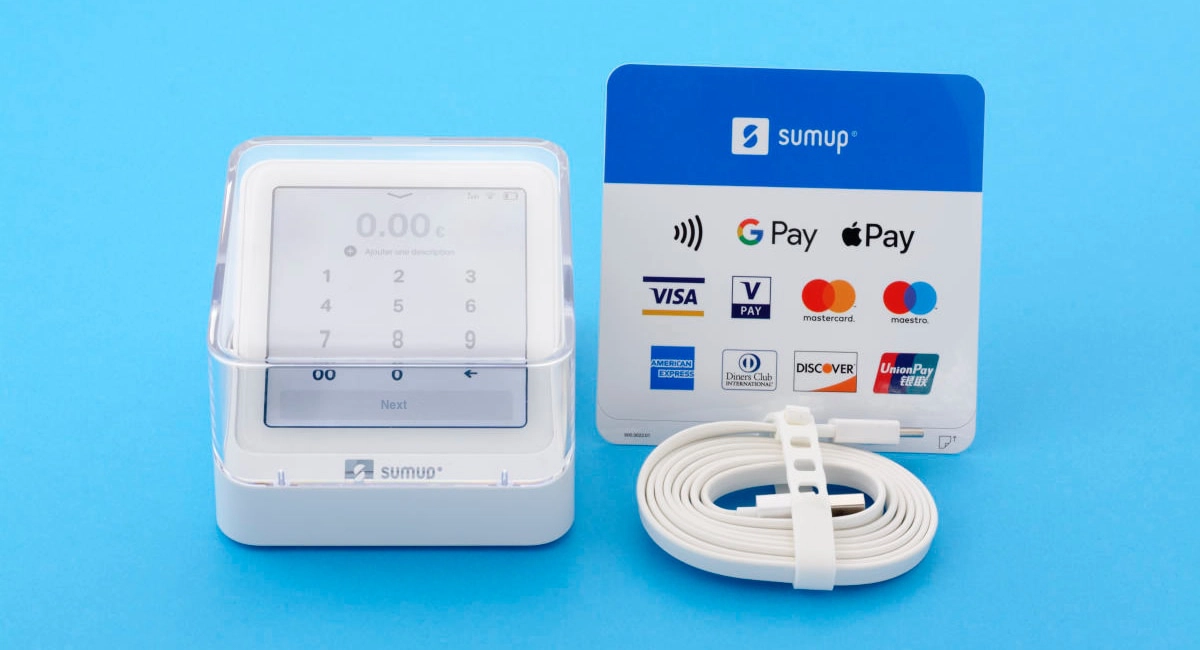
SumUp Solo with the basic countertop stand, unboxed.
The card reader comes with a built-in SIM card with unlimited data for 4G connectivity, but it works with WiFi too.
It’s therefore ideal both as a mobile card terminal and for table-service in, for example, a small café with a secured WiFi network.
To accept a card payment, you enter an amount and custom description on the screen, proceed to add a tip (if relevant), process the card and send a digital receipt. Transactions can be viewed and refunded on the terminal. Or if connected to a tablet register, the SumUp POS software on the register initiates the sale.
Solo accepts a wide selection of chip and PIN and contactless cards and mobile wallets, but not cash sales.
Accepted cards





Payments settle in your bank account within 2-3 working days, or 2-3 days longer with American Express.
If you direct payouts to the complimentary SumUp Business Account, you will get transactions the next day – weekends included. This online account comes with a free Mastercard and IBAN for cross-border transfers.
In this review, we focus on SumUp Solo because if its popularity. However, we will also reference SumUp’s other card machines Solo Lite and Terminal so you can make an informed decision about which is best.
Our opinion: beautiful, functional and with limitations
SumUp Solo is an interesting card machine built for card payments that don’t require an integration with a POS system. It works well for simple transactions where you just enter a payment total, not itemised receipts linked to a food menu or inventory library.
It’s fundamentally different from its predecessor SumUp 3G because of its touchscreen and compact design, but they are equally basic in their features.
Due to its touchscreen, Solo’s battery life is no more than a few hours. This makes it better for a fixed checkout or as a backup terminal on the go – unless you get the printer which doubles as a power bank.
For more advanced features, you may consider Solo Lite that connects with POS apps, but requires a Bluetooth-connected mobile device. It has a much longer battery life compared to Solo. We also recommend SumUp Terminal higher for receipt printing on the go, as both the POS software and printer are built in.
Our ratings of SumUp Solo:
| SumUp Solo criteria | Rating | Conclusion |
|---|---|---|
| Product | 4.2 | Good |
| Costs and fees | 4.2 | Good |
| Transparency and sign-up | 4.8 | Excellent |
| Value-added services | 4 | Good |
| Service and reviews | 3.8 | Good |
| Contract | 5 | Excellent |
| OVERALL SCORE | 4.3 | Good/Excellent |
With Solo, you can truly use it solo, anywhere with a mobile connection or wireless internet, unlike Solo Lite that needs a phone. The accompanying stand makes it great for, say, hairdressers and pop-up shops with a counter, and the tipping options are advantageous for hospitality and professional services.
As to support, we are a little concerned about the lagging service users have pointed out. The technical issues with the software have also caused issues for some, but it appears the Solo card reader has overall positive reactions.
Last but not least: the lack of monthly fees, commitment and complicated costs is attractive for a card reader. The upfront cost is low compared to traditional card machines, and the fixed rate competitive below a monthly turnover of €6,000.
Fees and pricing
SumUp Solo only costs a one-off price of €71 + VAT without a printer or €98 + VAT with a receipt printer.
No setup fee applies, and it gets delivered for free within 3-5 working days. If you change your mind about the purchase, there’s a 30-day money-back guarantee.
No monthly fee, contractual commitment or other ongoing costs apply, just a fixed rate of 1.69% per card payment.
SumUp pricing:
| SumUp charges | |
|---|---|
| Card machine price | Solo Lite: €22.50 + VAT Solo without printer: €71 + VAT Solo with printer: €98 + VAT Terminal: €121.50 + VAT |
| Shipping | Free |
| Contractual commitment | None |
| Monthly fees | None |
| Transaction fee (via card reader) | Pay-as-you-go: 1.69% Payments Plus (€19/mo): 0.95% for domestic consumer cards, 1.69% for all other cards |
| Payouts in 1-3 working days | Free |
| Refunds | Before payout: Free After payout: Transaction fee is retained |
| Chargebacks | €10 each |
Payouts are processed free to your bank account or SumUp Business Account.
It’s free to refund card transactions, as long as the transaction has not yet been settled in your bank account (i.e. within 2-3 days of the original transaction). After that, SumUp retains the 1.69% transaction fee to process a refund.
If a customer disputes a payment, a chargeback fee of €10 applies.
Lower transaction fee with subscription
If you’re making at least €3,300 per month, you can save money with the subscription SumUp Payments for €19 per month. This reduces your chip and contactless rate to 0.95% per transaction for domestic consumer cards.
Foreign and commercial cards still cost 1.69%.
SumUp Solo card reader features
SumUp Solo is a totally unique card terminal to enter the Irish market. It’s the first card machine 100% designed in-house by a team of over 100 engineers and product designers. Previous card readers like SumUp Air were partly designed by SumUp, using certain hardware components by third parties.
Photo: ES, Mobile Transaction
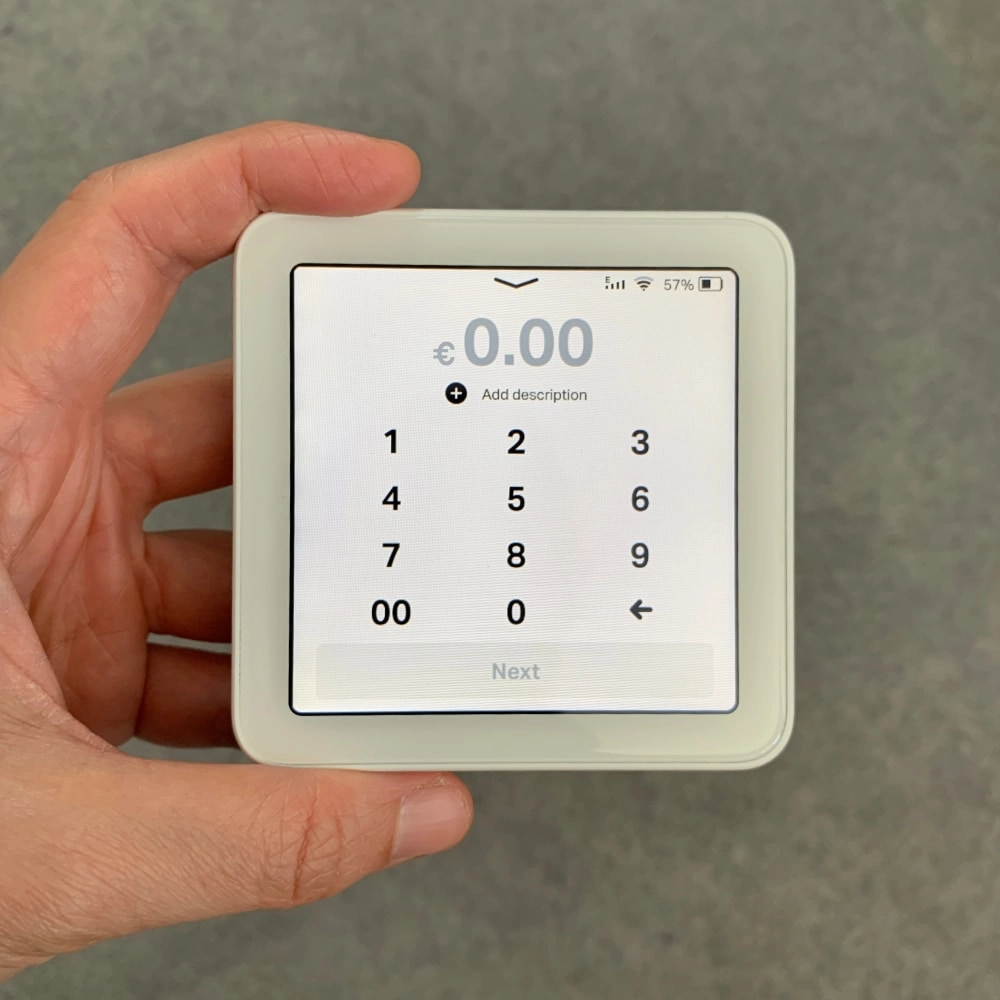
SumUp Solo checkout screen.
Photo: ES, Mobile Transaction
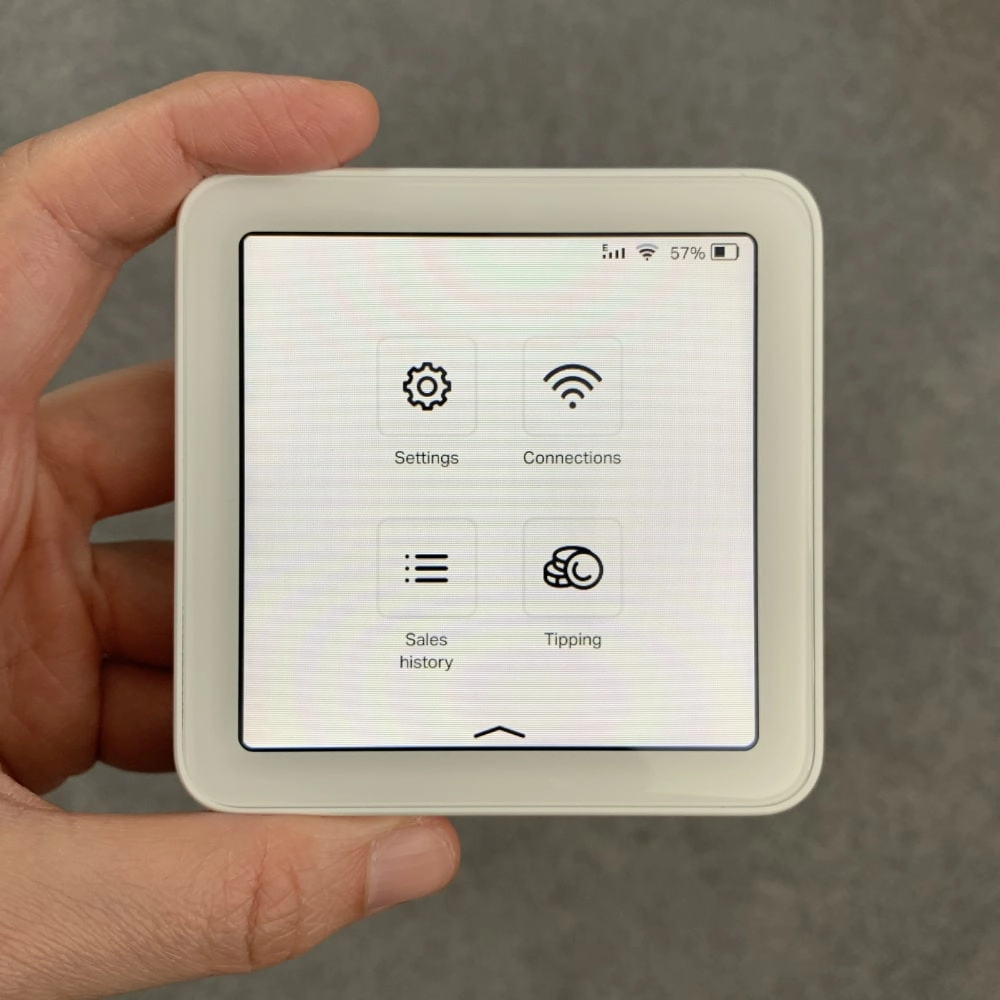
The menu screen.
And the result? A simple touchscreen terminal that can constantly evolve with software updates.
It’s comfortable in your hand, lightweight and easy to slide into a pocket. The built-in software is quite basic, but features may be added down the line.
| SumUp Solo tech specs | |
|---|---|
| Dimensions | 83 x 83 x 17 mm |
| Card reader weight | 147 g |
| Display | Touchscreen, greyscale |
| PIN pad | On touchscreen (no push-button PIN pad) |
| Connections | 4G, WiFi, Bluetooth |
| SIM card & data | Built in, unlimited free data |
| Card reader technology | EMV (chip), NFC (contactless) |
| Battery life | 100 transactions from full charge |
| Accessories included | SumUp Solo card reader, USB-C charging cable, charging cradle with clear lid, card brand decals |
The screen
The (non-colour) touchscreen is highly responsive, but with a slight time lag when you tap letters and numbers on the virtual keypad.
When it’s on standby and not in the accompanying dock, you simply tap the dark screen to show the checkout screen.
Photo: ES, Mobile Transaction
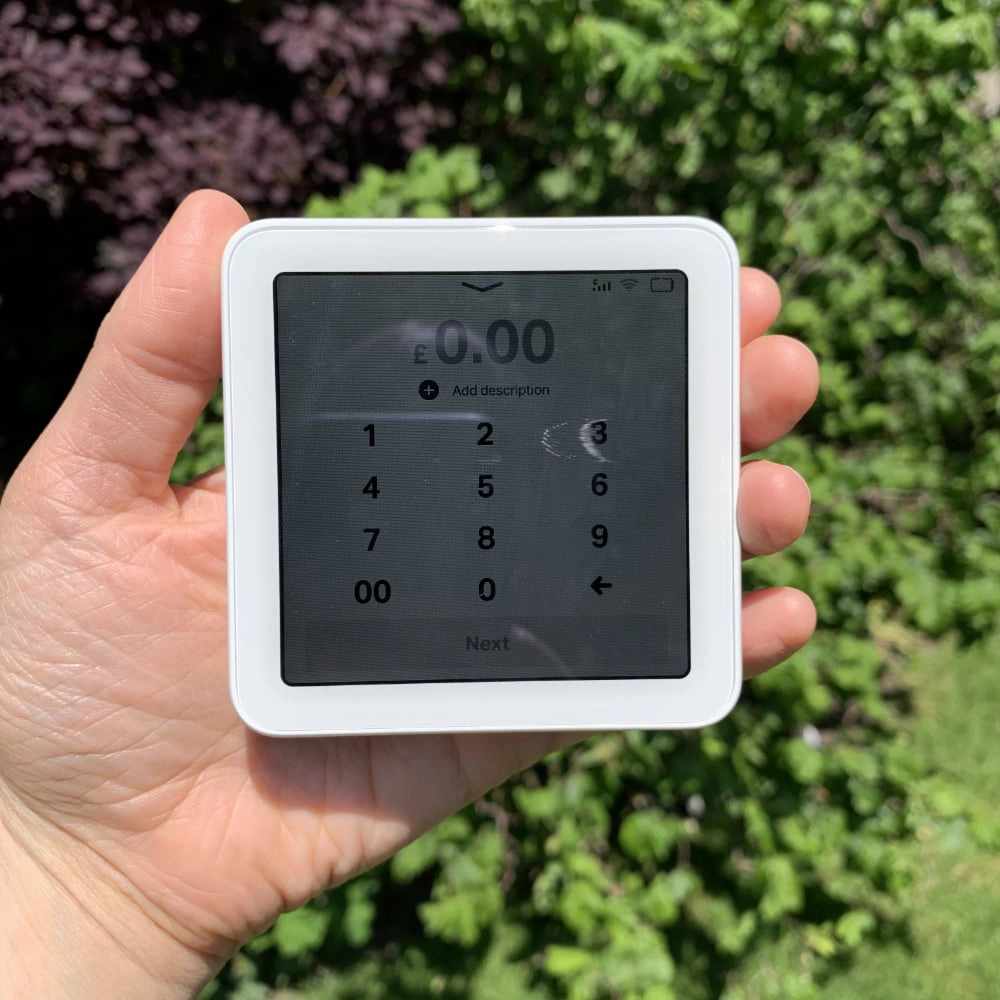
Solo’s display in strong sunlight.
If stationed in the dock, you have to press the power button on the side to activate the screen.
You can adjust the screen brightness to suit any environment and set it to turn off the screen after 30 seconds, 1-5 minutes or never.
We tested the maximum screen brightness in strong sunlight, and the screen was still readable. But it was grey and not bright in the sun – though better than the performance of the old SumUp 3G’s display that had complaints about being hard to see in the sun.
Battery life
The battery life is officially 100 transactions from a full charge, but in reality, it depends a lot on how it’s used.
With maximum screen brightness and frequent testing, the battery did not take more than an hour to use half its power. If you only used it for transactions, with low screen brightness, it would last longer. It also drains the battery within hours to keep it on standby.
It takes a few hours to charge Solo from 0% to 100% – not quick, so you should always make sure it’s got enough power when it’s most needed. With the portable Solo receipt printer that’s also a power bank, you can always charge it anywhere.
Software on Solo
Here are the software features:
Photo: Mobile Transaction
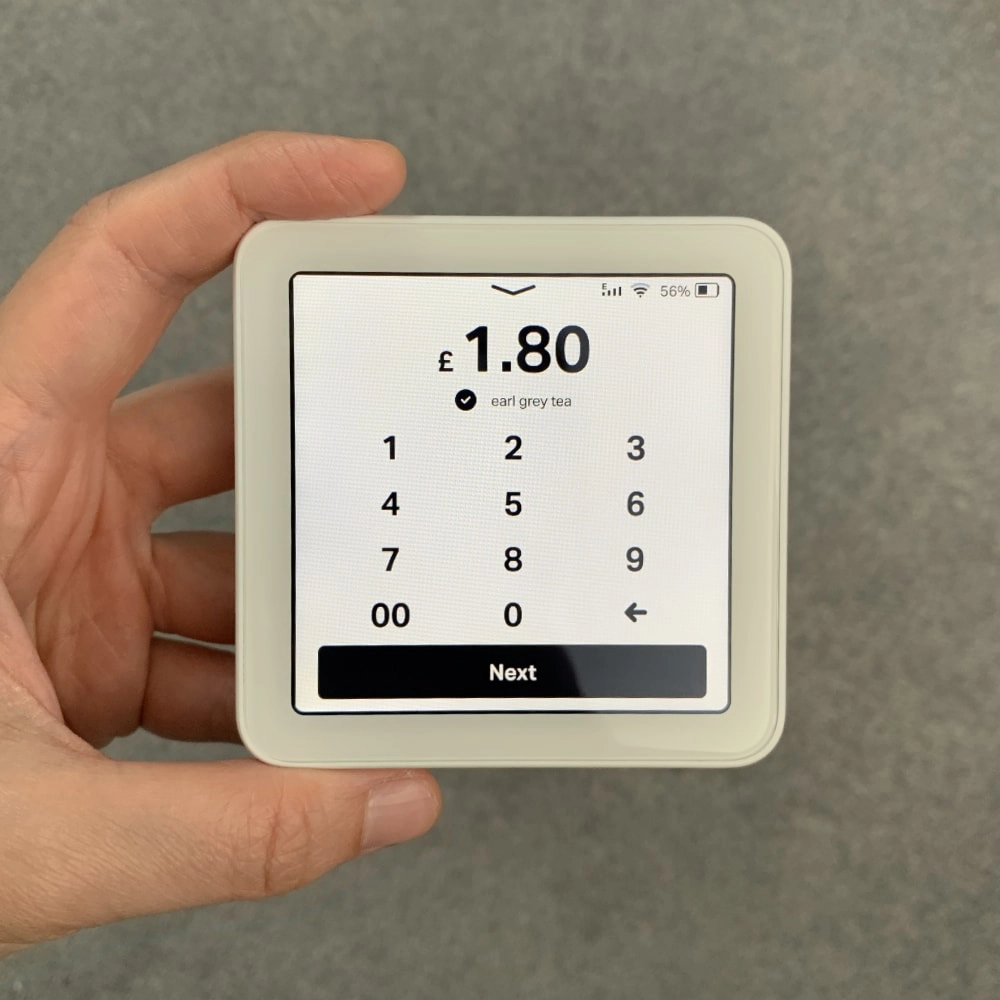
You can only enter one amount per transaction.
Photo: Mobile Transaction
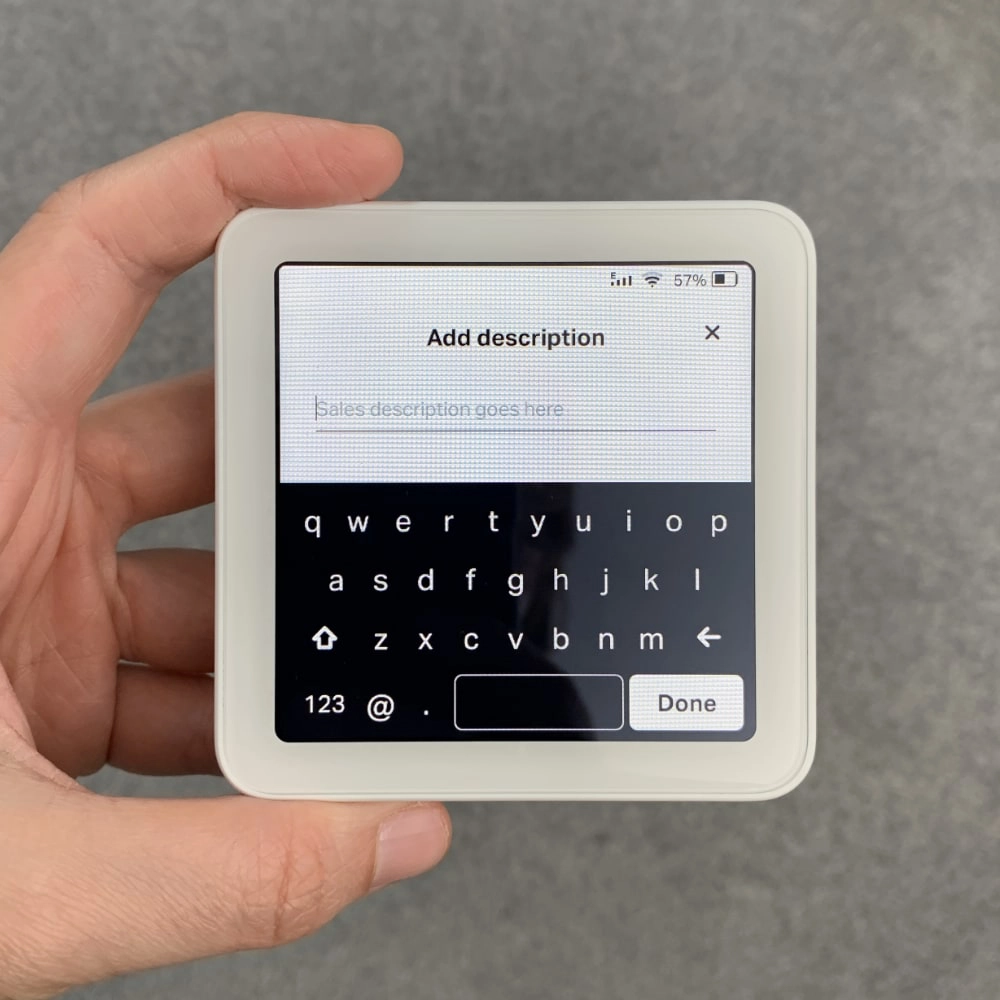
Entering a transaction description can be fiddly with big fingers, with the small keys.
Photo: Mobile Transaction
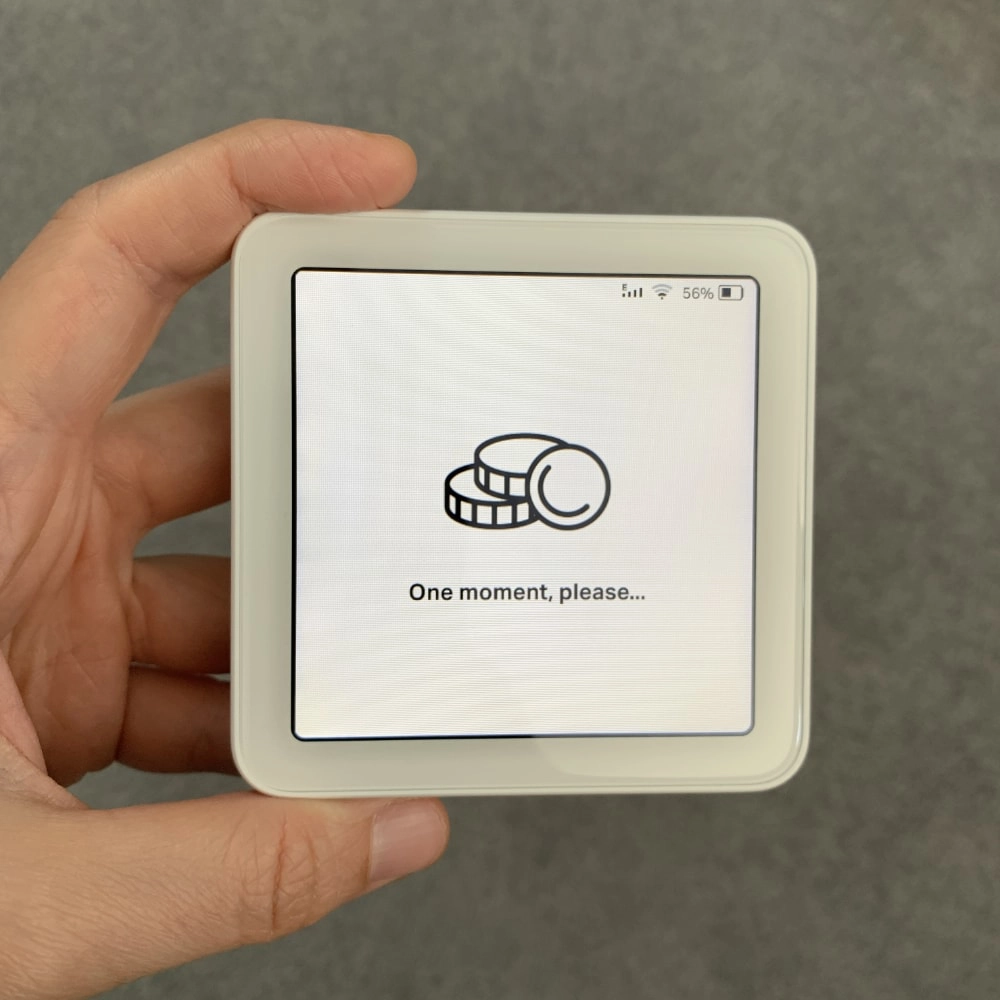
It can take several seconds before it’s ready for a card.
Photo: Mobile Transaction
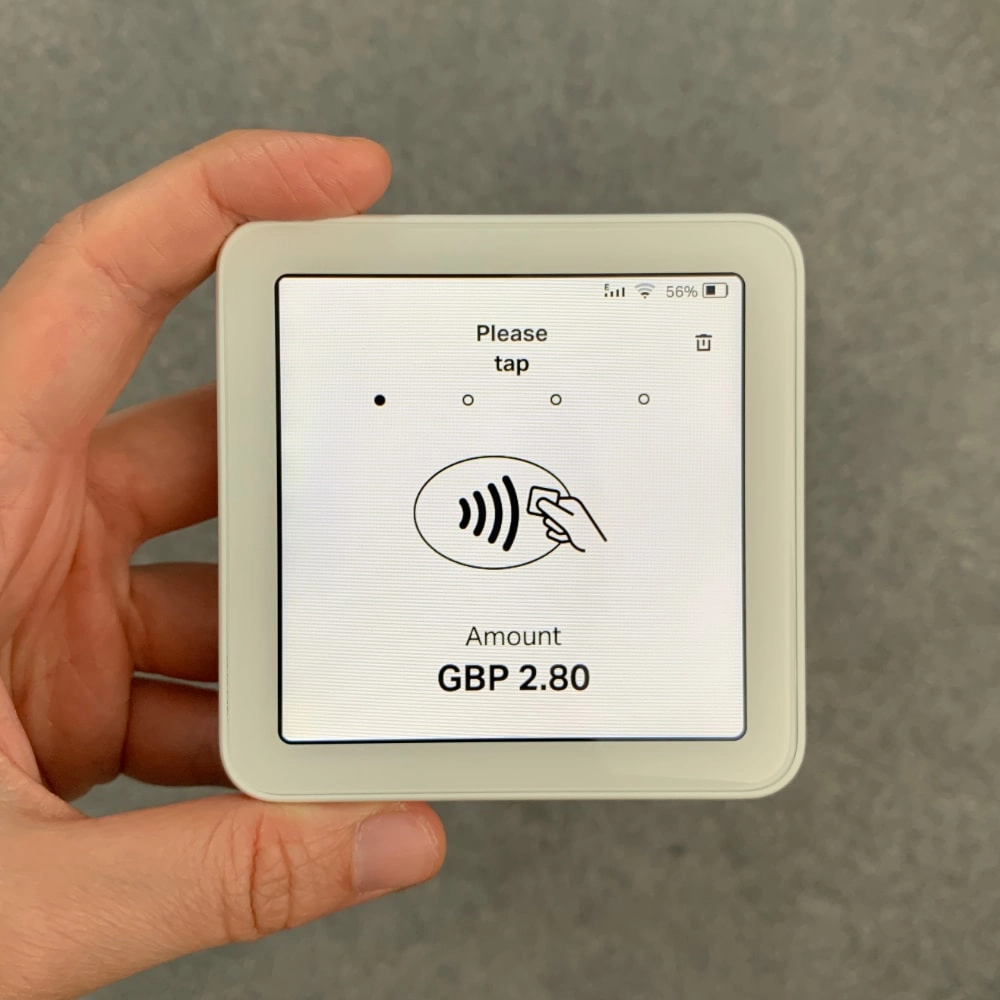
Ready for a transaction.
Photo: Mobile Transaction
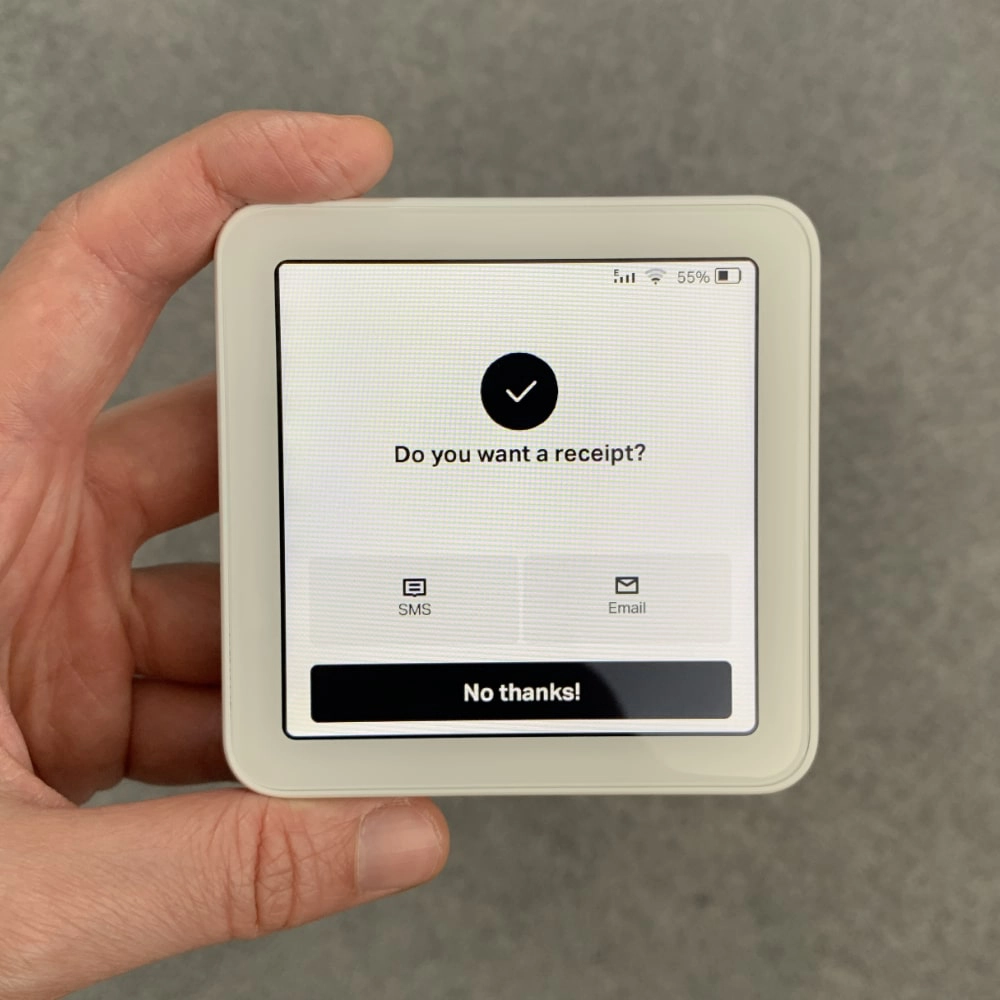
Receipt options without the printer attached.
Photo: Mobile Transaction
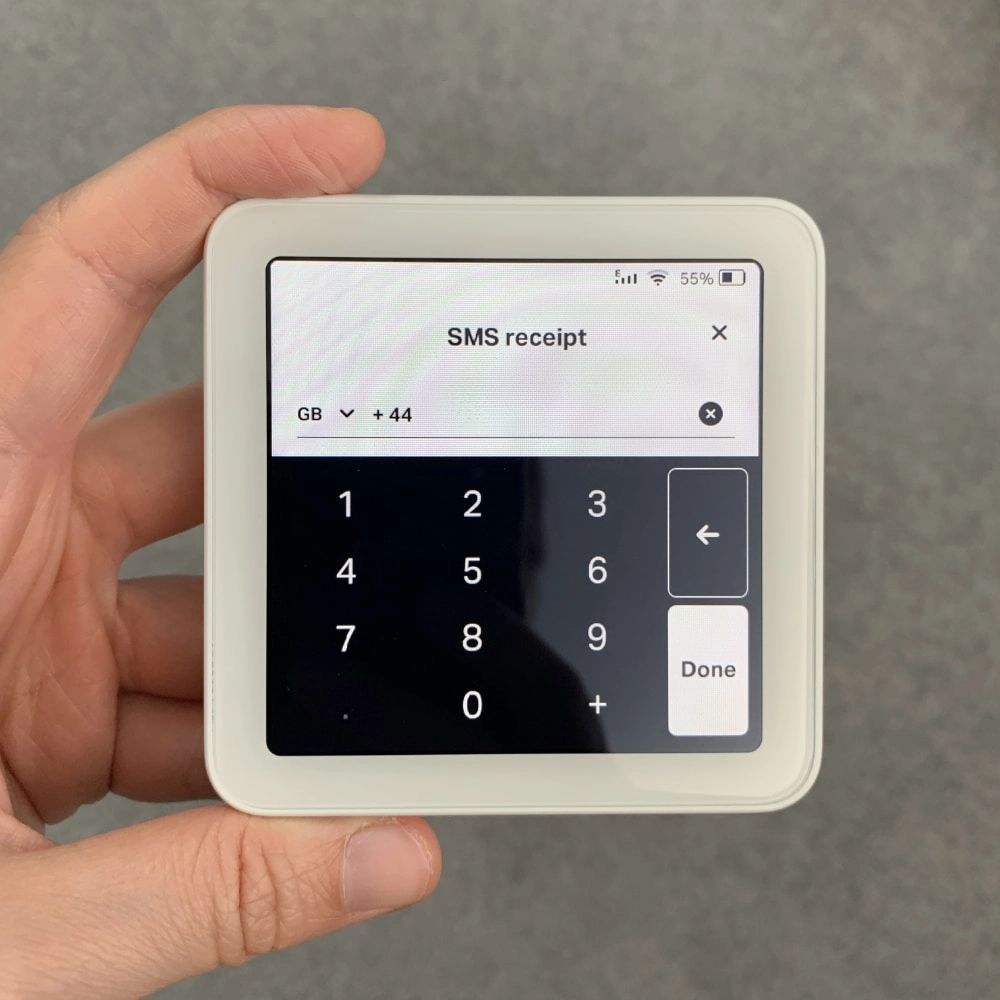
Entering a mobile number for SMS receipt.
Photo: Mobile Transaction
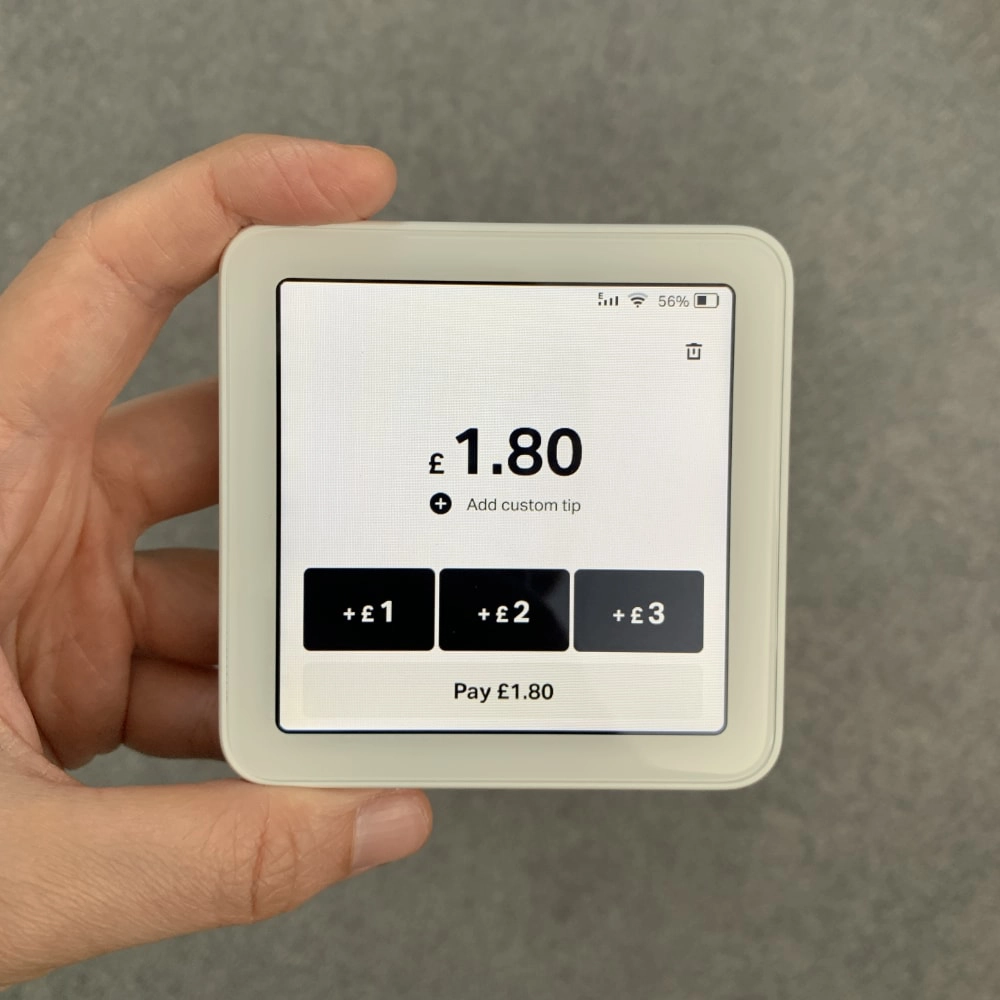
Smart tipping options.
Photo: Mobile Transaction
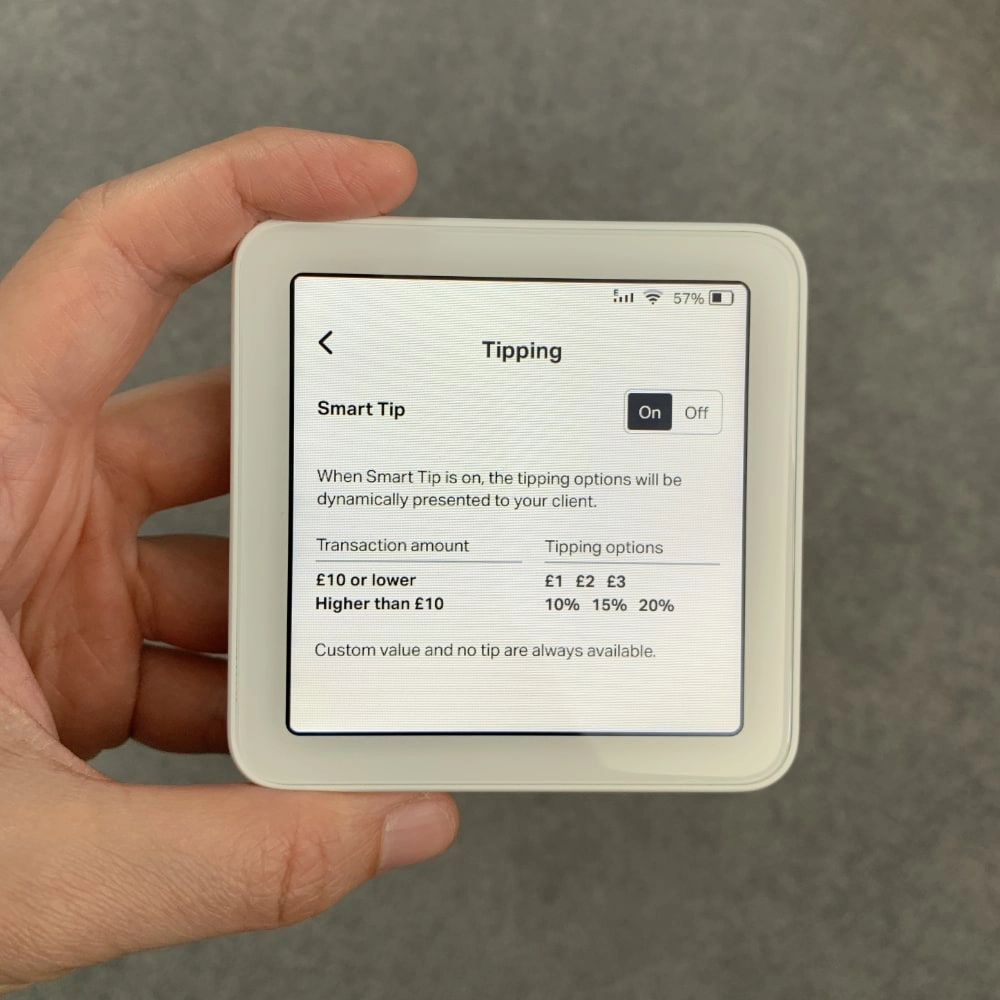
Tipping settings.
Photo: Mobile Transaction
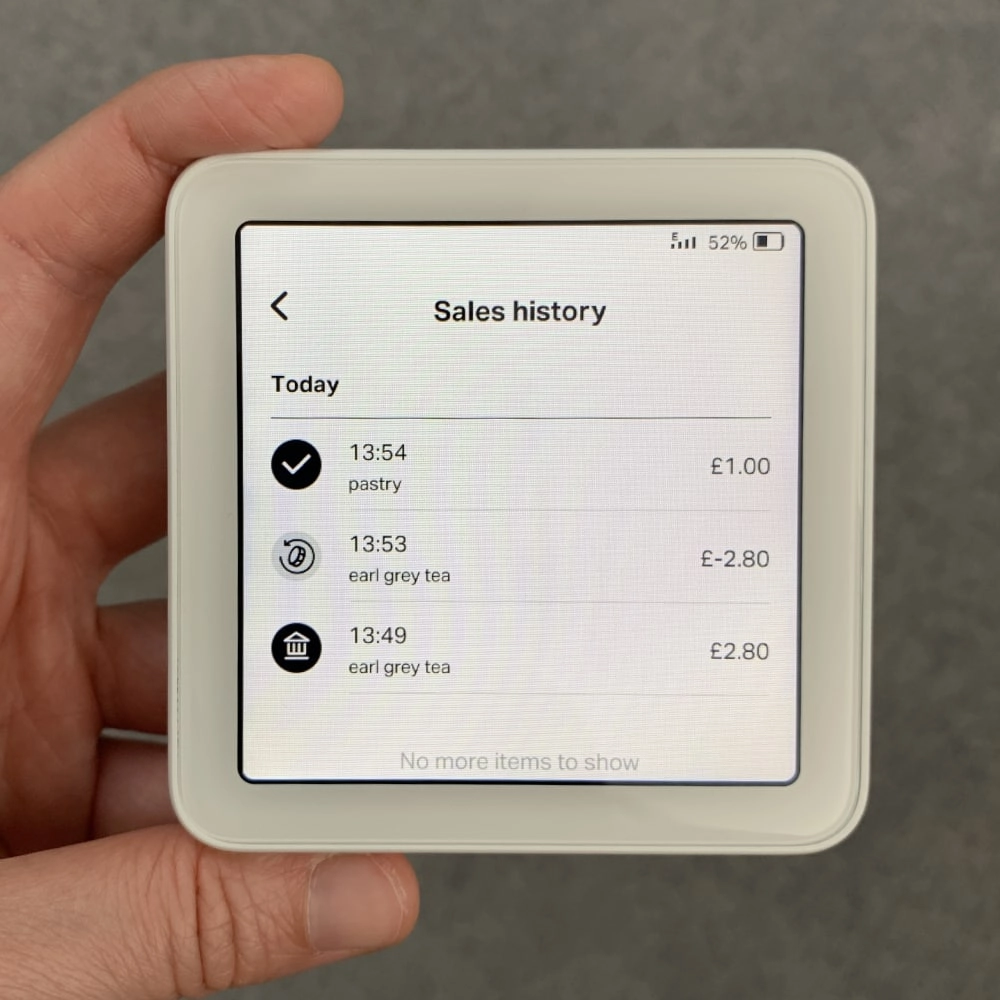
Sales history section.
Photo: Mobile Transaction
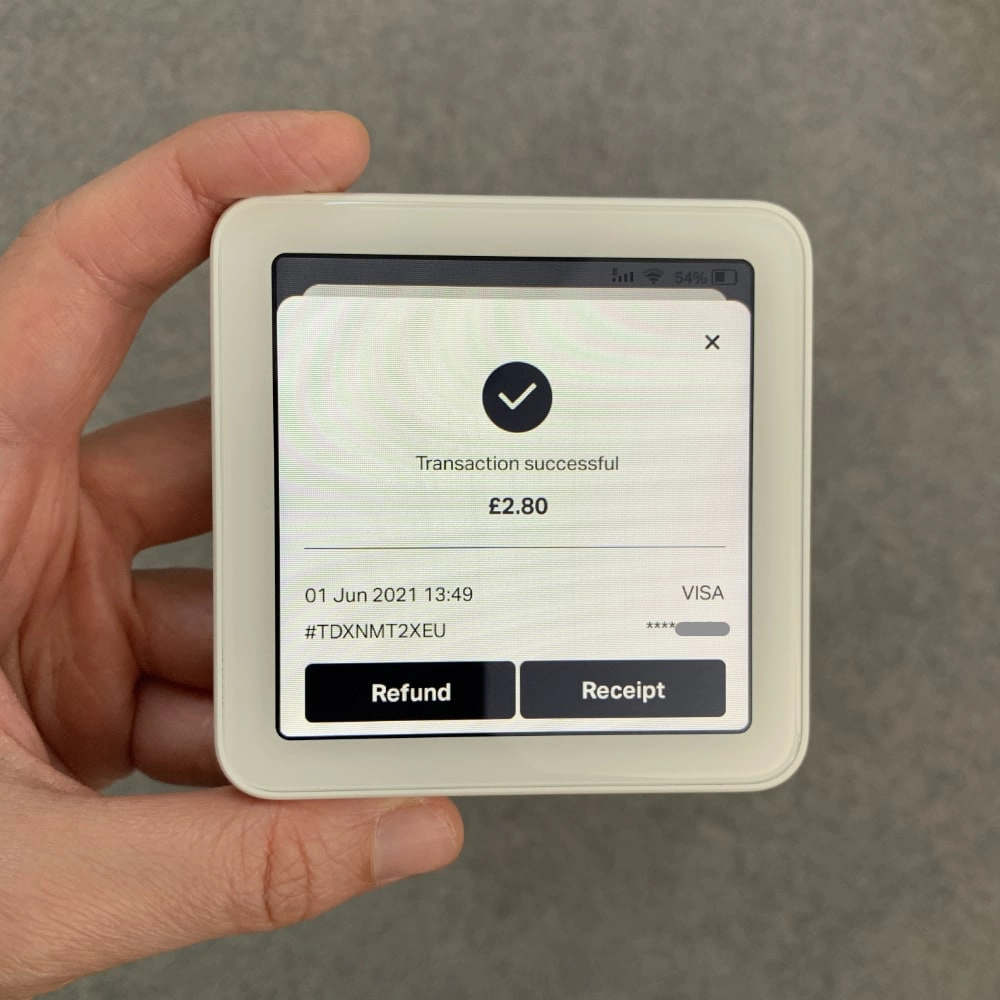
Transaction options.
That’s it for features.
POS system integration and feature updates
Although independent, SumUp Solo can integrate with a SumUp tablet register to avoid double-entry of transaction amounts. The card machine does not integrate with non-SumUp POS systems, though.
SumUp may decide to add new functions on the card reader through its regular software updates.
For instance, we experienced a sudden increase in language options from one day to another while testing. But since we received the Solo in the summer of 2021, we have not seen an expansion of other features on the Solo terminal.
The card machine automatically shows when new updates are available, but you can also check software updates manually on the terminal. Unfortunately, we have experienced some frozen screens rendering it unusable until switched off, so it is not without temporary issues.
If you need to, you can log out of the SumUp account from the settings menu (you must log in with your SumUp account details the first time you use it).
Printer and accessories
Not many accessories to connect directly with Solo when used as a standalone card machine.
If you buy the cheaper Solo package, the main accessory included is a non-slip display stand to put on a countertop. This doubles as a charging dock with an internal storage compartment for a USB charging cable.
Photo: ES, Mobile Transaction
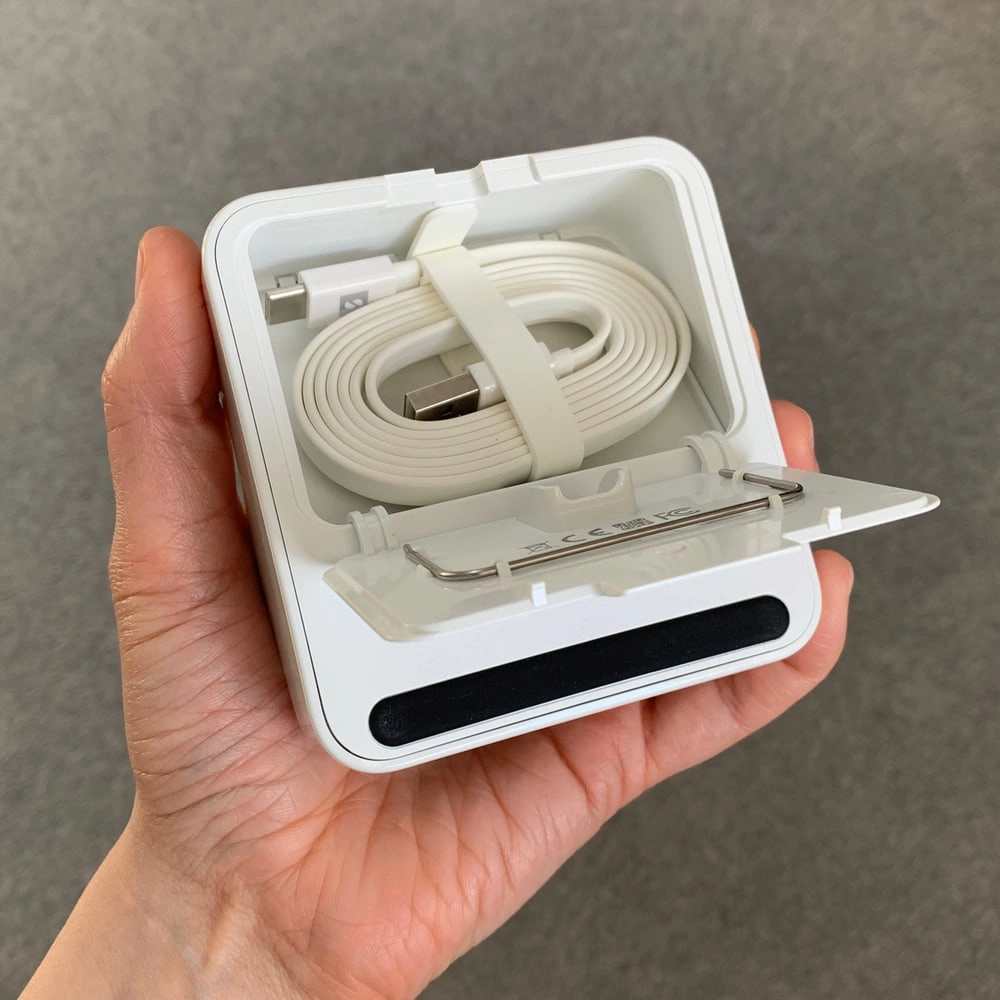
Solo stand’s compartment with its USB charging cable.
You can either plug the charging cable into Solo directly, or place Solo in the cradle and plug the cable into the dock to charge it. You’ll need your own adapter plug for the USB cable or charge it through a USB charging socket.
The dock’s clear, magnetically attached lid is a great, stylish protection to keep the reader free from dust and dirt.
The included decals showing accepted cards can be stuck onto the lid perfectly.
Photo: ES, Mobile Transaction
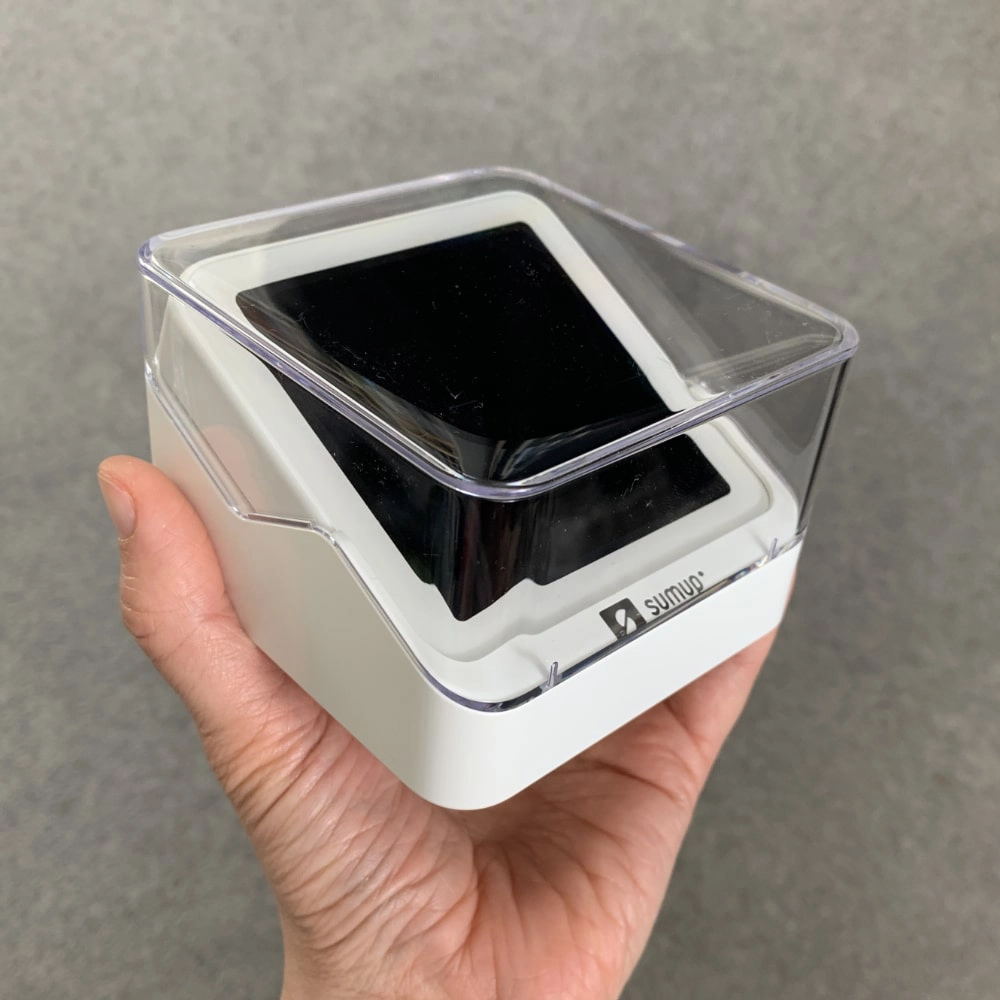
SumUp Solo in its dock with the lid on.
Photo: Emmanuel Charpentier (EC), Mobile Transaction
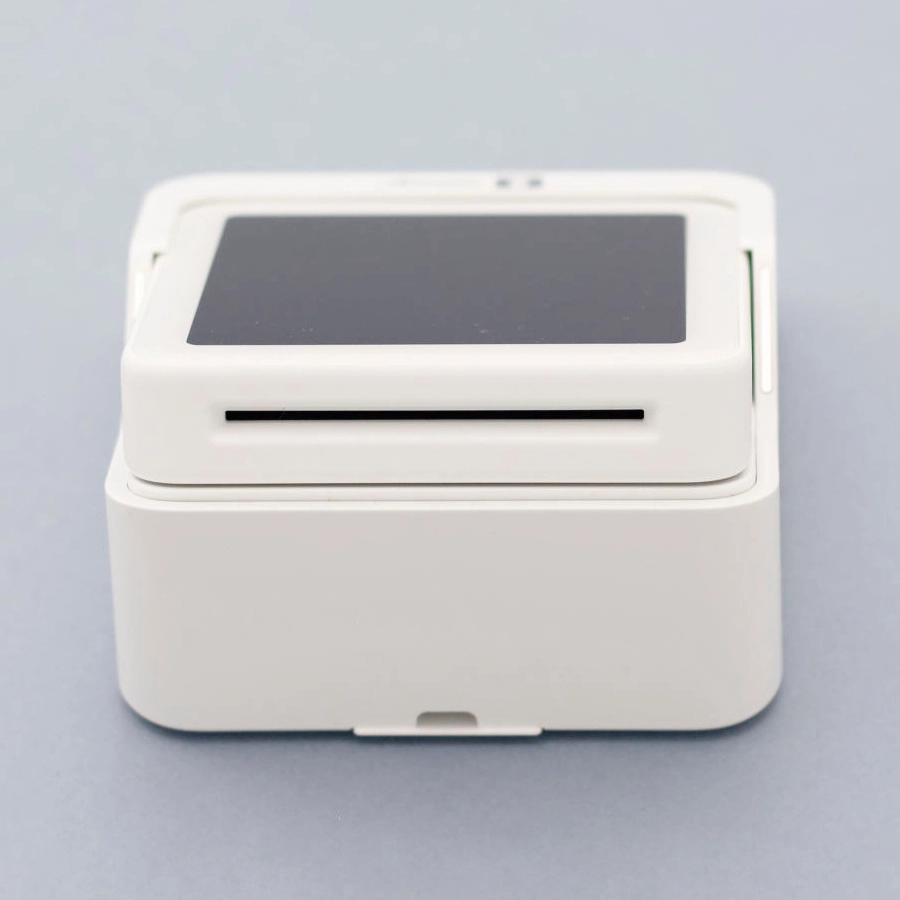
Chip cards can be inserted at the top.
If you buy the Solo and Printer package, you don’t get the above countertop dock. Instead, you get a receipt printer dock specifically designed for the SumUp Solo card reader. It’s built to look great as both a countertop stand and portable printer, so it works equally well at till point and on the go.
Printing receipts is not the only advantage – the printer doubles as a charging dock. When we’ve tested Solo on its own, the battery was used up pretty fast, so getting the printer might be essential as a backup power bank when you’re out and about.
No other receipt printer works with Solo.
Photo: EC, Mobile Transaction
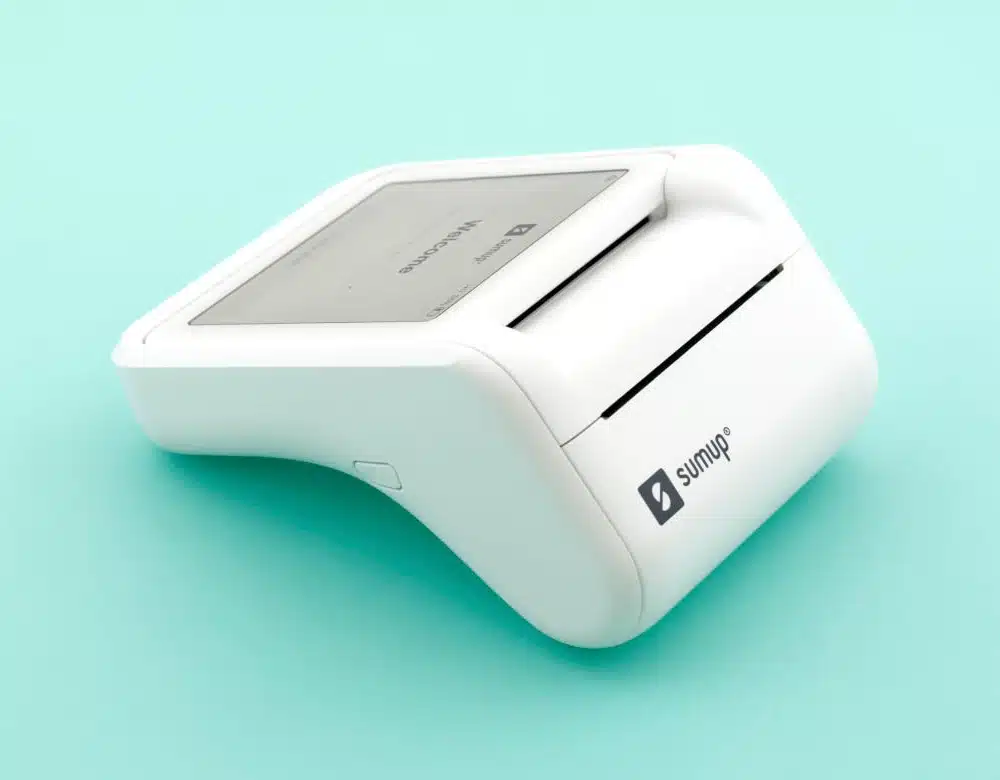
SumUp Solo looks elegant with its special receipt printer.
When used with a POS system
You can connect the card reader with a cash drawer, barcode scanner and kitchen printer through SumUp’s POS systems (free and paid versions available). No other POS systems connect with Solo, so this is the only way to use the card reader as part of a complete checkout.
SumUp Solo vs Solo Lite vs Terminal
Considering the cheaper SumUp Solo Lite instead of Solo? Or an upgrade to SumUp Terminal?
Let’s start with Solo Lite, which only works while connected with an app on a phone or tablet connected to the internet. Solo and Terminal, on the other hand, work on their own.
The battery life of Lite – over 1000 transactions – is much better than Solo because it only switches on when the app is ready for the card payment. Transactions on Solo are created from start to finish on a power-consuming touchscreen, so it only lasts 100 transactions from a full charge (with low screen brightness).
SumUp’s card machines compared:
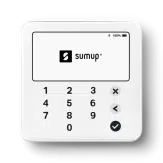
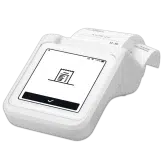
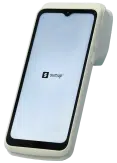
| SumUp Solo Lite | SumUp Solo | SumUp Terminal | |
|---|---|---|---|
 |
 |
 |
|
| Price | €22.50 + VAT | Without printer: €71 + VAT With printer: €98 + VAT |
€121.50 + VAT |
| Works without phone/tablet | |||
| Network | 4G, WiFi | Uses phone’s or tablet’s 4G or WiFi connection | 4G, WiFi |
| Size | 82 x 82 x 12 mm | 83 x 83 x 17 mm | 192.5 x 80 x 49.4 mm |
| Battery life | 1000+ transactions | 100 transactions | 14 hours |
| POS integrations | SumUp App, SumUp POS | SumUp App, SumUp POS | SumUp App built in |
| Receipt printing | Connects with Bluetooth printers | Connects with Solo printer only | Printer built in |
Solo Lite is only slightly smaller and lighter than Solo, but they are both square-shaped and palm-sized. Lite’s display is half the size as Solo’s touchscreen, and it has a flat, wipeable PIN pad that’s always visible below. Only when a PIN is required on Solo will it show on its touchscreen.
The Solo Lite reader connects with various receipt printers from other brands, so may suit specialist checkouts better where certain types of receipts are needed.
But if you want a card machine with a receipt printer and versatile POS features on the screen, we definitely recommend SumUp Terminal. This comes with a receipt printer built in and large touchscreen with all of SumUp’s free POS features.
Solo and Printer works well as a duo, but it’s more limiting where the software is concerned. Terminal has more potential with its built-in scanner, quality touchscreen and versatility on the go.
Solo compared with alternatives on the market
In Ireland, SumUp Solo is the only freestanding touchscreen terminal with just basic card payment functions. This also makes it the cheapest of its kind.
The closest alternative on a low budget is Square Terminal or Handheld which also work on their own, but only with WiFi since it doesn’t have a SIM card. It’s therefore unsuitable for on-the-go payments.
Like Solo, they have a touchscreen, but a large one with many more free point of sale (POS) features built in, like SumUp Terminal. Square doesn’t require a contract, nor does it have a monthly fee, just like SumUp.
Then there’s the much cheaper Square Reader requiring an app, like SumUp Solo Lite, but without a physical PIN pad. It has a superb battery life and is lighter and smaller than Solo, so might be better suited for mobile merchants who’s okay about connecting it with an app to take payments.
Card machines like Clover’s and AIBMS’s come at a much higher cost and contract lock-in, but they are better for businesses with a high, stable and long-term sales volume. myPOS offers some standalone terminals, but they are pricier and come with more fees and no automatic bank account payouts.
Reporting and other free extras
If you need more than a basic transaction overview, you can log into SumUp Dashboard (merchant portal) on a laptop. Here, you can analyse sales, export sales reports and connect with accounting software (if on a paid POS subscription).
You’ll also see many free, additional features like invoicing, a product library and your online SumUp Business Account.
Even if you don’t have a SumUp Solo Lite reader, we recommend downloading SumUp App on your phone because it has lots of additional features. You can send payment links, accept QR code payments, sell and accept gift cards, and create a basic online store page. It also gives access to invoicing and business account management.
The app has an overview of payouts, employee accounts (staff can have different logins) and a product library to sell from in the app only, not SumUp Solo.
Photo: EC, Mobile Transaction
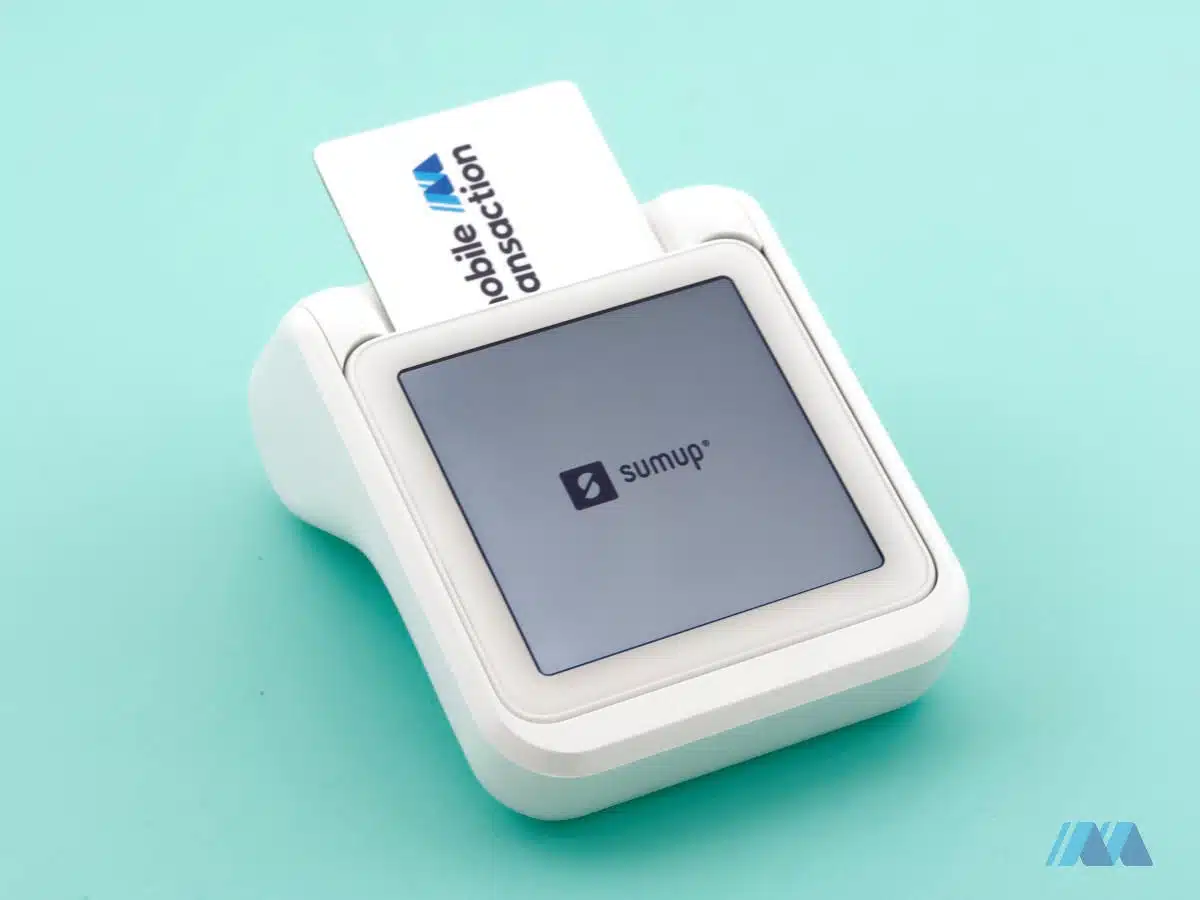
The card machine looks very smart with the receipt printer.
Customer service, reviews and complaints
SumUp merchants can phone, email or message customer support on weekdays between 8am-7pm and weekends between 8am-5pm.
There is also a help section online with how-to guides and explanations of features. You cannot access these guides on the terminal (the screen is too small and not connected to a browser), but it does show the web address to SumUp’s FAQs that you can look up on your phone.
Recent customer reviews show a certain pattern of complaints, though. Some customers do not get prompt support, while others do.
You’re meant to have a helpline to call, but many users have said no one is answering or that the SumUp staff on the phone do not fix the issue, stick to their promises or follow up with a resolution. Merchants are being told to use the online chat or email for help, even when the user prefers a phone call.
We have also seen several complaints about SumUp Solo in particular, mirroring our experiences of the product. This includes a short battery life (up to 4 hours maximum, according to one user), frozen screens and unwelcome updates preventing you from taking payments when needed.
If you want to cancel the account and delete all your information, it may also take weeks or months for SumUp to follow through with this. It appears they have had a backlog of communications preventing them from helping people promptly, unless it’s an urgent issue.
Getting started
SumUp is one of the easiest options around for getting started with card payments.
You simply go on the website, click to get started and complete an online sign-up form (takes about 5-10 minutes). Then order the card reader on the website and wait 3-5 working days to receive it by post. At the moment, ordering it from the SumUp website is the only way you can buy the card reader in Ireland.
Photo: ES, Mobile Transaction
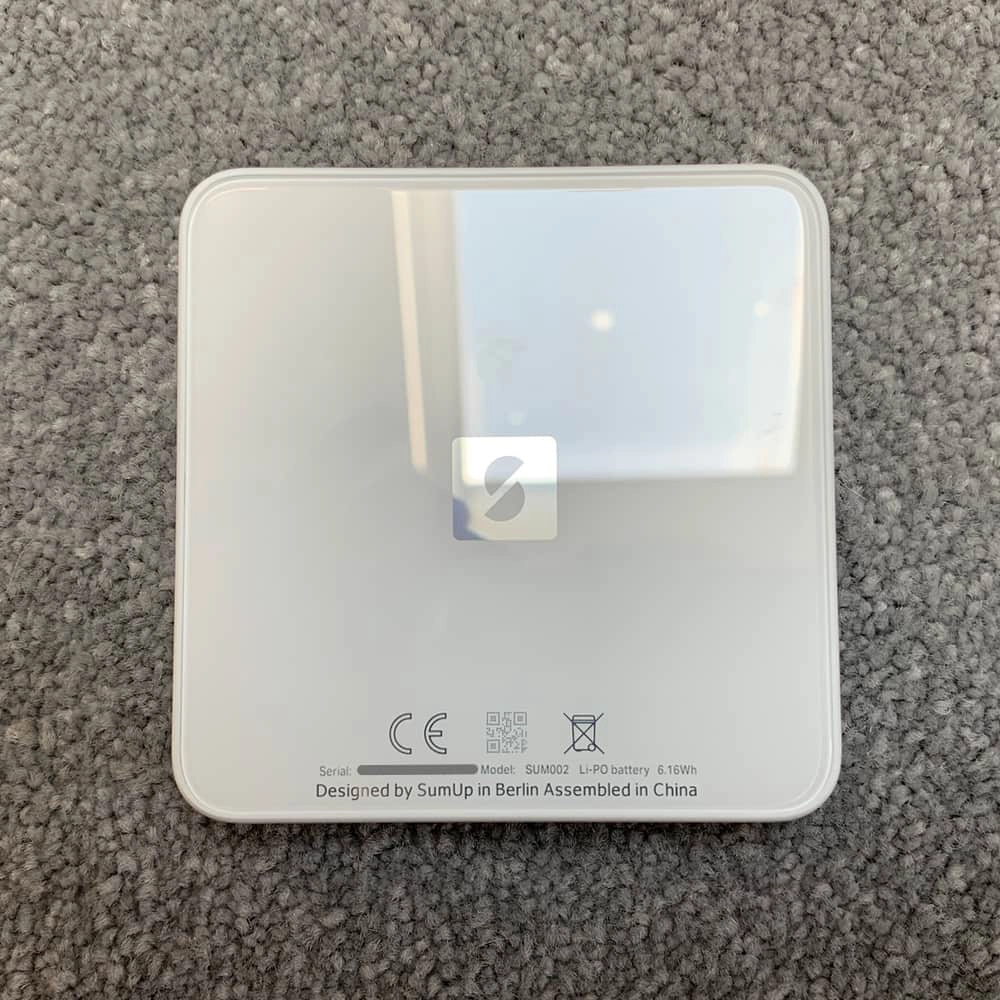
Solo’s back has a glass surface, like the front.
It may take a few days before your bank account – which must be in a name matching your business name – is linked to your SumUp account, but you can still accept payments straight away in your online SumUp Business Account.
Some users have been confused when their first payouts don’t arrive in their bank account, as new sign-ups automatically get an online business account and card sent out, even when they don’t want it. You can, however, change the settings to bank account payouts when that’s verified.